
Blog · Review
First impressions: 37k stars, V4 Pro pricing, and "make your own wrench"
August 14, 2026 · dshbase
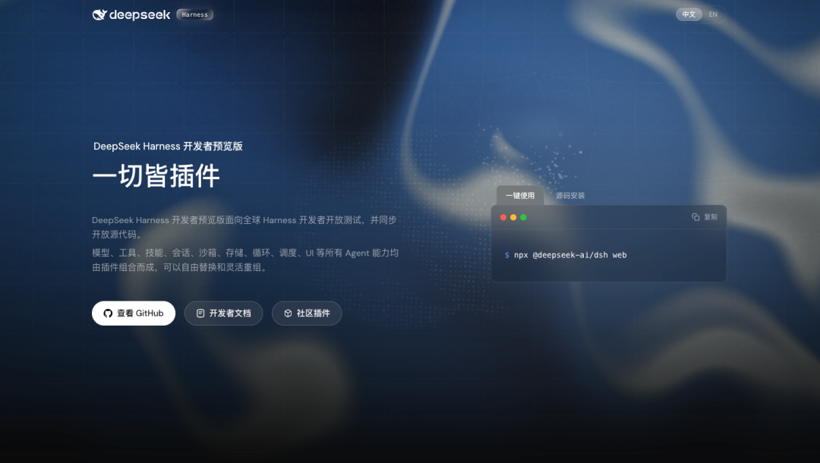
DeepSeek Harness shipped right after DeepSeek V4 Pro — and within days hit ~37,000 GitHub stars. It's polarizing: some call it the future, others too raw. We ran it for a week on dsh 0.1.0-rc.6 and, more importantly, installed the community plugins rather than just reading about them. This is what held up, and what didn't.
The numbers that matter
- ~37k GitHub stars within days.
- V4 Pro cache pricing rose 12x at cache-hit prices.
- Peak output reached ~¥27, pricing started at 3x across the board.
Those last two deserve a beat. A 12x jump on cache-hit pricing changes the calculus for every harness in this space — it's exactly why cache hit rate stopped being an optimization detail and became the metric. Peak output at ~¥27 is a reminder that the model isn't uniformly cheap: bursts of long reasoning output are where the bill hides.
The four modes
- Standard — full coding agent. Just use this.
- PTC — the model writes TypeScript to chain tool ops in one
run_code; fewer round-trips, fewer tokens. - Minimal — two tools, for model benchmarking.
- Create — inspect the running Cordis environment, build new presets, even create a missing plugin and hot-attach it: the "make your own wrench" mode.
The mode spread tells you who this is for. Standard is the product; Minimal is for benchmarking; PTC is the cost lever; Create is the tell — it's aimed at people who will open the hood and stay there. No polished consumer product ships a "build your own missing plugin" mode.
Append-only session logs
Sessions are append-only event logs — system prompts, reasoning, tool calls, permission changes all become events, and the next turn is re-derived from the log. When an agent fails, you can trace the exact step. Observable, auditable, reproducible.
We used this constantly while testing plugins: when a plugin crashed, the log told us which event killed it, not just that something failed. The full breakdown is in our session-log guide.
Not locked to DeepSeek, and a healthy ecosystem
Add custom providers (base URL, protocol, model list) — you could run GLM inside it. Community plugins worth installing: dsh-at-file, dsh-genui, dsh-automation, DSH-better-sidebar, ModLens.
"Healthy" is a claim we decided to verify. Our plugin directory now catalogs 101 community plugins tested on dsh 0.1.0-rc.6, and the distribution is the real story:
- 11 npm packages — install and work out of the box.
- 4 — install but only do something in a Web/TUI context.
- 3 — fail to install.
- 81 GitHub-source repos — installable via
dsh plugin add github:owner/repo.
Two-thirds of the ecosystem isn't on npm yet. That's not failure — it's what a plugin model looks like in its first week, when the "package" story is still catching up to the "just clone a repo" story.
What we actually hit while installing them
Reviews usually stop at "the ecosystem is great." Ours didn't, because the install path has real friction. The error messages you will meet, and what they mean:
ERR_PNPM_FETCH_404— your npm mirror lags the official registry, so a fresh package 404s. Point athttps://registry.npmjs.organd retry.ERR_REQUIRE_ESM— a plugin compiled to CommonJS but depends on an ESM-only package. It's the plugin author's bug, not yours.- Installed but inert — the package lacks a
dsh.bundlemanifest, sodsh plugin addinstalls it as a plain dependency that's never loaded. cannot get property "systemPrompt" without inject— plugin code calledctx.systemPromptwithout declaringinject: ["systemPrompt"].allowBuildsprompt — git-hosted plugins with apreparescript trip pnpm's build-blocking; you add the key toallowBuildsand re-run.
One-line fixes for all of these are in our troubleshooting guide. The takeaway isn't "it's broken" — it's that DSH is developer-first in a way that assumes you're fine reading a stack trace. If you are, these errors are ten-minute annoyances; if you're not, they'll feel like walls.
The honest take
Fascinating system, strong plugin concept — but developer-unfriendly: dense terminology, steep learning curve, raw UI. That's the trade-off of a team that prioritizes research.
After a week, we'd phrase it more precisely: the ideas are further along than the packaging. Append-only sessions, everything-as-a-plugin, the Create mode — all genuinely ahead of the field. The rough edges are all in distribution and polish, which are the two things a weekly release cadence fixes fastest. Bet on the ideas, tolerate the packaging.
FAQ
Is DeepSeek Harness ready for everyday use?
For developers comfortable with terminal errors, yes. The core agent works; the friction is in the plugin install path and a raw UI. Non-developers should wait.
Why is V4 Pro's cache pricing jump such a big deal?
Because caching is where the cheap bills come from. A 12x rise on cache-hit prices means the difference between a cache-friendly harness and a careless one now shows up directly in your monthly bill.
Which mode should I start with?
Standard. It's the full agent and the least fiddly. Graduate to PTC when you want to cut tokens, and open Create only when you want to build.
How do I tell a good plugin from a broken one?
Check whether it ships a dsh.bundle manifest and builds as ESM. Our plugin directory already does that vetting for you and shows the verified status per plugin.