
Tutorial
DeepSeek Harness tutorial
From first launch to your first agent task — plus the common errors that trip people up, and the Python SDK for scripting. Based on the official guide.
Quick start (all platforms)
After installing, run:
npx @deepseek-ai/dsh web- Open
http://127.0.0.1:3080. - Enter your DeepSeek API key under Settings → Models and save.
- Click Choose workspace, add a project directory, and select it.
- Send a task — e.g.
Summarize this repository and identify its main packages.
First use per platform
Launching is the same everywhere (the install step differs — see the install guide):
- Windows — run the command in PowerShell; open the URL in any browser.
- macOS — run it in Terminal; the Web UI opens in your default browser.
- Linux — run it in a terminal; use
--port 8080if 3080 is taken. - WSL — run it inside your WSL Ubuntu terminal; open the URL from Windows browser.
The dsh process treats the directory you launched it in as the default filesystem location — the Web UI won't select a workspace until you add one.
Configure models (providers)
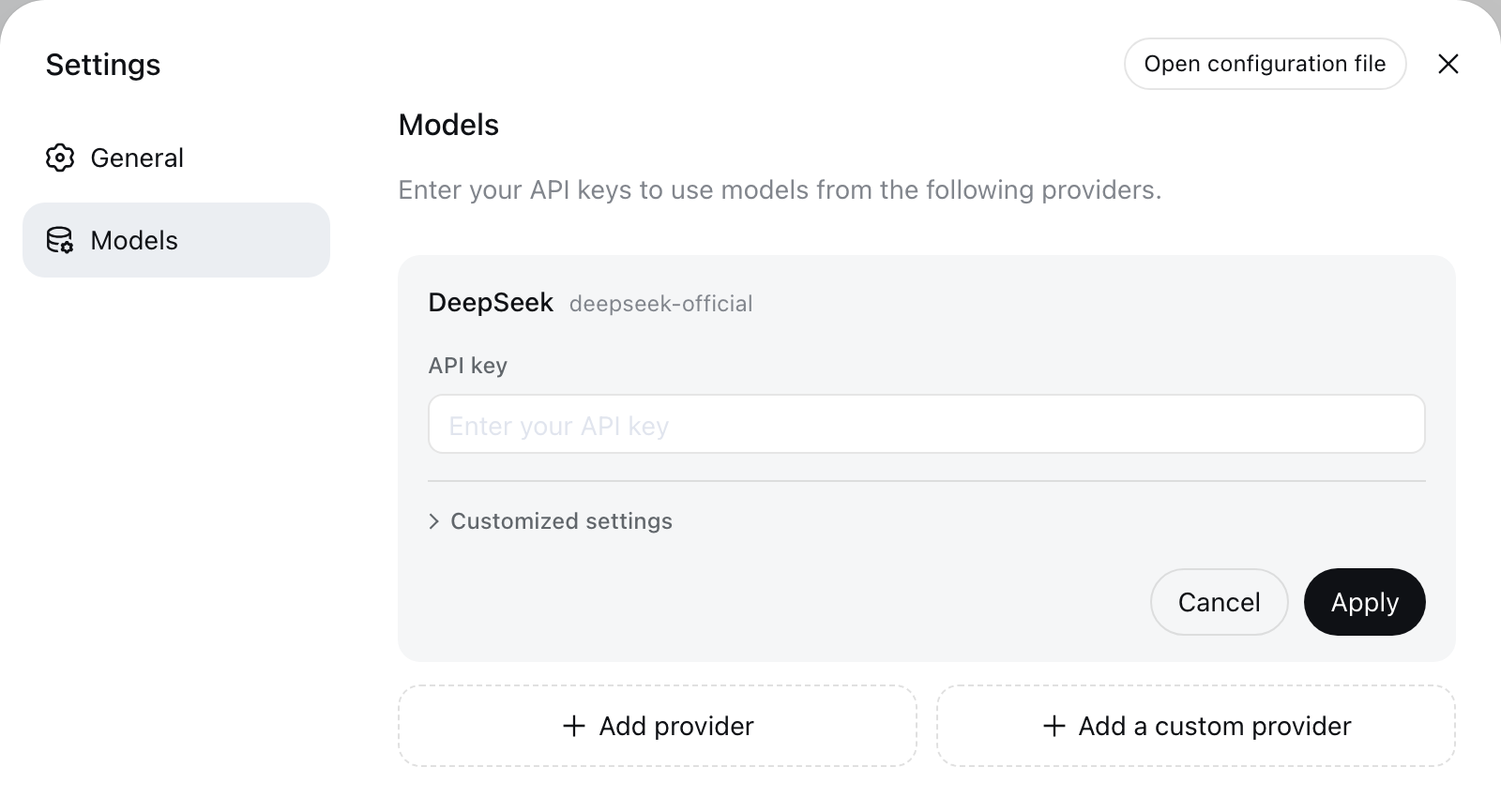
Model changes take effect on the next request — no restart needed. Keys are stored in $DSH_HOME/.credentials.yaml and are write-only.
- DeepSeek — enter the API key on the Models page.
- Directory providers (Anthropic, OpenAI, …) — add a provider and its key. Bedrock, Vertex, Azure, and Codex need their native credentials (AWS/ADC/
api-version/OAuth). - Custom providers — lowercase Provider ID + base URL + protocol + credentials + at least one model. Use Get available models to query the endpoint.
- Vision models — add
input: [text, image]in$DSH_HOME/settings.yamlfor the model.
Three concrete setups (official DeepSeek / OpenCode Go / free Agnes) with base URLs and referral links: see the model setup guide.
Install & manage plugins
Plugins are npm packages. Add one to a profile with the dsh plugin command — the arguments are forwarded to pnpm (install it with npm install -g pnpm first):
dsh plugin --profile web add dsh-claude-marketplace
dsh plugin --profile web list              # confirm what's installed
dsh plugin --profile web remove dsh-claude-marketplace
The --profile flag is required and names the profile to modify (default profile: web). DSH records the plugin in the profile's package.json — both as a dependency and in dsh.profile.bundles — and loads it on the next launch. Verified on npm: dsh-claude-marketplace (load your .claude skills & commands), dsh-plugin-session-import (import Claude Code / Codex history), dsh-fail-logger (log failing tool calls), dsh-latex-tools (hover LaTeX in the Web UI), dsh-cloudflare-browser-run (browsing tools). Search more with npm search dsh-plugin.
Common errors & fixes
MISSING_CREDENTIAL— store the provider key on the Models page, or set the referenced environment variable.UNKNOWN_MODEL— pick a configured model, or add the missing model to your custom provider.- Get available models returns 401 — check the key; model discovery calls the OpenAI-compatible
GET /modelsendpoint. - Images rejected before sending — the model doesn't declare the image modality; add
input: [text, image]. - Wrong model / connection fails — the three settings (base URL, API key, model name) must all match your provider. A key that works via
curlcan still fail in the UI if the base URL or model name is off. 'pnpm' is not recognized—dsh pluginforwards to pnpm; runnpm install -g pnpmfirst.ERR_PNPM_FETCH_404when adding a plugin — the package isn't published (checknpm view <package>), or your registry mirror lags behind — retry with--registry=https://registry.npmjs.org.node: command not found— thedshlauncher needs Node.js on your PATH; add your Node folder to PATH.
Advanced: headless mode
Run a single task and exit, for scripts and CI:
dsh --profile headless "Inspect the repository and fix the failing tests."Advanced: the Python SDK
The Python SDK exposes the same agent API for your own programs. Requirements: Python 3.10+, Git, and Linux x64/arm64 or macOS 14+ (arm64) — note it does not currently support Windows.
git clone https://github.com/deepseek-ai/deepseek-harness.git
cd deepseek-harness
python -m venv .venv
. .venv/bin/activate
python -m pip install deepseek-harness-sdk
export DEEPSEEK_API_KEY=sk-your-key-here
python examples/jsonrpc-agent/minimal.py \
--workspace /absolute/path/to/workspace \
"Inspect the repository and fix the failing tests."The minimal example gives the model just two tools (bash + file editor) — Bash timeout 300s, edit limit 16,000 chars.
Build a plugin → Browse the plugin directory →