
Blog · Analysis
Not another model — a workbench you can rewind
August 27, 2026 · dshbase · positioning analysis
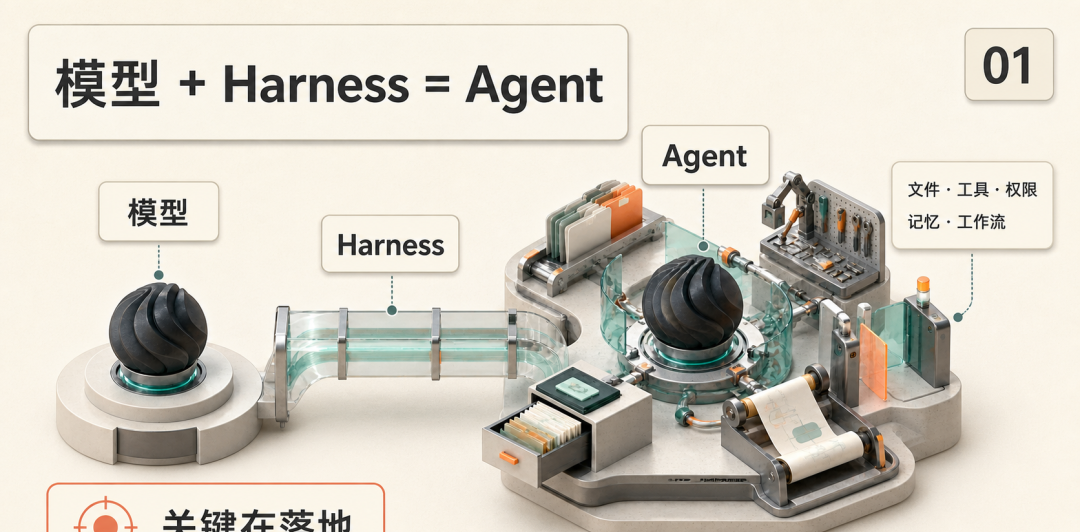
The most common first-contact mistake with DeepSeek Harness is comparing it to a chatbot or a new frontier model. It is neither. The mental model that survives contact with the product: the model is the engine, the Harness is the rest of the car — files, tools, permissions, memory, workflow — bolted around it. Swap engines freely; the chassis is what DeepSeek actually shipped.
The underrated feature: everything goes on the record
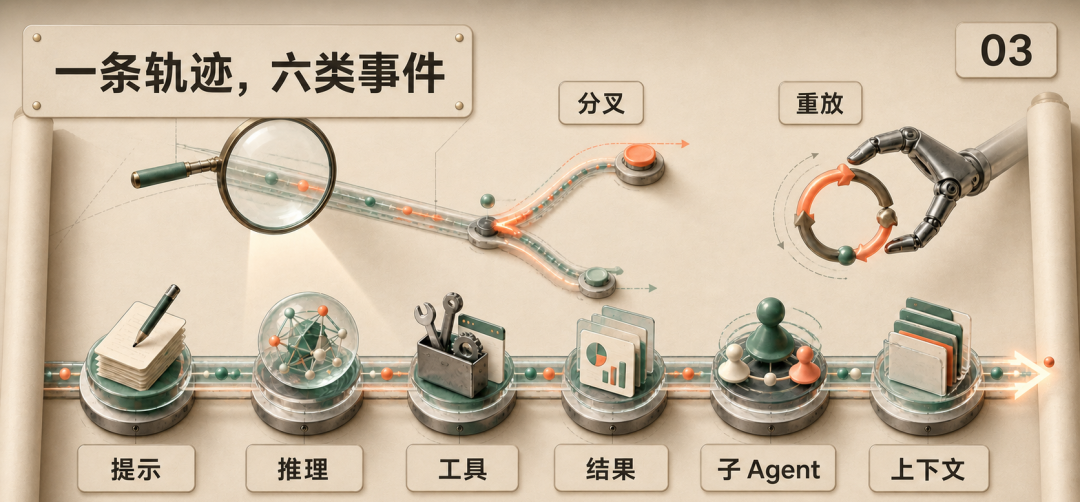
Demos are easy; real work surfaces a different question — what exactly did it just do? DSH puts run-time transparency at the core. System prompt, reasoning, tool calls and results, sub-agent dispatch, context injection: all of it lands in an append-only session log. The Trajectory view renders that event stream with per-call drill-down.
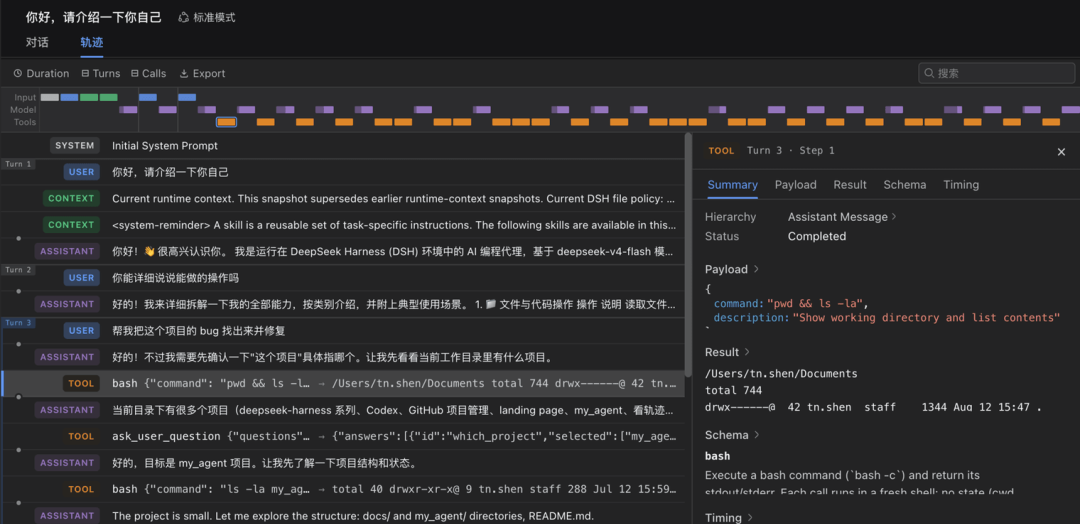
Treat it as a dashcam for agents. When an answer looks wrong you do not stare at the last sentence — you walk back to which document it read, which tool it called, after which context injection it went sideways. Long tasks can fork or resume along the recorded trail instead of restarting from zero. One infographic sums up the six event categories nicely:
For individuals this is debugging; for teams it is an auditable work process. Once agents start editing code and touching company data for hours at a stretch, process transparency beats a lucky clever answer every time.
Four modes, four jobs
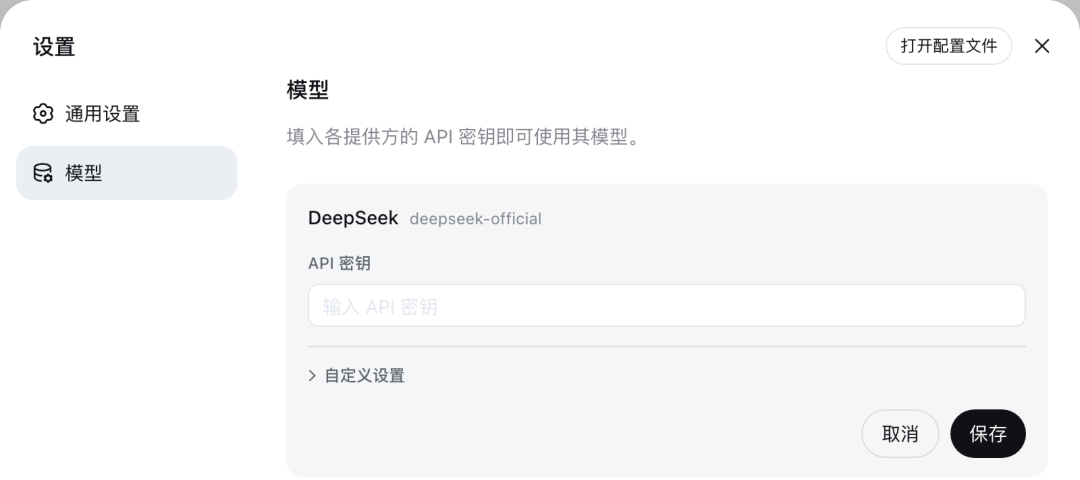
Standard is the full coding agent (files, shell, retrieval, skills, planning, sub-agents). Code mode has the model write a TypeScript program that composes tool calls instead of round-tripping each one. Minimal strips down to shell plus editor — the honest way to benchmark raw models. Creator inspects the runtime and builds custom presets. Credentials live in Settings → Models, and per-provider keys take effect without restarting the service.
Who should install it this week — and who should not
Worth your time now: developers evaluating agent runtimes, teams building internal agents, tooling obsessives. Quick start is genuinely quick — Node.js, then npx @deepseek-ai/dsh web, Web UI on 127.0.0.1:3080. Not worth it yet: anyone who just wants finished writing/slides/image tools out of the box. More likely, non-engineers will first meet DSH indirectly, as the base their technical colleagues used to assemble a department-specific agent.
Two boundaries deserve emphasis. Local-first does not mean automatic safety: connect external models, web tools or plugins and data leaves the machine by design. And freedom scales both ways — more plugin surface means more configuration, maintenance and security responsibility lands on the installer. The official repo still says developer preview, breaking changes are promised, so treat rc versions accordingly.
The lasting shift may be in procurement checklists: before asking how smart the model is, ask which tools it can attach, whether permissions approve stepwise, whether the process is traceable, where data rests, and whether a failed task can resume. When those questions reach the buying table, agent competition stops being a leaderboard sport.