
插件目录 / Security / deepseek-harness-blaxel-sandbox
deepseek-harness-blaxel-sandbox
已验证 · 实测可装 blaxel-ai
功能简介
Blaxel sandbox execution plugin for DeepSeek Harness
可用 — 实测通过,早期项目
Blaxel sandbox execution plugin for DeepSeek Harness 实测能干净安装、正常启动。早期项目,但功能可用。
「已验证」表示我们的自动化 CI 在干净 profile 里实际执行了 dsh plugin add 并启动成功——仅此而已。功能描述与版本兼容性均为作者声明。这不是安全审计,也不代表对第三方代码的背书。
README
Blaxel Sandbox for DeepSeek Harness
@blaxel/dsh-sandbox adds Blaxel-backed sessions to DeepSeek Harness (DSH). The DSH interface, model requests, session state, and Blaxel credentials stay on the host. Filesystem, Bash, and terminal operations for a sandbox session run in one short-lived Blaxel microVM.
Use GUIDE.md for account setup, session round trips, recovery, security, and troubleshooting. Agents and coding assistants can use llms.txt for the concise machine-readable contract.
See it in action
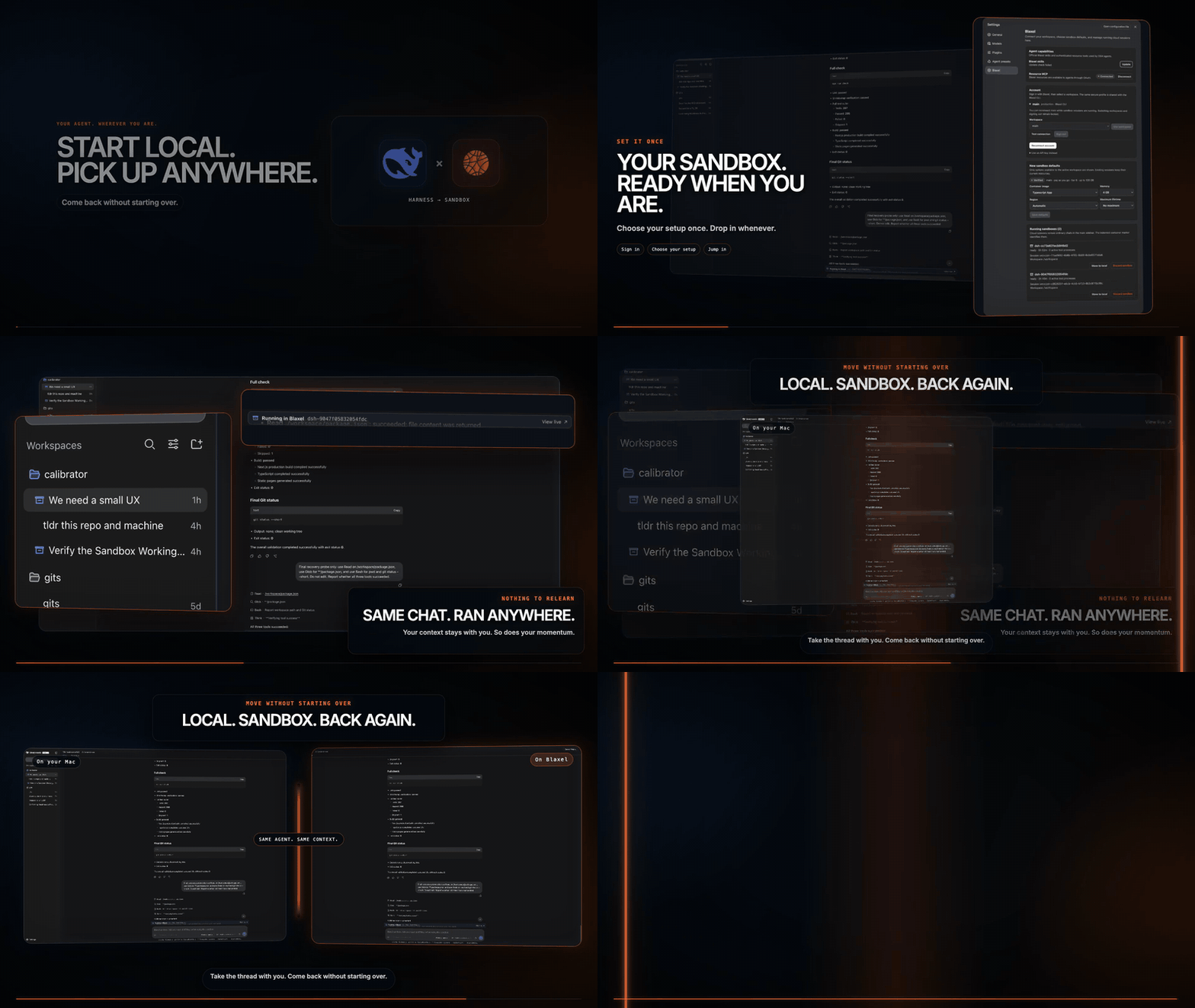
Session architecture
Local and sandbox sessions use the same DSH host, native session store, and sidebar:
DSH Web
  +-- local session     -> local filesystem and subprocess providers
  +-- cloud session     -> Blaxel filesystem and subprocess providers
The active native session ID selects the execution backend. The plugin never starts another DSH Web process, opens another tab, or navigates away from the current page.
Sandbox sessions use an indented container marker so they are distinguishable in the normal sidebar. An empty session offers Open on Blaxel. A session with history offers Move to Blaxel, which atomically binds that same native session ID to Blaxel. Its conversation, automatic title, sidebar row, and current-page selection stay unchanged.
Compatibility
DeepSeek Harness is in developer preview and its plugin contracts change between release candidates. Each plugin release pins one DSH version and is verified against it with the full check, a clean-profile install, and a DSH Web boot.
| Plugin | DSH host | Node.js |
|---|---|---|
0.1.2, 0.1.1 |
0.1.2-rc.1 |
22, 24 |
0.1.0 |
0.1.1-rc.2 |
22, 24 |
When DSH publishes a new version, the plugin is re-verified against it and, when a Host contract moved, a new plugin release pins the new version. Older hosts keep the last plugin release that pinned them.
Profile installation
After the package is published, install it into the DSH Web profile with the native helpers it requires:
dsh plugin --profile web add \
  --allow-build=@deepseek-ai/dsh-subprocess-local \
  --allow-build=koffi \
  --allow-build=node-pty \
  @blaxel/dsh-sandbox
dsh web
Development installation
git clone https://github.com/blaxel-ai/deepseek-harness-blaxel-sandbox.git
cd deepseek-harness-blaxel-sandbox
pnpm install
pnpm build
dsh plugin --profile web link "$PWD"
dsh web
Sign in from Settings > Blaxel, or authenticate on the host with bl login YOUR-WORKSPACE.
Workspace launch
The launch action is available when the session directory is inside a Git worktree. It:
- Lists tracked files and unignored untracked files.
- Excludes common credential and private-key paths.
- Creates a bounded archive without
.gitor.dsh-blaxelstate. - Restores the worktree under
/workspacein a Blaxel sandbox. - Binds the current native session ID to the remote providers.
- Keeps that session selected in the existing interface.
The launch panel reports real file counts and the active phase. A failed launch stays in the current session with its error instead of creating an empty page.
Before any sandbox is created, the plugin verifies that the session's selected model route is active and that its resolved credential is configured. If a writable credential is missing, the composer shows a secure provider-specific setup card. Saving the key writes it to the DSH host credential store, verifies the model again, and continues the original sandbox action. Model credentials are never returned to the browser or copied into the sandbox.
Configuration
| Variable | Default | Purpose |
|---|---|---|
DSH_BLAXEL_IMAGE |
blaxel/ts-app:latest |
Sandbox image |
DSH_BLAXEL_MEMORY |
4096 |
Sandbox memory in MB |
DSH_BLAXEL_REGION |
automatic | Sandbox region |
DSH_BLAXEL_TTL |
platform default | Maximum lifetime from sandbox creation |
CI may provide BL_WORKSPACE and BL_API_KEY. Blaxel credentials and credential-shaped host environment variables are not copied into sandbox processes.
Blaxel Settings
The Blaxel settings section provides browser OAuth with workspace selection, existing CLI profile switching, and sandbox defaults verified against the active account's memory and TTL quotas, workspace regions, and available Hub images. Official Blaxel skills and OAuth-connected resource MCP status stay at the top. API-key login remains available as an advanced fallback.
It also lists every running sandbox session with its session ID, runtime name, remote workspace, uptime, state, and owned tool-process count. Stopping one sandbox removes its remote runtime binding without closing or replacing the DSH page.
Development
Keyless verification:
pnpm check
pnpm pack
The opt-in live test creates a real sandbox:
DSH_BLAXEL_LIVE=1 pnpm vitest run tests/live.test.ts
Do not run the live test without authorization to use the target Blaxel workspace.
Security and lifecycle
- Blaxel authentication remains host-side.
- Local sessions retain DSH's local sandbox policy.
- Sandbox sessions route to the remote filesystem and subprocess providers. A failed remote operation never falls back to the host.
- Git-ignored files and common credential files such as
.env,.npmrc, private keys, and credential JSON are omitted from workspace snapshots. - A running turn cannot be moved into a sandbox session.
- Moving is an explicit round trip, not continuous synchronization.
Return to localconflict-checks sandbox changes against the original worktree, applies them only when safe, stops that sandbox, and keeps the same DSH session local. The session can later move into a fresh sandbox again. - Each runtime is deleted only when stopped. Restarting DSH reconnects the same native session to its existing sandbox.
- Telemetry is limited to attribution: Blaxel API and sandbox requests carry the Blaxel SDK
User-Agentwithdeepseek-harness-blaxel-sandbox/<version>appended. Nothing is collected from DSH, the conversation, or the workspace.
安装
装一次目录插件,之后本站所有插件都能让 DeepSeek Harness 自动找、自动装:
dsh plugin add dshbase-catalog然后对 agent 说「帮我装 deepseek-harness-blaxel-sandbox」,它会在目录里找到并自动安装。文档:dshbase-catalog · 已验证场景包。
该插件是 GitHub 源码(未发 npm)——直接从仓库装:
Web profile:
dsh plugin --profile web add github:blaxel-ai/deepseek-harness-blaxel-sandboxHeadless(CLI)profile:
dsh plugin --profile headless add github:blaxel-ai/deepseek-harness-blaxel-sandbox实测报告
验证通过:从 GitHub 源码完成 L1 安装 + L2 加载 + L3 运行(dsh 0.1.0-rc.6)。
分享徽章
把这枚徽章粘进 README——它会链回本页,实测状态变化时自动更新:

[](https://dshbase.com/zh/plugins/deepseek-harness-blaxel-sandbox/)<a href="https://dshbase.com/zh/plugins/deepseek-harness-blaxel-sandbox/"><img src="https://dshbase.com/badges/deepseek-harness-blaxel-sandbox.svg" alt="dshbase 实测可装"></a>