
插件目录 / Developer / dsh-check-update
dsh-check-update
已验证 · 实测可装 bao-hp
功能简介
Check for DSH updates with changelog and backup.
尚无短证据报告
这里还没有可核对的逐级实测记录。Star 数、目录 test 字段、web-only 标记,以及插件是否需要外部账号或服务,都不会在这里被写成通过或失败。目录徽章仍按 catalog 原样显示。
「已验证」表示我们的自动化 CI 在干净 profile 里实际执行了 dsh plugin add 并启动成功——仅此而已。功能描述与版本兼容性均为作者声明。这不是安全审计,也不代表对第三方代码的背书。
README
dsh-check-update
DSH 更新检查器(npm 版)——设置页检查 @deepseek-ai/dsh 和已装插件是否有新版,有更新时导航标签显示红点提醒。
适配 npm 全局安装(npm install -g @deepseek-ai/dsh):只做版本检查 + 更新指引,不做 git pull。
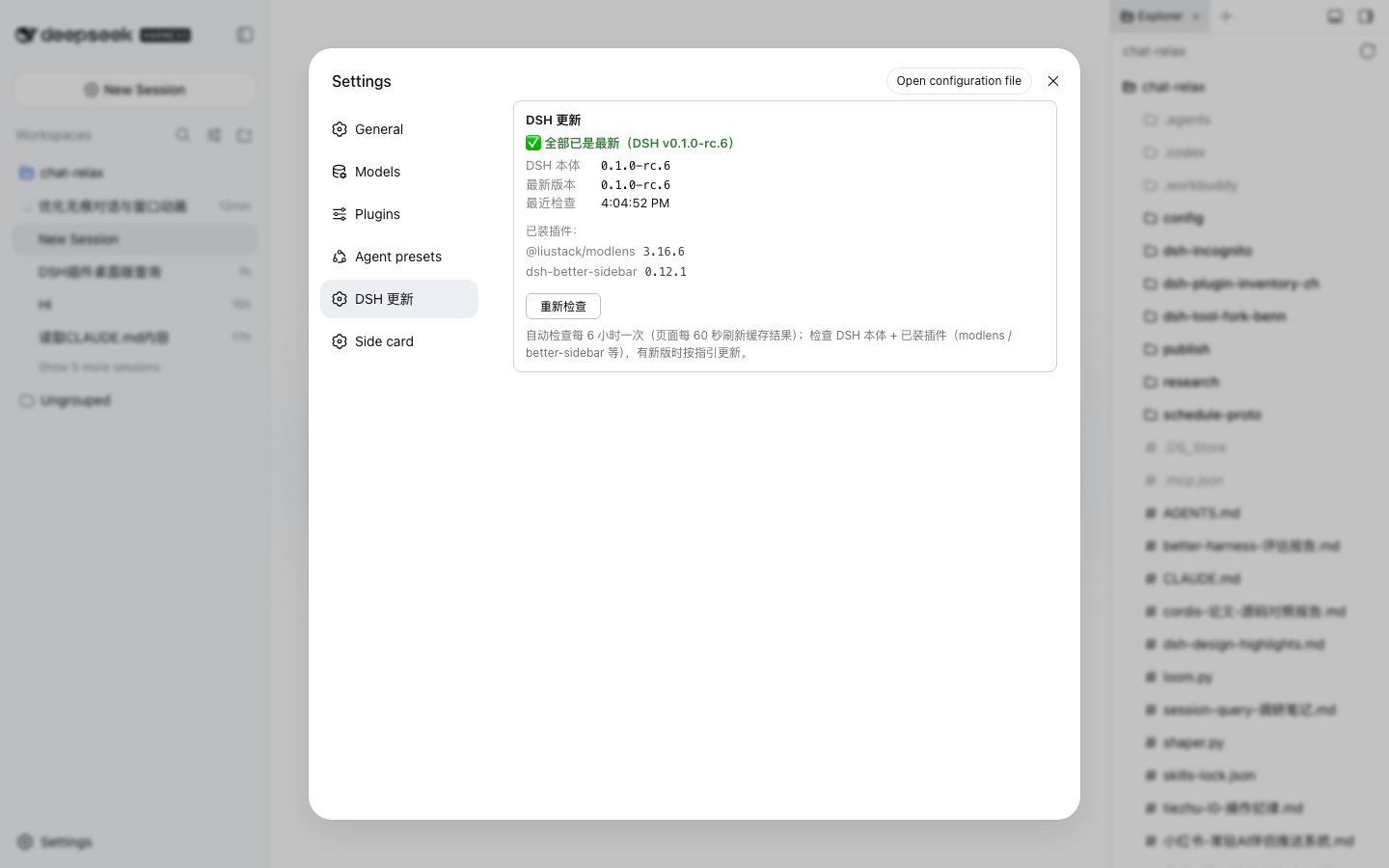
功能
- 设置页「DSH 更新」:显示 DSH 本体与各插件本地/最新版本对比
- 导航红点:任一组件有新版时,设置导航标签带 ● 红点
- 自动检查:每 6 小时后台检查一次(结果 10 分钟缓存)
- 更新指引:直接给出更新命令(DSH 本体
npm install -g @deepseek-ai/dsh@latest;插件dsh plugin --profile web update <name>) - CSRF 防护:检查接口仅接受 POST,防止任意网页跨站触发
安装
dsh plugin --profile web add dsh-check-update
本地开发(file: 依赖):
git clone https://github.com/HuiHuitie-zhu/dsh-check-update.git
# 在 ~/.dsh/profiles/web/package.json 的 dependencies 中加入:
#   "dsh-check-update": "file:/path/to/dsh-check-update"
cd ~/.dsh/profiles/web && npm install
目录结构
host.js           # Host 面:POST /dsh-check/check 路由 + 6h 自动检查(零 import 纯 ESM)
client.js         # Client 面:设置页「DSH 更新」section + 导航红点
cordis.patch.yml  # bundle patch 挂载点
免责声明
早期社区插件,非 DeepSeek 官方插件。检查结果来自 npm registry,网络不可用时静默保留旧缓存。
License
MIT
安装
装一次目录插件,之后本站所有插件都能让 DeepSeek Harness 自动找、自动装:
dsh plugin add dshbase-catalog然后对 agent 说「帮我装 dsh-check-update」,它会在目录里找到并自动安装。文档:dshbase-catalog · 已验证场景包。
该插件是 GitHub 源码(未发 npm)——直接从仓库装:
Web profile:
dsh plugin --profile web add github:bao-hp/dsh-check-updateHeadless(CLI)profile:
dsh plugin --profile headless add github:bao-hp/dsh-check-update实测报告
尚无短证据报告
这里还没有可核对的逐级实测记录。Star 数、目录 test 字段、web-only 标记,以及插件是否需要外部账号或服务,都不会在这里被写成通过或失败。目录徽章仍按 catalog 原样显示。
分享徽章
把这枚徽章粘进 README——它会链回本页,实测状态变化时自动更新:

[](https://dshbase.com/zh/plugins/dsh-check-update/)<a href="https://dshbase.com/zh/plugins/dsh-check-update/"><img src="https://dshbase.com/badges/dsh-check-update.svg" alt="dshbase 实测可装"></a>