
插件目录 / Knowledge / dsh-context-console
dsh-context-console
已验证 · 实测可装 anweat
功能简介
Complete context workbench for DeepSeek Harness: trajectory, inventory, cache history, message forge, and session-log recovery
可用 — 实测通过,早期项目
Complete context workbench for DeepSeek Harness: trajectory, inventory, cache history, message forge, and session-log recovery 实测能干净安装、正常启动。早期项目,但功能可用。
「已验证」表示我们的自动化 CI 在干净 profile 里实际执行了 dsh plugin add 并启动成功——仅此而已。功能描述与版本兼容性均为作者声明。这不是安全审计,也不代表对第三方代码的背书。
README
DSH Context Console


面向 DeepSeek Harness 的完整上下文工作台:把会话轨迹、Prompt / Skill /
MCP / Tools 管理、缓存观察、消息锻造和 sessionlog 修复放进同一个插件。
[!IMPORTANT]
dsh-context-console是dsh-assistant-message-forge
的正式继任者。消息锻造台已停止功能更新;它的完整能力、RPC 兼容层和原有
数据目录均由本插件继续维护。迁移步骤见 MIGRATION.md。
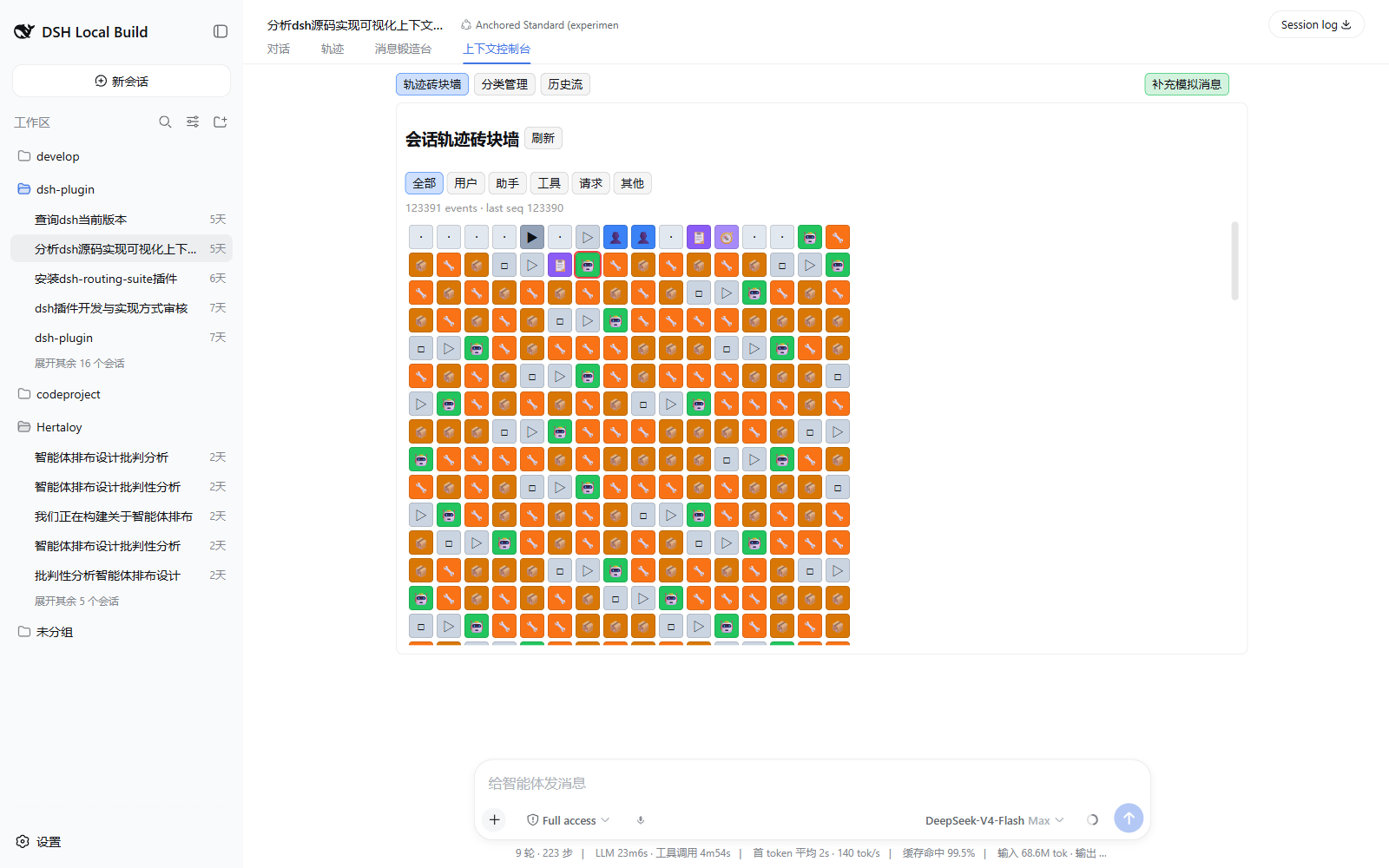
能力
| 工作区 | 能力 |
|---|---|
| 轨迹砖块墙 | 展示 user、assistant、reasoning、tool call/result、request header 等会话事件;支持展开、过滤与行内编辑 |
| 分类管理 | 双栏管理 Prompt、Skill、MCP 与 Tools;支持拖拽上线/下线和 Prompt 插入位置选择 |
| 缓存与历史 | 跟踪 request header 变化、cache read token 和管理动作,持久化到 SQLite 历史流 |
| 模拟消息 | 注入 Assistant、User、Tool Call、Tool Result 或原始 JSON 事件 |
| 消息锻造 | 保留草稿、详细上下文卡片、surface replace、导入识别与直接注入能力 |
| 会话修复 | 识别 JSONL/Zstandard sessionlog,采用“后写分支覆盖 + 官方 crash closer + Session.create 校验”创建修复子会话,绝不改写源日志 |
| 子代理轨迹 | 识别 subagent tool call/result,并在可获得子会话 ID 时嵌套展示轨迹 |
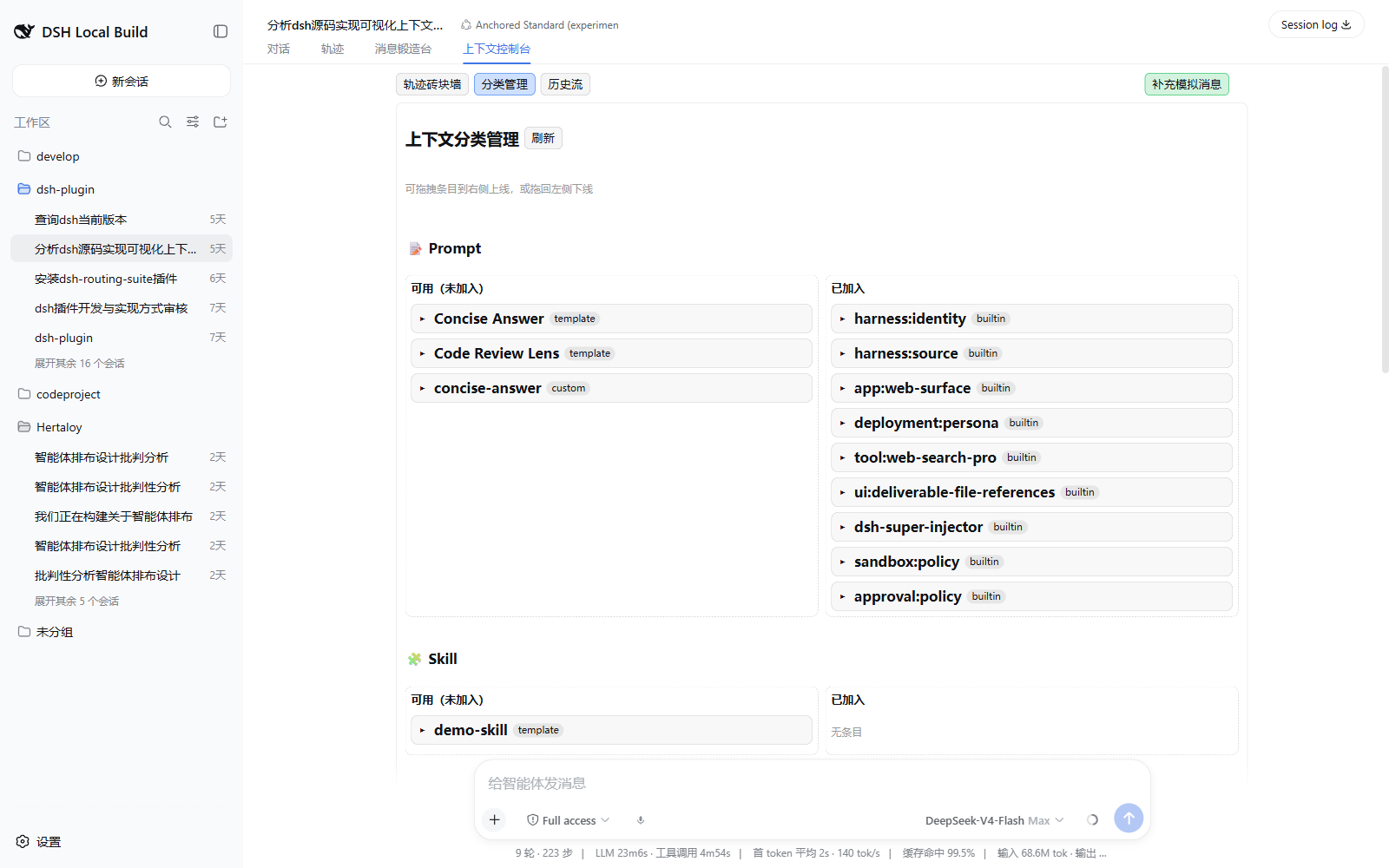
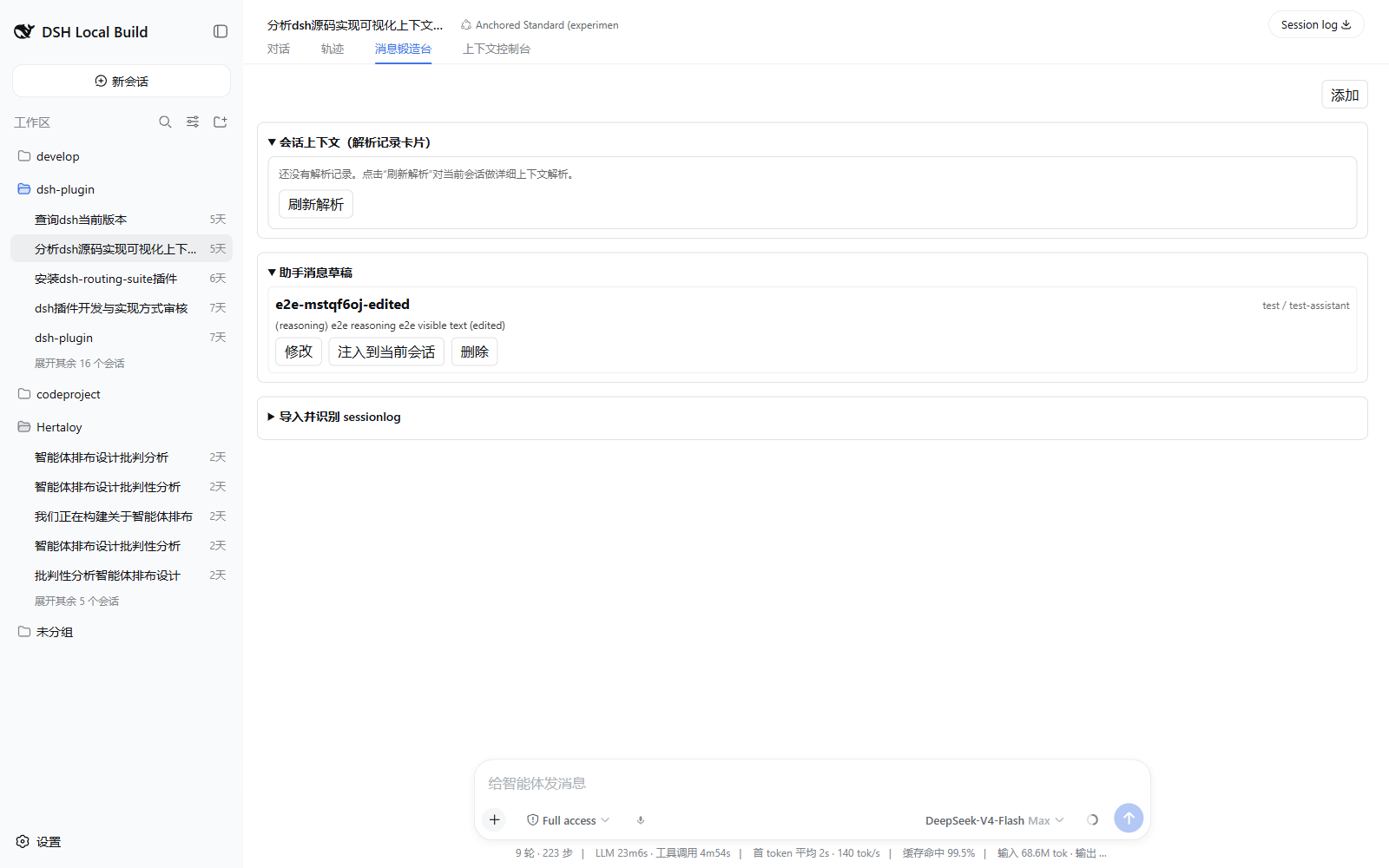
兼容版本
- DeepSeek Harness:
0.1.1-rc.2 - Node.js:
^22.19.0 || >=24.0.0 - pnpm:
11.7.0(建议始终通过 Corepack 调用)
DSH 当前仍处于快速、破坏性演进阶段。本插件以当前版本为准,不承诺兼容旧的
release candidate。
安装
corepack pnpm dsh plugin --profile web add dsh-context-console
如果正在使用消息锻造台,请一次性完成替换,避免两个插件注册相同的兼容 RPC:
corepack pnpm dsh plugin --profile web remove dsh-assistant-message-forge
corepack pnpm dsh plugin --profile web add dsh-context-console
随后重启 DSH。原有 $DSH_HOME/assistant-message-forge/ 数据会直接复用,无需转换。
发布包的 repository 元数据指向本仓库;可通过 npm registry 核对版本与完整性:
npm view dsh-context-console version dist.integrity repository
本地开发
git clone https://github.com/anweat/dsh-context-console.git
cd dsh-context-console
corepack pnpm install --frozen-lockfile
corepack pnpm run verify
安装本地检出版本:
corepack pnpm dsh plugin --profile web add D:/codeproject/dsh-context-console
架构
flowchart LR
  UI[DSH conversation views] --> RPC1[/dsh-context-console]
  UI --> RPC2[/dsh-assistant-message-forge]
  RPC1 --> Console[Trajectory / Inventory / Cache / History]
  RPC2 --> Forge[Drafts / Context Cards / Import / Repair]
  Console --> Session[(Live Session Log)]
  Forge --> Session
  Console --> Store[(context-console storage)]
  Forge --> Legacy[(assistant-message-forge data)]
Host 和 Client 通过 DSH Connection RPC 协作;浏览器 bundle 只依赖 DSH 冻结的
模块表。Message Forge 使用原 RPC channel 和数据目录,为既有用户提供无数据转换
迁移。
RPC
/dsh-context-console
overviewtrajectory/listinventory/listinventory/activateinventory/deactivateinventory/setInsertionmessage/editsim/injectcache/overviewhistory/listhistory/clearstate/exportstate/import
/dsh-assistant-message-forge(兼容层)
drafts/list/drafts/save/drafts/deletesession/injectcontext/load/context/refresh/context/applyrecords/update/records/resetsessionlog/parsesessionlog/repair-previewsessionlog/repair-create
数据与安全边界
| 内容 | 路径 |
|---|---|
| Context Console 配置 | $DSH_HOME/context-console/manifest.json |
| 历史与缓存事件 | $DSH_HOME/context-console/history.sqlite |
| 继承的草稿与上下文记录 | $DSH_HOME/assistant-message-forge/ |
- RPC 使用 loopback authority,仅面向本机 DSH 客户端。
- MCP 配置可能包含环境变量或请求头;导出状态前应自行检查敏感字段。
- sessionlog 修复只创建带
parentSession的新会话,不覆盖或截断来源文件。 - 正在执行、存在未闭合 turn 的会话拒绝消息注入和 surface replace。
许可证
安装
装一次目录插件,之后本站所有插件都能让 DeepSeek Harness 自动找、自动装:
dsh plugin add dshbase-catalog然后对 agent 说「帮我装 dsh-context-console」,它会在目录里找到并自动安装。文档:dshbase-catalog · 已验证场景包。
该插件是 GitHub 源码(未发 npm)——直接从仓库装:
Web profile:
dsh plugin --profile web add github:anweat/dsh-context-consoleHeadless(CLI)profile:
dsh plugin --profile headless add github:anweat/dsh-context-console实测报告
验证通过:从 GitHub 源码完成 L1 安装 + L2 加载 + L3 运行(dsh 0.1.0-rc.6)。
分享徽章
把这枚徽章粘进 README——它会链回本页,实测状态变化时自动更新:

[](https://dshbase.com/zh/plugins/dsh-context-console/)<a href="https://dshbase.com/zh/plugins/dsh-context-console/"><img src="https://dshbase.com/badges/dsh-context-console.svg" alt="dshbase 实测可装"></a>