
插件目录 / Developer / dsh-dev-toolbox
dsh-dev-toolbox
已验证 · 实测可装 Qingzhou-Joshua
功能简介
DeepSeek Harness plugin—a simple toolkit for developers.
可用 — 实测通过,早期项目
DeepSeek Harness plugin—a simple toolkit for developers. 实测能干净安装、正常启动。早期项目,但功能可用。
「已验证」表示我们的自动化 CI 在干净 profile 里实际执行了 dsh plugin add 并启动成功——仅此而已。功能描述与版本兼容性均为作者声明。这不是安全审计,也不代表对第三方代码的背书。
README
Dev toolbox
English | 中文
A local converter on the dsh web composer row. JSON, URL, Base64, timestamps, and UUIDs run in the browser: no model call, no network.
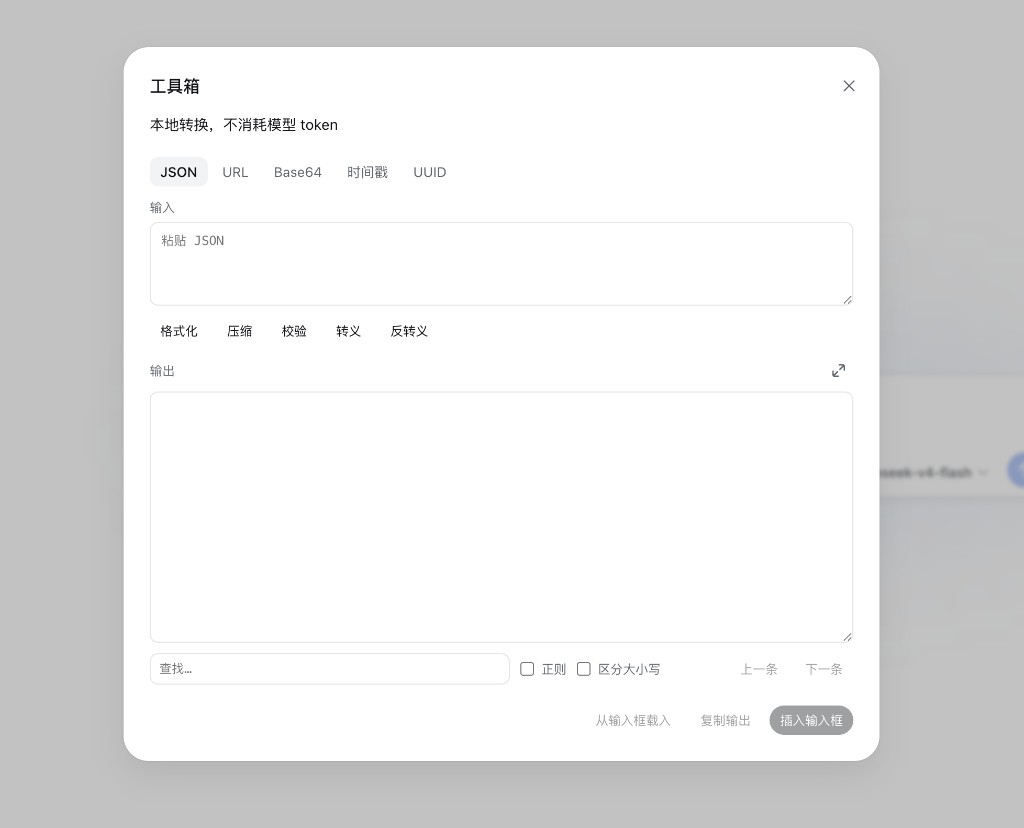
In any session, the code icon to the right of + opens the panel. The last tab is remembered; input and output are not written to disk.
Three footer actions apply to every tool:
- Load from composer — copies the current draft into this tab's input (not UUID).
- Copy output — clipboard.
- Insert into composer — replaces an empty draft, otherwise appends after a newline, then closes the panel.
Inputs larger than 512 KiB characters are rejected so a paste cannot freeze the tab.
JSON
Pretty-print compacted or handwritten JSON, minify it, check that it parses, or turn plain text into a JSON string literal.
{"ok":true,"user":{"id":42,"name":"Joshua","roles":["admin","reviewer"]},"items":[{"sku":"A-100","qty":3,"region":"ap-east-1"},{"sku":"B-200","qty":1,"region":"us-west-2"}],"trace":"req-7f3a"}
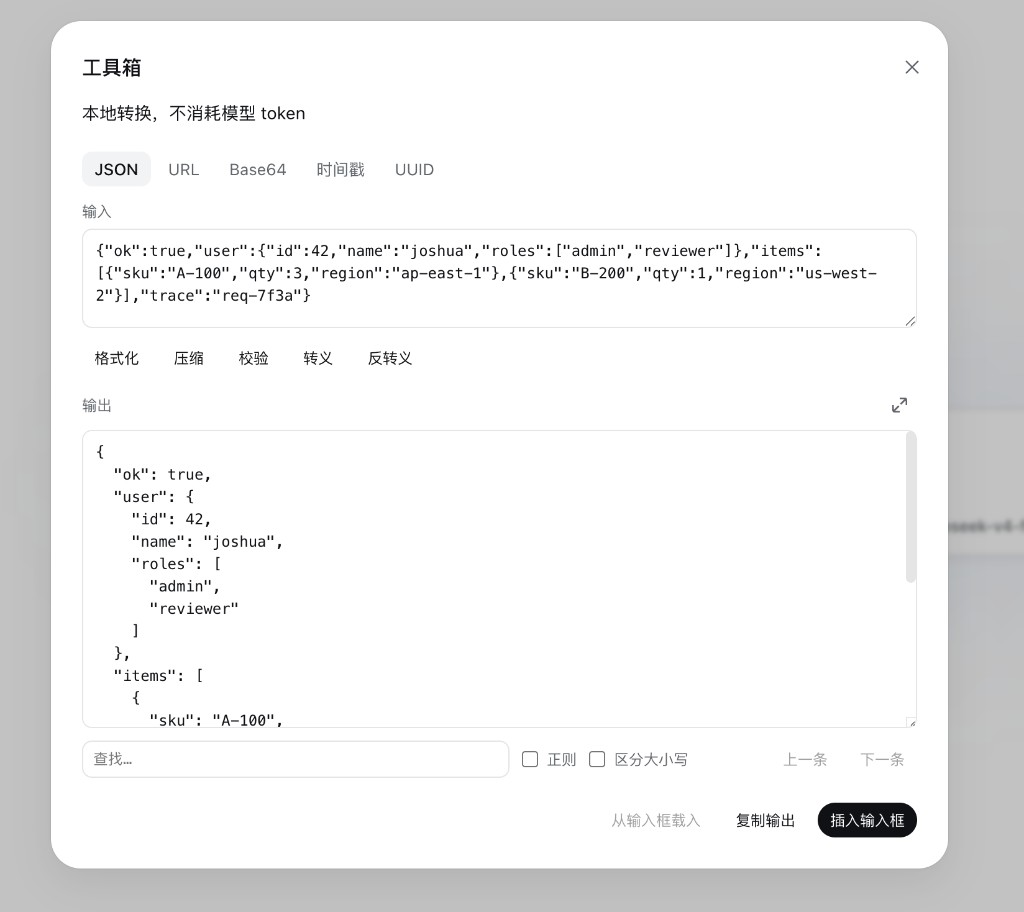
| Button | Effect |
|---|---|
| Format | JSON.parse, then print with two-space indent |
| Minify | one line, no extra whitespace |
| Validate | parse only; the text is left unchanged |
| Escape | the whole input as a JSON string, including quotes: a "b" → "a \"b\"" |
| Unescape | parse a JSON string; if there are no wrapping quotes, the text is tried as string content |
Use Format for objects and arrays, not Unescape.
Find
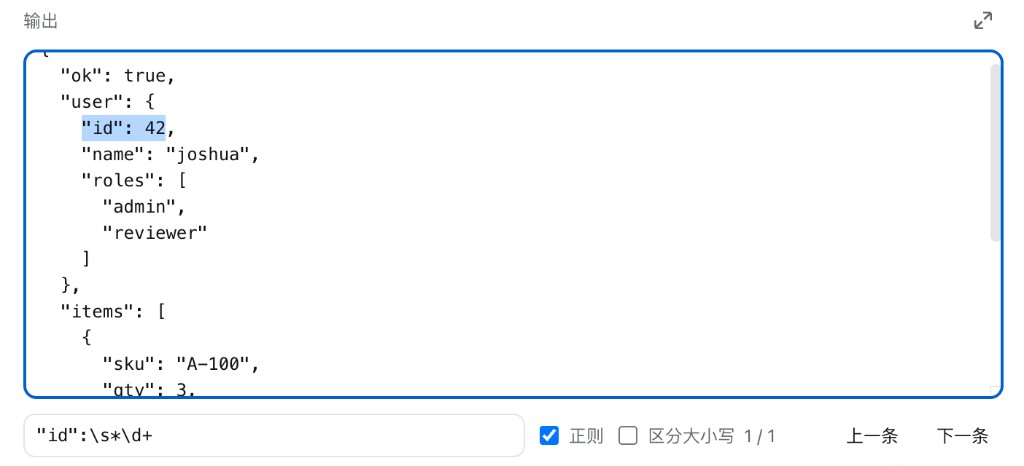
Search under the output. The haystack is the output when it is non-empty, otherwise the input.
- Literal match by default.
- Regex uses a JavaScript
RegExp(invalid patterns show the error). - Match case is optional.
- Enter goes to the next hit, Shift+Enter to the previous. At most 2000 hits are marked.
Expand
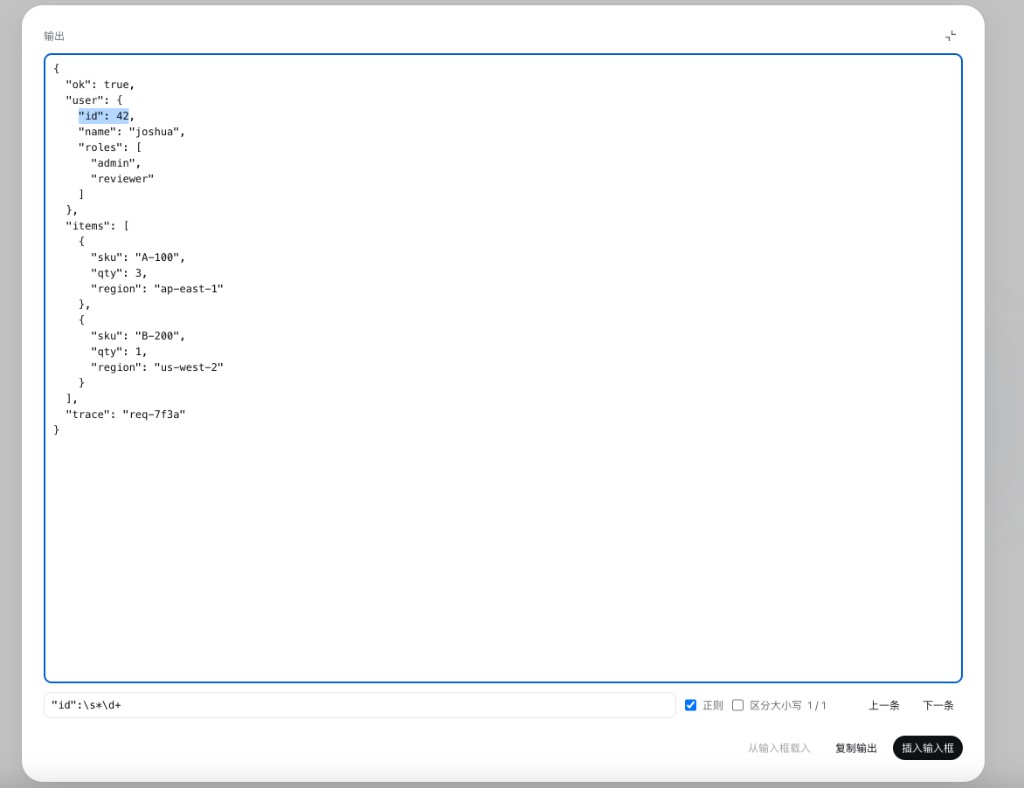
The control on the output label switches to a reading view: output, find, and the footer only, with the output filling the window. The icon toggles between expand and restore. Click it again, press Escape, or click the mask to return.
URL
Percent-encode text, decode it, or convert between query strings and JSON objects.
https://api.example.com/v1/search?q=%E5%B7%A5%E5%85%B7%E7%AE%B1&lang=zh-CN&tag=json&tag=url&debug=1
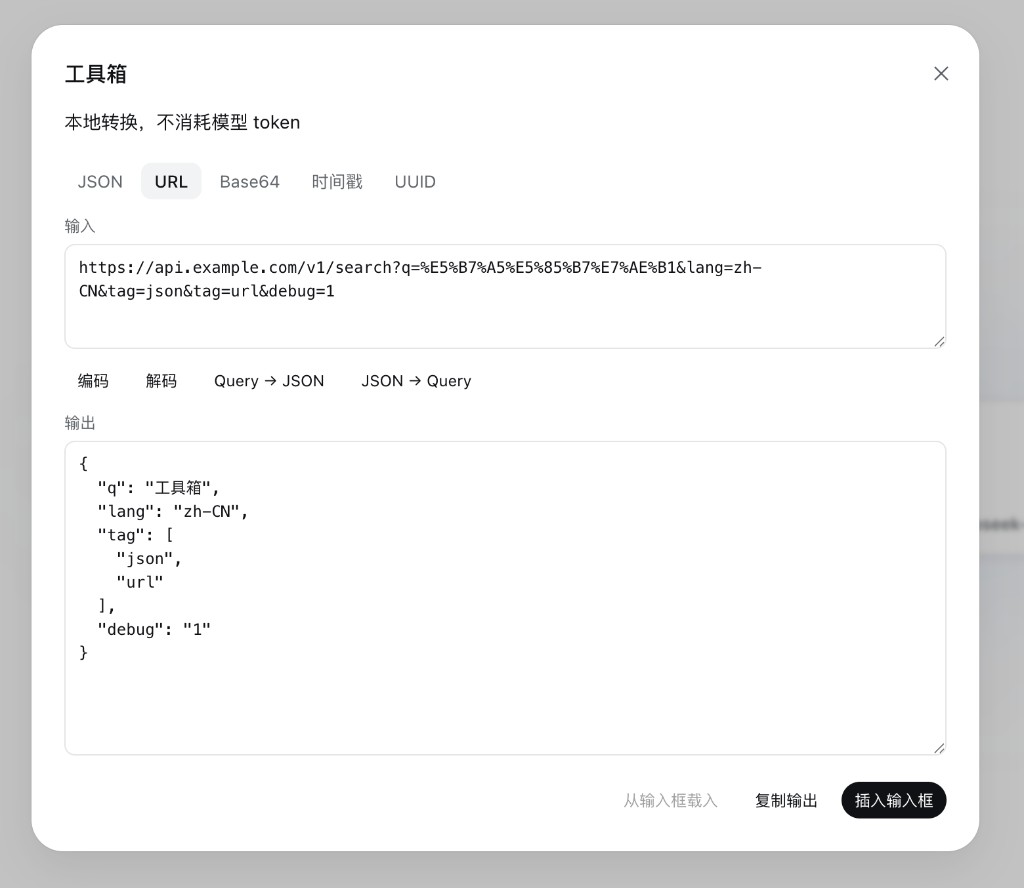
| Button | Effect |
|---|---|
| Encode | encodeURIComponent |
| Decode | decodeURIComponent; + is a space |
| Query → JSON | a=1&b=2, a leading ?, or a full URL (query only). Repeated keys become arrays |
| JSON → Query | the input must be an object. Values must be strings, numbers, booleans, or arrays of those; null is skipped |
Base64
UTF-8 text ↔ standard Base64. Decode ignores whitespace in the payload so a log snippet can be pasted as-is.
Timestamp
Accepts a 10-digit Unix second, a 13-digit Unix millisecond, a fractional second, or text Date.parse understands (ISO, for example). Now fills the current ISO time.
1710000000
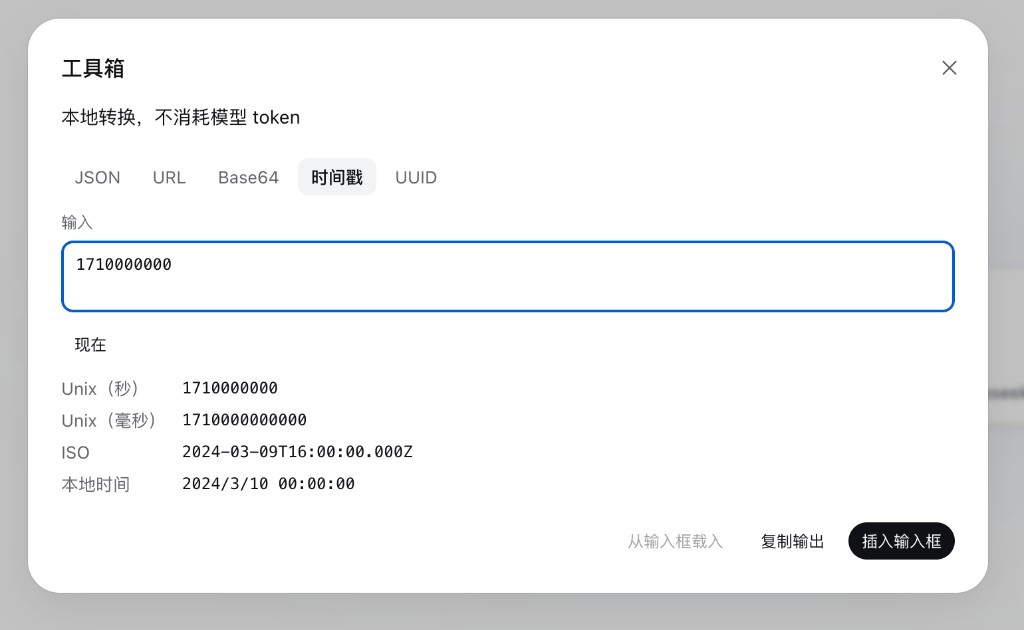
One parse yields Unix seconds, Unix milliseconds, ISO, and local time. Empty input is not treated as now.
UUID
Generate produces a UUID v4 (crypto.randomUUID()). This tab has no input.
Install
This directory is a standalone npm package (Node ^22.19). From a git host, dsh plugin add fetches sources and runs prepare to build lib/. pnpm ≥10 blocks that script until it is allowlisted.
dsh plugin --profile web add github:Qingzhou-Joshua/dsh-dev-toolbox
# first add fails with an allowBuilds key — copy it into ~/.dsh/profiles/web/pnpm-workspace.yaml
dsh plugin --profile web add github:Qingzhou-Joshua/dsh-dev-toolbox
dsh web
From a local checkout next to a harness tree:
pnpm install
pnpm run build
pnpm dsh plugin --profile web add /absolute/path/to/dsh-dev-toolbox
pnpm dsh web
Do not run pnpm run build from the harness root. After install, refresh the Web UI; the button sits on the composer tool row.
安装
装一次目录插件,之后本站所有插件都能让 DeepSeek Harness 自动找、自动装:
dsh plugin add dshbase-catalog然后对 agent 说「帮我装 dsh-dev-toolbox」,它会在目录里找到并自动安装。文档:dshbase-catalog · 已验证场景包。
该插件是 GitHub 源码(未发 npm)——直接从仓库装:
Web profile:
dsh plugin --profile web add github:Qingzhou-Joshua/dsh-dev-toolboxHeadless(CLI)profile:
dsh plugin --profile headless add github:Qingzhou-Joshua/dsh-dev-toolbox实测报告
验证通过:从 GitHub 源码完成 L1 安装 + L2 加载 + L3 运行(dsh 0.1.0-rc.6)。
分享徽章
把这枚徽章粘进 README——它会链回本页,实测状态变化时自动更新:

[](https://dshbase.com/zh/plugins/dsh-dev-toolbox/)<a href="https://dshbase.com/zh/plugins/dsh-dev-toolbox/"><img src="https://dshbase.com/badges/dsh-dev-toolbox.svg" alt="dshbase 实测可装"></a>