
插件目录 / AI Models / dsh-plugin-subhub
dsh-plugin-subhub
已验证 · 实测可装 kinoward
功能简介
Bring third-party subscription accounts into DeepSeek Harness - 为 DeepSeek Harness 接入第三方订阅账户(当前支持 OpenAI / ChatGPT 订阅,更多订阅服务规划中)
可用 — 实测通过,早期项目
Bring third-party subscription accounts into DeepSeek Harness - 为 DeepSeek Harness 接入第三方订阅账户(当前支持 OpenAI / ChatGPT 订阅,更多订阅服务规划中) 实测能干净安装、正常启动。早期项目,但功能可用。
「已验证」表示我们的自动化 CI 在干净 profile 里实际执行了 dsh plugin add 并启动成功——仅此而已。功能描述与版本兼容性均为作者声明。这不是安全审计,也不代表对第三方代码的背书。
README

Dsh Plugin Subhub
English · 中文





Bring a third-party subscription account into DeepSeek Harness and chat with the models your subscription covers: text chat, image understanding, image generation, and image editing.
Only OpenAI / ChatGPT subscriptions are supported today; more subscription services are planned.
Model availability, usage limits, and response speed are decided by the subscription provider and your account. Some features may become temporarily unavailable after the provider changes its service.
Install
- DeepSeek Harness (
dsh) with Node.js 18.17 or later.
dsh plugin --profile web add github:kinoward/dsh-plugin-subhub
dsh web
dsh web boots the web profile (same as dsh --profile web). Restart DeepSeek Harness after installing.
Quick start
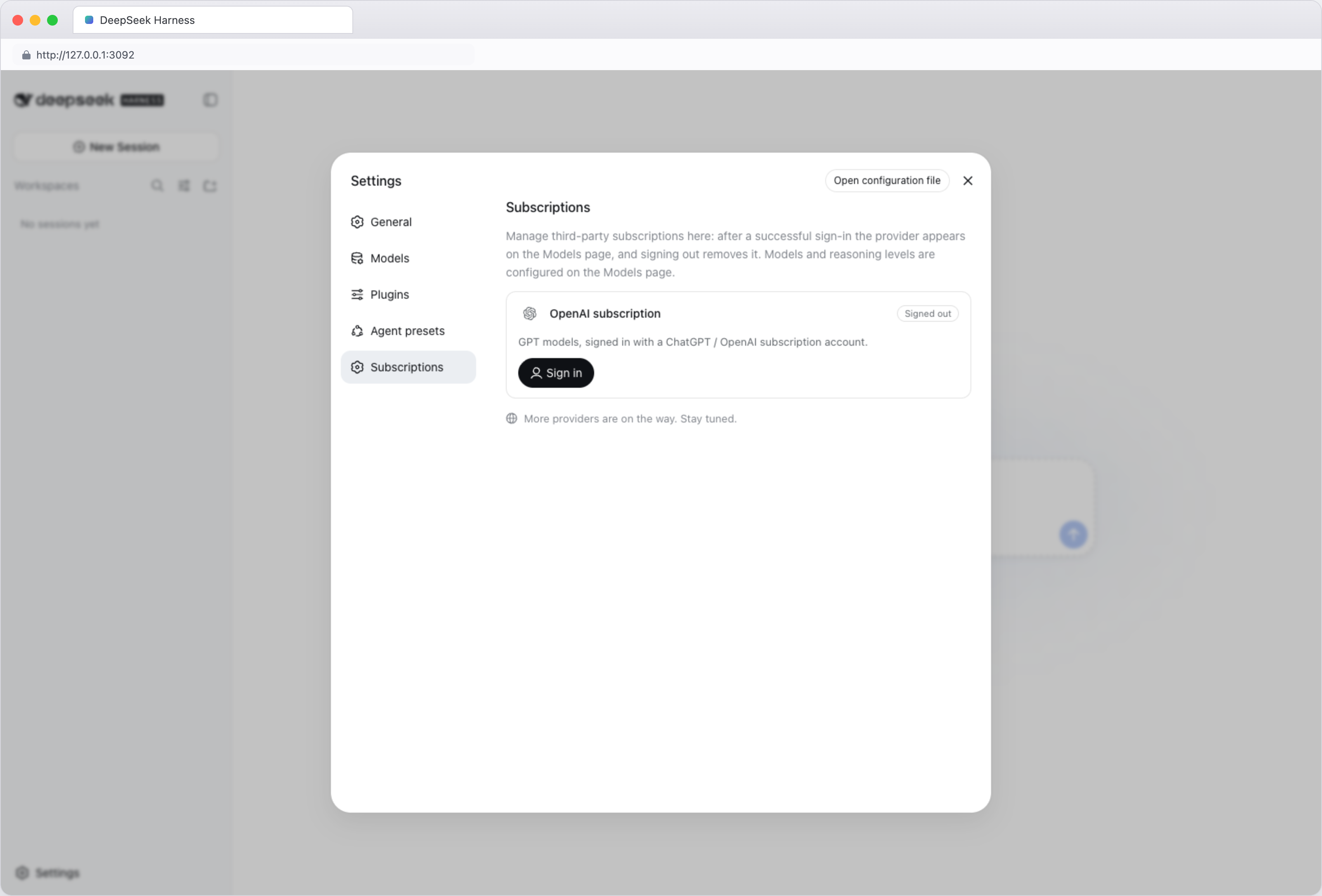
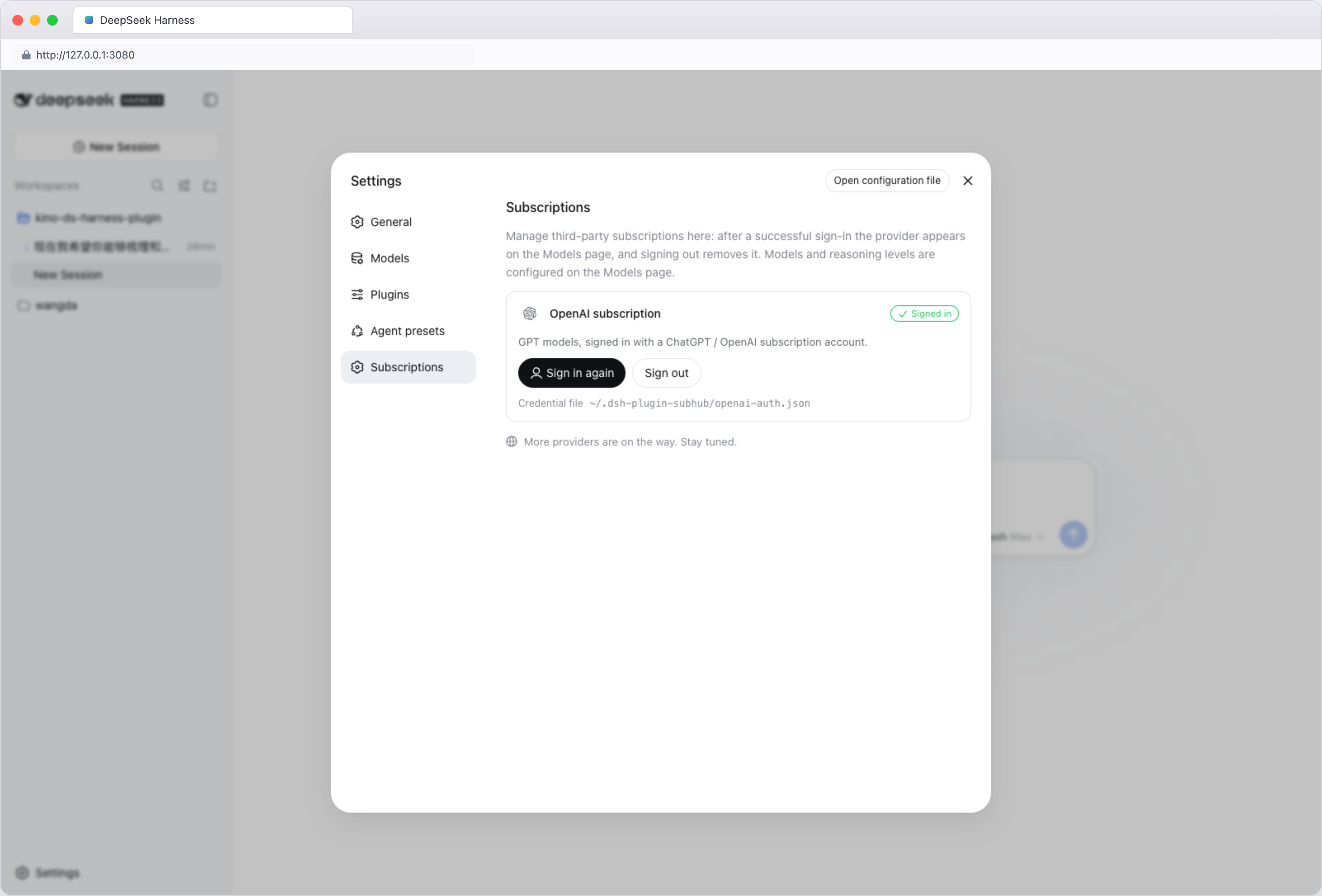
Log in — open Settings → Third-party subscriptions, click Sign in on the OpenAI subscription card, then open the authorization link in a browser and enter the one-time code (valid for 15 minutes). Once authorized, the page syncs automatically and the subscription appears in the model picker.
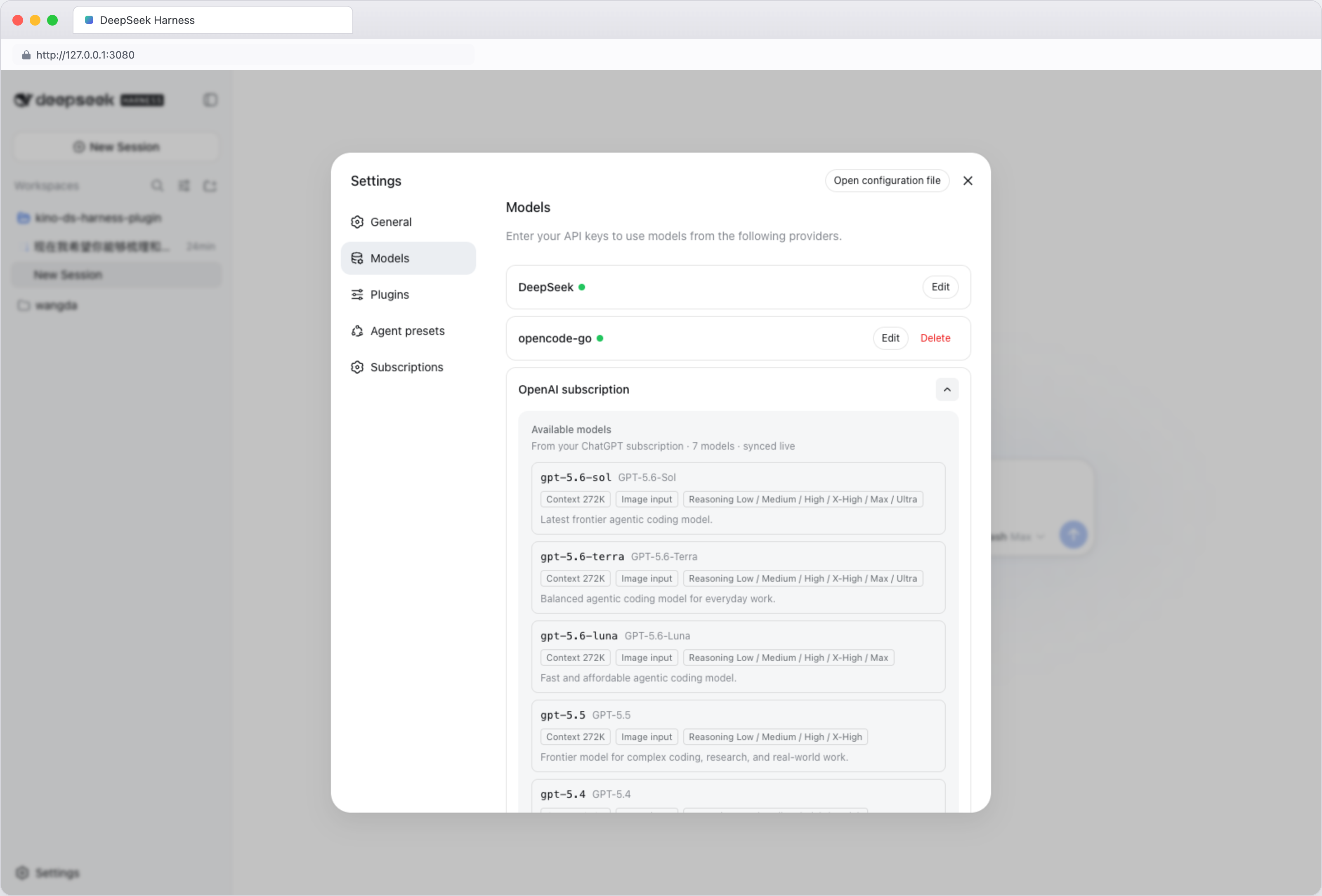
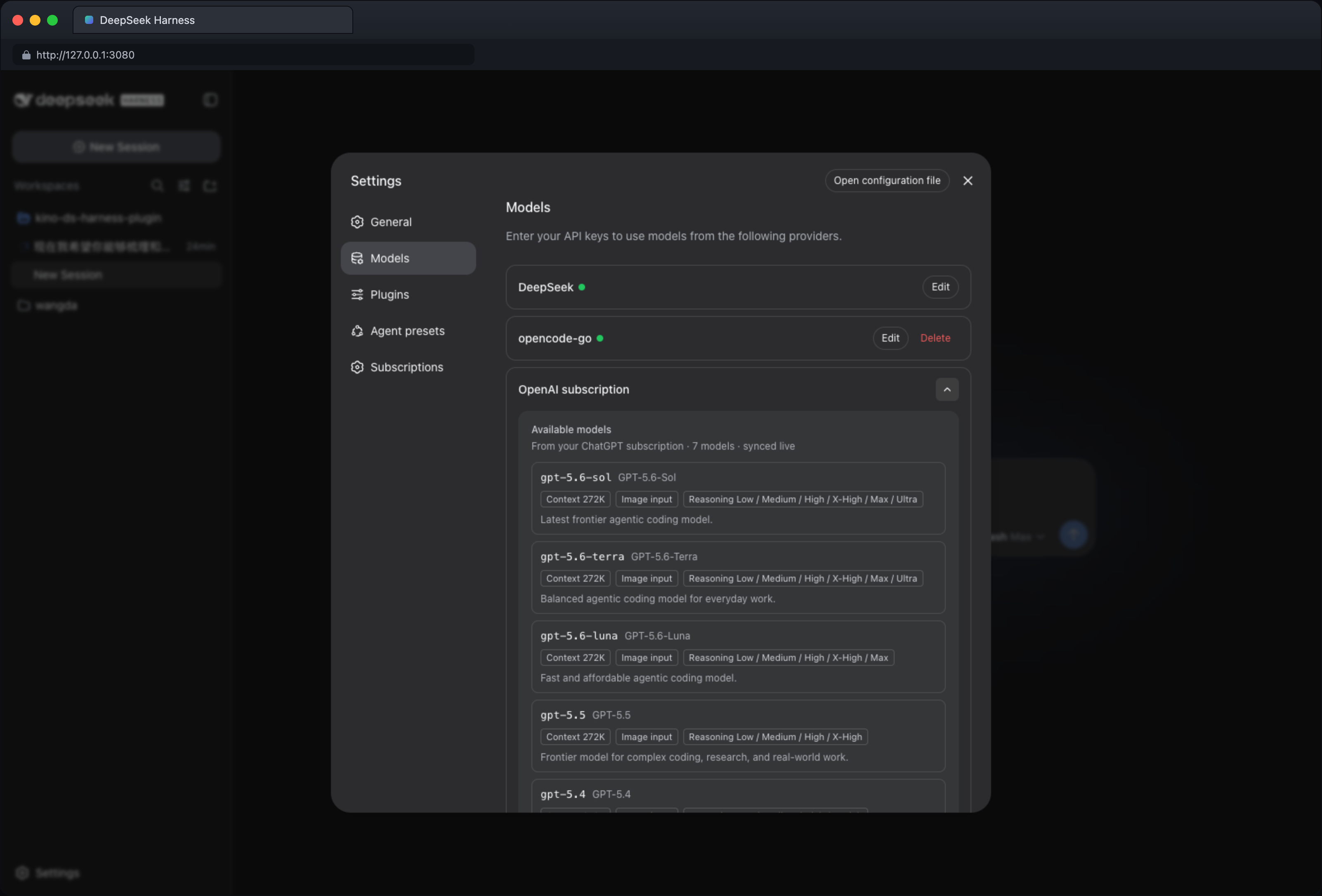
Pick a model — click the model selector at the bottom-left of the input area (it shows the current model and reasoning level), choose Model, and pick a model under OpenAI subscription. Adjust the reasoning level from the same menu if needed. Available models and reasoning levels come from your account and stay in sync automatically.
Use images — upload an image and ask about it, describe an image to generate one, or ask to edit an image:
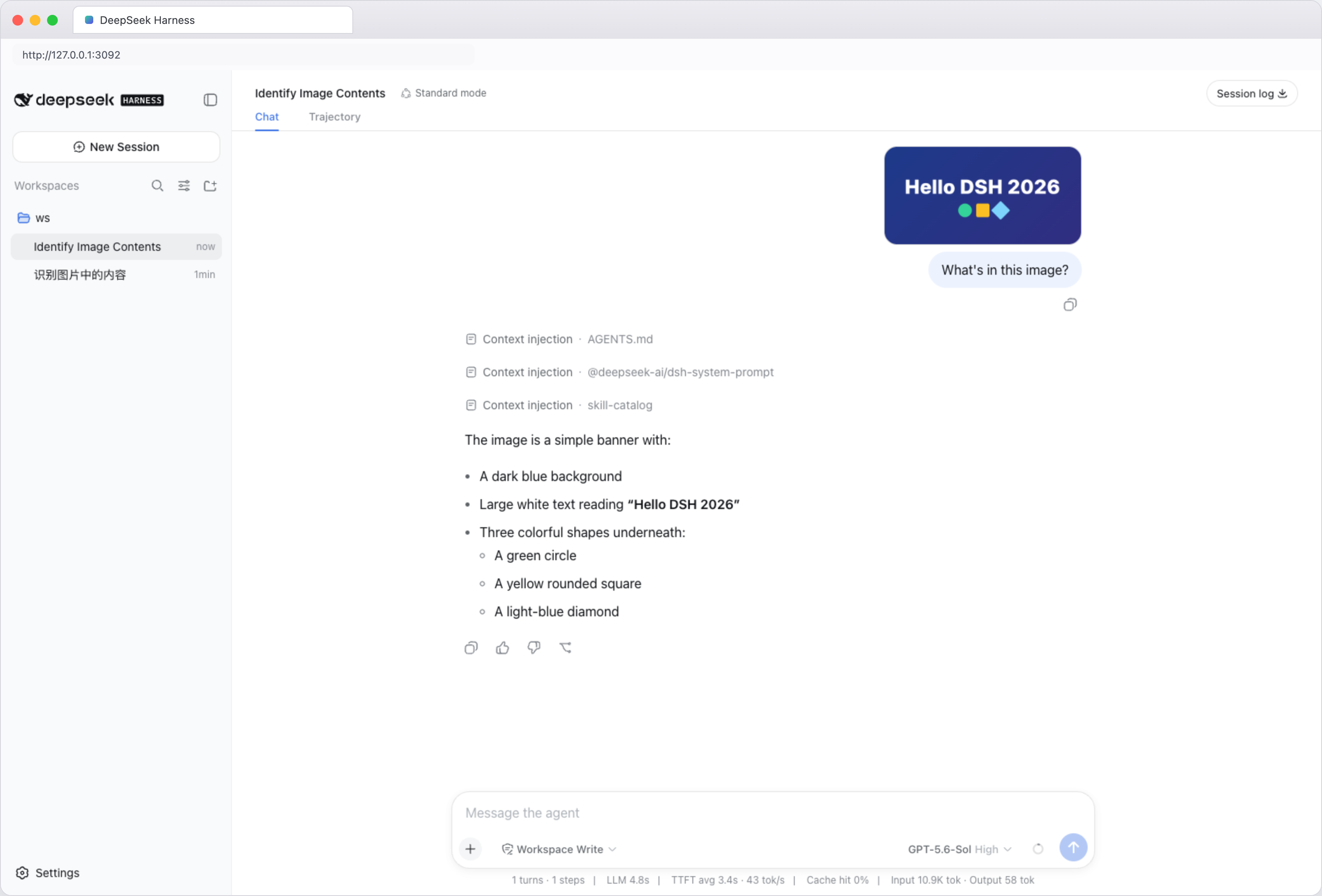
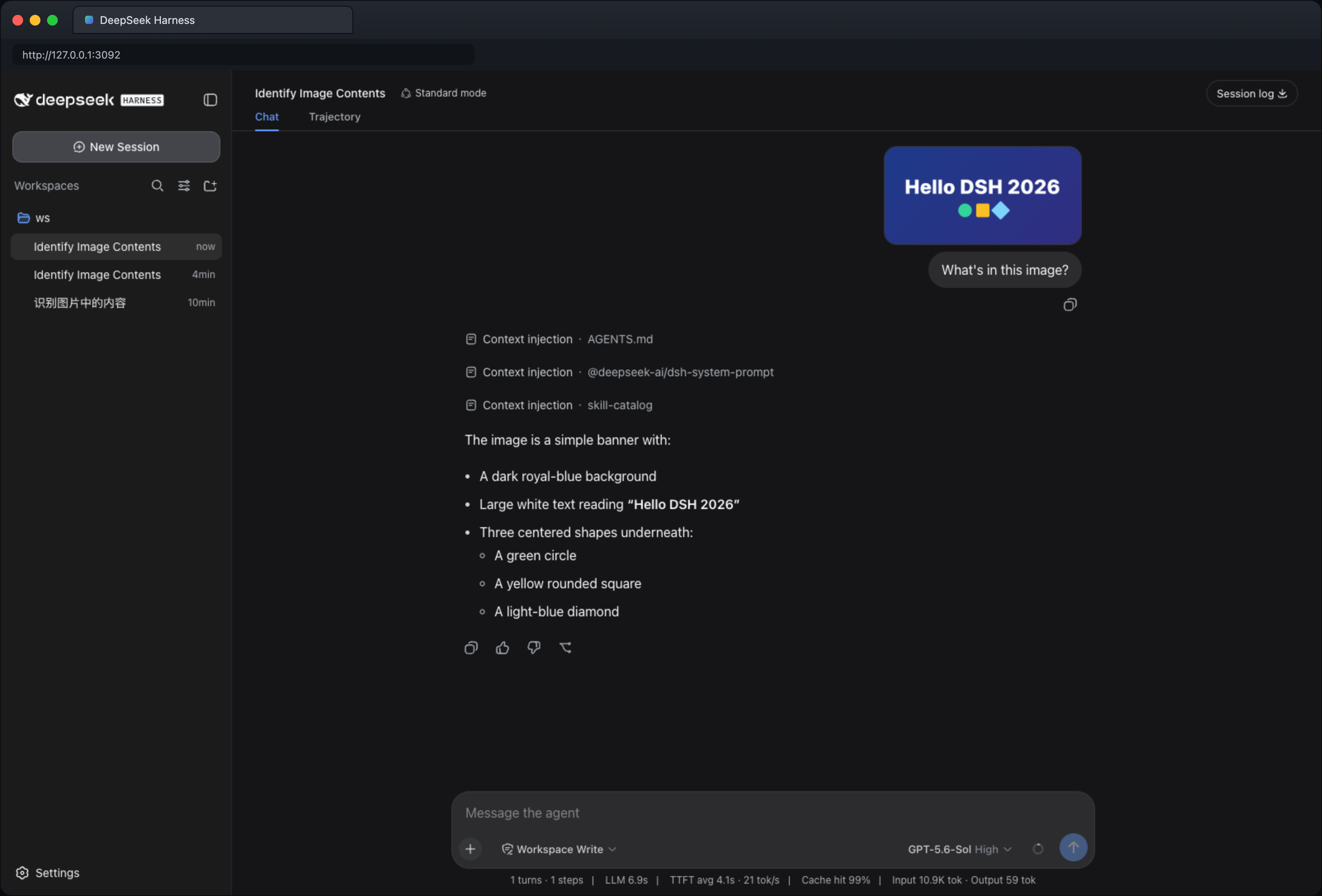
- View: “What's in this image?” / “Extract the text from this screenshot.”
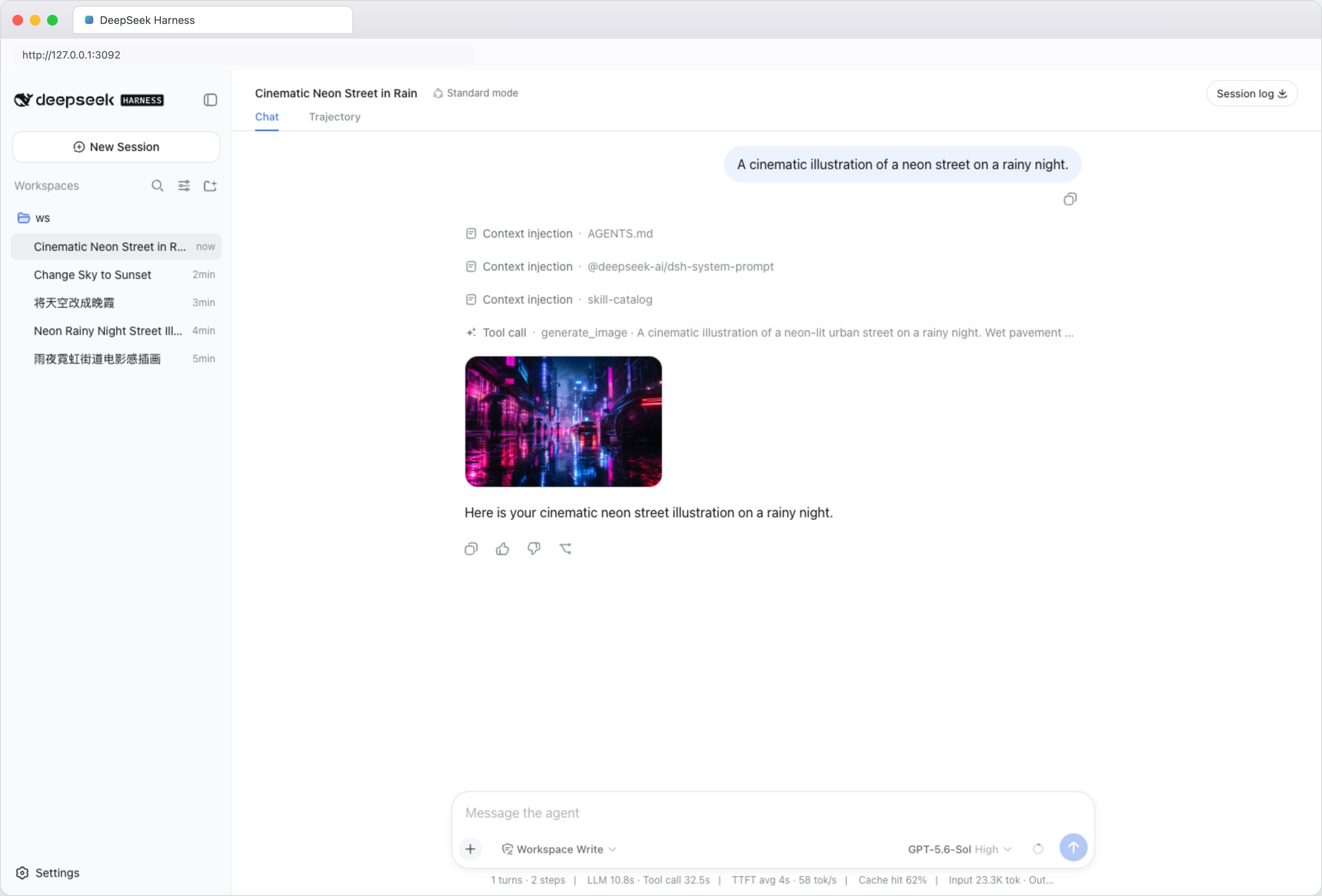
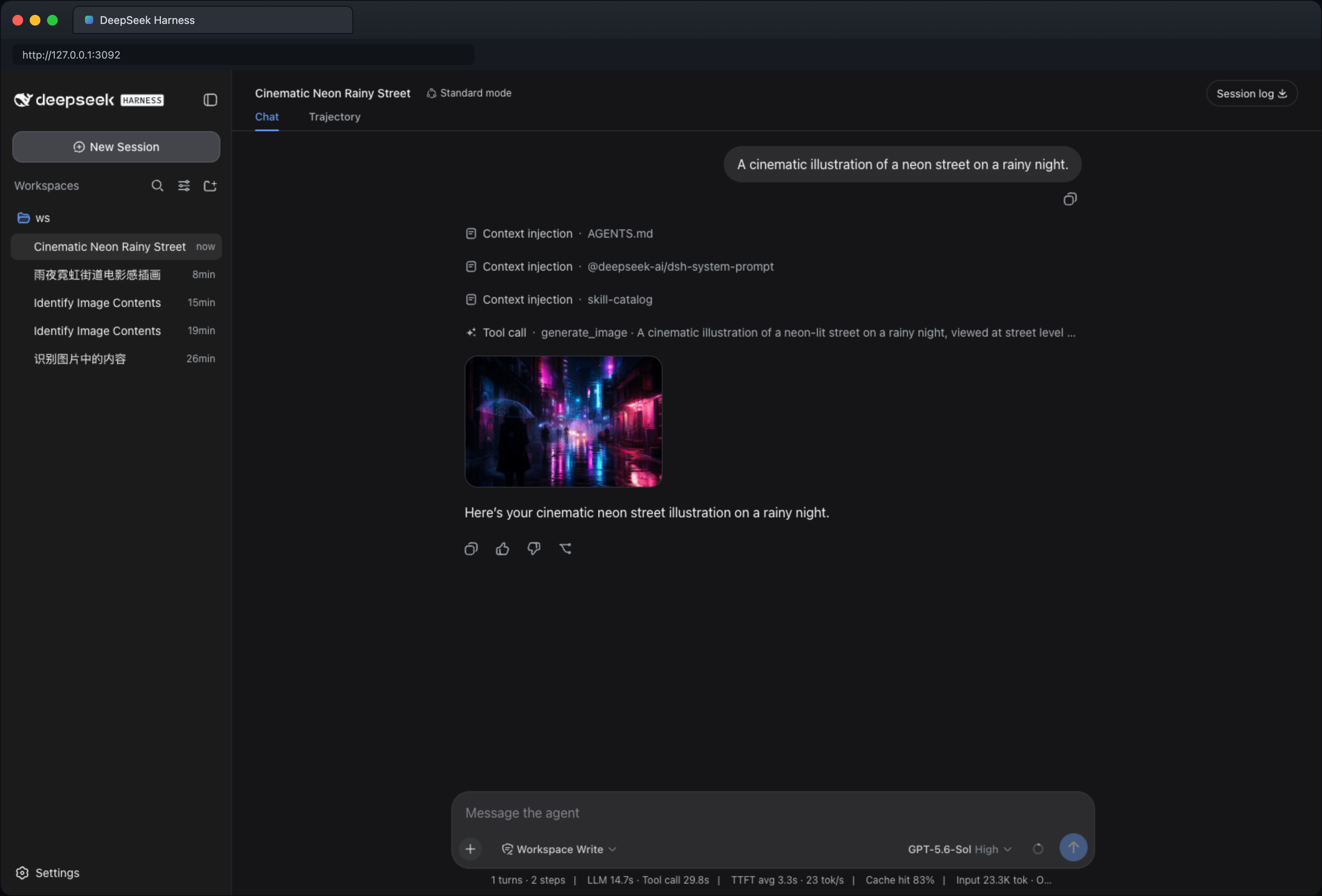
- Generate: “A cinematic illustration of a neon street on a rainy night.”
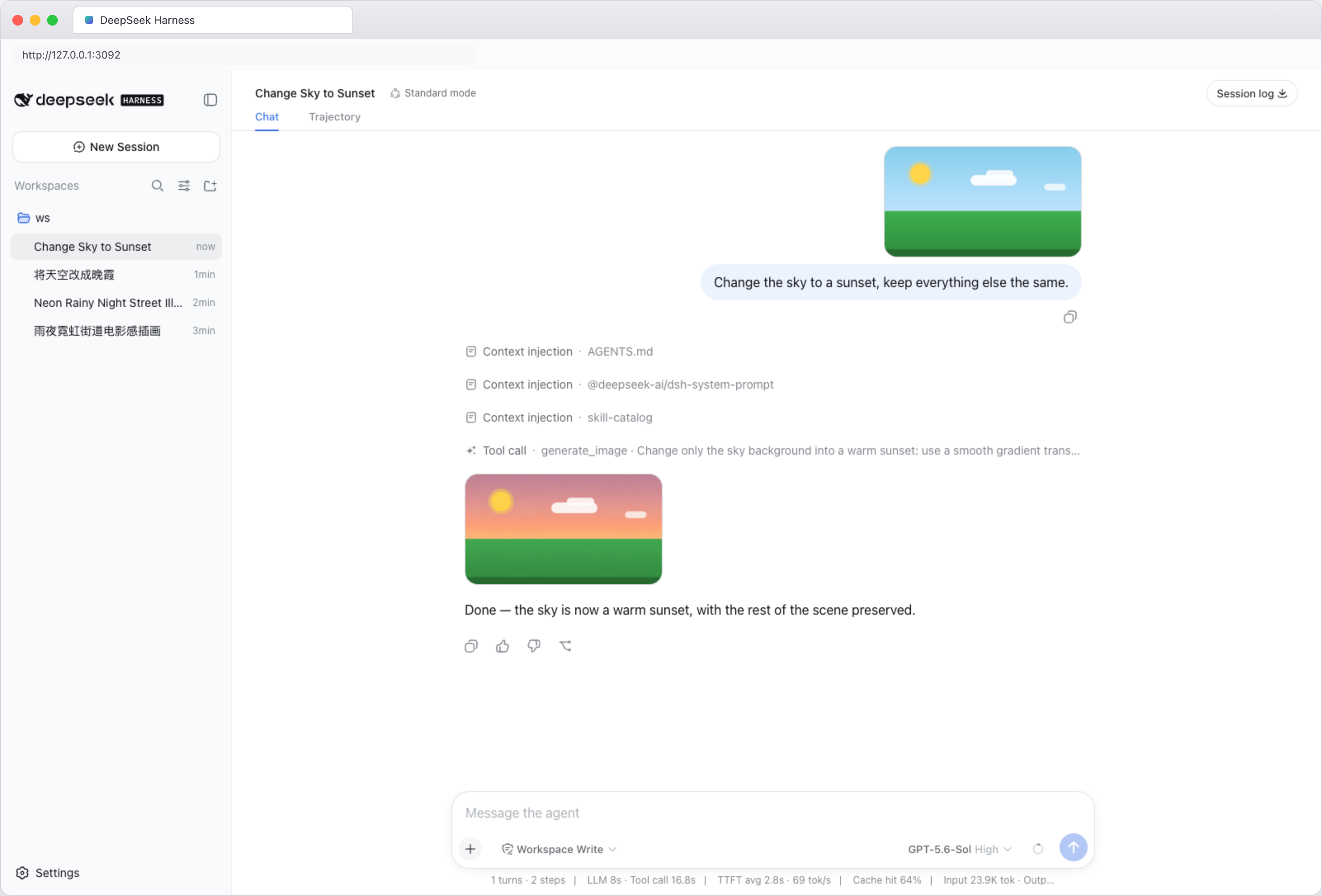
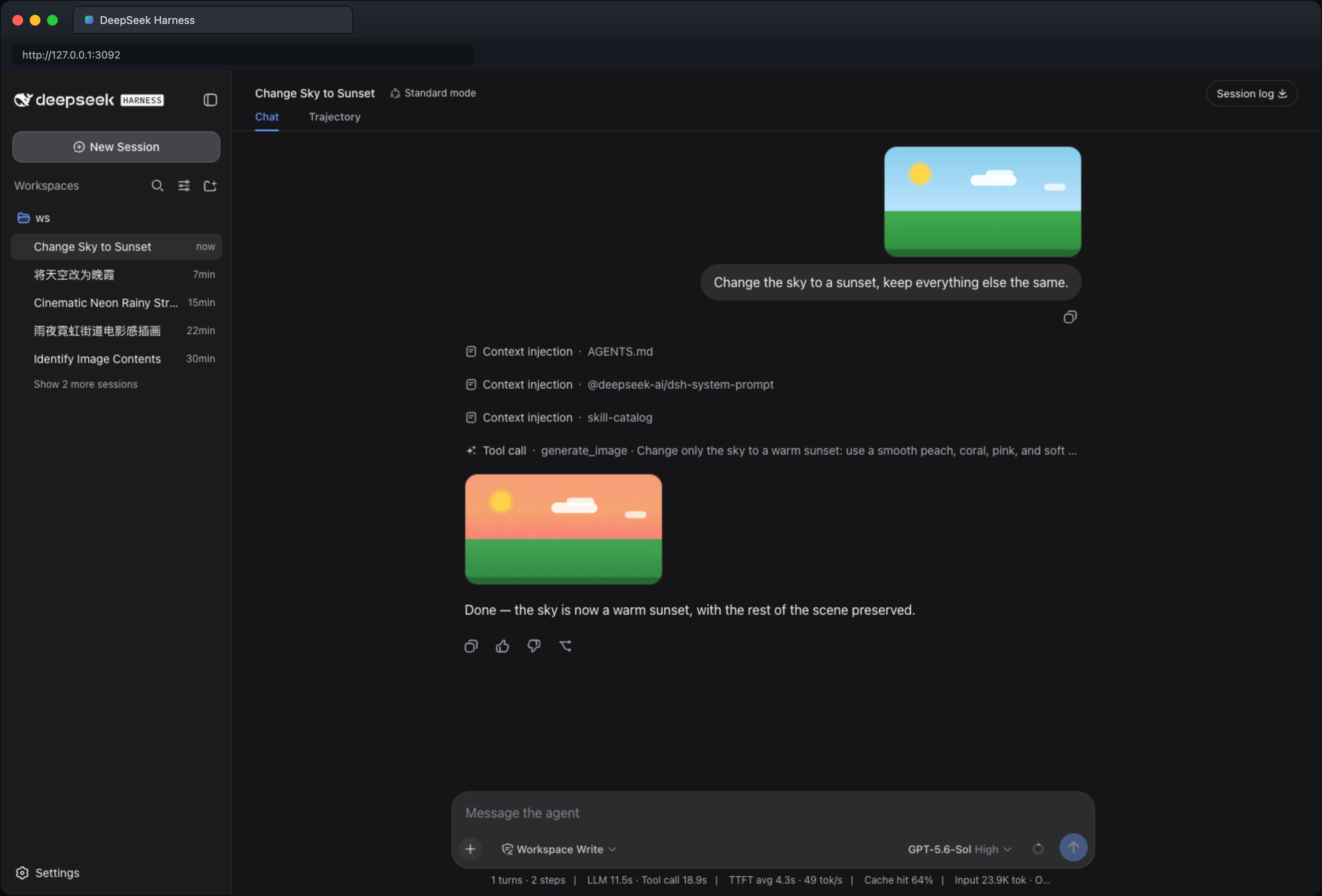
- Edit: upload an image (or use the one just generated), then “Change the sky to a sunset, keep everything else the same.” The edit uses the most recent image in the conversation; upload one first if there is none.
Viewing, generating, and editing images all require a model that supports image input; the model info marks it with an “Image input” tag.
Manage your account
- Re-login / log out — Settings → Third-party subscriptions → Log in again switches accounts; Log out removes the saved login.
- Update — rerun the install command, then restart DeepSeek Harness.
- Disable — Settings → Plugins → Plugin list → turn off
dsh-plugin-subhub.
CLI sign-in (optional)
No graphical interface? Sign in with the bundled script instead. From the profile directory, run:
node node_modules/dsh-plugin-subhub/login.js
The script prints an authorization link and a one-time code — open the link in a browser, enter the code, and the credentials are saved to ~/.dsh-plugin-subhub/openai-auth.json. After signing in, open Settings → Third-party subscriptions once so the subscription appears in the model picker.
Screenshots
Browser-framed captures of the plugin in the DeepSeek Harness Web UI — light and dark themes:
Settings → Third-party subscriptions — signed out:

Settings → Third-party subscriptions — signed in:

Models page — OpenAI subscription expanded (signed in):
Using images in a conversation — image understanding:
Generating images in a conversation — text to image:
Editing images in a conversation — image to image:
Security & privacy
- Unless you configure another location, login data is stored in
~/.dsh-plugin-subhub/openai-auth.json; - The plugin creates or updates that file with access restricted to the current system user;
- The plugin never reads login data saved by other programs (such as the Codex CLI); sign in once inside this plugin after installing;
- Signing out deletes the login file the plugin currently uses;
- Don't share login files, one-time codes, or other account details — and don't commit them to Git or post them in issues.
Support
- GitHub Issues — report bugs or request features. Remove account details and other sensitive content before posting.
License
安装
装一次目录插件,之后本站所有插件都能让 DeepSeek Harness 自动找、自动装:
dsh plugin add dshbase-catalog然后对 agent 说「帮我装 dsh-plugin-subhub」,它会在目录里找到并自动安装。文档:dshbase-catalog · 已验证场景包。
该插件是 GitHub 源码(未发 npm)——直接从仓库装:
Web profile:
dsh plugin --profile web add github:kinoward/dsh-plugin-subhubHeadless(CLI)profile:
dsh plugin --profile headless add github:kinoward/dsh-plugin-subhub实测报告
验证通过:从 GitHub 源码完成 L1 安装 + L2 加载 + L3 运行(dsh 0.1.0-rc.6)。
使用场景
把一个新模型、provider 或路由策略接入循环,让 dsh 能为任务选对脑子。
适合谁
同时用多个模型或 provider、想让成本/质量/延迟自动平衡的人。
二次开发建议
provider 适配器和路由启发式是缝——加后端、调回退链,或加按任务的模型选择。
分享徽章
把这枚徽章粘进 README——它会链回本页,实测状态变化时自动更新:

[](https://dshbase.com/zh/plugins/dsh-plugin-subhub/)<a href="https://dshbase.com/zh/plugins/dsh-plugin-subhub/"><img src="https://dshbase.com/badges/dsh-plugin-subhub.svg" alt="dshbase 实测可装"></a>