
插件目录 / Developer / dsh-token-plan-monitor
dsh-token-plan-monitor
已验证 · 实测可装 YOYOYOAKE
✓ 持续维护
0Stars
0Forks
0未关闭 issue
—语言
2026-08-17最近推送
跨平台平台
功能简介
Developer 类别的 DeepSeek Harness 插件。
我们的评价
可用 — 实测通过,早期项目
可用 — 实测通过,早期项目
Developer 类别的 DeepSeek Harness 插件。 实测能干净安装、正常启动。早期项目,但功能可用。
「已验证」表示我们的自动化 CI 在干净 profile 里实际执行了 dsh plugin add 并启动成功——仅此而已。功能描述与版本兼容性均为作者声明。这不是安全审计,也不代表对第三方代码的背书。
README
dsh-token-plan-monitor
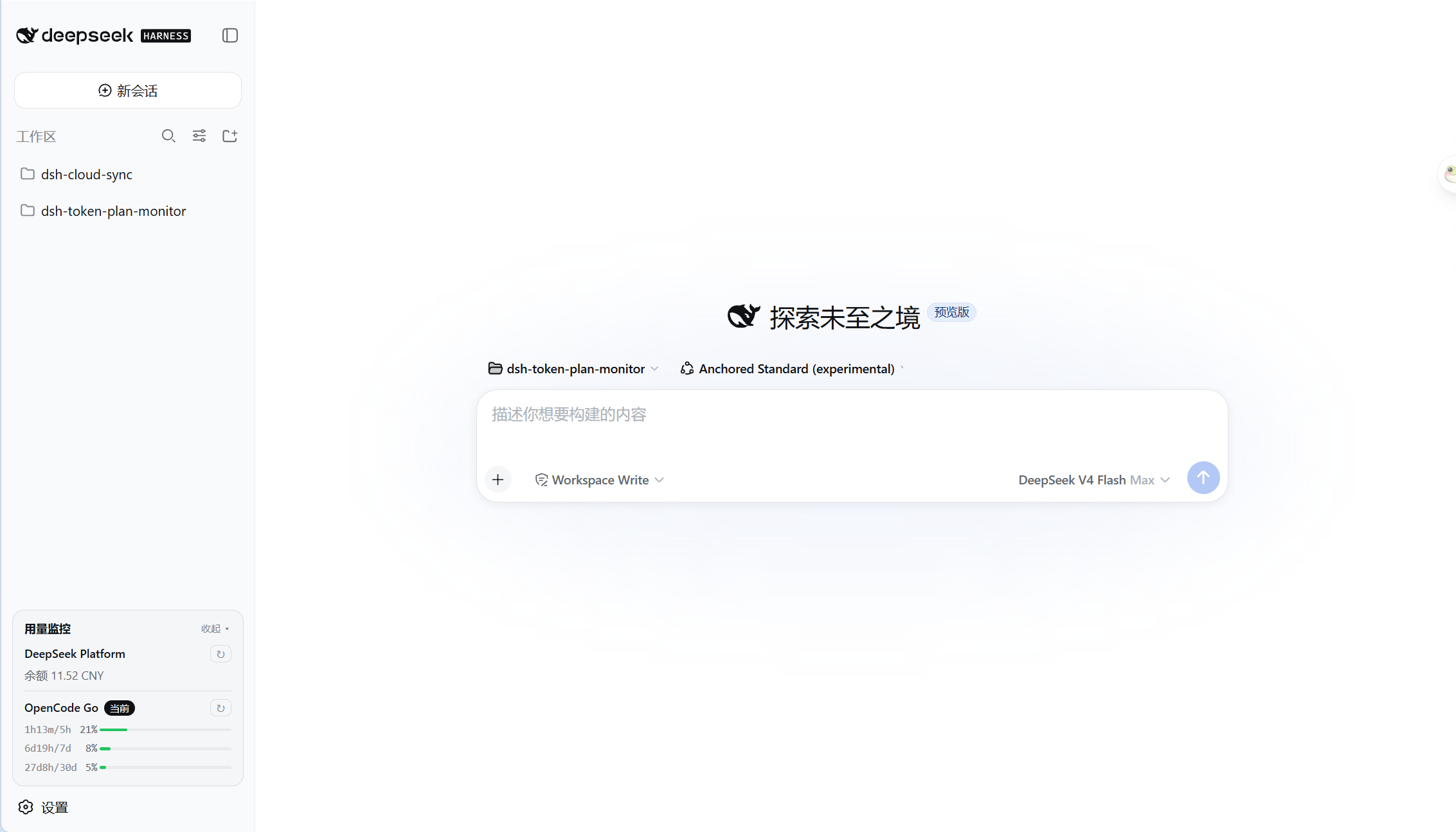
DeepSeek Harness 插件,用于在侧边栏底部 API 余额或 Token Plan 用量。
目前支持:
- DeepSeek Platform 余额
- OpenCode Go
安装
dsh plugin --profile web add @yoyoyoake/dsh-token-plan-monitor
使用
DeepSeek Platform
自动读取 DeepSeek API Key 查询余额。
OpenCode Go
需要在 DeepSeek Harness 设置中额外配置用量查询参数:
WorkSpace ID:从 URL 中复制;Cookie:从 DevTools 中获取。
开发
项目结构
├── package.json            # 插件 manifest:dsh.bundle / dsh.client;prepare 会自动构建 lib/
├── cordis.patch.yml        # 组合补丁层,声明插件行
├── tsconfig.host.json      # 宿主端 ESM 构建配置
├── tsconfig.client.json    # 客户端 CommonJS 构建配置
├── build.mjs               # 将编译后的客户端包装成浏览器 module-loader bundle
├── lib/                    # 构建产物,由 prepare 自动生成
├── docs/                   # 文档
└── src/
    ├── index.ts            # 宿主端:settings 持久化、自动检测、缓存、HTTP 端点
    ├── client.ts           # 客户端:侧边栏用量卡片 + 设置页
    ├── types.ts            # UsageProvider 契约与 wire 类型
    ├── shims.d.ts          # @deepseek-ai/dsh-settings 环境类型
    └── providers/          # 每个供应商一个文件
        ├── deepseek.ts     # DeepSeek Platform 余额查询
        └── opencode.ts     # OpenCode Go Token Plan 用量查询
添加新的提供商
- 新建
src/providers/my-vendor.ts - 实现
UsageProvider<T>:id/name/descriptionconfigFields:设置页需要填写的特殊参数credentialRefs:候选凭据名usageConfigFields:哪些参数填好后才能发起查询matchesModel():判断是否对应 DSH 中的某个 providerfetchUsage():调用供应商 APIrenderLines():把结果渲染成卡片行
- 在
src/index.ts的PROVIDERS数组中追加一行 - 重新构建并安装:
npm run build
dsh plugin --profile web add .
常用开发命令
npm install          # 安装编译期依赖,并触发 prepare 构建 lib/
npm run typecheck    # 类型检查
npm run build        # 构建宿主端 + 客户端 bundle
开发时修改源码后重新执行 npm run build,刷新浏览器即可看到效果;cordis.patch.yml 会被 profile 的补丁监视器热重载。
License
MIT.
安装
🧩 让 Agent 自动装(推荐)
装一次目录插件,之后本站所有插件都能让 DeepSeek Harness 自动找、自动装:
dsh plugin add dshbase-catalog然后对 agent 说「帮我装 dsh-token-plan-monitor」,它会在目录里找到并自动安装。文档:dshbase-catalog · 已验证场景包。
该插件是 GitHub 源码(未发 npm)——直接从仓库装:
Web profile:
dsh plugin --profile web add github:YOYOYOAKE/dsh-token-plan-monitorHeadless(CLI)profile:
dsh plugin --profile headless add github:YOYOYOAKE/dsh-token-plan-monitor实测报告
验证通过:从 GitHub 源码完成 L1 安装 + L2 加载 + L3 运行(dsh 0.1.0-rc.6)。
分享徽章
把这枚徽章粘进 README——它会链回本页,实测状态变化时自动更新:

[](https://dshbase.com/zh/plugins/dsh-token-plan-monitor/)<a href="https://dshbase.com/zh/plugins/dsh-token-plan-monitor/"><img src="https://dshbase.com/badges/dsh-token-plan-monitor.svg" alt="dshbase 实测可装"></a>