
插件目录 / Developer / dsh-turn-rail
dsh-turn-rail
已验证 · 实测可装 Yujm888
功能简介
Developer 类别的 DeepSeek Harness 插件。
可用 — 实测通过,早期项目
Developer 类别的 DeepSeek Harness 插件。 实测能干净安装、正常启动。早期项目,但功能可用。
「已验证」表示我们的自动化 CI 在干净 profile 里实际执行了 dsh plugin add 并启动成功——仅此而已。功能描述与版本兼容性均为作者声明。这不是安全审计,也不代表对第三方代码的背书。
README
dsh-turn-rail
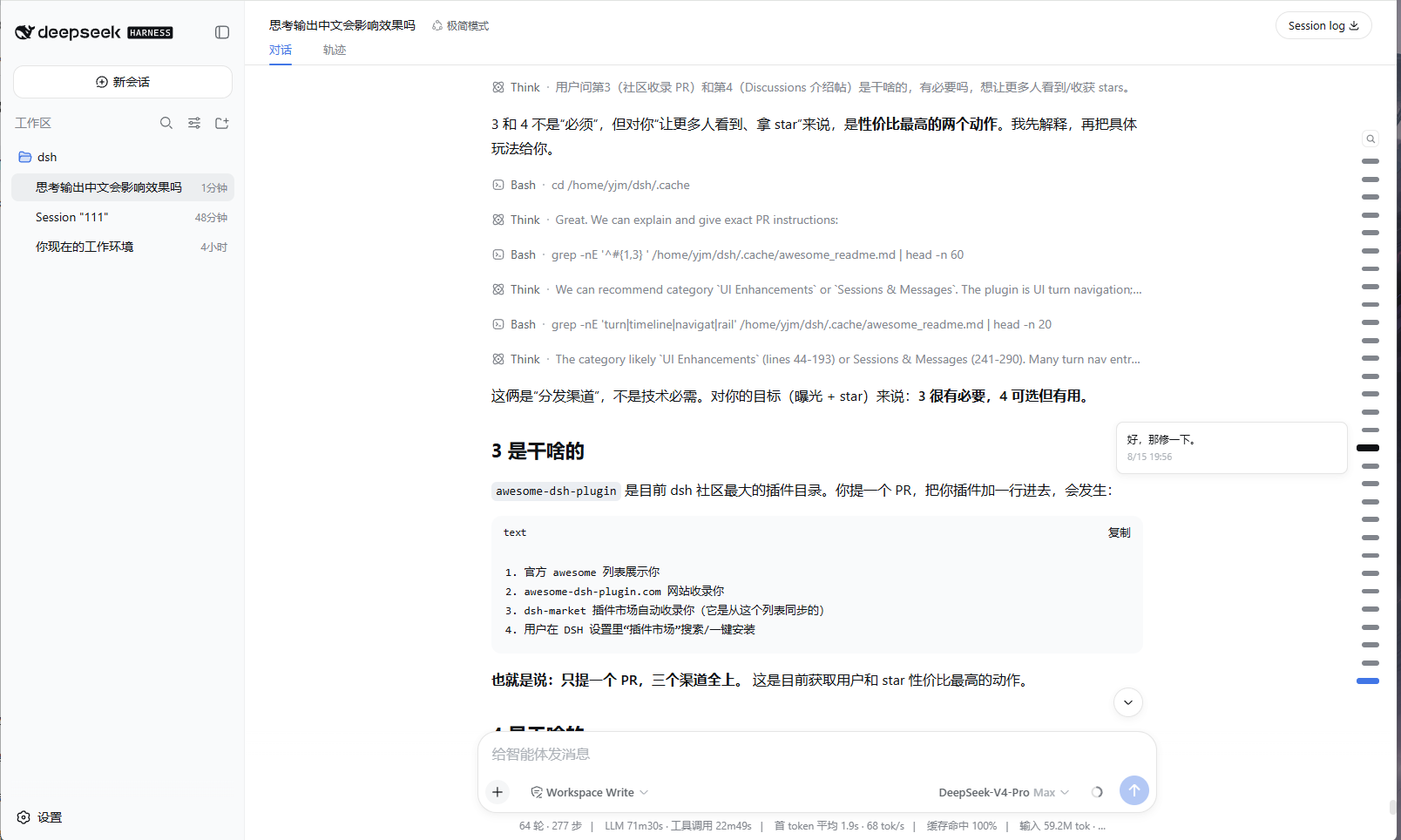
A Codex-style auto-hiding turn rail for DeepSeek Harness Web.
Minimal by design: no settings, no extra panels, zero runtime dependencies.
The rail lives on the right edge of the conversation. Move the pointer near the
edge and it fades in; move away and it fades out. Hover the thin zone around a
marker to preview that turn, click anywhere in the wider marker area to jump.
Long conversations keep at most 30 visible markers and scroll inside the rail,
following the current reading position.
This project is not affiliated with DeepSeek. The interaction pattern is
inspired by common turn-navigation rails such as Codex and the DeepSeek web
client; the implementation is independent.
Screenshots

Features
- Edge-peek auto-hide — appears when the pointer is within 110 px of the
right edge, fades out 120 ms after leaving. Leaving the browser window or
switching away follows the same fade timing. - Layered hit zones — the outer zone only keeps the rail visible; the
marker zone is clickable and highlights on hover; only the narrow detail zone
around the marker shows the tooltip. - Per-turn tooltip — one marker previews one message with time. It fades in
and fades out with the rail, and the native browsertitleis not used. - Search — the magnifier button opens a pinned search box. Type to filter
user messages, click a result to jump. Close withEsc, another click on the
button, a result click, or a click outside the rail. - 30-marker scrolling window — with more than 30 turns the rail scrolls
internally with a hidden scrollbar. It pins to the newest window once when a
session opens, then never moves itself again: the rail scroll position is
fully user-owned. - Theme-aware and responsive — markers use DSH CSS variables and scale
slightly with viewport size. - Full-session projection — the host half folds the durable session log so
a page reload paints the complete rail without replaying history.
Requirements
- DSH
>= 0.1.0-rc.6 - Web profile with
sessionProjectionsavailable (the shipped web profile has
it)
Install
dsh plugin --profile web add dsh-turn-rail
Then restart dsh web and hard-refresh the browser tab.
From a local checkout
dsh plugin --profile web add /path/to/dsh-turn-rail
Remove
dsh plugin --profile web remove dsh-turn-rail
Tuning
All tunables live at the top of lib/client.js:
| Constant | Default | Meaning |
|---|---|---|
EDGE_TRIGGER_PX |
110 |
Show the rail when the pointer is this close to the right edge |
DETAIL_LEFT_PX / DETAIL_RIGHT_PX |
46 / 10 |
Distance band from the right edge that opens the tooltip |
HIDE_DELAY_MS |
120 |
Wait before the rail starts fading out |
UNMOUNT_AFTER_MS |
200 |
Remove tooltip/search after the fade completes |
MAX_VISIBLE_MARKS |
30 |
Maximum markers visible when the rail scrolls |
MAX_MARK_GAP_PX |
30 |
Maximum center-to-center distance between markers when there are 30 or fewer turns |
SEARCH_LIMIT |
30 |
Maximum search results |
Rail geometry and marker sizes are in the css array in the same file.
Model Experience
None. This is a browser UI plugin; nothing here enters a model request.
License
MIT
安装
装一次目录插件,之后本站所有插件都能让 DeepSeek Harness 自动找、自动装:
dsh plugin add dshbase-catalog然后对 agent 说「帮我装 dsh-turn-rail」,它会在目录里找到并自动安装。文档:dshbase-catalog · 已验证场景包。
该插件是 GitHub 源码(未发 npm)——直接从仓库装:
Web profile:
dsh plugin --profile web add github:Yujm888/dsh-turn-railHeadless(CLI)profile:
dsh plugin --profile headless add github:Yujm888/dsh-turn-rail实测报告
验证通过:从 GitHub 源码完成 L1 安装 + L2 加载 + L3 运行(dsh 0.1.0-rc.6)。
分享徽章
把这枚徽章粘进 README——它会链回本页,实测状态变化时自动更新:

[](https://dshbase.com/zh/plugins/dsh-turn-rail/)<a href="https://dshbase.com/zh/plugins/dsh-turn-rail/"><img src="https://dshbase.com/badges/dsh-turn-rail.svg" alt="dshbase 实测可装"></a>