
插件目录 / Developer / dsh-view-modes
dsh-view-modes
已验证 · 实测可装 NigelYao
功能简介
DeepSeek Harness视图模式:详细、普通、摘要
可用 — 实测通过,早期项目
DeepSeek Harness视图模式:详细、普通、摘要 实测能干净安装、正常启动。早期项目,但功能可用。
「已验证」表示我们的自动化 CI 在干净 profile 里实际执行了 dsh plugin add 并启动成功——仅此而已。功能描述与版本兼容性均为作者声明。这不是安全审计,也不代表对第三方代码的背书。
README
DshViewModes
English · 简体中文
Three output modes for DeepSeek Harness (DSH) Web: Verbose, Normal, and Summary. Keep the full trace when debugging, reduce process noise during daily work, or focus on the result.
This is an official-style DSH bundle plugin (dsh.bundle + dsh.client). It changes only browser-side presentation and does not patch DSH core files.
Preview
The interface follows the language selected in Harness Settings. This is Normal mode with Harness set to English:
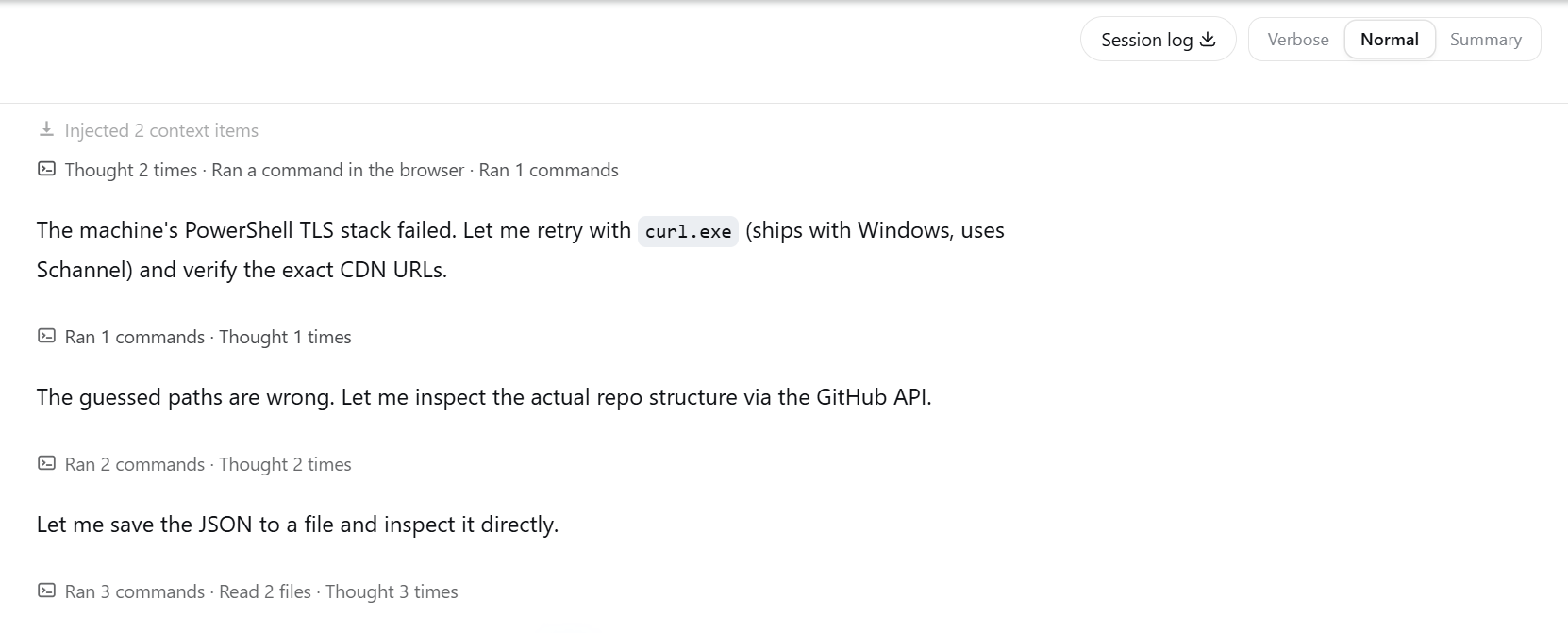
Normal mode groups related tool calls and thinking while keeping assistant text as a clear boundary. Click a process title to inspect its original steps.
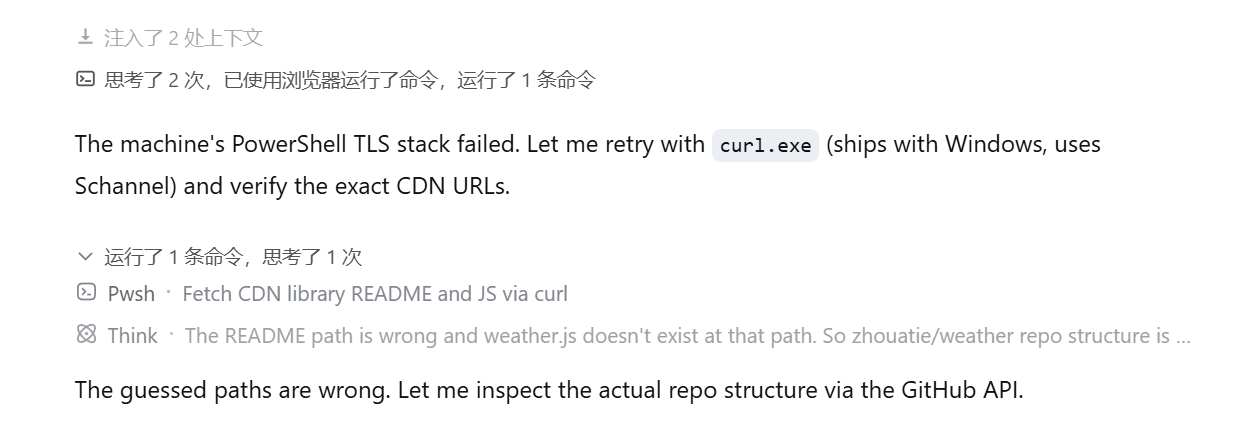
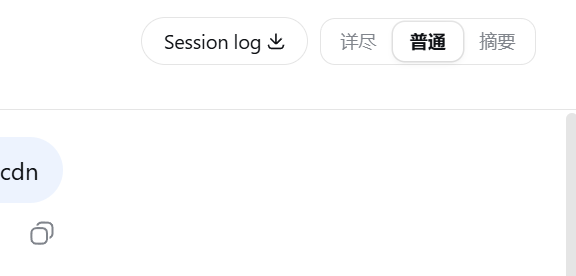
Switch modes from the session header.
Modes
| Mode | Best for | Behavior |
|---|---|---|
| Verbose | Debugging | Preserves everything DSH renders, including thinking, tool calls, retries, context, and statistics |
| Normal | Daily work | Groups process steps by semantic phase; thinking joins the neighboring process group; assistant text remains visible and starts a new grouping interval |
| Summary | Results | Hides process noise while running, shows a live shimmer status, and folds the completed process into a compact summary |
Normal mode does not split a group after an arbitrary number of calls. Repeated reads, commands, edits, searches, or coordination steps can stay together while they belong to the same phase. A visible assistant message is always a hard boundary.
Install
Requirements:
- Node.js 20 or later
- DSH with the
webprofile available - Git
pnpmonPATH(required bydsh plugin; usecorepack enableif needed)
Public GitHub install (recommended)
No npm account is required:
dsh plugin --profile web add git+https://github.com/NigelYao/dsh-view-modes.git
Local development on Windows
For source iteration, clone the repository onto the same drive as the DSH home directory. This avoids broken cross-drive package links.
$pluginRoot = Join-Path $env:USERPROFILE ".dsh\local-plugins\dsh-view-modes"
git clone https://github.com/NigelYao/dsh-view-modes.git $pluginRoot
Set-Location $pluginRoot
dsh plugin --profile web add link:$pluginRoot
If you already keep the repository on another drive, create a junction on the DSH home drive and install from the junction:
$source = "D:\Projects\dsh\plugins\dsh-output-mode"
$pluginRoot = Join-Path $env:USERPROFILE ".dsh\local-plugins\dsh-view-modes"
New-Item -ItemType Junction -Path $pluginRoot -Target $source
Set-Location $pluginRoot
dsh plugin --profile web add link:$pluginRoot
Do not insert dsh-view-modes again in the profile or home cordis.patch.yml; the plugin's own patch already registers its bundle id.
Start DSH Web
Restart DSH Web after installing or updating the plugin. The client bundle revision is composed when the process starts.
npx @deepseek-ai/dsh web
Open http://127.0.0.1:3080/.
Use
- Use the session-header control to select Verbose, Normal, or Summary.
- Use
Alt+1,Alt+2, orAlt+3to switch modes from the keyboard. - In Normal mode, click a process title such as "Ran 2 commands, thought 3 times" to expand the original steps. Click the title row again to collapse it.
- Individual command details remain expandable inside an open process group. Closing the group resets those details, so the next opening starts compact.
- The selected mode is stored in
localStorageand survives refresh. The default is Normal. - All UI copy follows the language selected in Harness Settings and updates between Chinese and English automatically.
- The running process title uses a shimmer effect, and changing counters roll upward.
Summary mode shows a compact live activity line while the agent runs. When the turn completes, the process becomes an expandable recap above the answer.
Update
Set-Location $pluginRoot
git pull --ff-only
npm run check
# Restart DSH Web after the pull.
Verify
dsh --profile web --dump-config | Select-String "dsh-view-modes"
npm run check
The configuration should mention dsh-view-modes once, and http://127.0.0.1:3080/plugins/dsh-view-modes/client.js should return HTTP 200 while DSH Web is running.
Documentation
- Technical notes (Chinese): architecture, grouping rules, data attributes, performance constraints, and maintenance notes
License
MIT
安装
装一次目录插件,之后本站所有插件都能让 DeepSeek Harness 自动找、自动装:
dsh plugin add dshbase-catalog然后对 agent 说「帮我装 dsh-view-modes」,它会在目录里找到并自动安装。文档:dshbase-catalog · 已验证场景包。
该插件是 GitHub 源码(未发 npm)——直接从仓库装:
Web profile:
dsh plugin --profile web add github:NigelYao/dsh-view-modesHeadless(CLI)profile:
dsh plugin --profile headless add github:NigelYao/dsh-view-modes实测报告
验证通过:从 GitHub 源码完成 L1 安装 + L2 加载 + L3 运行(dsh 0.1.0-rc.6)。
使用场景
扩展 agent 的编码能力面——给它一个新工具、工作流或集成,让它接手以前做不了的开发任务。
适合谁
想让 dsh 在真实代码库上像队友一样干活的开发者——能改、能跑、能验证,而不只是回答问题。
二次开发建议
工具/命令面就是缝:暴露更多 SDK 能力、加更聪明的上下文接线,或收紧改代码与验证之间的循环。
分享徽章
把这枚徽章粘进 README——它会链回本页,实测状态变化时自动更新:

[](https://dshbase.com/zh/plugins/dsh-view-modes/)<a href="https://dshbase.com/zh/plugins/dsh-view-modes/"><img src="https://dshbase.com/badges/dsh-view-modes.svg" alt="dshbase 实测可装"></a>