
插件目录 / AI Models / illusion-agent
illusion-agent
已验证 · 实测可装 YunTaiHua
功能简介
Illusion-Agent:幻想与功能结合,终端、浏览器、任意模型/OS的AI平台。
可用 — 实测通过,社区增长中
Illusion-Agent:幻想与功能结合,终端、浏览器、任意模型/OS的AI平台。 实测能干净安装、正常启动。社区在增长,是个稳妥选择。
「已验证」表示我们的自动化 CI 在干净 profile 里实际执行了 dsh plugin add 并启动成功——仅此而已。功能描述与版本兼容性均为作者声明。这不是安全审计,也不代表对第三方代码的背书。
README
IllusionAgent




Where fantasy meets functionality. The best of many worlds, refined into one intelligent agent.
中文版 | English
📖 Introduction
IllusionAgent is an open-source AI agent platform. It unifies a multi-provider
LLM gateway, a bilingual (Chinese/English) CLI, a browser-based Web UI, and
a flexible extension ecosystem into a single intelligent agent — at home
on Windows, macOS, and Linux.
Whether you prefer the discipline of the terminal or the ease of the browser,
IllusionAgent resonates with your workflow: a rich built-in toolset, specialized
sub-agents, two compaction methods, MCP server support, hooks, plugins, and
a cron scheduler for unattended automation — spanning Feishu, WeChat, and QQ.
Standing on the shoulders of giants — Claude Code prompts, OpenHarness
architecture, OpenClaw scheduling, kimi-cli infrastructure, hermes-agent
channels, cc-switch routing.
Core Features
- 🤖 Multi AI Provider Support - Anthropic, OpenAI, Copilot, Codex, and any compatible endpoint
- 🧠 Multi-Agent Collaboration - Built-in specialized agents (general-purpose, explore, verification)
- 🛠️ Rich Toolset - Full base + channel toolset + MCP dynamic tool extension
- 📦 Context Compaction - Microcompact (clear old tool results) + full compaction (LLM summary), auto-triggered as context fills
- 🌐 Web UI Interface - Browser-based chat interface with
illusion web, independently usable alongside the terminal - 🌍 Bilingual Interface - Chinese/English auto-switch via
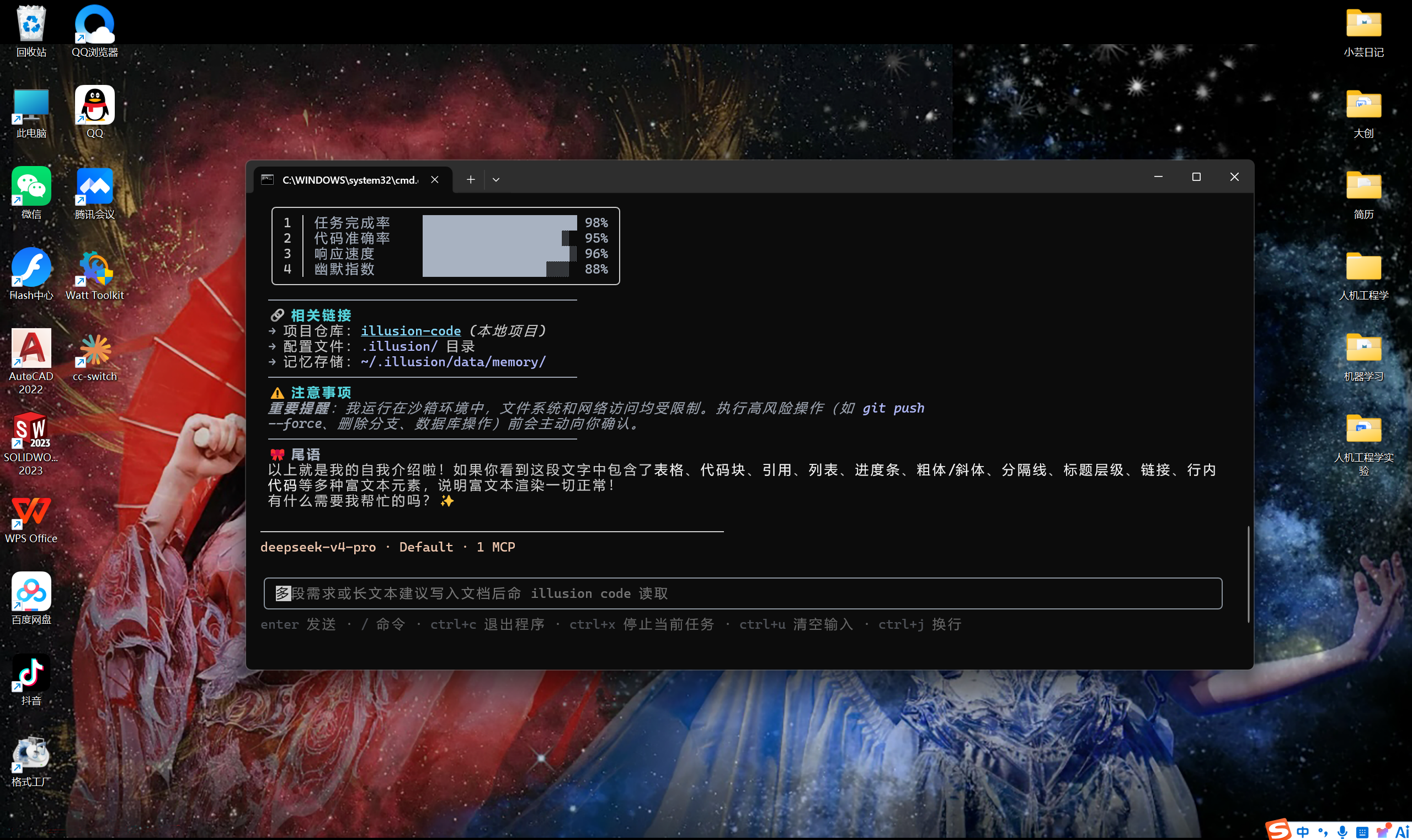
ui_languagesetting - 📝 Comprehensive Markdown Rendering - Tables, code blocks, rich text
- 🔌 Flexible Extension System - Plugins, hooks, skills, MCP servers
- 🔐 Comprehensive Permission Control - Three modes + fine-grained rules
- 🎯 Reasoning Effort Control - low/medium/high/xhigh/max levels
- 🪟 Deep Windows Optimization - Auto-detect Git, PowerShell support
- 🖥️ Zero Terminal Flicker - Stable rendering based on Ink Static component
- 📦 Desktop Edition - Electron shell with bundled Python/Node.js, installers for Windows/macOS/Linux, zero environment setup, in-app auto-update
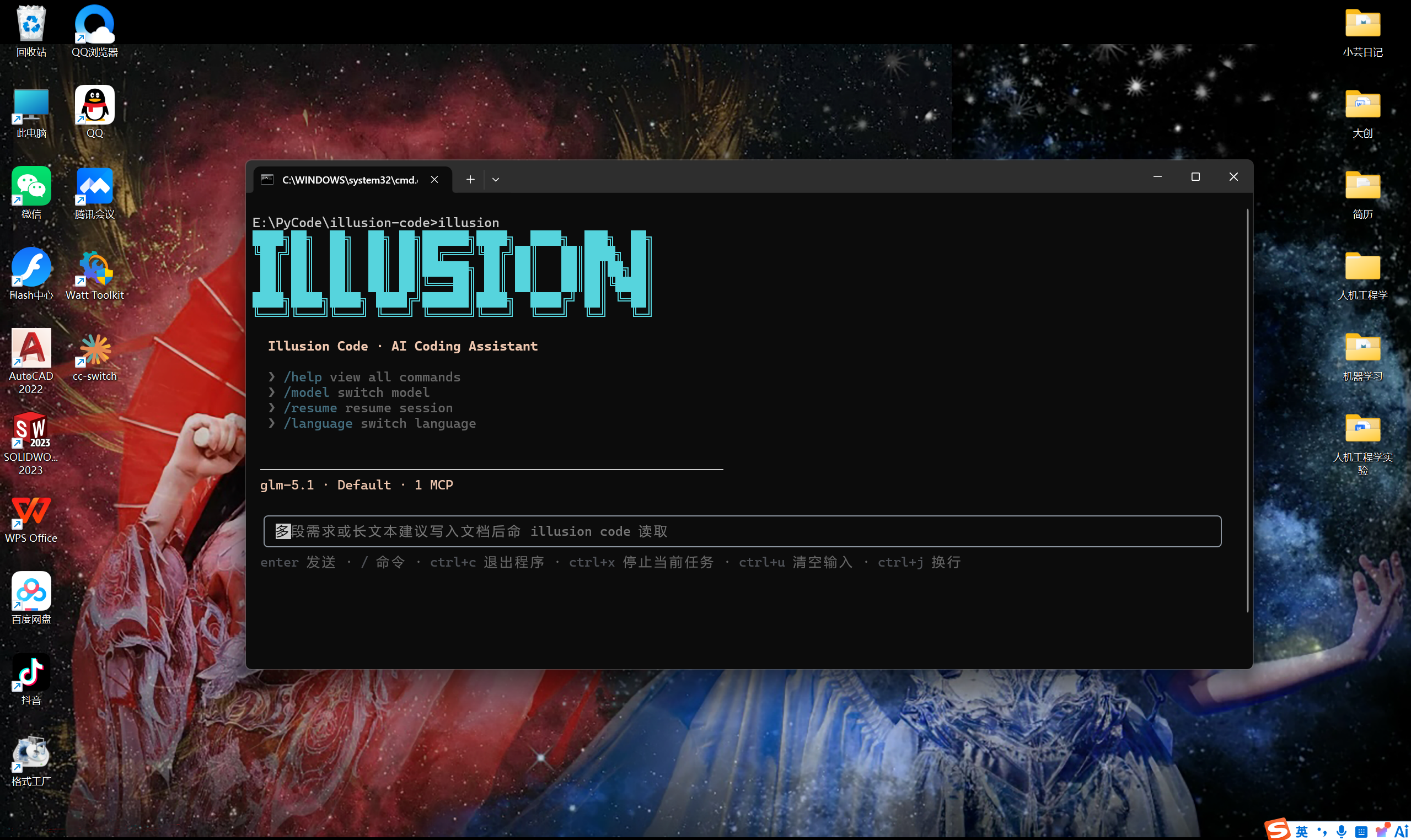
Interface Preview
Welcome screen & rich text rendering

🚀 Quick Start
Requirements
- Python >= 3.10
- Supports Windows, macOS, Linux
- Node.js 18+ (only for source install;
pip install illusion-agentdoes not require Node.js)
Installation
# Recommended: pip install from PyPI (no Node.js required)
pip install illusion-agent

# Alternative: from source (requires Node.js 18+)
git clone https://github.com/YunTaiHua/illusion-agent.git
cd illusion-agent
pip install .
Desktop Edition
Prefer a desktop app without installing Python or Node.js? Download the installer
for your platform — it bundles everything, zero environment setup:
| Platform | Download |
|---|---|
| Windows | IllusionAgent-Setup-<version>.exe (NSIS installer) |
| macOS | IllusionAgent-<version>-arm64.dmg |
| Linux | IllusionAgent-<version>-amd64.deb or IllusionAgent-<version>-x86_64.AppImage |
👉 Download from GitHub Release
The desktop edition bundles Python 3.12 and Node.js 24 runtimes internally.
See Desktop Edition docs for details.
Basic Usage
# First-time: configure authentication and working directory
illusion auth login

# Start interactive session (recommended)
illusion

# Launch Web UI in browser
illusion web

# Non-interactive print mode
illusion -p "Analyze the structure of this project"

# Set or update working directory
illusion set "E:\Projects\my-project"
Print Mode Notes
-p / --print runs a single non-interactive request and exits:
# Read-only analysis (safe, default permission mode)
illusion -p "Analyze the structure of this project"

# Allow file writes / command execution without interactive approval
illusion --permission-mode full_auto -p "Fix the failing tests"

# Resume after the process exits with code 2 (pending question/permission/plan)
illusion -c -p "Y"

# Specify model and effort for print mode
illusion -m env_1.model_2 -e high -p "Refactor this module"
Important details:
- The prompt value must be the last argument because typer parses
-pgreedily. - In default permission mode, mutating tools exit with code 2 and persist a pending approval; answer it with
illusion -c -p "Y","F", or"N". - Exit codes:
0success,1error,2waiting for cross-turn input.
Interface Notes
The terminal (illusion) and Web UI (illusion web) are two independent, first-class interfaces. They share the same backend runtime, settings, and session storage — use whichever fits your workflow.
📚 Detailed Documentation
| Topic | English | 中文 |
|---|---|---|
| Introduction | docs/en/introduction.md | docs/zh-CN/introduction.md |
| Getting Started | docs/en/getting-started.md | docs/zh-CN/getting-started.md |
| Commands | docs/en/commands.md | docs/zh-CN/commands.md |
| Goal (Auto-Continuation) | docs/en/goal.md | docs/zh-CN/goal.md |
| Settings & Credentials | docs/en/settings.md | docs/zh-CN/settings.md |
| Project Files & Memory | docs/en/project-files.md | docs/zh-CN/project-files.md |
| Extensions (MCP, Plugins, Skills, Hooks) | docs/en/extensions.md | docs/zh-CN/extensions.md |
| Architecture | docs/en/architecture.md | docs/zh-CN/architecture.md |
| Web UI Security | docs/en/security.md | docs/zh-CN/security.md |
| Token Metering & Compaction | docs/en/token-metering.md | docs/zh-CN/token-metering.md |
| Messaging Channels | docs/en/channels.md | docs/zh-CN/channels.md |
| @ Mentions (Skills / Sessions / Files) | docs/en/mentions.md | docs/zh-CN/mentions.md |
| Desktop Edition | docs/en/desktop.md | docs/zh-CN/desktop.md |
📄 License
This project is open-sourced under the MIT license.
🤝 Contributing
Welcome to submit Issues and Pull Requests!
