
Plugin directory / Desktop / DSH-Launcher
DSH-Launcher
Verified · install-tested on dsh WEP-56
What it does
DeepSeek harness launcher: automatically finds user's package and starts webui in an embedded window. Additionally provides package management, config management, plugin management, multi-window, etc.
Works — verified, growing community
DeepSeek harness launcher: automatically finds user's package and starts webui in an embedded window. Additionally provides package management, config management, plugin management, multi-window, etc. It installs cleanly and boots without issues in our testing. It has a growing community — a solid choice.
“Verified” means our automated CI actually ran dsh plugin add in a clean profile and it booted — nothing more. Feature descriptions and version compatibility are the author’s claims. This is not a security audit and not an endorsement of third-party code.
README



DSH Launcher
一个基于 Tauri 2 的 DeepSeek Harness 桌面启动器。它负责启动和停止 dsh web,主窗口以浏览器式标签页承载 dsh WebUI;包管理、配置文件编辑、插件安装和新窗口入口都收纳在窄工具栏的弹窗里。
插件目录使用 DSH 插件商店 提供的 catalog.json API,仅在用户打开插件弹窗时加载一次;安装通过 dsh 官方命令完成,例如 dsh plugin --profile web add github:omdsh-dev/DSH-better-sidebar。
界面截图
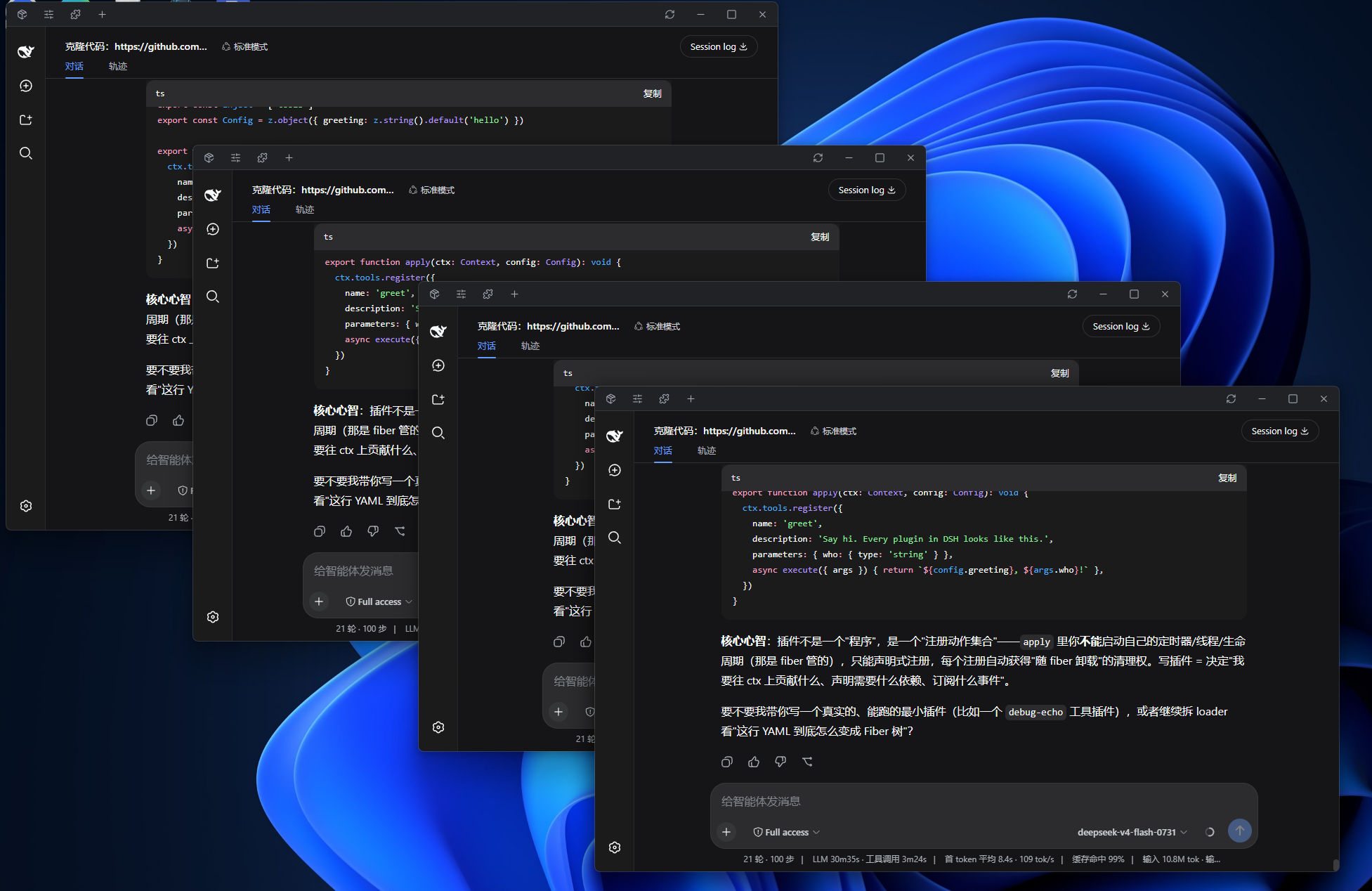
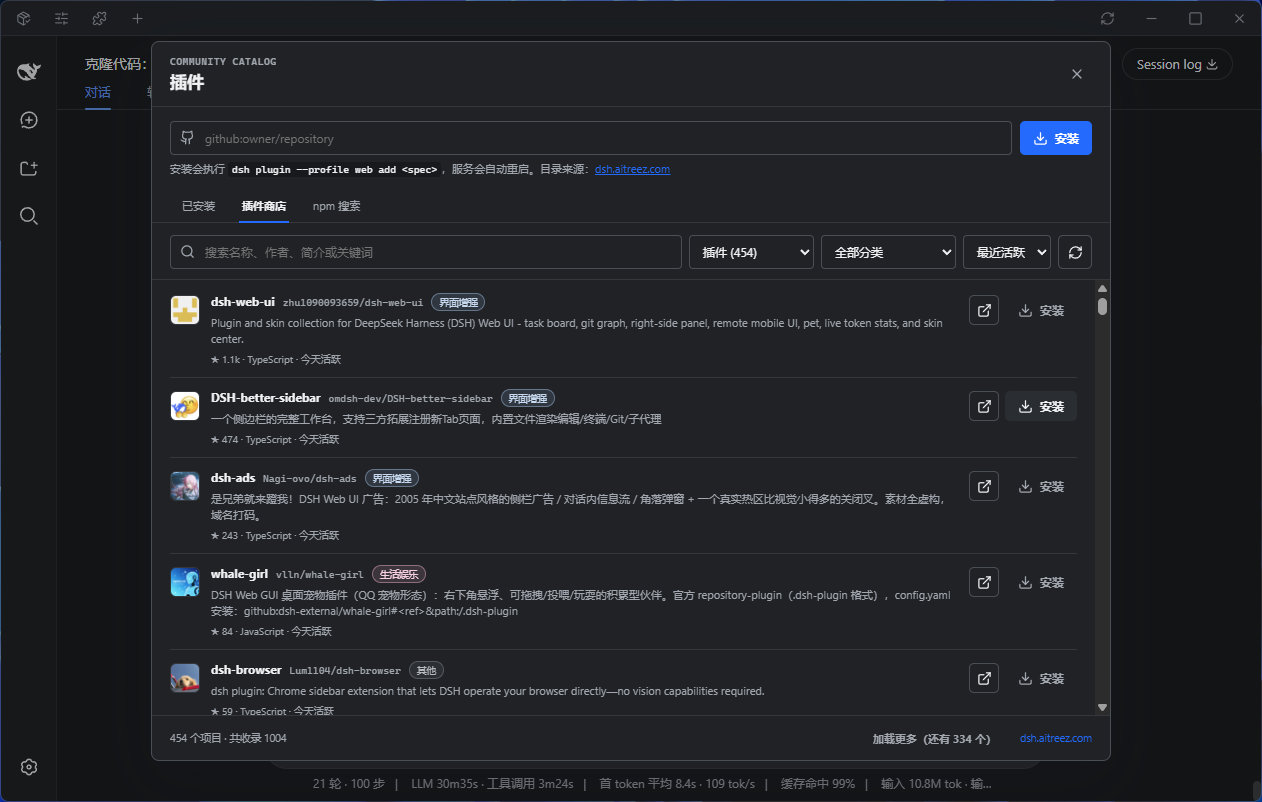
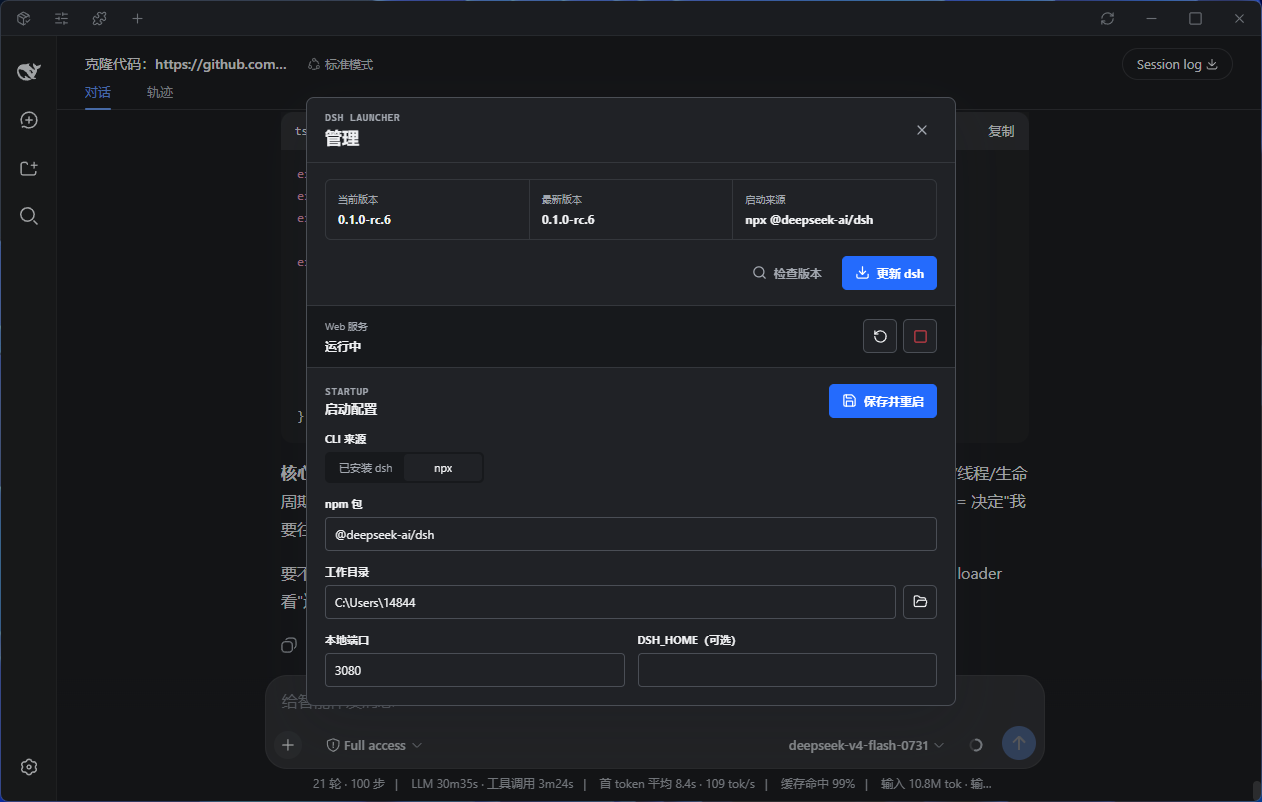
标签页
顶栏中间是标签条,每个标签都是一个独立的 WebUI 实例,切换时保留各自的会话状态:
- 新建
Ctrl+T或标签条上的 +;关闭Ctrl+W、鼠标中键或标签上的 ×;Ctrl+Tab循环切换 - 拖动标签可重排;拖出顶栏松手即成为新窗口;拖到其他 Launcher 窗口的顶栏上则并入该窗口
- 双击标签可重命名;标签很多时会像浏览器一样逐级收窄,实在放不下时标签条支持滚轮滚动
端口与外部服务
如果启动时端口(默认 3080)已被一个可用的 Web 服务占用——比如你提前在终端里自己跑了 dsh web——Launcher 会直接沿用它,而不是报端口占用:
- Launcher 不接管该进程:管理弹窗中的停止/重启会禁用,退出 Launcher 也不会结束它
- 外部服务退出后,界面自动回到可启动状态,可以一键改由 Launcher 启动
- 只有占用者不是 Web 服务(例如残留的半死进程)时才会提示端口冲突
增强插件
以下插件均属于功能与体验增强,不会较大幅度干扰 DSH 的 loop 工作流:
DSH Better Sidebar
提供更完善的侧边栏与系统终端,让 dsh WebUI 从基础对话界面进一步升级为更专业、更高效的 Agent IDE。
dsh plugin --profile web add dsh-better-sidebar
dsh-at-file
支持在对话框中快捷添加文件路径,减少手动输入与来回查找,让文件引用更加顺手自然。
dsh plugin --profile web add "github:omdsh-dev/dsh-at-file"
dsh-tool-diff
diff工具是一个值得从 Bash 中“毕业”的文件审查工具,帮助 Agent 更高效地查看与审阅文件变更,在提升审查体验的同时大幅节省 token。
dsh plugin --profile web add github:omdsh-dev/dsh-tool-diff
dsh-genui
让webui支持直接渲染图表、表格、Mermaid 甚至 html 交互组件,不仅限于基础markdown渲染!
dsh plugin --profile web add git+https://github.com/omdsh-dev/dsh-genui.git
dsh-mcp-manager
普适性的mcp适配器,让mcp接入代替那些直接添加Tools的插件吧(除非没有对应的mcp),为了你的token、维护难度考虑
npx -p @deepseek-ai/dsh dsh plugin --profile web add github:hyqhyq3/dsh-mcp-manager
开发
npm install
npm run tauri dev
启动器默认使用 PATH 中的 dsh:
npm install -g @deepseek-ai/dsh
若直接启动本地安装dsh失败,可以在启动设置中切换为 npx 模式。首次通过 npx 启动需要网络连接。
构建
npm run tauri build
配置保存在 Tauri 的应用配置目录中。
相关链接
Install
Install the catalog once, then DeepSeek Harness can find and install any plugin from this site automatically:
dsh plugin add dshbase-catalogThen say "install DSH-Launcher for me" — your agent finds it in the directory and installs it. Docs: dshbase-catalog · verified packs.
This plugin is GitHub source (not published to npm) — install it straight from the repo:
Web profile:
dsh plugin --profile web add github:WEP-56/DSH-LauncherHeadless (CLI) profile:
dsh plugin --profile headless add github:WEP-56/DSH-LauncherTest report
Verified: L1 install + L2 load + L3 runtime from GitHub source on dsh 0.1.0-rc.6.
When to use it
Run dsh as a native desktop app — its own window, tray icon, and shortcuts — instead of a browser tab.
Who it's for
Users who want an installed-app feel and system integration (tray, global hotkeys, auto-launch) on their OS.
For developers — extending it
The native shell is the seam — add global shortcuts, notifications, single-instance locking, or OS-specific behaviors.
Share this badge
Drop this badge into your README — it links back here and updates automatically when our test status changes:

[](https://dshbase.com/plugins/DSH-Launcher/)<a href="https://dshbase.com/plugins/DSH-Launcher/"><img src="https://dshbase.com/badges/DSH-Launcher.svg" alt="dshbase install-tested"></a>