
Plugin directory / UI & Skins / dafy-whale-theme
dafy-whale-theme
Verified · install-tested on dsh DViridescent
What it does
DeepSeek Harness blue fat fish theme: ocean colors, fish schools, bubbles, mascot and brand replacement.
Works — verified, early-stage project
DeepSeek Harness blue fat fish theme: ocean colors, fish schools, bubbles, mascot and brand replacement. It installs cleanly and boots without issues in our testing. It's early-stage but functional.
“Verified” means our automated CI actually ran dsh plugin add in a clean profile and it booted — nothing more. Feature descriptions and version compatibility are the author’s claims. This is not a security audit and not an endorsement of third-party code.
README
dafy-whale-theme(蓝色大肥鱼主题)
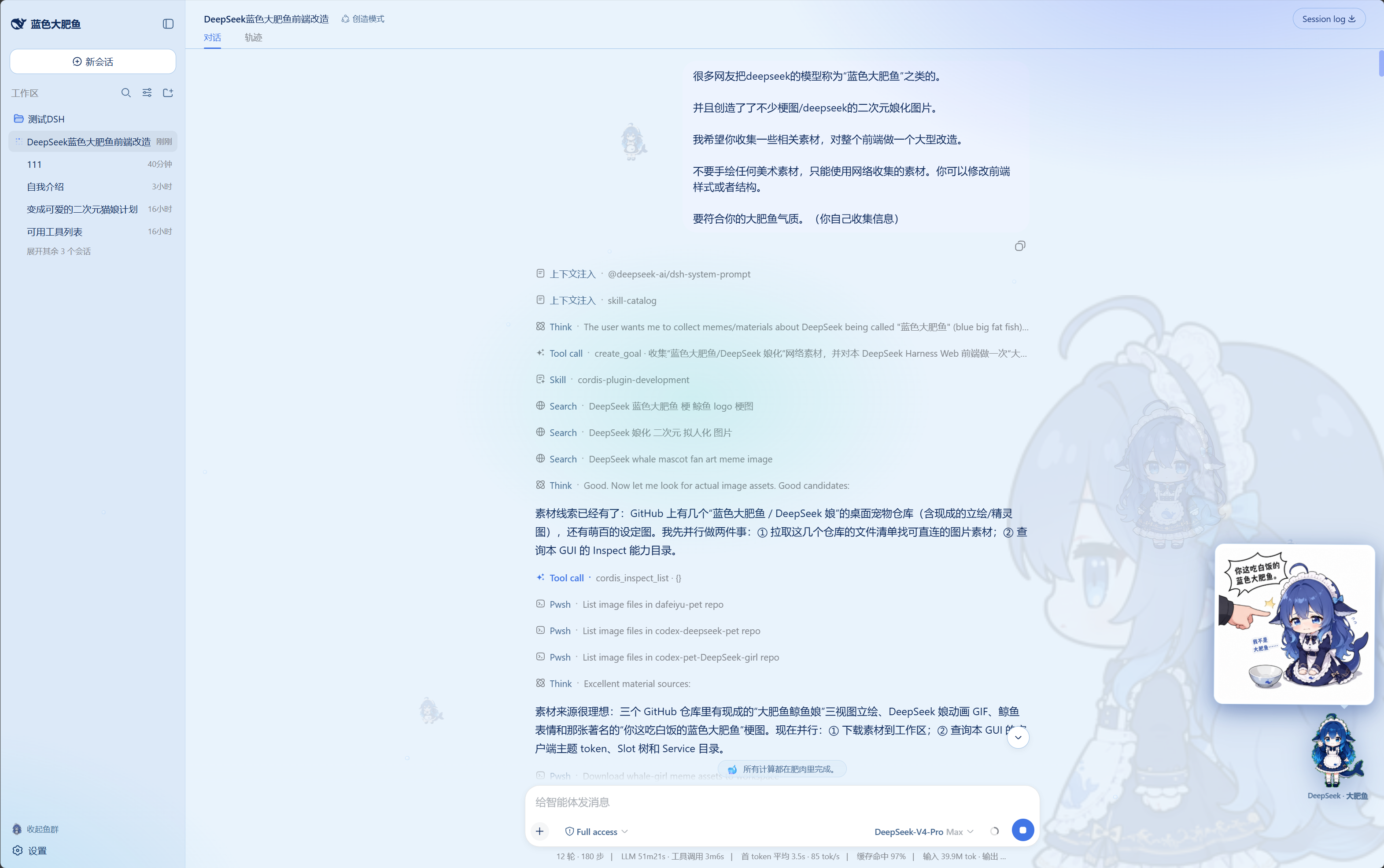
DeepSeek Harness web 前端的整站主题插件:海洋蓝配色、游动鱼群、上升气泡、右下角 DeepSeek 娘吉祥物(可互动)、输入框上方「每日鱼语」、左上角品牌替换。
一句话安装
帮我去 https://github.com/DViridescent/dafy-whale-theme 安装大肥鱼插件
把这句话发给你的 DeepSeek Harness,它会自动完成全部安装;完成后按它提示重启 dsh web 并刷新浏览器(F5)即可。
官方安装(唯一通路)
需要 pnpm。本包在 package.json 中声明了 dsh.bundle,随包携带自己的组合层 cordis.patch.yml,因此官方 CLI 一条命令完成安装并自动挂载:
dsh plugin --profile web add github:DViridescent/dafy-whale-theme
升级与卸载同样走官方通路:
dsh plugin --profile web update dafy-whale-theme   # 升级
dsh plugin --profile web remove dafy-whale-theme   # 卸载
patch 层只在下次启动时生效:重启
dsh web后刷新页面(web 组合禁用了 HMR,不会热加载)。
补齐素材(可选)
DeepSeek 娘动图因许可原因不随仓库分发(见 NOTICE),不补齐时吉祥物自动回退为 emoji。克隆本仓库后运行:
node install.mjs
脚本只做两件事:尚未安装时执行上面的官方命令(本仓库路径);把动图素材补进已安装的包目录。幂等,可重复执行。
特性
- 海洋蓝亮/暗双主题配色,DeepSeek 蓝品牌色
- 全屏氛围:海面光晕、上升气泡、来回游动的鱼群(侧边栏可开关)
- 右下角 DeepSeek 娘吉祥物:单击招手+随机肥鱼语录,双击弹出梗图,悬停 ✕ 收起
- 输入框上方滚动「每日鱼语」
- 左上角品牌:官方鲸鱼图标 + 「蓝色大肥鱼」字标
- 窄侧栏自适应,无 UI 裁切
素材与许可
代码采用 MIT 许可(见 LICENSE)。图片素材来自社区仓库,逐文件许可明细见 NOTICE:
- MIT 许可素材(鲸鱼娘立绘、肥鱼表情、梗图)随仓库分发
- DeepSeek 娘动图(源仓库无许可声明)由安装脚本在安装时自动从原仓库获取,本仓库不直接分发
「DeepSeek 娘」为基于 DeepSeek 品牌角色的二创形象,如计划大规模商业使用请自行评估品牌权利风险。
Install
Install the catalog once, then DeepSeek Harness can find and install any plugin from this site automatically:
dsh plugin add dshbase-catalogThen say "install dafy-whale-theme for me" — your agent finds it in the directory and installs it. Docs: dshbase-catalog · verified packs.
This plugin is GitHub source (not published to npm) — install it straight from the repo:
Web profile:
dsh plugin --profile web add github:DViridescent/dafy-whale-themeHeadless (CLI) profile:
dsh plugin --profile headless add github:DViridescent/dafy-whale-themeTest report
Verified: L1 install + L2 load + L3 runtime from GitHub source on dsh 0.1.0-rc.6.
When to use it
Change how dsh looks or how you interact with it — a theme, a skin, or a new panel that reshapes the workspace.
Who it's for
Users who spend hours in the web UI and want it to look and feel the way they work.
For developers — extending it
Skins, panels, and theme tokens are the extension points — author a new skin, add a panel, or sync tokens with an upstream palette.
Share this badge
Drop this badge into your README — it links back here and updates automatically when our test status changes:

[](https://dshbase.com/plugins/dafy-whale-theme/)<a href="https://dshbase.com/plugins/dafy-whale-theme/"><img src="https://dshbase.com/badges/dafy-whale-theme.svg" alt="dshbase install-tested"></a>