
Plugin directory / Developer / dsh-ads
dsh-ads
Verified · install-tested on dsh Nagi-ovo
What it does
2005-style sidebar ads plugin (parody)
The package installed on the dsh version resolved from @latest, but it did not join dsh.profile.bundles, so it was treated as not loaded.
This is the evidence written for that run. It does not change the catalog badge. Skip (including web-only) and needs are not a pass and not a failure.
“Verified” means our automated CI actually ran dsh plugin add in a clean profile and it booted — nothing more. Feature descriptions and version compatibility are the author’s claims. This is not a security audit and not an endorsement of third-party code.
README
dsh-ads

简体中文 | English
把 DeepSeek Harness 变成 2005 年门户网站。连 inference 都逃不过广告。
广告是假的,插件是真的,抽到 V4 Pro 的希望也是真的渺茫。
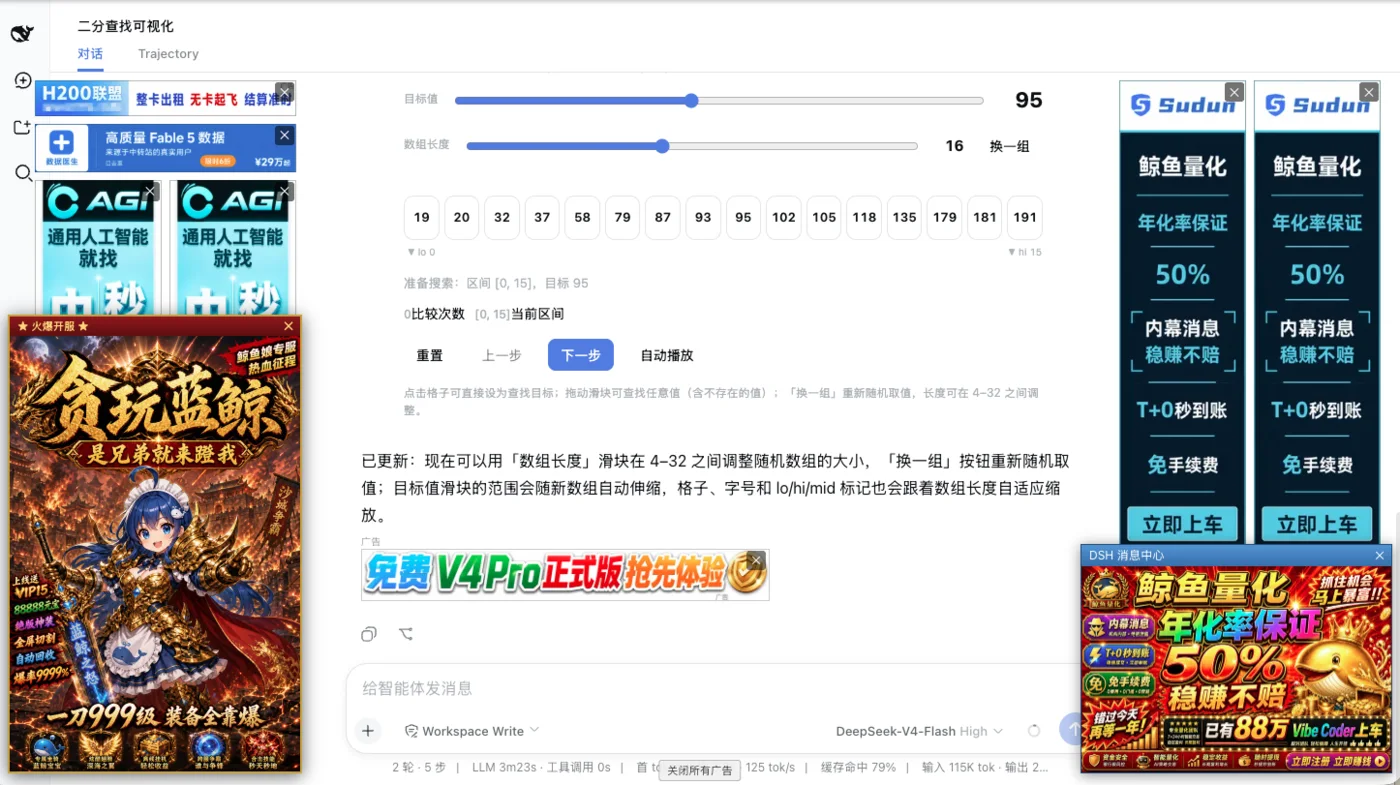
dsh-ads 会在侧栏、对话、推理中途和右下角塞入一整套虚构广告。它看起来会暂停 inference,实际上模型一直在后台工作,只是后续回答和工具调用要等广告结束才显示。
插件不会只拿自己开涮。GitHub 上带 dsh-plugin topic、且最近两周更新过的公开插件会进入推荐位,点击广告就能打开真实仓库。仓库换到个人账号或其他组织后仍能被发现。
两套互联网垃圾美学
切换 DSH 的「设置 → 语言」,当前页面会立即更换整套素材、文案和交互,不用刷新。中文模式主打页游、财神和「这次一定」,两张贪玩蓝鲸海报每 20 秒自动切换;English mode 则是 fake antivirus、weird tricks 和 actual gameplay*。
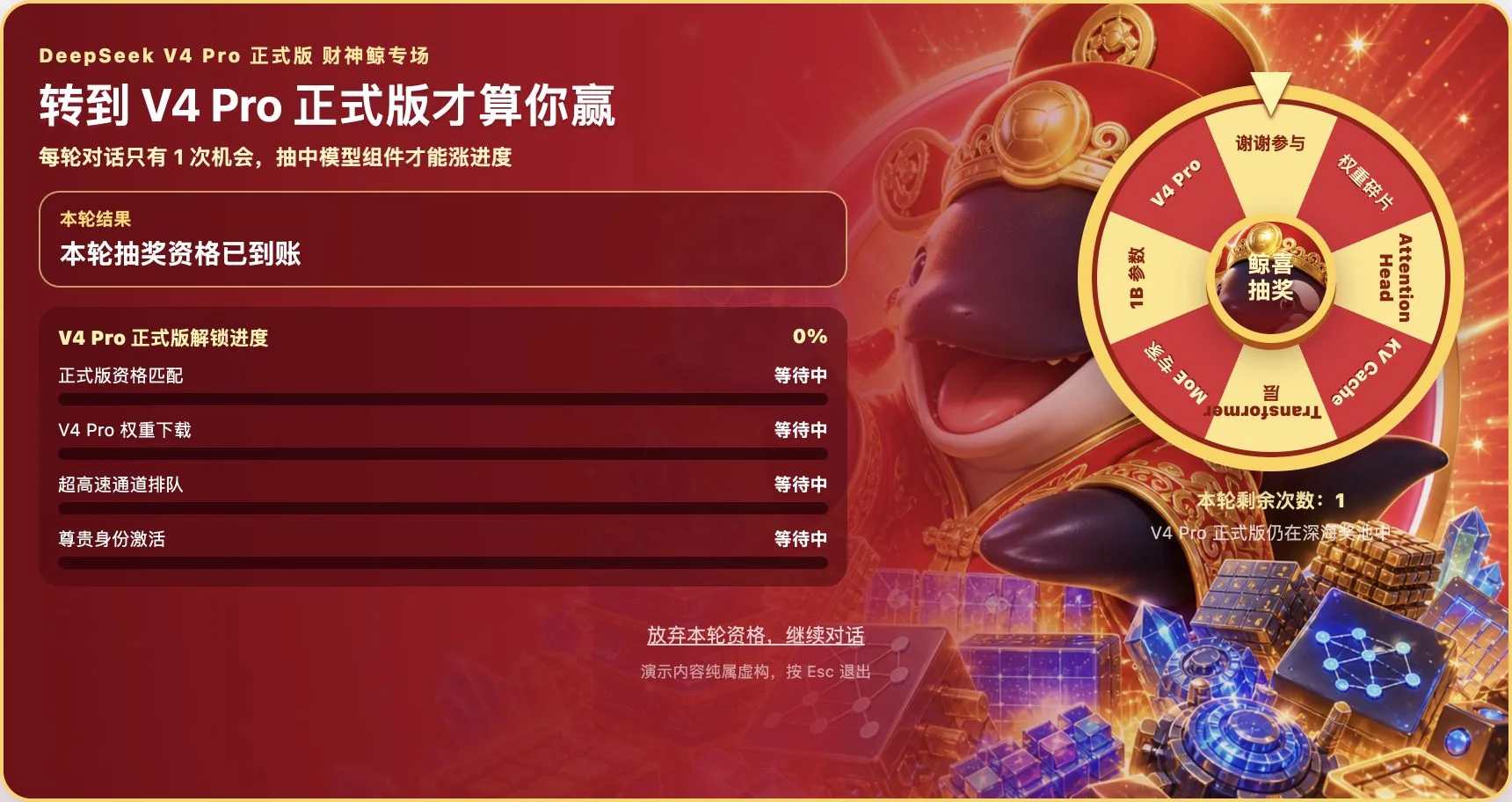

| 中文:贪玩蓝鲸 | English: actual gameplay* |
|---|---|
 |
 |

启动耗时是真测的,全国排名是编的。
安装
推荐用 npm 装到 DSH 的 web profile:
dsh plugin --profile web add @nagi-ovo/dsh-ads
# 如果 dsh web 正在运行,重启后刷新页面
也可以从 GitHub 安装:dsh plugin --profile web add github:Nagi-ovo/dsh-ads。可以运行 dsh --profile web --dump-config 确认插件已经进入最终配置。需要修改源码时,克隆仓库并在仓库目录运行 dsh plugin --profile web add .;构建产物已经提交,不需要额外构建。使用社区 plugin-registry 的用户也可以从「设置 → 插件」安装。
兼容 DSH 0.1.1-rc.2 到 0.2.0-rc.2。
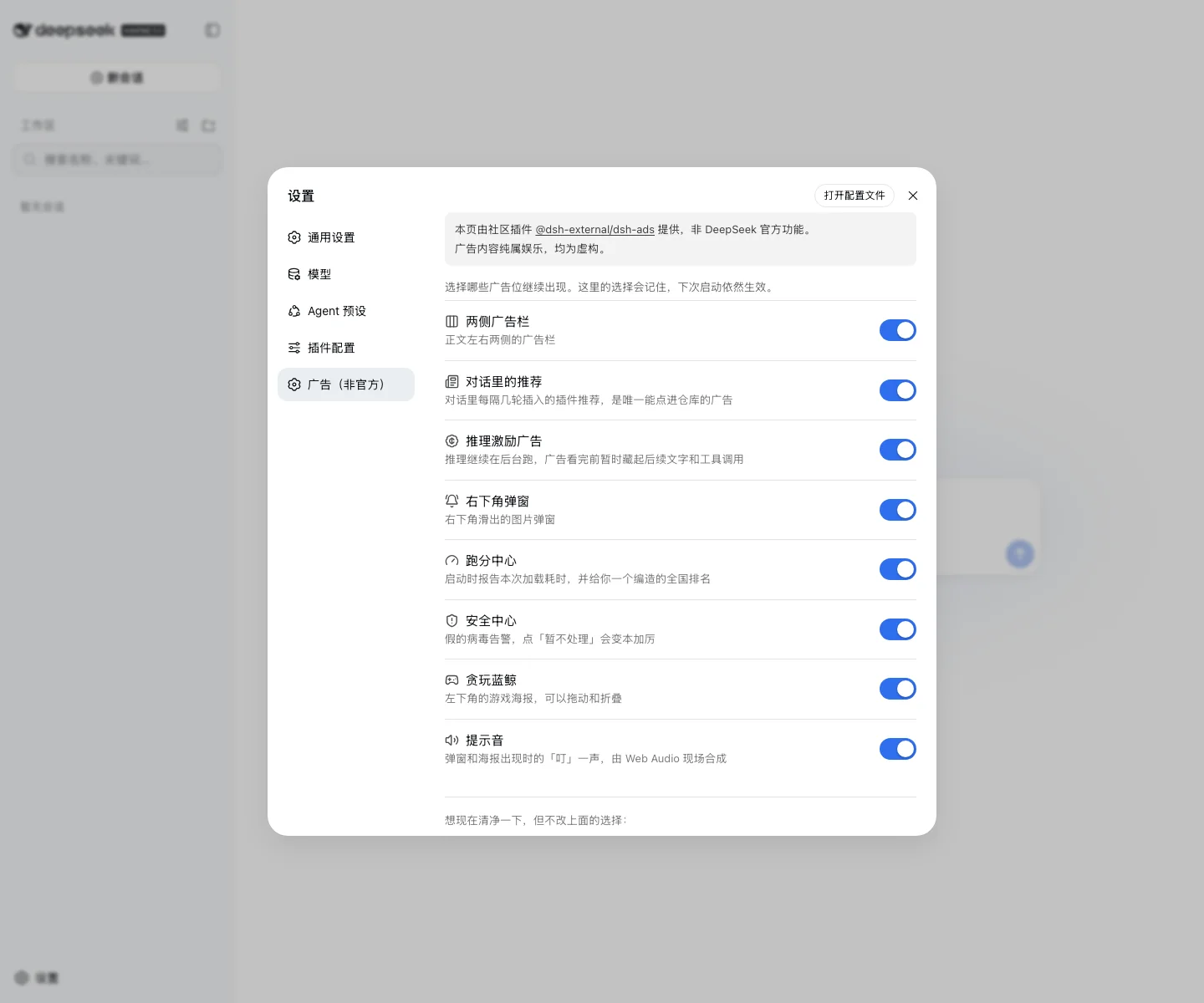
每个广告位都能在「设置 → 广告(非官方)」里单独关闭,选择会保留到下次启动。
免费广告位
带 dsh-plugin topic 的公开插件会自动参与轮播。想指定自己的文案或图片,可以查看投稿说明并发 PR。曝光记录只保存在本机浏览器里。
同一个作者的 dsh-visualize 可以让模型直接在对话里画出交互界面。这条是整个 README 唯一正经的广告。
免责声明
本插件纯属娱乐,与 DeepSeek 以及任何真实公司、产品或服务均无关联。广告里的品牌、人物、域名、价格、病毒和承诺均为虚构。插件不会扫描、读取或修改机器上的文件。
「验证修复」只会在用户主动点击后查询一次 GitHub Star 状态,优先使用本机 gh 或 token,否则调用匿名公开 API。结果只保存在本机浏览器中。
Install
Install the catalog once, then DeepSeek Harness can find and install any plugin from this site automatically:
dsh plugin add dshbase-catalogThen say "install dsh-ads for me" — your agent finds it in the directory and installs it. Docs: dshbase-catalog · verified packs.
Web profile:
dsh plugin --profile web add dsh-adsHeadless (CLI) profile:
dsh plugin --profile headless add dsh-adsPackage
npm: dsh-ads · version — · dsh --version at test time 0.2.2-rc.1
Test report
- L1 Install pass · Pass
dsh plugin add finished in a clean profile and the package was recorded there.
- L2 Load fail · Fail
dump-config finished, but dsh-ads stayed inactive and did not join dsh.profile.bundles.
- L3 Headless skip · Skip
Headless L3 was not run because an earlier level did not pass.
- L4 Web CDP skip · Skip
Web CDP was not run because an earlier level did not pass.
When to use it
Extend the agent's coding surface — give it a new tool, workflow, or integration so it handles a dev task it couldn't before.
Who it's for
Developers who want dsh to behave like a teammate on real codebases — editing, running, and verifying changes rather than just answering.
For developers — extending it
The tool/command surface is the seam: expose more of the SDK, add smarter context wiring, or tighten the loop between code changes and verification.
Share this badge
Drop this badge into your README — it links back here and updates automatically when our test status changes:

[](https://dshbase.com/plugins/dsh-ads/)<a href="https://dshbase.com/plugins/dsh-ads/"><img src="https://dshbase.com/badges/dsh-ads.svg" alt="dshbase install-tested"></a>