
Plugin directory / Developer / dsh-aseprite
dsh-aseprite
Verified · install-tested on dsh Ratevoid
What it does
Unofficial Aseprite-compatible pixel editor and sprite animation plugin for DeepSeek Harness.
Works — verified, early-stage project
Unofficial Aseprite-compatible pixel editor and sprite animation plugin for DeepSeek Harness. It installs cleanly and boots without issues in our testing. It's early-stage but functional.
“Verified” means our automated CI actually ran dsh plugin add in a clean profile and it booted — nothing more. Feature descriptions and version compatibility are the author’s claims. This is not a security audit and not an endorsement of third-party code.
README
dsh-aseprite
A pixel-art and sprite-animation editor plugin for DeepSeek Harness. It is compatible with Aseprite project files and requires no Aseprite installation.
- 🎨 Adds a 🎨 button to the conversation header; click it to open or close the editor dock above the message input.
- ✏️ Tools: pencil, eraser, bucket fill, picker, line, rectangle, and rectangular region selection, with undo, redo, wheel zoom, grid, onion skinning, adjustable brush/eraser size, and draggable left/right/top/bottom panel splitters.
- 🤖 Select a region, click ASK, describe a local adjustment, and send an enlarged PNG crop plus the selection coordinates to the active DSH conversation. The AI response is reviewed in chat; editor pixels are not changed automatically.
- 🧩 Blueprint workflows: click 🧩 in the toolbar to open a ComfyUI-style visual node graph; drag nodes and click input/output ports to connect them.
- Passive blueprints such as transparent cropping, pixel outlines, and crop-plus-outline run locally, can be reused indefinitely after one creation, and never call the LLM.
- Active blueprints contain an LLM node and send the selected image plus node prompt to the current conversation AI.
- Click AI Create Blueprint and describe a complete task. The assistant's dsh-blueprint JSON is automatically parsed, validated, and stored in the browser library—no manual JSON copying. The library has UI import/export controls.
- 🧅 Layers: create, delete, reorder, and toggle visibility.
- 🎞️ Animation frames: add, duplicate, delete, set frame duration (ms), and preview playback.
- 🎨 Palettes: built-in DB16 and PICO-8-style 16-color palettes, custom colors, extra palettes, and color picking.
- 💾 Reads and writes .aseprite project files in pure JavaScript, with no Aseprite installation required; supports RGBA, grayscale, indexed-color reading, compressed cel decoding, current-frame PNG export, and sprite-sheet PNG export.
Demo
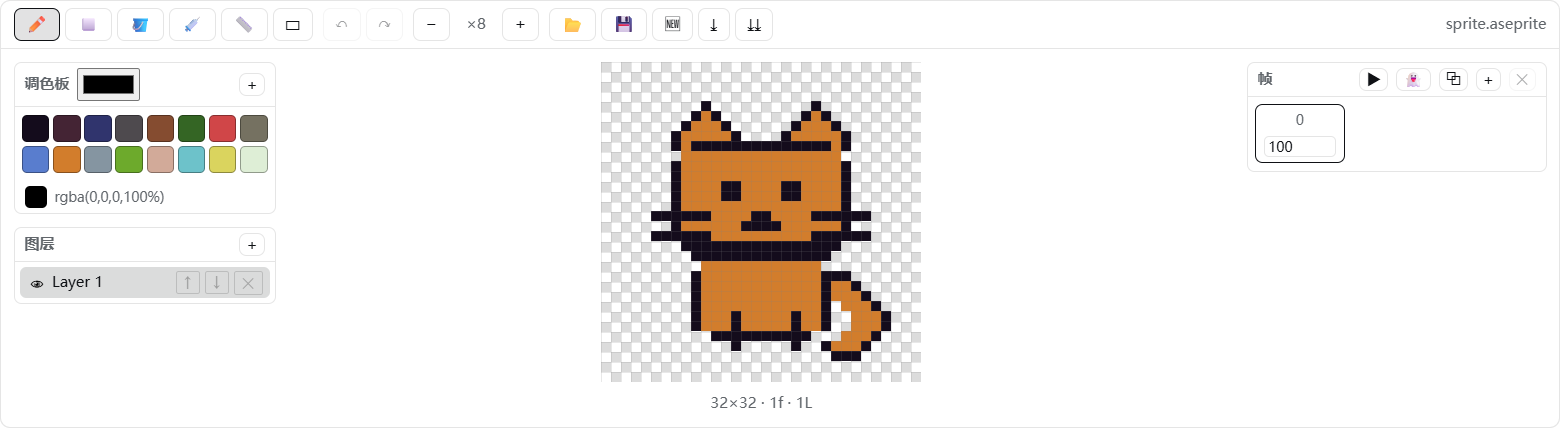
Canvas close-up:

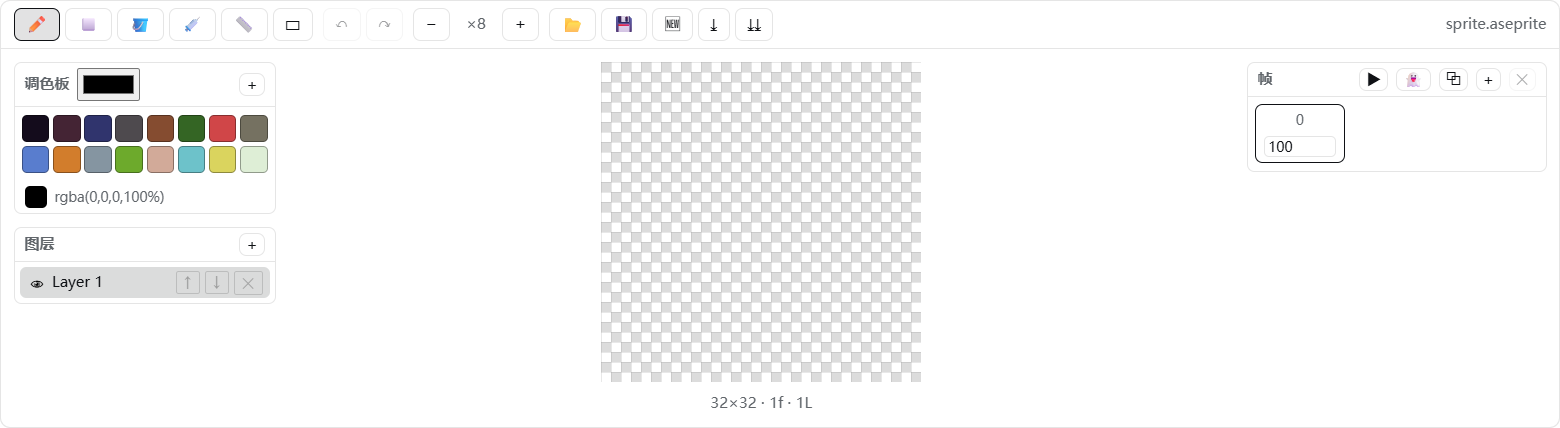
The transparent canvas uses a standard square checkerboard:
How it works
- Host (
lib/index.js): a minimal loader entry that exposes thedsh.clientdeclaration; the editor runs entirely in the browser. - Client (
client/client.js): follows thewindow.__ModuleLoader__.load({ id, factory })contract and registers the header button and dock throughctx.slotsatconversation.session.header.actionsandconversation.input.dock. - Codec (
src/ase-codec.js): implements the Aseprite file format specification, writing 32bpp RGBA, raw cels, and modern palette chunks that Aseprite can open directly.
Project structure
dsh-aseprite/
├── package.json        # dsh.bundle.patch + dsh.client declarations
├── README.md           # English documentation
├── README.zh-CN.md     # Chinese documentation
├── LICENSE
├── assets/             # GitHub demo images
├── cordis.patch.yml    # loader row: - id: aseprite, name: 'dsh-aseprite'
├── lib/index.js        # minimal host entry
├── client/client.js    # browser bundle (generated)
├── src/ase-codec.js    # ASE binary codec
├── src/editor.js       # document model, drawing, layers, frames, and export
├── src/blueprints.js   # safe declarative blueprint graph engine and library
├── src/client.js       # React UI + apply()
├── tests/blueprints.test.mjs # blueprint normalization/execution/parser tests
└── scripts/build.mjs   # zero-dependency build script
Development / build
node scripts/build.mjs      # regenerate client/client.js
pnpm test:blueprints       # run blueprint engine tests
Install locally
Install with dsh plugin --profile web add. To reinstall manually:
# Replace these placeholders with your local paths; omit --store-dir if it is not needed
dsh plugin --profile web add --store-dir "<your-pnpm-store>" "file:<path-to-dsh-aseprite>"
Restart DeepSeek Harness after installation, then refresh the page. The 🎨 button in the conversation header confirms that the plugin is loaded.
Uninstall
dsh plugin --profile web remove dsh-aseprite
If present, also remove the handwritten aseprite entry from the profile cordis.patch.yml, then restart the application.
Install
Install the catalog once, then DeepSeek Harness can find and install any plugin from this site automatically:
dsh plugin add dshbase-catalogThen say "install dsh-aseprite for me" — your agent finds it in the directory and installs it. Docs: dshbase-catalog · verified packs.
This plugin is GitHub source (not published to npm) — install it straight from the repo:
Web profile:
dsh plugin --profile web add github:Ratevoid/dsh-asepriteHeadless (CLI) profile:
dsh plugin --profile headless add github:Ratevoid/dsh-asepriteTest report
Verified: L1 install + L2 load + L3 runtime from GitHub source on dsh 0.1.0-rc.6.
Share this badge
Drop this badge into your README — it links back here and updates automatically when our test status changes:

[](https://dshbase.com/plugins/dsh-aseprite/)<a href="https://dshbase.com/plugins/dsh-aseprite/"><img src="https://dshbase.com/badges/dsh-aseprite.svg" alt="dshbase install-tested"></a>