
Plugin directory / Storage / dsh-bottom-info-bar
dsh-bottom-info-bar
Verified · install-tested on dsh songoao25
What it does
Bottom Info Bar — an information bar plugin for DeepSeek Harness: provider/model, live balance, peak/off-peak pricing with countdown, and real persisted per-session spend in a single line.
Works — verified, growing community
Bottom Info Bar — an information bar plugin for DeepSeek Harness: provider/model, live balance, peak/off-peak pricing with countdown, and real persisted per-session spend in a single line. It installs cleanly and boots without issues in our testing. It has a growing community — a solid choice.
“Verified” means our automated CI actually ran dsh plugin add in a clean profile and it booted — nothing more. Feature descriptions and version compatibility are the author’s claims. This is not a security audit and not an endorsement of third-party code.
README
Bottom Info Bar
English | 中文


A DeepSeek Harness plugin that replaces the stats row under the composer with one line: provider and model, real balance or subscription quota, peak/off-peak pricing, and what this session has cost.

What it shows
The bar follows the active session and picks one of three readings per provider (mutually exclusive, nothing to switch by hand): balance shows the real balance from the provider's own API, subscription quota shows each quota window's remaining allowance with its reset countdown, and cloud billing shows this month's real spend from the official billing API. On top of that come four spend tallies — this session, today, last 30 days, all time — plus extras such as time and custom text.
Click the bar to switch between Full and Compact. They differ in exactly one way: Full keeps DSH's native stats row, Compact collapses it. Whether a field appears is decided by that field's own switch alone, so the main row reads identically in both.
Install
dsh plugin --profile web add dsh-bottom-info-bar
Then restart dsh web — plugins are composed when the host starts, so a page refresh is not enough. Other install methods and troubleshooting: docs/INSTALL.md.
Settings
Everything lives on the plugin page (Plugins → bottom-info-bar) and saves as you change it, in three groups, all collapsed by default: native information (DSH's own stats row, Full mode only), plugin information (everything this bar adds, both modes), and notices (one-off update and failure reminders, shown only when there is really something to say).
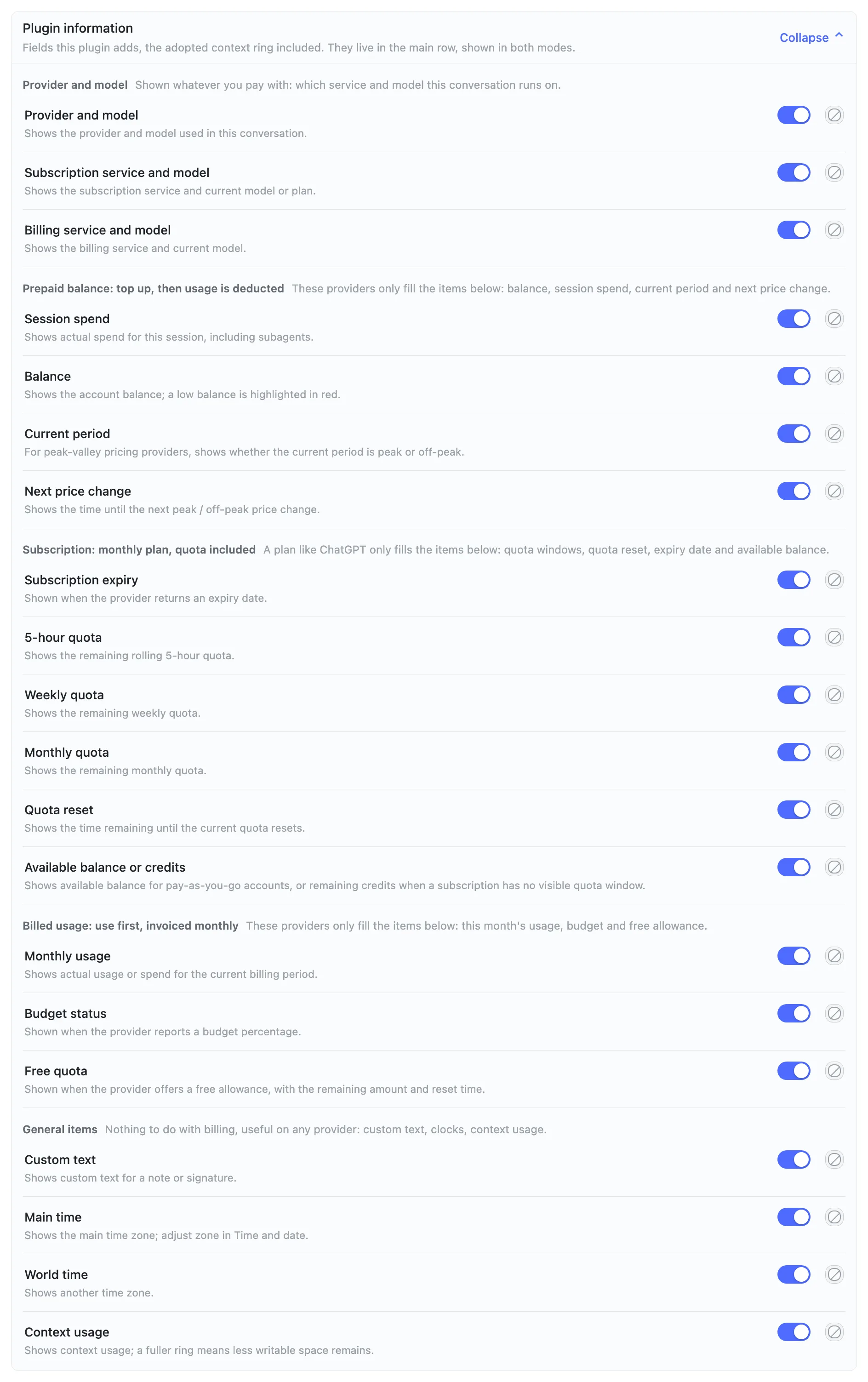
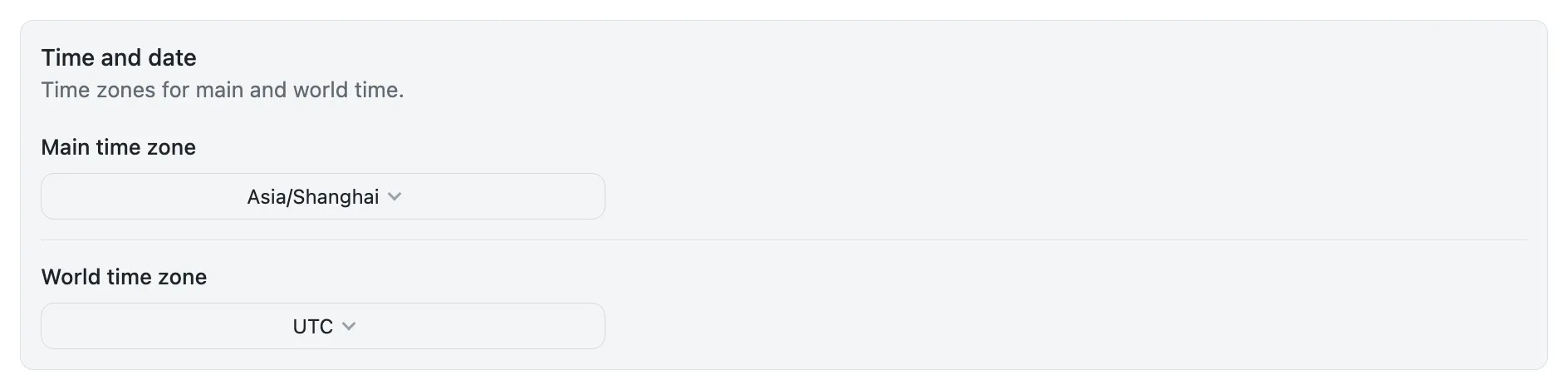
Plugin information is further grouped by billing mode — read only the block that matches your provider; each block's heading says which items carry data for it. Time zones, custom text, quota percentage direction and billing data are separate sections:
API keys go in DSH under Settings → Models; subscriptions (Codex, OpenCode, Xiaomi Token Plan, Command Code, MiniMax) read the local sign-in, and MiniMax requires a Subscription Key. Anything off the list gets a not-supported hint instead of borrowed numbers.
Spend and updates
Every model response records one entry (usage × unit price, locked the moment the response completes) and survives restarts. The plugin checks npm once per DSH start: automatic updates (default) download in the background and take effect after you restart, manual updates only notify; a bad release can be rolled back from settings. The ledger stores tokens and amounts, never conversation content; data stays in ~/.dsh/dsh-bottom-info-bar/ and survives uninstall — export or clear it from Billing data if you want a clean slate.
Development
- Build:
npm run build - Test:
node tests/run-all.mjs - Contributing: CONTRIBUTING.md
License
MIT © 2026 songoao25
💬 Questions or ideas? Join our WeChat group DeepThinking — QR code.

Install
Install the catalog once, then DeepSeek Harness can find and install any plugin from this site automatically:
dsh plugin add dshbase-catalogThen say "install dsh-bottom-info-bar for me" — your agent finds it in the directory and installs it. Docs: dshbase-catalog · verified packs.
This plugin is GitHub source (not published to npm) — install it straight from the repo:
Web profile:
dsh plugin --profile web add github:songoao25/dsh-bottom-info-barHeadless (CLI) profile:
dsh plugin --profile headless add github:songoao25/dsh-bottom-info-barTest report
Verified: L1 install + L2 load + L3 runtime from GitHub source on dsh 0.1.0-rc.6.
When to use it
Give the agent durable storage — a database, file store, or persistence layer — so state survives sessions.
Who it's for
Users whose tasks need to read or write structured data and keep it across runs.
For developers — extending it
Storage backends and data models are the seams — plug a new database, add schemas, or expose query tools.
Share this badge
Drop this badge into your README — it links back here and updates automatically when our test status changes:

[](https://dshbase.com/plugins/dsh-bottom-info-bar/)<a href="https://dshbase.com/plugins/dsh-bottom-info-bar/"><img src="https://dshbase.com/badges/dsh-bottom-info-bar.svg" alt="dshbase install-tested"></a>