
Plugin directory / UI & Skins / dsh-chat-image
dsh-chat-image
Verified · install-tested on dsh Niobium-41-nb
What it does
Renders chat Markdown image references as a gallery in the DSH web GUI
Works — verified, early-stage project
Renders chat Markdown image references as a gallery in the DSH web GUI It installs cleanly and boots without issues in our testing. It's early-stage but functional.
“Verified” means our automated CI actually ran dsh plugin add in a clean profile and it booted — nothing more. Feature descriptions and version compatibility are the author’s claims. This is not a security audit and not an endorsement of third-party code.
README
dsh-chat-image


English | 中文
Renders chat Markdown image references () as a gallery under each closing assistant message in the DeepSeek Harness web GUI.
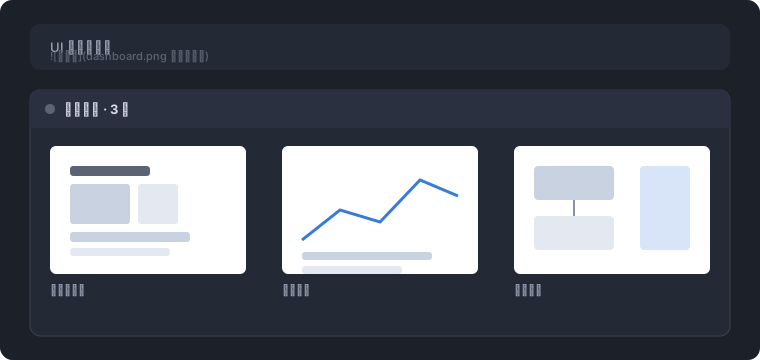
- Local workspace paths load through a validated host route (
/dsh-chat-image): the path must resolve inside a registered workspace and be a regular file of at most 32 MiB; the file is served with an extension-derived content type. - http(s) references are skipped — the built-in markdown renderer already shows them inline.
data:URLs render directly.- The optional title renders as the caption below the image and as the hover hint; a local file without a title shows its absolute path as the hover hint.
- A reference whose image fails to load (missing file, out of workspace, over the byte cap) falls back to its alt text; an empty alt renders nothing for that item.
- Clicking a local image opens the file through the same host opener the tool rows use.
Install
As a standalone bundle, from a dsh installation:
# from npm
dsh plugin --profile web add dsh-chat-image

# from the git repository
dsh plugin --profile web add github:Niobium-41-nb/dsh-chat-image

# from a tarball
dsh plugin --profile web add ./dsh-chat-image-0.1.0.tgz
A git install fetches sources and runs the package's prepare build; pnpm ≥ 10 requires an explicit build allowance for that script (the add output prints the exact pnpm-workspace.yaml entry to add). The web profile's browser roster (clientModules) picks the browser half up automatically through the dsh.client manifest; the Loader mounts the host half through the bundle patch.
Usage
The model writes ordinary Markdown image references in its reply:

 <!-- paths with spaces need angle brackets -->

Relative paths resolve against the session working directory; absolute paths (drive-letter, /, or \\) pass through. Assistant closing turns only: the tail hole does not exist under user messages, and a turn with produced files keeps that row (the gallery shows only when it declines).
Develop
pnpm install
pnpm test      # vitest: route status matrix + reference extraction
pnpm build     # tsc types (lib/types) + tsdown bundles (lib/index.js, lib/client.js)
The browser bundle is CJS wrapped for the dsh loader (window.__ModuleLoader__.load) with only the frozen platform-module table external; the node half has no runtime imports. Both halves consume harness services structurally, so the package carries no runtime or type dependency on @deepseek-ai/* beyond the platform modules.
Known Limitations
- Assistant closing turns only. The turn-tail hole exists only under closing assistant messages.
- Chain exclusivity with the produced-files row. A turn that has both produced files and image references shows only the produced-files row (higher priority).
- CommonMark destination rules. A path containing spaces must be written in angle brackets (
<my image.png>); an unquoted multi-word destination is parsed as path + title. - Workspace containment. Only files inside a registered workspace are served; the route answers
403for anything else, so it cannot read arbitrary host files.
Install
Install the catalog once, then DeepSeek Harness can find and install any plugin from this site automatically:
dsh plugin add dshbase-catalogThen say "install dsh-chat-image for me" — your agent finds it in the directory and installs it. Docs: dshbase-catalog · verified packs.
This plugin is GitHub source (not published to npm) — install it straight from the repo:
Web profile:
dsh plugin --profile web add github:Niobium-41-nb/dsh-chat-imageHeadless (CLI) profile:
dsh plugin --profile headless add github:Niobium-41-nb/dsh-chat-imageTest report
Verified: L1 install + L2 load + L3 runtime from GitHub source on dsh 0.1.0-rc.6.
Share this badge
Drop this badge into your README — it links back here and updates automatically when our test status changes:

[](https://dshbase.com/plugins/dsh-chat-image/)<a href="https://dshbase.com/plugins/dsh-chat-image/"><img src="https://dshbase.com/badges/dsh-chat-image.svg" alt="dshbase install-tested"></a>