
Plugin directory / Desktop / dsh-desktop
dsh-desktop
Verified · install-tested on dsh iuikj
What it does
A fine-tuned beautiful DeepSeek harness client (plugins welcome)
Works — verified, growing community
A fine-tuned beautiful DeepSeek harness client (plugins welcome) It installs cleanly and boots without issues in our testing. It has a growing community — a solid choice.
“Verified” means our automated CI actually ran dsh plugin add in a clean profile and it booted — nothing more. Feature descriptions and version compatibility are the author’s claims. This is not a security audit and not an endorsement of third-party code.
README
DeepSeek Harness 桌面端(dsh-desktop)
把 DeepSeek Harness 的本地 Web GUI(默认 http://127.0.0.1:3080)封装成一个
Electron 桌面应用,让它可以像独立软件一样双击启动、独立窗口运行。
截图

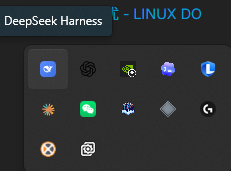
它能做什么
- 无缝窗口(全自绘标题栏):完全抛弃原生标题栏(
frame: false),标题栏与侧边栏同色、连成 L 形整体面;文件/编辑/视图/窗口/帮助纯文字菜单直接嵌进标题栏,右上角为自绘的最小化/最大化/关闭键;内容区是一张左上角带圆角、略亮一档的「浮起卡片」,底面颜色从圆角缺口透出;标题栏/侧边栏底色跟随主题(亮/暗)实时切换,观感浑然一体。 - 智能连接:启动时先探测目标端口是否已有服务在运行,有则直接加载,没有则自动启动。
- 自动安装 DSH:启动时检测本机是否已装 DeepSeek Harness,缺失且检测到 Node.js 时按官方方式用
npx @deepseek-ai/dsh自动下载并启动(带进度日志)。 - 自动启动服务:若服务未运行,会自动用系统 Node.js 拉起
dsh web --host 127.0.0.1 --port 3080。 - 就绪等待页:服务冷启动 / 首次安装期间显示加载页与安装日志,就绪后自动跳转。
- 只清理自己启动的服务:退出时只会杀掉由本应用启动的服务,不会误杀你已经手动启动的 Harness。
- 单实例:重复双击只聚焦到已有窗口,不会开多个窗口。
- 日志落盘:服务启动日志写入
userData/logs/dsh-server.log,方便排查。
目录结构
dsh-app/
├── main.js            # Electron 主进程:窗口、菜单、启动编排、IPC
├── server.js          # 服务生命周期 + 环境检测/安装:探测 / 启动 / 等待 / 清理
├── preload.js         # 上下文桥 + 标题栏无缝注入(预留窗口控制键空间、主题同步)
├── renderer/
│   └── loading.html   # 启动加载页(含安装进度日志)
├── scripts/
│   ├── bootstrap-dsh.js   # 独立 DSH 检测/安装脚本(供安装器调用)
│   └── bootstrap-dsh.cmd  # 定位 node 并调用上面的脚本
├── build/
│   └── installer.nsh      # NSIS 自定义安装阶段:检测并安装 DSH
└── package.json       # 脚本与 electron-builder 打包配置
环境要求
- Node.js(含 npm/npx,
dsh依赖系统 Node 运行,需能被where node找到) - DeepSeek Harness 无需手动安装:应用启动时会自动探测,缺失则用
npx @deepseek-ai/dsh自动下载
本地运行
npm install
npm start
打包
# 生成未打包目录(dist/win-unpacked),便于快速验证
npm run pack

# 生成安装包 + zip(NSIS 安装器)
npm run dist
安装器安装阶段会自动检测本机是否已装 DeepSeek Harness:已装则直接装应用;
未装且能找到 Node.js/npx 时,会顺带用 npx @deepseek-ai/dsh 预下载;找不到 Node.js
则提示先装 Node.js(应用首次启动时也会再次尝试自动下载)。
配置
首次运行会在用户数据目录(Windows 为 %APPDATA%/deepseek-harness-desktop 或%APPDATA%/<productName>,取决于 Electron 的 userData 解析)生成 config.json。
菜单「帮助 → 打开配置目录」可直接打开。字段如下:
{
  "host": "127.0.0.1",   // 服务监听地址
  "port": 3080,           // 服务端口
  "autoStart": true,      // 服务未运行时是否自动启动
  "autoInstallDsh": true, // 未检测到 DeepSeek Harness 时是否自动安装
  "killOnQuit": true,     // 退出时是否杀掉由本应用启动的服务
  "workspace": "",        // 服务工作目录(空串 = 用户主目录)
  "nodePath": "",         // node.exe 路径(空串 = 自动探测)
  "dshBin": ""            // dsh lib/bin.js 路径(空串 = 自动探测)
}
探测顺序
nodePath:优先取DSH_NODE环境变量,其次where node,最后常见安装路径。dshBin:优先取DSH_BIN环境变量,其次$DSH_HOME/profiles/node_modules/@deepseek-ai/dsh/lib/bin.js,
最后where dsh解析。
为什么不直接用 Electron 自带的 Node?Electron 内置 Node 的 ABI 与系统 Node 不同,
dsh的原生模块(node-pty、sharp 等)按系统 Node 编译,因此必须用系统node.exe启动。
待完善(Roadmap)
- 代码签名(需购买代码签名证书,通过后免除 SmartScreen 警告)
- 无 Node.js 环境下的一键安装 Node.js
- macOS / Linux 打包实测(已加配置,未在真机验证)
- GitHub Release 自动更新端到端验证
Friendship Link
Thanks for the support and feedback from the friends at LINUX DO.
Install
Install the catalog once, then DeepSeek Harness can find and install any plugin from this site automatically:
dsh plugin add dshbase-catalogThen say "install dsh-desktop for me" — your agent finds it in the directory and installs it. Docs: dshbase-catalog · verified packs.
This plugin is GitHub source (not published to npm) — install it straight from the repo:
Web profile:
dsh plugin --profile web add github:iuikj/dsh-desktopHeadless (CLI) profile:
dsh plugin --profile headless add github:iuikj/dsh-desktopTest report
Verified: L1 install + L2 load + L3 runtime from GitHub source on dsh 0.1.0-rc.6.
When to use it
Run dsh as a native desktop app — its own window, tray icon, and shortcuts — instead of a browser tab.
Who it's for
Users who want an installed-app feel and system integration (tray, global hotkeys, auto-launch) on their OS.
For developers — extending it
The native shell is the seam — add global shortcuts, notifications, single-instance locking, or OS-specific behaviors.
Share this badge
Drop this badge into your README — it links back here and updates automatically when our test status changes:

[](https://dshbase.com/plugins/dsh-desktop-2/)<a href="https://dshbase.com/plugins/dsh-desktop-2/"><img src="https://dshbase.com/badges/dsh-desktop-2.svg" alt="dshbase install-tested"></a>