
Plugin directory / Developer / dsh-dir-tree
dsh-dir-tree
Verified · install-tested on dsh bentong-chain
What it does
Floating workspace directory tree for DeepSeek Harness: drag-drop file paths into chat, lazy-load, search, and auto-follow workspace switches.
Works — verified, early-stage project
Floating workspace directory tree for DeepSeek Harness: drag-drop file paths into chat, lazy-load, search, and auto-follow workspace switches. It installs cleanly and boots without issues in our testing. It's early-stage but functional.
“Verified” means our automated CI actually ran dsh plugin add in a clean profile and it booted — nothing more. Feature descriptions and version compatibility are the author’s claims. This is not a security audit and not an endorsement of third-party code.
README
dsh-dir-tree
简体中文 | English
DeepSeek Harness (DSH) 浮窗工作区目录树插件:拖拽文件/文件夹路径到对话框、懒加载、搜索、文件类型图标,切换工作区/会话自动跟随。
📚 三形态完整展示仓库(动态/持久化/标准 bundle 的安装与原理对比):dsh-plugin-dir-tree
功能
- 📁 浮窗展示当前会话工作区目录树,右下角可最小化
- 🌲 懒加载:点击
▶展开子目录,大目录不卡顿 - 🖱️ 拖拽文件/文件夹到对话框,自动填入完整路径
- 📋 双击复制路径;单击选中
- 🔍 搜索过滤文件名
- 🎨 文件类型图标 + 目录 📁/📂 蓝色高亮 + 缩进树形线
- 🔄 切换工作区/会话,目录树自动跟随
- 🪟 可拖动浮窗位置
截图
主界面(浮窗 + 目录树)
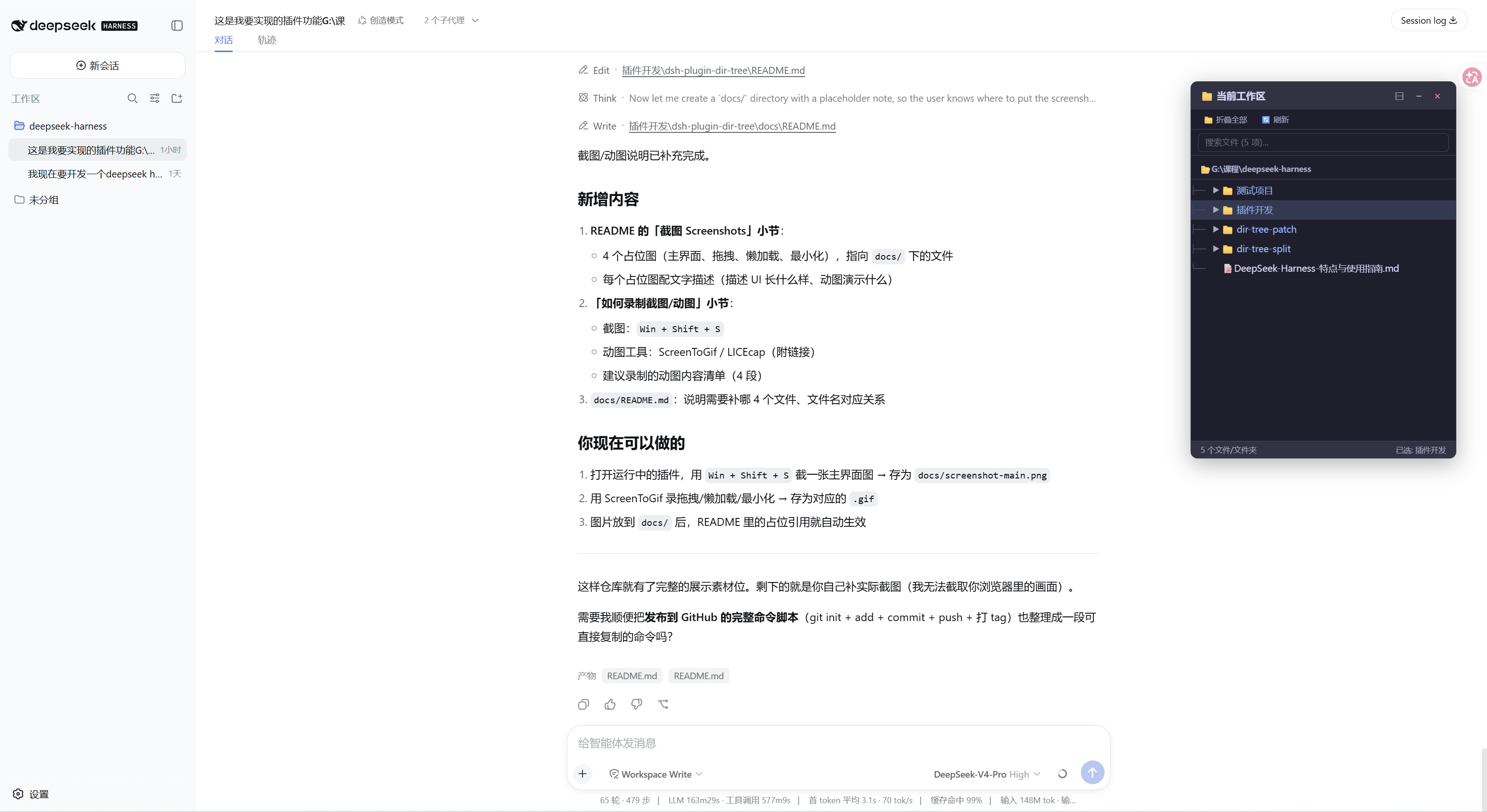
右下角浮窗「📁 当前工作区」,顶部是完整路径,下面是树形目录:文件夹蓝色 + 📁 图标 + ▶ 展开箭头,文件带类型图标。
拖拽路径到对话框(动图)
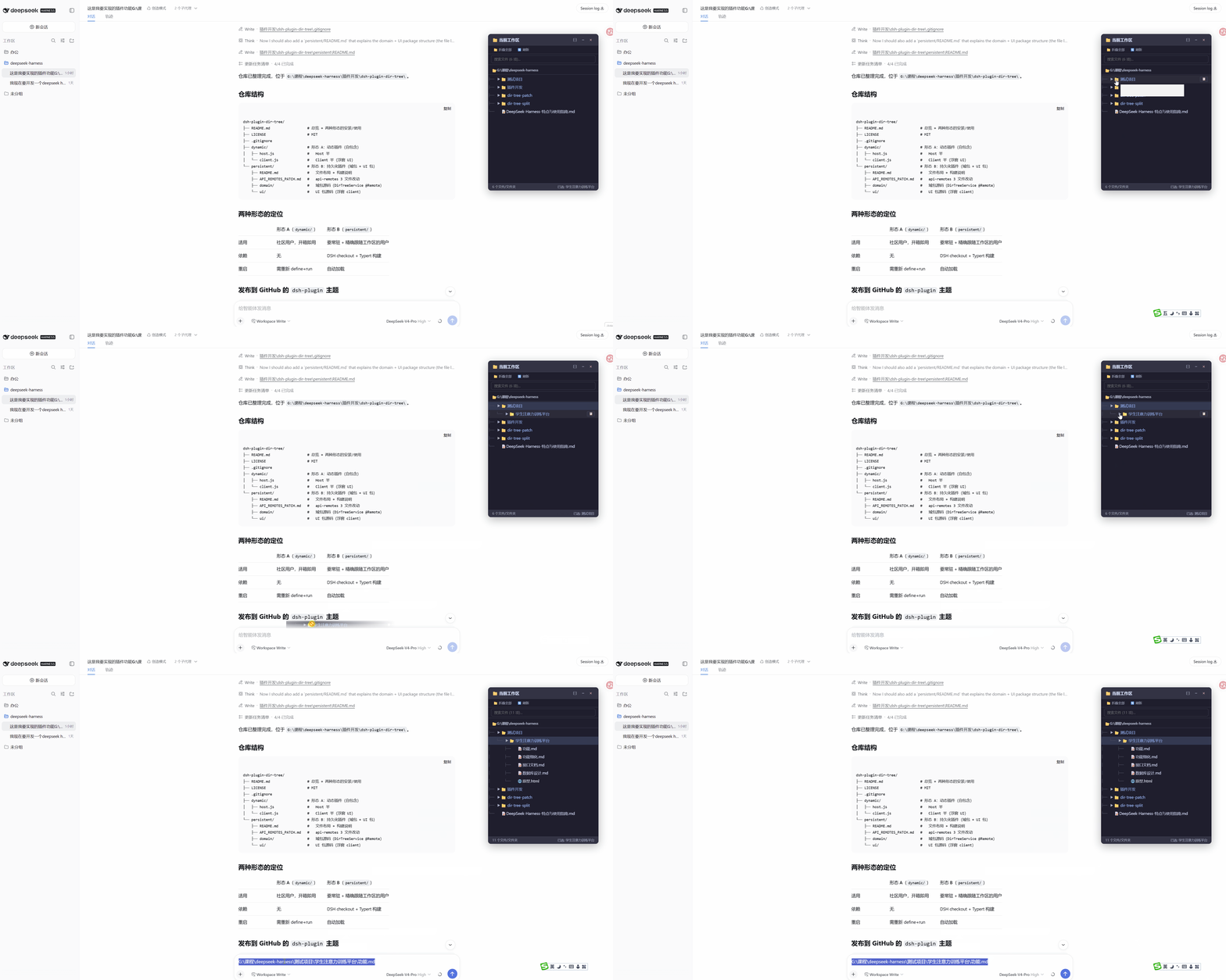
拖拽任意文件/文件夹节点到对话框输入框,自动填入完整路径。
懒加载展开(动图)
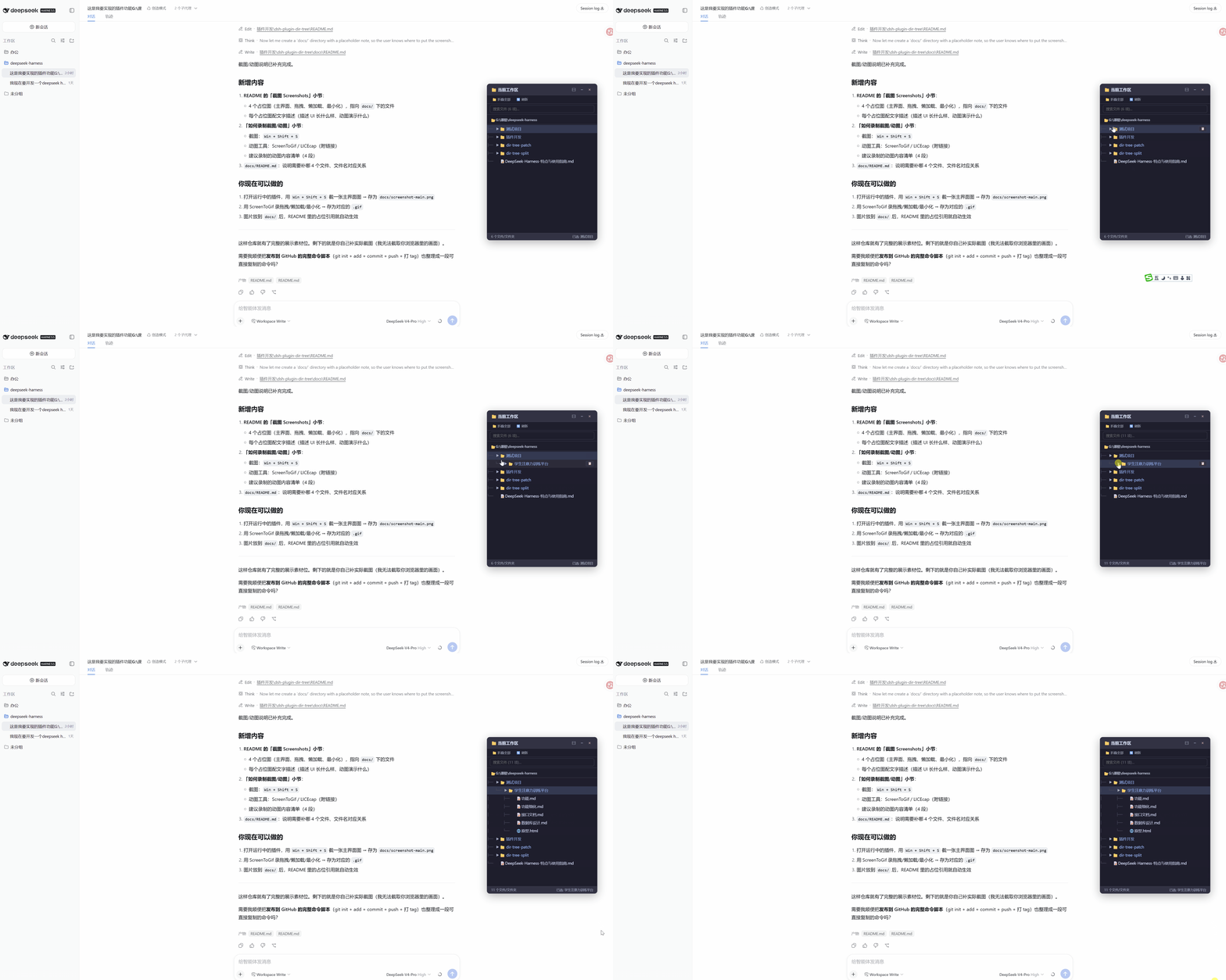
点击文件夹的 ▶ 展开子目录,只加载当前层,大目录不卡顿。
最小化 / 恢复
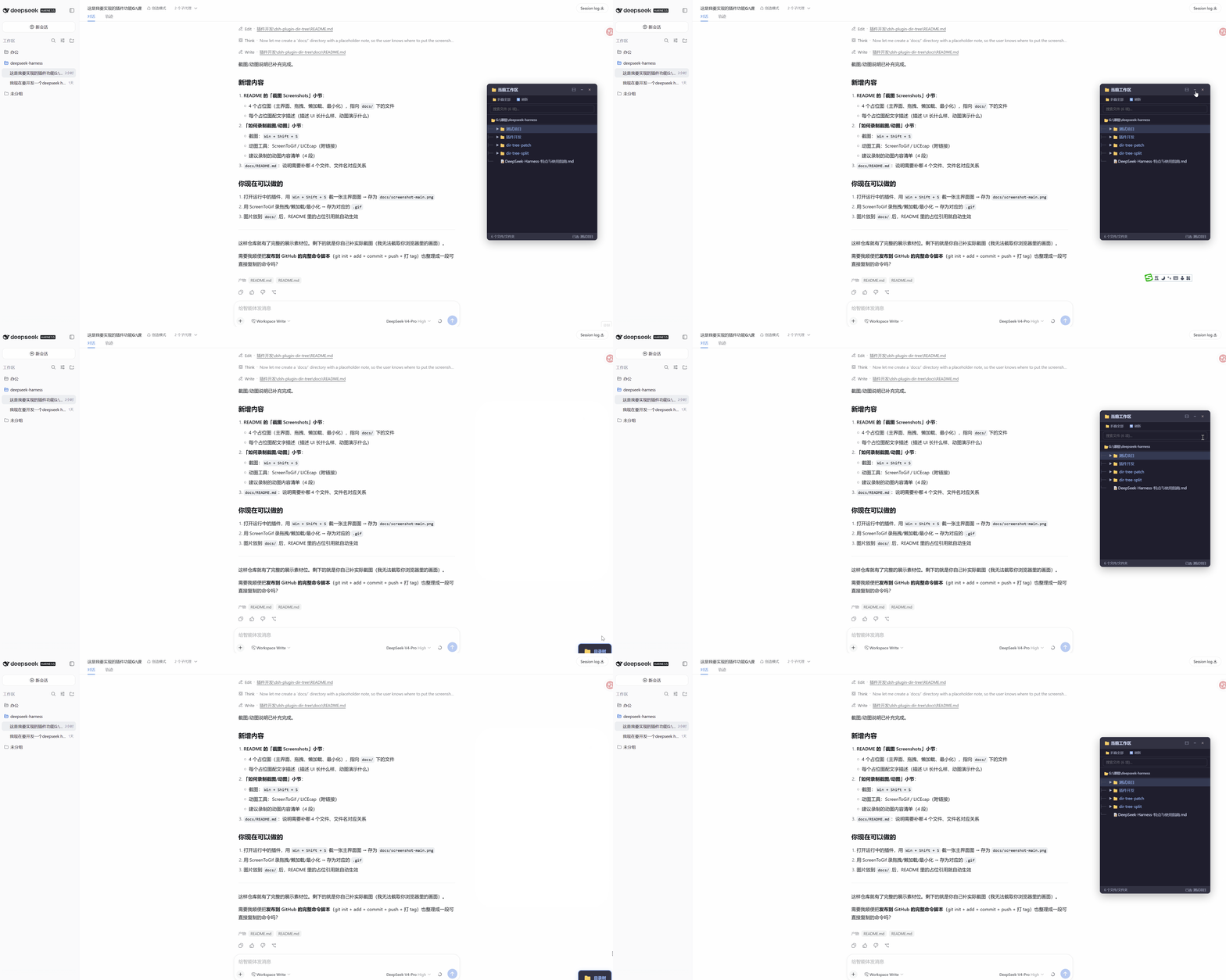
点 − 或 × 后浮窗收起,右下角出现蓝色「📁 目录树」按钮,点击恢复。
安装
这是 DSH 的标准 bundle,用 dsh plugin add 安装,无需源码 checkout、无需改内置包、无需创造模式。
0. 安装/运行 DSH(二选一)
方式 A:全局安装(推荐,日常使用)
npm install -g @deepseek-ai/dsh
方式 B:npx 临时运行(不安装,偶尔试用)
npx @deepseek-ai/dsh web
| 方式 A:全局安装 | 方式 B:npx 临时运行 | |
|---|---|---|
| 是否安装到系统 | 是,永久安装 | 否,按需临时下载运行 |
| 命令形式 | dsh ...(直接可用) |
npx @deepseek-ai/dsh ... |
| 首次启动 | 快 | 较慢(首次需下载包) |
| 版本 | 固定为全局安装的版本(需手动更新) | 通常为 npm 最新版 |
| 适用场景 | 日常使用 | 偶尔试用、不想污染环境 |
两者共用同一个
$DSH_HOME(默认~/.dsh)和 profile 目录,插件/会话/配置完全互通,不影响下面插件的安装与使用。
1. 安装插件
方式一:npm 安装(推荐,无需任何授权)
插件已发布到 npm,一条命令即装:
dsh plugin --profile web add dsh-dir-tree
方式二:从 git 安装(无需发布 npm)
dsh plugin --profile web add github:bentong-chain/dsh-dir-tree
首次会提示在 profile 的 pnpm-workspace.yaml 加构建授权:
allowBuilds:
  dsh-dir-tree: true
复制后重新执行 dsh plugin --profile web add github:bentong-chain/dsh-dir-tree。
2. 启动 DSH(web 界面)
dsh web 是 dsh --profile web 的硬编码别名,完全等价;三种写法启动的都是同一个 web profile(~/.dsh/profiles/web):
# 方式 A:全局安装后(推荐)
dsh --profile web        # 或等价的别名:dsh web

# 方式 B:npx 临时运行(等价于上面)
npx @deepseek-ai/dsh web
无论用哪种方式启动,插件都会正常加载,不受启动方式影响。
使用
- 启动 DSH(
dsh --profile web/dsh web/npx @deepseek-ai/dsh web)后,右下角出现「📁 当前工作区」浮窗 - 点击文件夹
▶展开子目录 - 拖拽文件/文件夹到对话框输入框,填入完整路径
- 双击复制路径;搜索框过滤;点
−/×最小化,右下角按钮恢复
目录结构
dsh-dir-tree/
├── package.json       # dsh.bundle + dsh.client + prepare 构建脚本
├── cordis.patch.yml   # 插入插件行
├── index.js           # Host 半(connection.rpc.handle + node:fs 列目录)
├── client.js          # Client 半源码(浮窗 UI + connection.rpc.call)
├── client.bundle.js   # 构建产物(prepare 生成,不提交)
├── build.mjs          # prepare 脚本:esbuild 打包 client.js
└── docs/              # README 截图(主界面/拖拽/懒加载/最小化)
技术要点
- RPC:用
ctx.connection.rpc(第三方可用的 Client→Host 通道),不依赖 api-remotes、不依赖 Typert 代码生成。 - 工作区跟随:Client 半从
ctx.sessions拿当前会话cwd传给 Host;切换工作区/会话时响应式刷新。 - 目录判断:Host 用
node:fs的readdir({ withFileTypes: true })直接拿Dirent.isDirectory(),不做逐条stat,大目录不卡。 - ⚠️
exports必须导出./package.json:client-modules 用require.resolve('<pkg>/package.json')定位包;只要定义了exports字段,未列出的子路径就解析失败,client 半会被静默跳过(不报错、不进window.__DSH_BOOT__)。务必带上"./package.json": "./package.json"。 - ⚠️ Client 半必须
import React from 'react':持久化 client bundle 里 React 不是全局变量,要靠require('react')从浏览器模块表取(react是平台模块之一);直接引用全局React会在 apply 时ReferenceError。
License
MIT
Install
Install the catalog once, then DeepSeek Harness can find and install any plugin from this site automatically:
dsh plugin add dshbase-catalogThen say "install dsh-dir-tree for me" — your agent finds it in the directory and installs it. Docs: dshbase-catalog · verified packs.
Web profile:
dsh plugin --profile web add dsh-dir-treeHeadless (CLI) profile:
dsh plugin --profile headless add dsh-dir-treePackage
npm: dsh-dir-tree · version 0.1.0 · tested on dsh 0.1.0-rc.6
Test report
Verified end-to-end: L1 install + L2 load + L3 runtime Q&A on dsh 0.1.0-rc.6.
When to use it
Open a floating workspace directory tree, drag file or folder paths into chat, search, and follow workspace or session switches without leaving the web UI.
Who it's for
Users who want a visible file tree in the DSH web workspace so they can pick paths instead of typing them.
For developers — extending it
The client inject (layout/runtime/connection) and lazy directory listing are the seams — add richer file actions, git status, or tighter workspace sync.
Share this badge
Drop this badge into your README — it links back here and updates automatically when our test status changes:

[](https://dshbase.com/plugins/dsh-dir-tree/)<a href="https://dshbase.com/plugins/dsh-dir-tree/"><img src="https://dshbase.com/badges/dsh-dir-tree.svg" alt="dshbase install-tested"></a>