
Plugin directory / Knowledge / dsh-explain
dsh-explain
Verified · install-tested on dsh yuezengwu
What it does
A DSH local-first learning plugin with cross-session learning threads, source-based explanations, ExplainContext, compression, and diagnostics.
Works — verified, early-stage project
A DSH local-first learning plugin with cross-session learning threads, source-based explanations, ExplainContext, compression, and diagnostics. It installs cleanly and boots without issues in our testing. It's early-stage but functional.
“Verified” means our automated CI actually ran dsh plugin add in a clean profile and it booted — nothing more. Feature descriptions and version compatibility are the author’s claims. This is not a security audit and not an endorsement of third-party code.
README



Quick start · Watch the full demo · Privacy model · Reproduce the recording
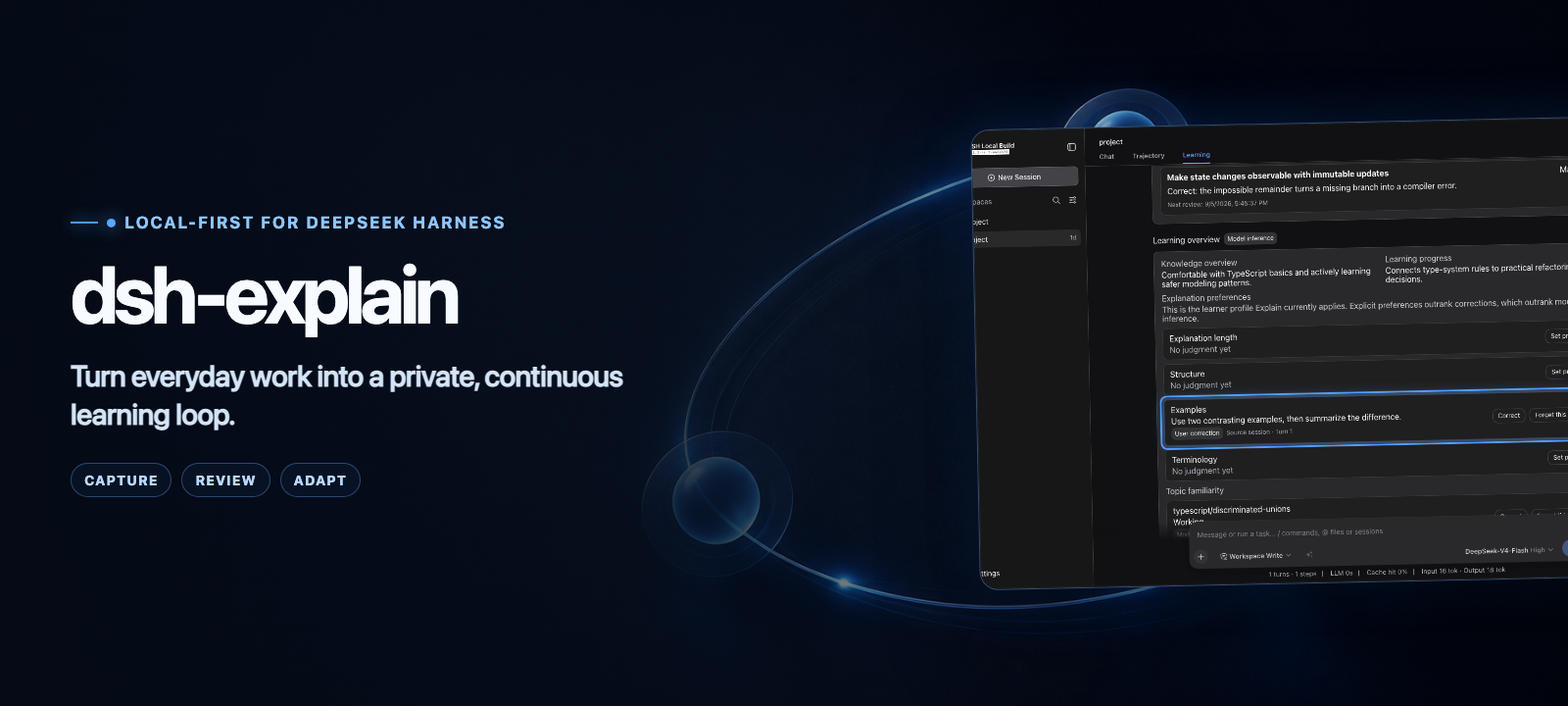
dsh-explain is a learning-mode plugin for DeepSeek Harness. It turns useful concepts from completed work into structured explanations, schedules lightweight reviews, and lets you inspect or correct what it learns about you.
The primary agent stays untouched. Explain uses its own model calls, scheduler, context, and local SQLite database.
See the learning loop
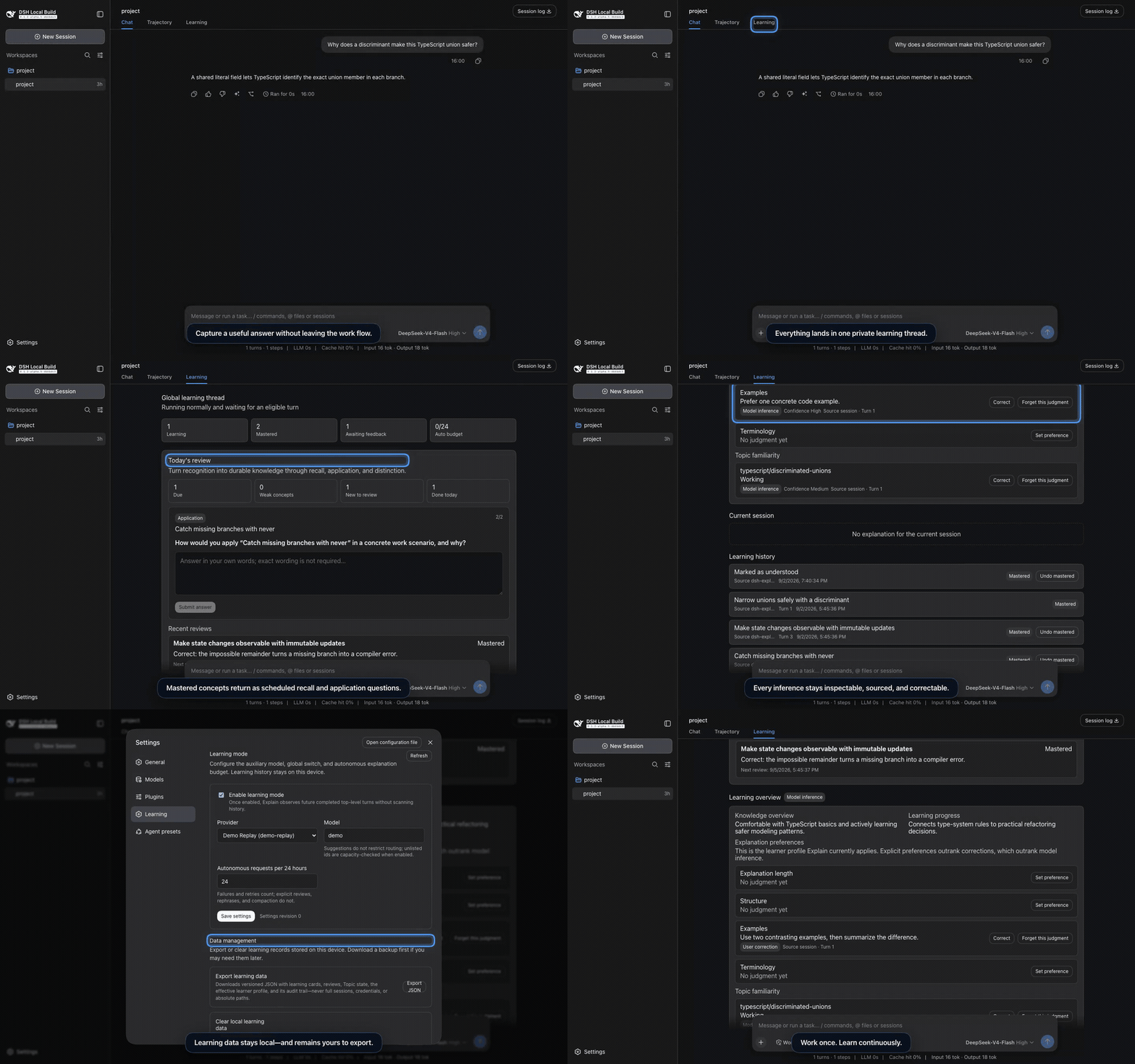
The 28-second preview runs against real assembled DSH Web 0.1.2-rc.1 with deterministic, private fixture data. Watch the higher-quality MP4 or read the recording contract.
| Capture | Review | Adapt |
|---|---|---|
Turn a finalized answer or selected text into an editable /explain draft. Nothing submits automatically. |
Revisit due concepts through recall, application, and distinction questions. | Inspect explanation preferences and topic familiarity, then correct or forget an inference. |
Quick start
The current development and installation baseline is DSH 0.1.6-alpha.2, published on 2026-09-17 and available through npm alpha. npm next and latest both point to 0.1.5-rc.2; all eight previously verified hosts remain supported. Pin the version explicitly; see the compatibility contract for exact source revisions, Session navigation and lifecycle compatibility, and verification.
npx @deepseek-ai/[email protected] plugin --profile web add github:yuezengwu/dsh-explain#v0.3.1
npx @deepseek-ai/[email protected] --profile web
Open Settings → Learning, choose an auxiliary provider and model, enable learning mode, and save. Explain observes only future completed top-level turns; it does not scan existing history.
Git-hosted plugins build during installation. If pnpm requests build approval, add the printed dsh-explain entry to the profile's pnpm-workspace.yaml, then repeat the install command. For automated runs that should not open a browser, start DSH with --no-open.
v0.3.1 adds DSH 0.1.6-alpha.2 support while retaining all eight previously verified hosts. It fixes source navigation and Explain shortcuts for the new Session API, with live plugin disable/re-enable coverage. Existing learning data remains compatible (SQLite schema 4, backup v3).
Start from the work itself
| Entry point | What happens |
|---|---|
/explain <request> |
Requests an explanation using the current session as bounded source context. |
| Explain selected text | Creates an editable /explain --selection … draft from visible text. |
| Learn from this answer | Creates an editable draft tied to the exact finalized assistant turn. |
| Automatic evaluation | May add one useful explanation after an eligible turn, within your configured budget. |
/review |
Opens or resumes a local review round in the Learning tab. |
Each explanation answers three practical questions: What is it? Why does it matter here? What is the common pitfall? Choose Got it to close the card, or Not yet for a different explanation.
Review, then correct the model
Concepts marked Got it enter a local spaced-review schedule. Learning → Today's review selects up to three due concepts. Each concept advances from recall to application to distinction after successful answers; an unsuccessful answer repeats that skill next time. The auxiliary model evaluates each answer as Mastered, Partial, or Forgotten and schedules the next review at a deterministic interval. Partial or forgotten concepts are treated as learning again and can receive a new explanation; an active explanation pauses that concept's quiz.
Learning → Learning overview exposes the current judgments about explanation length, structure, examples, terminology, and topic familiarity—with confidence and source links. You can correct an inference, forget it, or set an explicit preference. Precedence is fixed and visible: explicit preference → user correction → model inference.
One learning thread, many sessions
- Every
$DSH_HOMEowns exactly one Explain learning thread; resumes and forks never copy it. - Every source session has at most one explanation awaiting feedback.
- One global scheduler serializes explanations, reviews, autonomous evaluation, rephrases, and compaction.
- Autonomous evaluation has a persistent rolling 24-hour budget, configurable in Settings.
- Rephrasing still works if a source session is later deleted because only a bounded source summary is retained.
Local-first by design
| Data | Behavior |
|---|---|
| Learning thread | Stored in $DSH_HOME/dsh-explain/v1/thread.sqlite. |
| Enablement and model settings | Stored through DSH settings in $DSH_HOME/settings.yaml. |
| Source material | Reduced to bounded capsules; rephrasing retains at most a 2,000-character restricted summary. |
| Global learning context | Sent with bounded source text to the configured auxiliary provider. Local storage does not imply offline model inference. |
| Export | A versioned local backup excludes private source summaries and filters common credential/path formats in public text. Arbitrary private prose may remain; review before sharing. |
| Clear | A typed CLEAR confirmation atomically removes learned content while preserving runtime settings and the active budget window. |
Explain uses first-party DSH conversation, composer, assistant-action, and settings extension points. It does not require patches to DSH or other plugins.
Compatibility and verification
| Check | Current result |
|---|---|
| DSH compatibility | 0.1.6-alpha.2 published packages; 0.1.2-rc.1, 0.1.3-alpha.1, 0.1.3-alpha.2, 0.1.5-alpha.1, 0.1.5-alpha.2, 0.1.5-rc.1, 0.1.5-rc.2, 0.1.6-alpha.1, 0.1.6-alpha.2 assembled source |
| Unit and integration | 87 tests on each source version |
| Assembled DSH Web | 7 scenarios per source version |
| Explain-owned shortcuts | 3 M6 scenarios; alpha.2 also exercises live disable/re-enable |
| Production package | Build and pack dry-run |
| Real auxiliary model | DSH 0.1.6-alpha.1 + deepseek-flash: explanation, rephrase, corrected preference, correct/incorrect review, exact-answer command, export and clear |
See the acceptance matrix for coverage and the 2026-09-15 real-model acceptance for the current model route, sample, screenshots, and test limits. DSH remains a developer preview; Explain follows its current public API line instead of retaining compatibility layers for private-preview packages.
Local development
The default development install uses published 0.1.6-alpha.2 API packages, with a version-scoped repair for their missing store runtime dependencies. Assembled-Web tests accept a built DSH checkout for any of the nine versions above. The existing demo recording remains on 0.1.2-rc.1:
pnpm install
DSH_SOURCE_DIR=/absolute/path/to/dsh pnpm dsh:link
DSH_SOURCE_DIR=/absolute/path/to/dsh pnpm dsh:link:check
pnpm typecheck
pnpm test
DSH_SOURCE_DIR=/absolute/path/to/dsh pnpm test:web
DSH_SOURCE_DIR=/absolute/path/to/dsh pnpm test:m6
pnpm build
Install this checkout directly for manual development:
dsh plugin --profile web add /absolute/path/to/dsh-explain
dsh --profile web --dump-config
dsh --profile web
Documentation
| Document | Purpose |
|---|---|
| Demo production | Storyboard, privacy contract, commands, assets, and artwork provenance. |
| Product requirements | User model, scope, policies, and acceptance criteria. |
| Architecture | Persistence, scheduling, RPC, UI integration, and failure behavior. |
| Acceptance matrix | Automated and real-flow evidence. |
| Iteration plan | Completed milestones and follow-up sequencing. |
License
Install
Install the catalog once, then DeepSeek Harness can find and install any plugin from this site automatically:
dsh plugin add dshbase-catalogThen say "install dsh-explain for me" — your agent finds it in the directory and installs it. Docs: dshbase-catalog · verified packs.
This plugin is GitHub source (not published to npm) — install it straight from the repo:
Web profile:
dsh plugin --profile web add github:yuezengwu/dsh-explainHeadless (CLI) profile:
dsh plugin --profile headless add github:yuezengwu/dsh-explainTest report
Verified: L1 install + L2 load + L3 runtime from GitHub source on dsh 0.1.0-rc.6.
When to use it
Give the agent a memory, a knowledge base, or a retrieval layer so it stops forgetting context between sessions.
Who it's for
Users running long projects who want the agent to remember decisions, docs, and preferences without re-explaining.
For developers — extending it
The memory/retrieval backend is the seam — plug a new store, tune what gets distilled, or add citation and audit trails.
Share this badge
Drop this badge into your README — it links back here and updates automatically when our test status changes:

[](https://dshbase.com/plugins/dsh-explain/)<a href="https://dshbase.com/plugins/dsh-explain/"><img src="https://dshbase.com/badges/dsh-explain.svg" alt="dshbase install-tested"></a>