
Plugin directory / Automation / dsh-file-review
dsh-file-review
Verified · install-tested on dsh left0ver
What it does
a dsh plugin - review files that an agent just changed,you can see the diff
Works — verified, growing community
a dsh plugin - review files that an agent just changed,you can see the diff It installs cleanly and boots without issues in our testing. It has a growing community — a solid choice.
“Verified” means our automated CI actually ran dsh plugin add in a clean profile and it booted — nothing more. Feature descriptions and version compatibility are the author’s claims. This is not a security audit and not an endorsement of third-party code.
README
DSH File Review
Review every file an agent just changed—without leaving DeepSeek Harness Web.







English · 简体中文
How to use
💬 Chat → ✨ Generate → 📄 Click a changed file → 🔍 Review
Preview
Features
- This plugin supports standard, PTC, and Creator modes, but does not currently support Minimal mode.
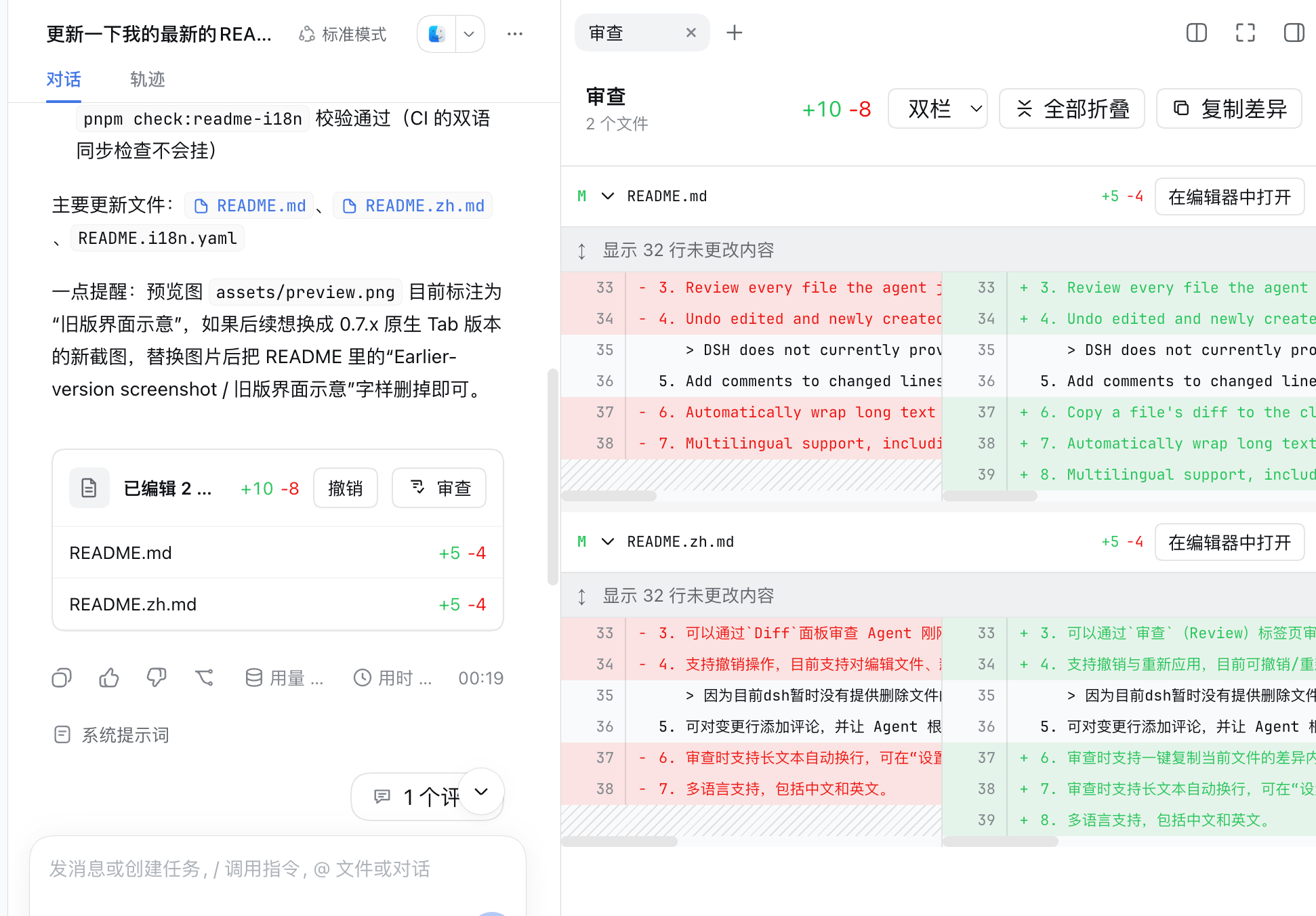
- Review every file the agent just changed in the
Diffpanel. - Undo edited and newly created files. Undoing deleted files is not currently supported.
DSH does not currently provide a file-deletion tool, so this plugin cannot yet undo deleted files. Support will be added once DSH provides such a tool.
- Add comments to changed lines and ask the agent to continue making updates based on the feedback, or ask questions about the changes.
- Automatically wrap long text while reviewing. Enable it under Settings → Plugins → Plugin configuration → File review; it is disabled by default.
- Multilingual support, including Chinese and English.
Compatibility
See the badge above for the currently supported DSH CLI version.
Quick start
0. Add dsh-file-review to pnpm's minimum release age allowlist
Open ~/.dsh/profiles/web/pnpm-workspace.yaml and add:
minimumReleaseAgeExclude:
  - dsh-file-review
Recent versions of pnpm enforce a minimum release age, so newly published packages are not installed until that waiting period has passed. To install the latest versions, add dsh-file-review to the exclusion list.
1. Install this plugin
dsh plugin --profile web add dsh-file-review
2. Start DSH Web
dsh web
3. Enjoy it
Install from source
git clone https://github.com/left0ver/dsh-file-review.git
cd dsh-file-review
pnpm install
pnpm run build
dsh plugin --profile web add ${PWD}
Install from GitHub repository
dsh plugin --profile web add github:left0ver/dsh-file-review
Update the plugin
dsh plugin --profile web update dsh-file-review
Uninstall the plugin
dsh plugin --profile web remove dsh-file-review
Roadmap
- Add undo support for deleted files.
Friendly Links
LINUX DO — A new ideal community
License
Install
Install the catalog once, then DeepSeek Harness can find and install any plugin from this site automatically:
dsh plugin add dshbase-catalogThen say "install dsh-file-review for me" — your agent finds it in the directory and installs it. Docs: dshbase-catalog · verified packs.
Web profile:
dsh plugin --profile web add dsh-file-reviewHeadless (CLI) profile:
dsh plugin --profile headless add dsh-file-reviewPackage
npm: dsh-file-review · version 0.2.0 · tested on dsh 0.1.0-rc.6
Test report
Verified end-to-end: L1 install + L2 load + L3 runtime Q&A on dsh 0.1.0-rc.6.
When to use it
Automate a repetitive job — scheduling, chaining tasks, or reacting to events — so it runs without you starting it.
Who it's for
Users with recurring work who want it cron-style and hands-off rather than manually triggered.
For developers — extending it
Triggers and task templates are the seams — add event-driven or file-watch triggers, and richer workflow composition.
Share this badge
Drop this badge into your README — it links back here and updates automatically when our test status changes:

[](https://dshbase.com/plugins/dsh-file-review/)<a href="https://dshbase.com/plugins/dsh-file-review/"><img src="https://dshbase.com/badges/dsh-file-review.svg" alt="dshbase install-tested"></a>