
Plugin directory / UI & Skins / dsh-focus-chat
dsh-focus-chat
Verified · install-tested on dsh dingyi222666
What it does
Focused-chat minimal session view
Archived — no longer maintained, use with caution
This plugin has been archived and is no longer maintained — use it only if you're willing to maintain it yourself.
“Verified” means our automated CI actually ran dsh plugin add in a clean profile and it booted — nothing more. Feature descriptions and version compatibility are the author’s claims. This is not a security audit and not an endorsement of third-party code.
README
dsh-focus-chat

English | 中文
[!WARNING]
This project is archived and no longer developed.The official dsh web UI now supports this plugin's functionality natively: Settings → Work details (
Compact/Detailed/Expanded) folds a turn's process into a compact reading line, and it has shipped since dsh 0.1.7-alpha.1. There is no longer any reason to install this plugin.
Migrating off the plugin — remove it from your web profile and restart; the built-in setting takes over:
dsh plugin --profile web remove @dingyi222666/dsh-focus-chat
dsh web
The repository is read-only from here on: no further releases, issues, or pull requests.

A plugin for the dsh web GUI that adds a focus chat tab — a condensed, Claude Code–style way to read a conversation.
Screenshots
| Off — the normal chat view | On — the focus chat view |
|---|---|
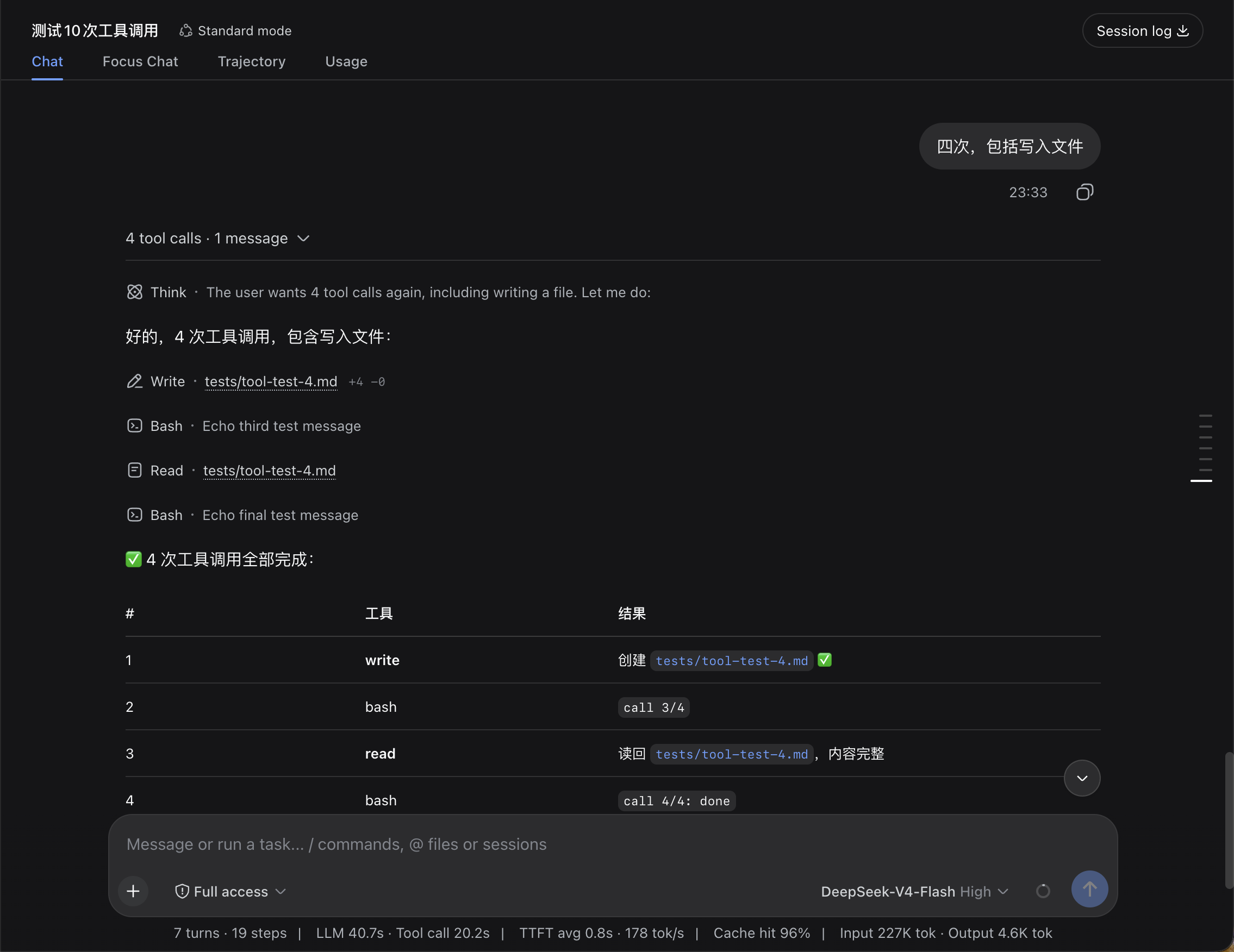 |
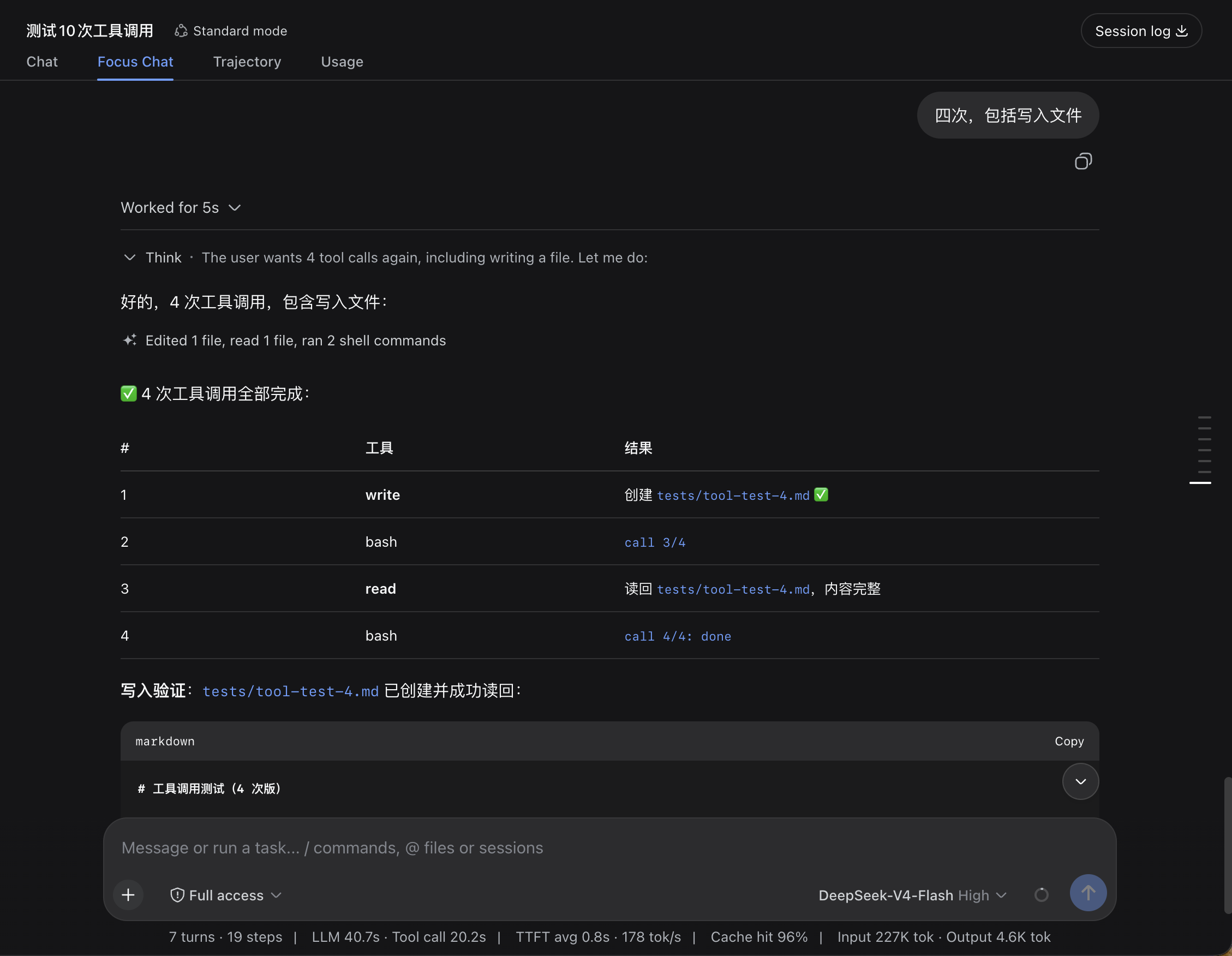 |
| Settings | |
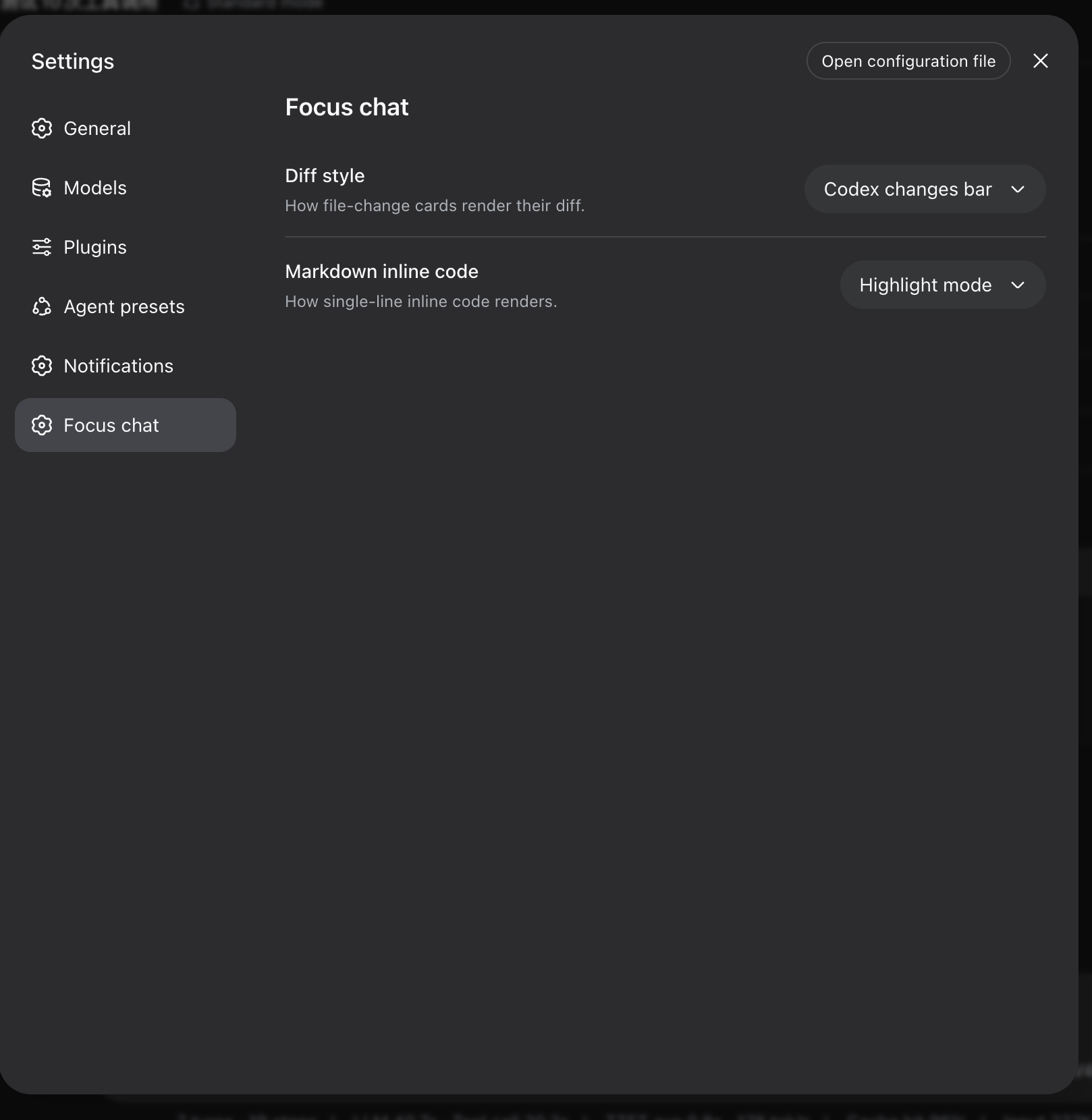 |
Instead of watching every step live, one assistant turn collapses into a single summary line:
Thought for 36s, edited 8 files, read 17 files, listed 18 directories, ran 2 shell commands, loaded 3 context items
A whole turn can fold further into one Worked for Xm Ys line — expanding it draws the full detail (tool cards, thinking, context, produced files, copy/fork) exactly like the chat rows; mid-turn interjections split the fold into per-stretch lines, and a stopped turn reads Stopped after X. After a refresh the whole conversation shows up folded: every turn beyond the ~50-message window renders from a Host-side index as "user message + worked-for line + the assistant's actual closing reply", and its process detail loads only when that fold expands. Very long histories page the fold stack via "Load earlier turns"; a missing index silently degrades to the in-window folds.
Switch to it whenever you want the "what happened?" view, and flip back for the full transcript.
Install (deprecated)
The plugin is archived; prefer the built-in Work details setting described in the warning above. The steps below are kept only for existing installs.
# Install from npm (requires dsh >= 0.1.6-alpha.1)
dsh plugin --profile web add @dingyi222666/dsh-focus-chat
# Restart dsh web; the tab mounts automatically
dsh web
Then open the Focus chat tab in any conversation.
Notes:
dsh pluginbehaves like adding a dependency to your web profile. A bundle plugin is loaded once its full package name appears in the profile'sdsh.profile.bundleslist (adds automatically on recent dsh builds; add it manually if your build does not); the bundle patch applies on the next boot.- With the repo source-launched CLI, run the args through the bin directly (
node --import tsx/esm apps/cli/src/bin.ts ...).
Why a separate tab, and not a patch into the chat view?
Short answer: the chat view's internals aren't open to third-party plugins — by design — and this plugin deliberately never touches dsh's own source. Concretely:
- Keyed slots are owned, not shared. The chat's rows render through slots like
conversation.chat.node,tool.call.toolview, andconversation.chat.turnTail. Those slots are declared by the chat entries themselves, and the slot system rejects a second declaration at load time — the conflict is the design speaking. A plugin cannot insert its own rows into the chat transcript, and cannot even declare the chat's own slots. - Plugins can't reuse the chat's renderer code. Importing values from another plugin package across the bundle boundary is forbidden (the bundle purity gate), so there's no way to borrow the chat's components — every row has to be drawn from the shared primitives and the public snapshot.
- The only legal insertion point is the
conversation.viewlist slot — the whole message surface. That's why the plugin ships its own complete view instead of changing how the chat view displays.
If you want the chat view itself to behave differently, that's an in-repo change to the chat package — exactly what this plugin avoids.
What's missing
Focus chat is a faithful reading surface, not a second chat view:
- Inspect focuses the trajectory view. A tool row's Inspect action opens the official trajectory view on that call (
openView('trajectory', callId)) — the 0.1.5 replacement for the removed details panel. Focus cannot render third-party keyed tool views (see the next bullet). - Third-party tool-card extensions don't render here. Cards that other plugins add to the chat view won't appear in the focus view; the built-in card renderers are used instead.
- Folding is per consecutive tool-run. Any visible content between two runs (a reply, a command, your interjection) keeps them separate.
- Inline file links need the optional file-mentions service — the same off switch the chat view uses.
- Remote fold lines lack a few window-only readings. The turn navigator rail lists window turns only; remote turns render no produced-file list (the ui-deliverables turn data), no inline file mentions, and their closing reply cannot fork (branching stays available on window turns). Per-message feedback (like/dislike) is unaffected.
Development
This build targets the dsh v0.1.6-alpha.1 client surface, and every
@deepseek-ai/*runtime dependency installs from the npm registry (seepackage.json). The/cliententries those packages ship arewindow.__ModuleLoader__browser closures, and the dsh test runtime is built against the source tree, soyarn testresolves the@deepseek-aiclient surface from the dsh mainline source checkout at the same 0.1.6-alpha.1 line:vitest.config.tsderives its aliases from that checkout's own tsconfig path map (theMAINLINEconstant in the config) — keep the checkout on the 0.1.6-alpha.1 release and everything else stays npm-installed.
yarn run build— builds the browser bundle and the Node half.src/client/model/— the pure logic (folding, merging, row models, the remote turn-slice projection);src/client/view/FocusView.tsx— the view;src/host/— the host half's turn index and RPC channel;src/protocol.ts— the wire contract shared by both halves.yarn test— behavior tests;yarn run typecheck— type gate.- A
--devdsh webserver hot-reloads rebuilt bundles —yarn run buildalone is usually enough to see changes.
Model Experience
None. The view is a pure client derivation over the already-logged conversation snapshot; nothing here reaches a model request.
KV Cache effect
None; this package neither assembles nor sends provider requests.
Install
Install the catalog once, then DeepSeek Harness can find and install any plugin from this site automatically:
dsh plugin add dshbase-catalogThen say "install dsh-focus-chat for me" — your agent finds it in the directory and installs it. Docs: dshbase-catalog · verified packs.
Web profile:
dsh plugin --profile web add @dingyi222666/dsh-focus-chatHeadless (CLI) profile:
dsh plugin --profile headless add @dingyi222666/dsh-focus-chatPackage
npm: @dingyi222666/dsh-focus-chat · version — · tested on dsh 0.1.0-rc.6
Test report
Verified end-to-end: L1 install + L2 load + L3 runtime Q&A on dsh 0.1.0-rc.6.
When to use it
Change how dsh looks or how you interact with it — a theme, a skin, or a new panel that reshapes the workspace.
Who it's for
Users who spend hours in the web UI and want it to look and feel the way they work.
For developers — extending it
Skins, panels, and theme tokens are the extension points — author a new skin, add a panel, or sync tokens with an upstream palette.
Share this badge
Drop this badge into your README — it links back here and updates automatically when our test status changes:

[](https://dshbase.com/plugins/dsh-focus-chat/)<a href="https://dshbase.com/plugins/dsh-focus-chat/"><img src="https://dshbase.com/badges/dsh-focus-chat.svg" alt="dshbase install-tested"></a>