
Plugin directory / Developer / dsh-navigation-bar
dsh-navigation-bar
Verified · install-tested on dsh KeLearns
What it does
Piano-key style conversation navigation bar for the DeepSeek Harness web GUI
Works — verified, early-stage project
Piano-key style conversation navigation bar for the DeepSeek Harness web GUI It installs cleanly and boots without issues in our testing. It's early-stage but functional.
“Verified” means our automated CI actually ran dsh plugin add in a clean profile and it booted — nothing more. Feature descriptions and version compatibility are the author’s claims. This is not a security audit and not an endorsement of third-party code.
README
dsh-navigation-bar
钢琴键风格的会话内导航条 —— 为 DeepSeek Harness Web GUI 的单个会话提供多轮对话导航:
每根键锚定一条用户消息,悬停显示该轮「用户消息 + 模型回复」预览,点击平滑跳转到对应消息。
基于 DSH 官方双面插件机制(host + browser half),不侵入 DSH 源码。
截图
深色主题 · 悬停态(全屏 + 聚焦细节):
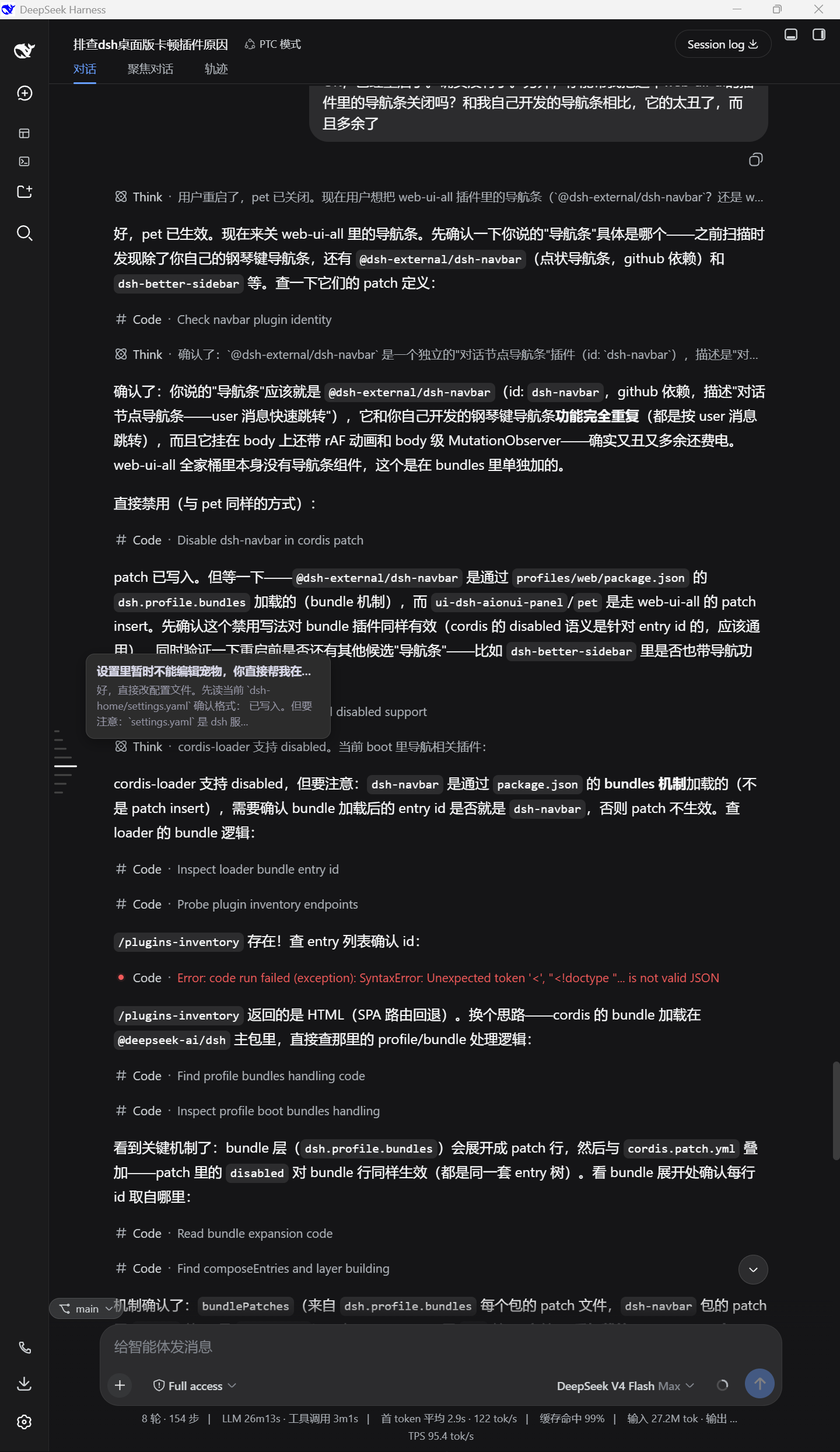
| 深色悬停聚焦 | 深色非悬停聚焦 |
|---|---|
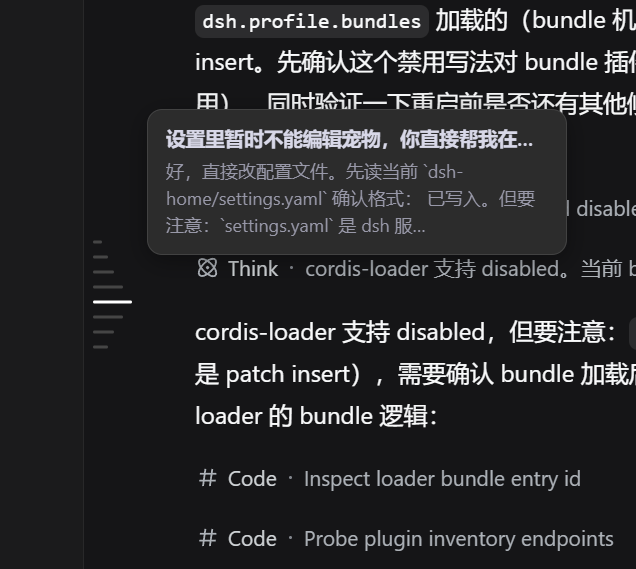 |
 |
浅色主题(悬停 / 非悬停全屏):
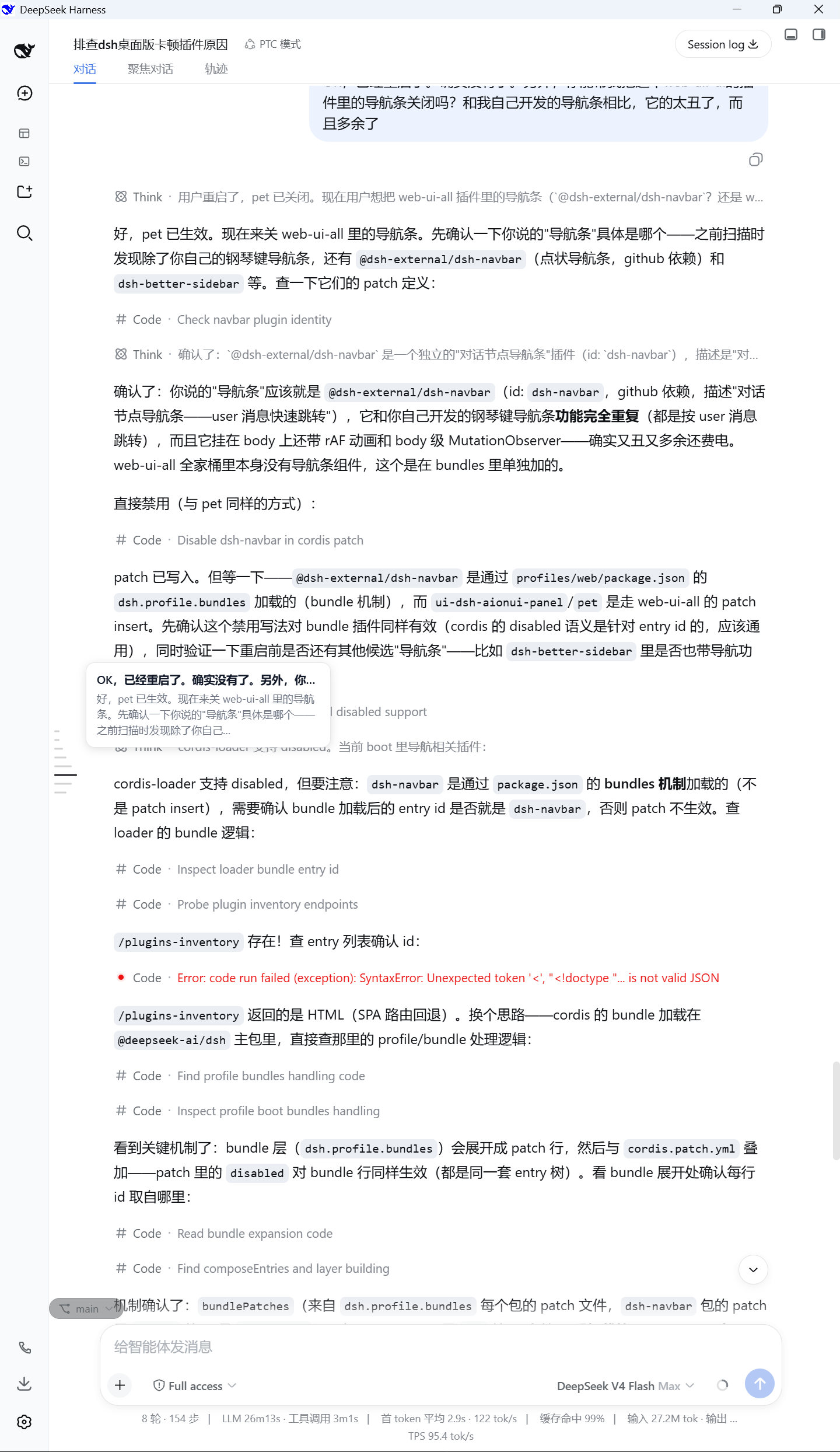
| 浅色悬停聚焦 | 浅色非悬停聚焦 |
|---|---|
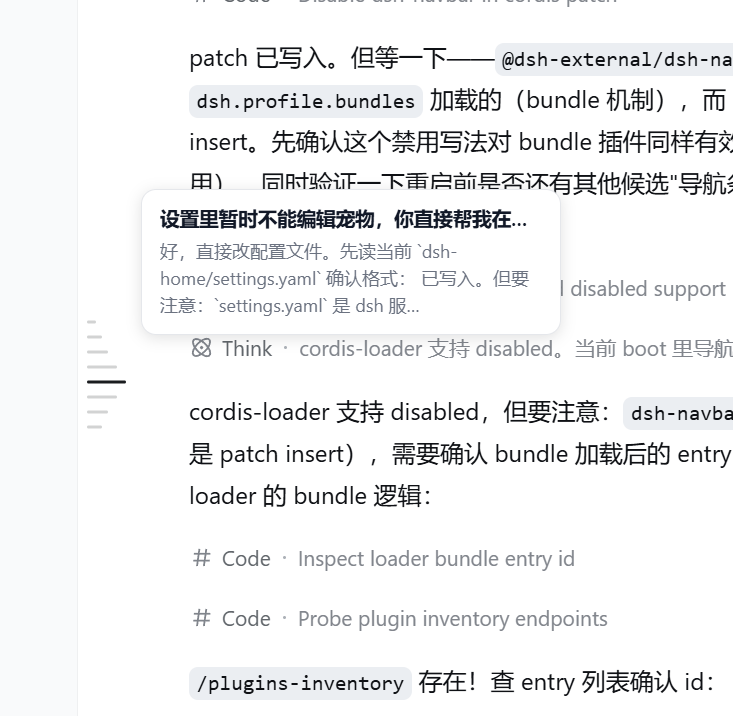 |
 |
全屏图展示导航条在会话界面中的实际位置;聚焦图展示钢琴键细节(键形、悬停阶梯与消息预览气泡)。
功能
- 会话内导航:一根键 = 一条用户消息(含 agent 运行中发送的 steering 消息),按时间正序;
模型回复不单独占键,并入对应轮次的预览。 - 参考图级视觉:键簇固定 10px 键距、2px 键高、6px 最短长、26px 悬停长(≈4.3×),
在消息区内垂直居中;配色由参考图逐像素测量(浅色#D2D3D3/#767779/#1A1C1F,
深色#454545/#A3A3A3/#FFFFFF)。 - 悬停阶梯:悬停键变长变色,上下相邻 3 级阶梯(20 / 14 / 10px,≈77% / 54% / 38%),
第 4 邻恢复最短,首/尾键悬停时阶梯自然单侧裁剪。 - 悬停气泡:用户消息单行省略 + 对应模型回复最多 3 行(宽度模型 JS 截断 +
-webkit-line-clamp双保险,超出以 … 省略)。 - 当前位高亮:非悬停时当前查看内容对应的键仅变色(长度不变),随滚动实时联动。
- 点击跳转;深浅色主题自适应(
data-ds-dark-theme+ prefers-color-scheme 兜底)。
安装



基于 DSH 官方插件机制安装到 web profile:
# 从 npm 安装(正式发布)
dsh plugin --profile web add @kelearns/dsh-navigation-bar

# 或本地开发(link 方式;改 lib/client.js 后刷新页面即生效)
dsh plugin --profile web add link:<本目录>
npm 包已发布:npmjs.com/package/@kelearns/dsh-navigation-bar
已收录于 awesome-dsh-plugin 精选目录,
也可以在 dsh 设置页的 Plugin Market(dsh-market)中搜索navigation-bar一键安装。
注意:插件名单在实例启动时加载 —— 新装插件后需重启 dsh web 实例再刷新页面。
结构
| 文件 | 说明 |
|---|---|
index.js |
host 半端(空操作 cordis 插件) |
lib/client.js |
browser 半端(手写 bundle,无构建步骤;window.__ModuleLoader__.load) |
cordis.patch.yml |
bundle patch:把插件行插入 web profile 名单 |
package.json |
dsh.bundle.patch + dsh.client(platform web)声明 |
test/ |
CDP 无头浏览器诊断脚本 + 独立离线测试页 |
数据来源(全部官方 API):
ctx.sessions.binding(currentId).session→ConversationSnapshot
(useSyncExternalStore实时订阅)- DOM 锚点:滚动容器
[data-conversation-scroll],消息行[data-chat-anchor-key]
开发 / 测试
# 无头 Edge + CDP 审计:打开真实会话,检查键布局 / 颜色 / tooltip
node test/cdp-audit.mjs

# 参考图像素测量(生成视觉规格:键距 / 阶梯 / 配色)
node test/img-analysis.cjs   # 非悬停参考图
node test/img-strip.cjs      # 悬停参考图(阶梯长度与颜色)
License
MIT
Install
Install the catalog once, then DeepSeek Harness can find and install any plugin from this site automatically:
dsh plugin add dshbase-catalogThen say "install dsh-navigation-bar for me" — your agent finds it in the directory and installs it. Docs: dshbase-catalog · verified packs.
This plugin is GitHub source (not published to npm) — install it straight from the repo:
Web profile:
dsh plugin --profile web add github:KeLearns/dsh-navigation-barHeadless (CLI) profile:
dsh plugin --profile headless add github:KeLearns/dsh-navigation-barTest report
Verified: L1 install + L2 load + L3 runtime from GitHub source on dsh 0.1.0-rc.6.
When to use it
Extend the agent's coding surface — give it a new tool, workflow, or integration so it handles a dev task it couldn't before.
Who it's for
Developers who want dsh to behave like a teammate on real codebases — editing, running, and verifying changes rather than just answering.
For developers — extending it
The tool/command surface is the seam: expose more of the SDK, add smarter context wiring, or tighten the loop between code changes and verification.
Share this badge
Drop this badge into your README — it links back here and updates automatically when our test status changes:

[](https://dshbase.com/plugins/dsh-navigation-bar/)<a href="https://dshbase.com/plugins/dsh-navigation-bar/"><img src="https://dshbase.com/badges/dsh-navigation-bar.svg" alt="dshbase install-tested"></a>