
Plugin directory / Developer / dsh-notion
dsh-notion
Verified · install-tested on dsh mingzeng21
What it does
Connect DeepSeek Harness (dsh) to Notion via the official Notion MCP — OAuth 2.0 + PKCE, one-time login, silent token refresh.
Works — verified, early-stage project
Connect DeepSeek Harness (dsh) to Notion via the official Notion MCP — OAuth 2.0 + PKCE, one-time login, silent token refresh. It installs cleanly and boots without issues in our testing. It's early-stage but functional.
“Verified” means our automated CI actually ran dsh plugin add in a clean profile and it booted — nothing more. Feature descriptions and version compatibility are the author’s claims. This is not a security audit and not an endorsement of third-party code.
README
dsh-notion-mcp
通过官方 Notion MCP 服务器,用 OAuth 2.0(授权码 + PKCE)把 DeepSeek Harness(dsh)连接到 Notion。完成一次性浏览器授权后,你的 dsh agent 就能通过标准的 mcp__notion__* 工具搜索、读取和写入 Notion 的页面、数据库与评论。



中文 | English
它能帮你做什么
装上 dsh-notion-mcp 后,你的 dsh agent 即可直接读写 Notion。你只需要在浏览器里完成一次授权,剩下的事插件都会自动打理:跑完整套 OAuth 2.0(授权码 + PKCE)流程、把 token 安全保存到 dsh 的凭据层、在后台静默刷新保持有效,并把 Notion 的搜索、页面、数据库、评论等工具以 mcp__notion__* 的形式挂载给 agent。
特性
- 零配置 OAuth —— 动态客户端注册(RFC 7591)在运行时注册客户端,无需复制任何
client_id或密钥。 - 一次性浏览器登录 ——
dsh notion login打印授权 URL,并在127.0.0.1:53007等待回调。 - 静默刷新 token —— access token(约 8 小时)到期前自动刷新;轮换后的 refresh token 原子落盘。
invalid_grant终态处理 —— 过期或已被轮换作废的 refresh token 绝不重试;插件会清掉它并提示你重新授权。- 仓库不含任何密钥 —— token 存在 dsh 的凭据存储里,不进入本仓库。
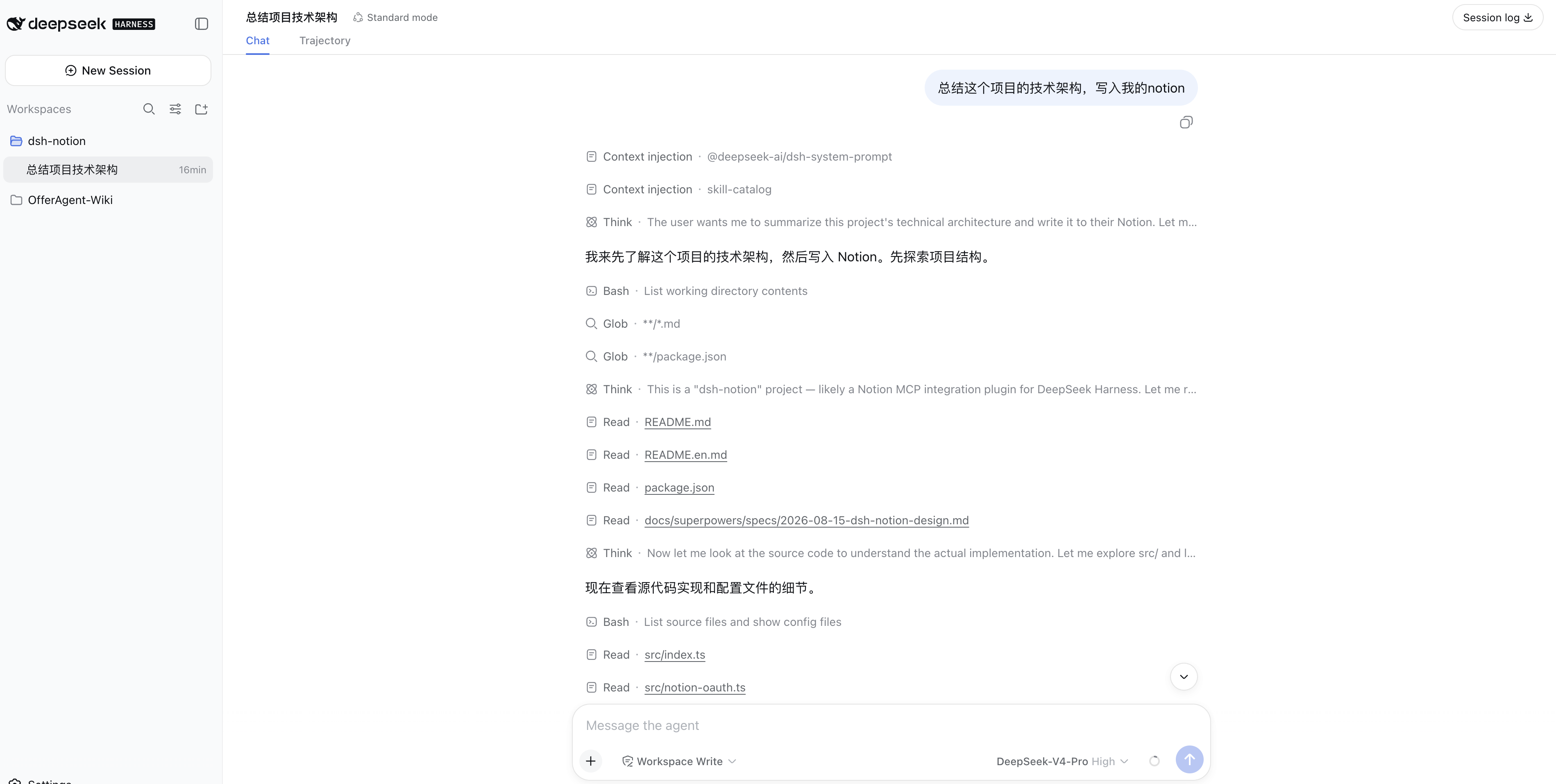
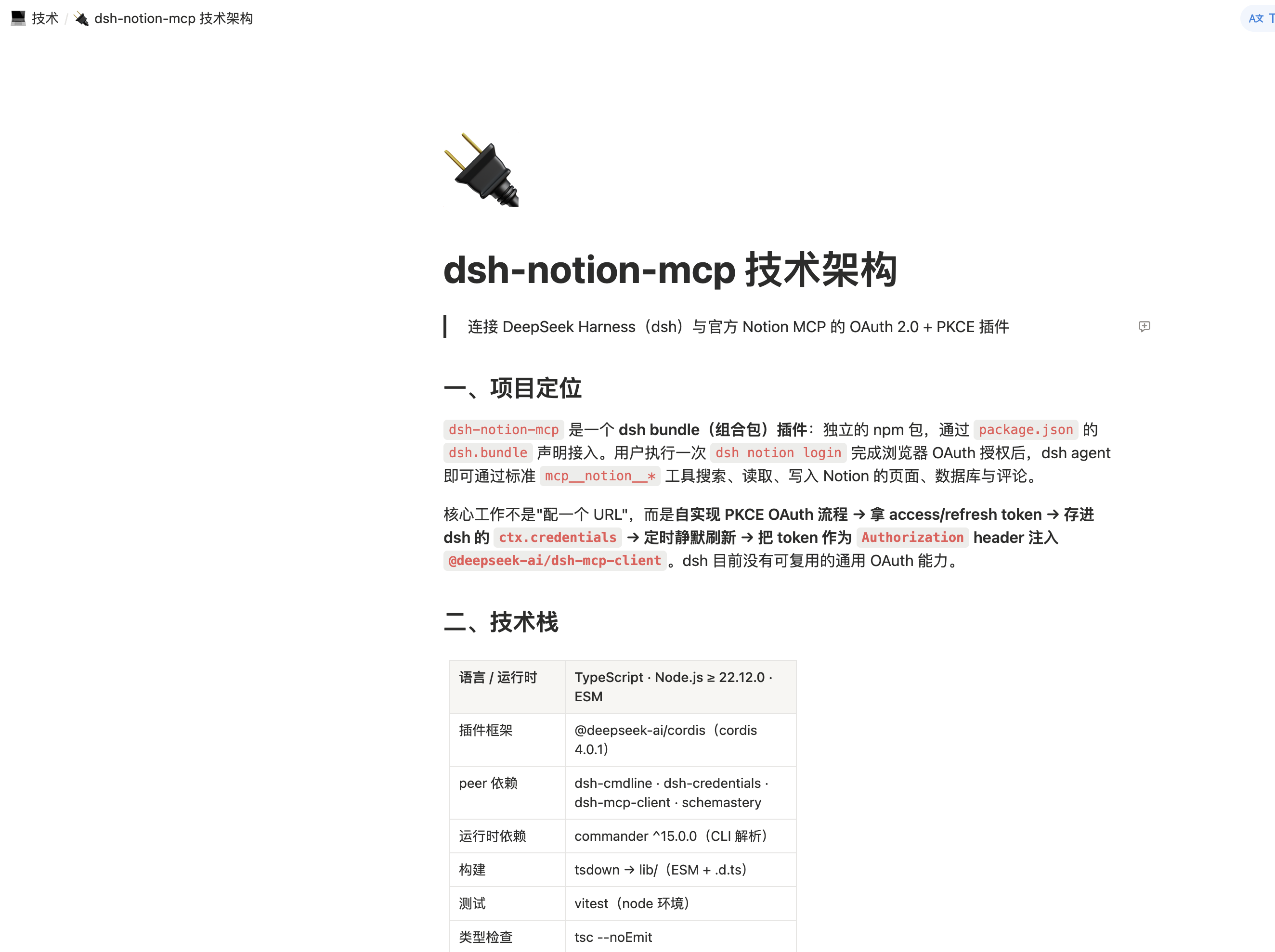
截图
让 dsh agent 总结一段技术架构并写入 Notion:
写好的 Notion 页面:
工作原理
dsh notion login
   │  1. OAuth 发现(RFC 9470 / RFC 8414)
   │  2. 动态客户端注册(RFC 7591)
   │  3. PKCE S256 + state → 授权 URL
   ▼
浏览器批准 → 回调到 127.0.0.1:53007
   │  4. 用 code(加 PKCE verifier)换取 token
   ▼
token 落盘 → Notion MCP 挂载为 mcp__notion__*
启动时插件会读取已存 token 并挂载 MCP 客户端;临近过期时在后台刷新(串行化,避免并发重放已轮换的 refresh token)。
安装
dsh plugin --profile web add dsh-notion-mcp
把 web 换成你运行 agent 所用的 profile(web、headless、tui 等)。
授权
notion 命令需要在一个「最小 profile」里运行——像 web 这类 UI app 会独占自己的命令行,不会把 notion 转发给插件。token 是全局存储的,所以在任意最小 profile 里授权一次,所有安装了本插件的 profile 都能直接使用:
dsh plugin --profile notion add dsh-notion-mcp
dsh --profile notion notion login
该命令会注册一个动态 OAuth 客户端,在 127.0.0.1:53007 起一个临时本地 HTTP 服务,并打印授权 URL。在浏览器里打开并批准后,Notion 会重定向到 http://127.0.0.1:53007/callback,插件校验 state、用 code(加 PKCE verifier)换取 token、落盘并挂载客户端。
授权完成后,Notion 工具即以 mcp__notion__* 形式可用。
卸载
dsh plugin --profile web remove dsh-notion-mcp
配置
| 键 | 默认值 | 说明 |
|---|---|---|
mcpUrl |
https://mcp.notion.com/mcp |
Notion MCP 服务器 URL |
port |
53007 |
本地 OAuth 回调端口(127.0.0.1) |
安全性
- token 通过 dsh 的凭据层(
ctx.credentials)以单条原子记录存储,绝不提交到本仓库;也不嵌入任何client_id或密钥——客户端在运行时通过动态客户端注册。 - Notion 每次刷新都会轮换 refresh token;新 token 与 access token 一起原子落盘。
- 若 Notion 返回
invalid_grant(refresh token 过期或被轮换作废),插件会清掉已存 token 并停止重试——用dsh notion login重新授权即可。
环境要求
- DeepSeek Harness(
dsh)—— 已验证兼容v0.1.0-rc.8、v0.1.1-rc.1、v0.1.1-rc.2 - Node.js ≥ 22.12.0
开发
npm install
npm run build      # tsdown → lib/
npm run typecheck  # tsc --noEmit
npm test           # vitest
许可证
MIT © 2026 mingzeng
Install
Install the catalog once, then DeepSeek Harness can find and install any plugin from this site automatically:
dsh plugin add dshbase-catalogThen say "install dsh-notion for me" — your agent finds it in the directory and installs it. Docs: dshbase-catalog · verified packs.
This plugin is GitHub source (not published to npm) — install it straight from the repo:
Web profile:
dsh plugin --profile web add github:mingzeng21/dsh-notionHeadless (CLI) profile:
dsh plugin --profile headless add github:mingzeng21/dsh-notionTest report
Verified: L1 install + L2 load + L3 runtime from GitHub source on dsh 0.1.0-rc.6.
Share this badge
Drop this badge into your README — it links back here and updates automatically when our test status changes:

[](https://dshbase.com/plugins/dsh-notion/)<a href="https://dshbase.com/plugins/dsh-notion/"><img src="https://dshbase.com/badges/dsh-notion.svg" alt="dshbase install-tested"></a>