
Plugin directory / Developer / dsh-oai-oauth
dsh-oai-oauth
Verified · install-tested on dsh werifu
What it does
A plugin allowing you to use ChatGPT via OpenAI subscription without API Key in Deepseek Harness
No short evidence report
There is no checkable per-level test record on this page. Stars, the catalog test field, a web-only flag, and whether the plugin needs an external account or service are not shown here as a pass or a failure. The catalog badge stays as published.
“Verified” means our automated CI actually ran dsh plugin add in a clean profile and it booted — nothing more. Feature descriptions and version compatibility are the author’s claims. This is not a security audit and not an endorsement of third-party code.
README
dsh-oai-oauth
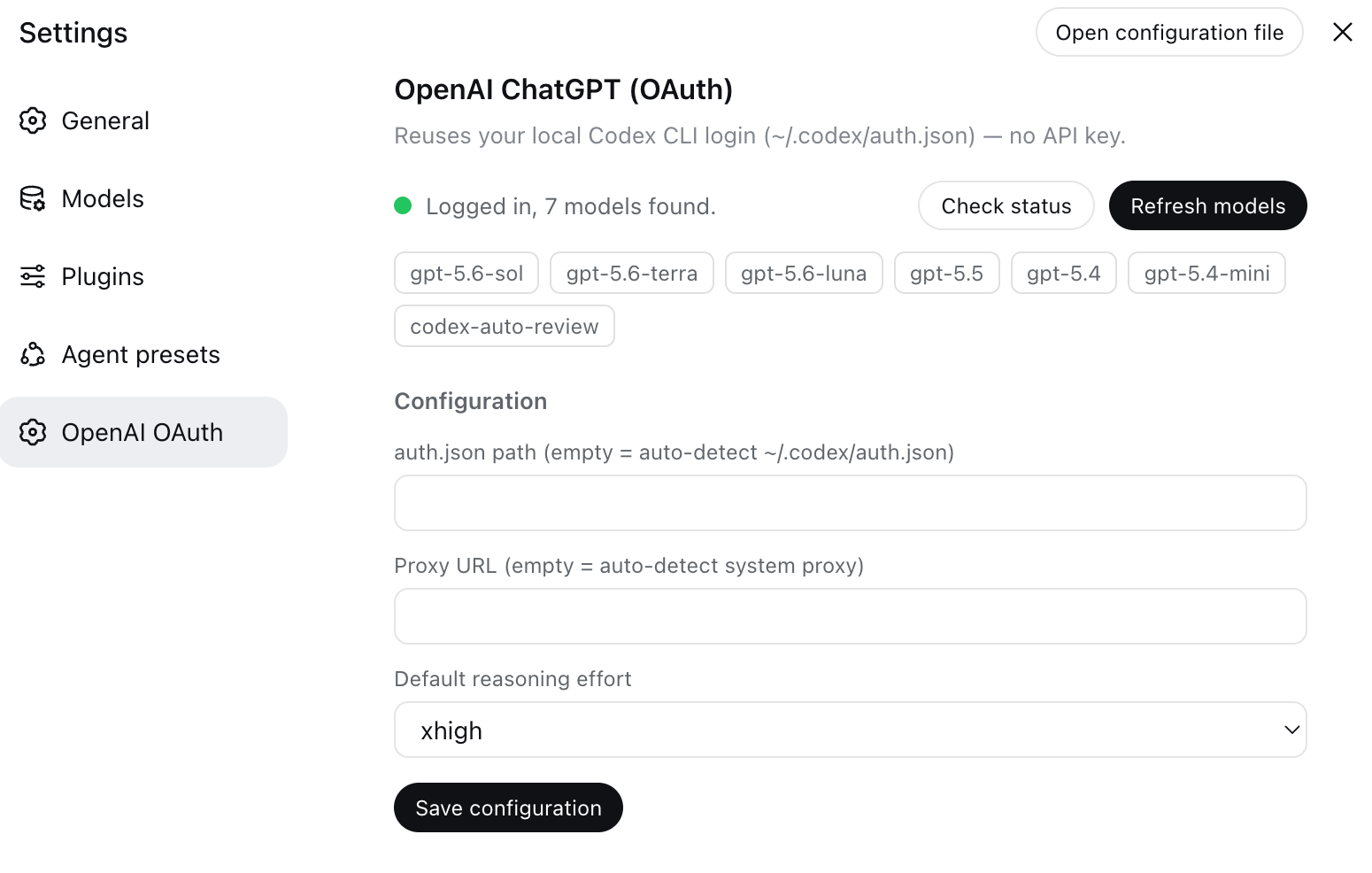
A DeepSeek Harness (DSH) LLM adapter that uses your OpenAI ChatGPT subscription (OAuth) without API KEY. It reuses your local Codex CLI login (~/.codex/auth.json).
Install
dsh plugin --profile web add dsh-oai-oauth
Usage
dsh web
Then open Settings → Models, pick OpenAI ChatGPT (OAuth), and log in with your ChatGPT account.
Uninstall
dsh plugin --profile web remove dsh-oai-oauth
License
MIT
Install
Install the catalog once, then DeepSeek Harness can find and install any plugin from this site automatically:
dsh plugin add dshbase-catalogThen say "install dsh-oai-oauth for me" — your agent finds it in the directory and installs it. Docs: dshbase-catalog · verified packs.
Web profile:
dsh plugin --profile web add dsh-oai-oauthHeadless (CLI) profile:
dsh plugin --profile headless add dsh-oai-oauthPackage
npm: dsh-oai-oauth · version 0.1.0
Test report
No short evidence report
There is no checkable per-level test record on this page. Stars, the catalog test field, a web-only flag, and whether the plugin needs an external account or service are not shown here as a pass or a failure. The catalog badge stays as published.
When to use it
Extend the agent's coding surface — give it a new tool, workflow, or integration so it handles a dev task it couldn't before.
Who it's for
Developers who want dsh to behave like a teammate on real codebases — editing, running, and verifying changes rather than just answering.
For developers — extending it
The tool/command surface is the seam: expose more of the SDK, add smarter context wiring, or tighten the loop between code changes and verification.
Share this badge
Drop this badge into your README — it links back here and updates automatically when our test status changes:

[](https://dshbase.com/plugins/dsh-oai-oauth/)<a href="https://dshbase.com/plugins/dsh-oai-oauth/"><img src="https://dshbase.com/badges/dsh-oai-oauth.svg" alt="dshbase install-tested"></a>