
Plugin directory / Developer / dsh-prompt-enhancer
dsh-prompt-enhancer
Verified · install-tested on dsh Fishsb
What it does
dsh-prompt-enhancer — DSH plugin (tools)
No short evidence report
There is no checkable per-level test record on this page. Stars, the catalog test field, a web-only flag, and whether the plugin needs an external account or service are not shown here as a pass or a failure. The catalog badge stays as published.
“Verified” means our automated CI actually ran dsh plugin add in a clean profile and it booted — nothing more. Feature descriptions and version compatibility are the author’s claims. This is not a security audit and not an endorsement of third-party code.
README
dsh-prompt-enhancer
DeepSeek Harness (DSH) 插件。两大核心能力:
- ✨ 提示词增强 — 输入框草稿一键改写,不满意可撤回
- 💬 语音识别 — 说完自动停;识别由官方
speechToText提供,识别结果填入草稿



✨ 两大核心功能
1. 提示词增强(✨)
输入框工具行的 ✨ 按钮触发一次独立 LLM 调用,直接改写当前草稿;可继续优化、可撤回、增强中可取消。
- 一键增强 — ✨ 按钮触发独立 LLM 调用,直接替换草稿;可继续优化、可撤回、增强中可取消
- 5 种优化模式 — 基础(直发)/ 轻量(结合上一轮对话参考)/ 标准(规则 + 检索)/ 专家(任务分析 + 全量检索)/ 一键发布(生成完整开发规格)
- 记忆开关 — 开启后,发送前的多轮「优化→修改→再优化」累积为记忆链,下一轮代入历史并感知修改方向;发送消息即清空,关闭后完全停止读写
- 模型链 — 按序尝试多个模型,可增删改序、开关思考、行内连通性测试
2. 语音识别(💬)
用官方 🎤 录音按钮(或本插件快捷键)开始说话,识别(交由官方 speechToText 服务)→ 可选规整(去口水词)→ 填入草稿 → 可一键优化。录音仅内存中转不落盘。
两条录音入口能力一致:插件的静音自动停与自动增强在插件快捷键路径与官方麦克风按钮路径上都提供——点官方麦克风按钮时,插件通过包装浏览器标准录音接口观测同一路采集(只观测、不改行为),判静音后触发官方自身的停止,官方「转写→写回」链路不受影响。
- 识别交由官方 — 识别引擎与模型由 DSH 官方
speechToText提供(含其设置页),插件不再自带引擎、不下载模型(发布物精简) - 说完自动停 — VAD 静音检测,无需手动停止;含自适应底噪校准,静音判定时长可配(1–5 秒,默认 2 秒)
- 官方路径同样生效 — 点官方麦克风按钮时同样触发上述自动停与自动增强(插件只观测、不改官方链路)
- 快捷键唤醒 — 可录制全局快捷键,点按 / 长按双触发
- 文本规整 — 识别结果可选经基座 LLM 规整,去口语化
- 自动增强 — 开启后识别填入草稿即自动触发提示词增强
🔧 其他能力
- 🌐 多语言 — 按钮与文案跟随 DSH 界面语言(中文 / English)
🚀 安装
dsh plugin --profile web add github:Fishsb/dsh-prompt-enhancer#v3.4.2
安装后重启 DSH(dsh web),输入框工具行出现 ✨ 按钮即安装成功。
ℹ️ 版本说明:最新 tag
v3.4.2(2026-10-09)已包含 Windows 平台修复——修复 Windows 上宿主启动约 5 秒后静默退出(worker 进程扫描在 Windows 上把本机全部 node 进程(含宿主自身)当 worker 回收,导致宿主杀掉自己;表现为界面永久停在「自动重连中」),上面的命令直接装该 tag。历史版本要点:v3.4.1(2026-10-06)已包含 DSH 0.2.x 兼容性修复——修复插件在 DSH
0.2.0及以后被宿主兼容性门拒绝装载、✨/🎤 与设置页卡片全部消失的问题(Issue #11 / #12;⚠ 该处 🎤 指当时由本插件自建的按钮,该按钮已于后续版本退役,现输入框的 🎤 由官方控件提供)。若你此前按旧说明装的是#main,按上面命令重装即可锁到已发布版本。更早:v3.4.0(2026-09-19)起包含 ✨ 官方槽位契约修复(Issue #8 / #10)与云端语音修复(Issue #9),并移除了插件内重启能力(更新后请手动重启 DSH)。详见 release notes。
需本机已装 DeepSeek Harness 且
pnpm在 PATH 中。客户端兼容性(语音识别):输入框工具行的 🎤 由官方语音控件提供(
@deepseek-ai/dsh-experimental-client-ui-voice-input,槽位conversation.input.activity),不是本插件渲染的元素;插件自建 🎤 已退役。本插件的语音增值内置无 UI:快捷键通道(conversation.input.right,热键→录音→识别→填入)与官方路径的自动停/自动增强。这些增值依赖客户端注入inputActions.setDraft(官方 web client 已满足);第三方客户端若实现同一契约即可加载,能力集不同时增值路径自动降级(无插入能力 → 识别结果追加到草稿末尾;完全不注入 → 增值路径停用并提示;官方 🎤 自身仍可用)。识别引擎与模型改由官方speechToText负责:插件自身不携带引擎、不下载模型;引擎与模型的选择、获取都在官方语音设置里完成。详见 兼容性矩阵(客户端依赖边界与槽位契约)。输入框工具行客户端契约:✨ 按钮与错误提示挂载在会话级槽位
conversation.input.right/conversation.input.dock(🎤 不在本契约内——它由官方控件渲染于conversation.input.activity)。官方渲染器(@deepseek-ai/dsh-client-ui-renderer≥ 0.1.2-rc.1,web 与 DSH Desktop 同源)向槽位条目注入sessionIdprop +useSession/useInput选择器 hook +inputActionsprop(不提供props.session/props.input);插件自该修复(Issue #8 / #10,commit0197ae7,自v3.4.0起随 tag 发布)起按该契约取值,并兼容旧宿主(提供props.session/props.input形态)。第三方客户端渲染器若以其它方式提供会话/输入状态,需实现同一契约(sessionId+ 上述 hooks 与 actions),✨ 方可显示(官方 🎤 不受本契约约束)。
更新 / 卸载:
dsh plugin --profile web update dsh-prompt-enhancer
dsh plugin --profile web remove dsh-prompt-enhancer
卸载后必须重启 DSH 才能从运行中移除。
更新安装完成后需手动重启 DSH 生效(插件不再代为重启)。
📦 库说明
核心逻辑拆分为独立 Node 模块,可复用:lib/platform-service.cjs(跨平台服务管理)、lib/sys.cjs(环境与路径)。详见各模块头注释。
P1-c(2026-10-13):原
lib/updater-host.cjs(插件自建更新执行器:下载 / 校验 / 安装 / 回滚)已退役 —— 插件更新改走官方 plugin manager(见上方「更新 / 卸载」)。
🎯 使用(提示词增强)
- 输入任意非空文本(斜杠命令保留前缀,只优化正文)
- 点击 ✨ 按钮
- 等待独立 LLM 调用完成,草稿被替换为增强版本
- 不满意点击 可撤回 恢复原文
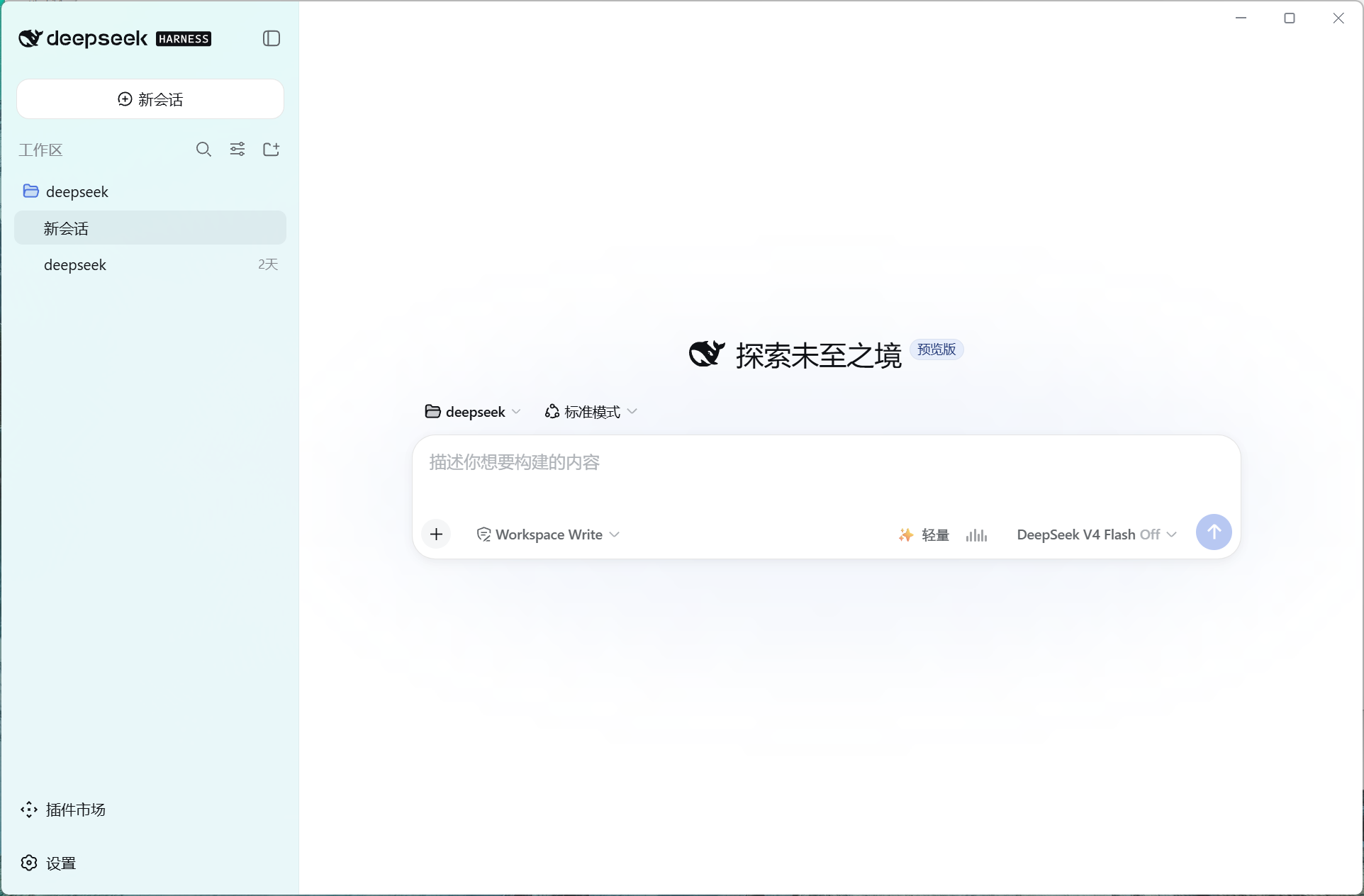
📸 效果展示
语音识别(官方 🎤 录音按钮;本插件为其提供说完自动停):
语音识别设置(快捷键唤醒 / 静音自动停 / 文本规整 / 自动增强):
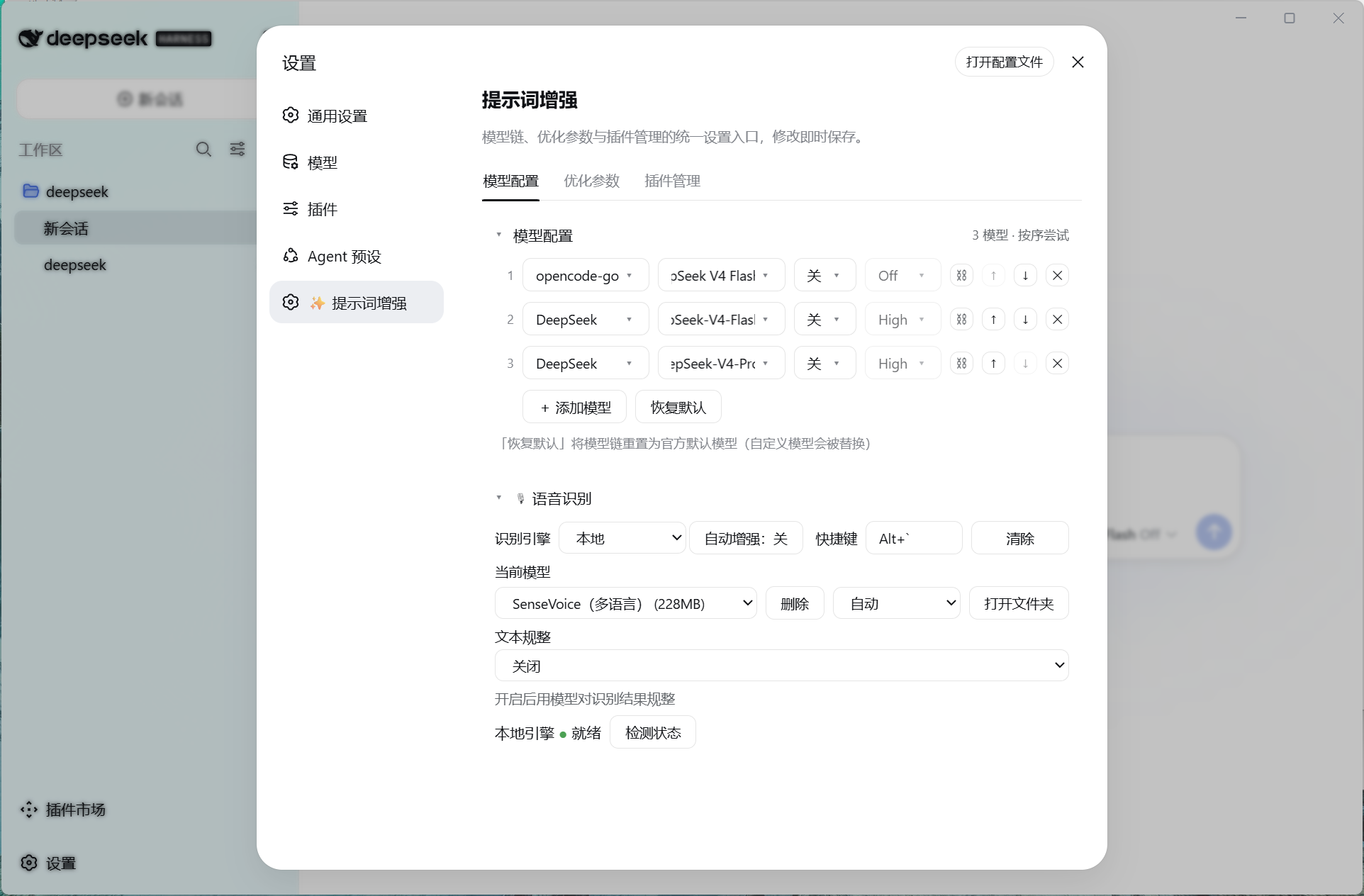
⚙️ 配置
设置 →「模型与插件」(P1-c 起只有「模型配置」/「优化参数」两个 tab——原「插件管理」tab 已退役,插件版本管理交回官方 plugin manager):
| Tab | 说明 |
|---|---|
| 模型配置 | 配置优化模型链,按序尝试、可增删改序;语音识别段落(快捷键唤醒 / 静音自动停 / 文本规整 / 自动增强) |
| 优化参数 | 优化模式 / 记忆开关 / 上下文预算 / 超时与输出上限 / 模板 |
📚 文档
隐私:插件不记录、不上报任何数据;增强结果来自外部 LLM,发送前请自行核对。
Install
Install the catalog once, then DeepSeek Harness can find and install any plugin from this site automatically:
dsh plugin add dshbase-catalogThen say "install dsh-prompt-enhancer for me" — your agent finds it in the directory and installs it. Docs: dshbase-catalog · verified packs.
This plugin is GitHub source (not published to npm) — install it straight from the repo:
Web profile:
dsh plugin --profile web add github:Fishsb/dsh-prompt-enhancerHeadless (CLI) profile:
dsh plugin --profile headless add github:Fishsb/dsh-prompt-enhancerTest report
No short evidence report
There is no checkable per-level test record on this page. Stars, the catalog test field, a web-only flag, and whether the plugin needs an external account or service are not shown here as a pass or a failure. The catalog badge stays as published.
When to use it
Extend the agent's coding surface — give it a new tool, workflow, or integration so it handles a dev task it couldn't before.
Who it's for
Developers who want dsh to behave like a teammate on real codebases — editing, running, and verifying changes rather than just answering.
For developers — extending it
The tool/command surface is the seam: expose more of the SDK, add smarter context wiring, or tighten the loop between code changes and verification.
Share this badge
Drop this badge into your README — it links back here and updates automatically when our test status changes:

[](https://dshbase.com/plugins/dsh-prompt-enhancer/)<a href="https://dshbase.com/plugins/dsh-prompt-enhancer/"><img src="https://dshbase.com/badges/dsh-prompt-enhancer.svg" alt="dshbase install-tested"></a>