
Plugin directory / Developer / dsh-providers
dsh-providers
Verified · install-tested on dsh tyql688
What it does
Model providers for DeepSeek Harness: sign in with OAuth or an API key, and keep every provider's model catalog current
Works — verified, early-stage project
Model providers for DeepSeek Harness: sign in with OAuth or an API key, and keep every provider's model catalog current It installs cleanly and boots without issues in our testing. It's early-stage but functional.
“Verified” means our automated CI actually ran dsh plugin add in a clean profile and it booted — nothing more. Feature descriptions and version compatibility are the author’s claims. This is not a security audit and not an endorsement of third-party code.
README
dsh-providers
English · 简体中文
Model providers for DeepSeek Harness: OAuth/API-key sign-in, token refresh, live model catalogs, and token usage statistics. Built on @earendil-works/pi-ai and @lobehub/icons.
Install
dsh plugin --profile web add github:tyql688/dsh-providers
The first add often exits with ERR_PNPM_IGNORED_BUILDS for @google/genai and protobufjs (pi-ai pulls them; this plugin does not run their install scripts). Deny both and repeat the same add so dsh mounts the bundle:
dsh plugin --profile web approve-builds '!@google/genai' '!protobufjs'
dsh plugin --profile web add github:tyql688/dsh-providers
Or from a local clone:
git clone https://github.com/tyql688/dsh-providers.git
cd dsh-providers
pnpm install
dsh plugin --profile web add "$PWD"
Uninstall:
dsh plugin --profile web remove dsh-providers
Usage
Run dsh web, open Settings → Accounts to sign in, update model catalogs, or read an OpenAI-compatible endpoint:
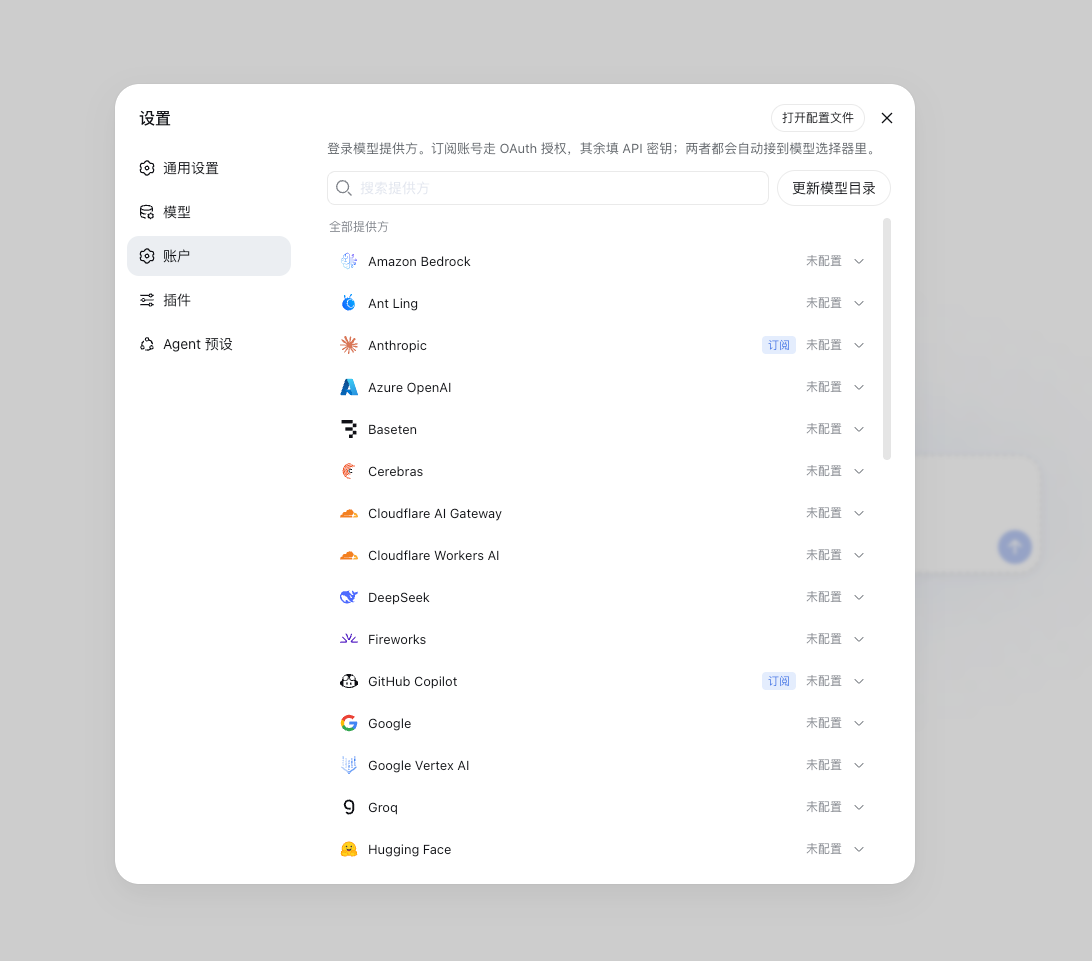
Providers (pi-ai 0.84.2):
- OAuth: Anthropic, GitHub Copilot, Kimi For Coding, OpenAI Codex, OpenRouter, Radius, xAI
- API key: Amazon Bedrock, Ant Ling, Azure OpenAI, Baseten, Cerebras, Cloudflare AI Gateway, Cloudflare Workers AI, DeepSeek, Fireworks, Google, Google Vertex AI, Groq, Hugging Face, MiniMax / MiniMax CN, Mistral, Moonshot AI / CN, NVIDIA, OpenAI, OpenCode Zen / Go, Qwen Token Plan (×3), Together, Vercel AI Gateway, Xiaomi (×4), Z.AI / Z.AI Coding CN
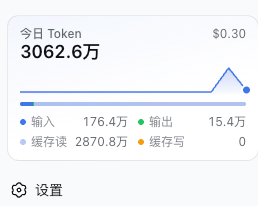
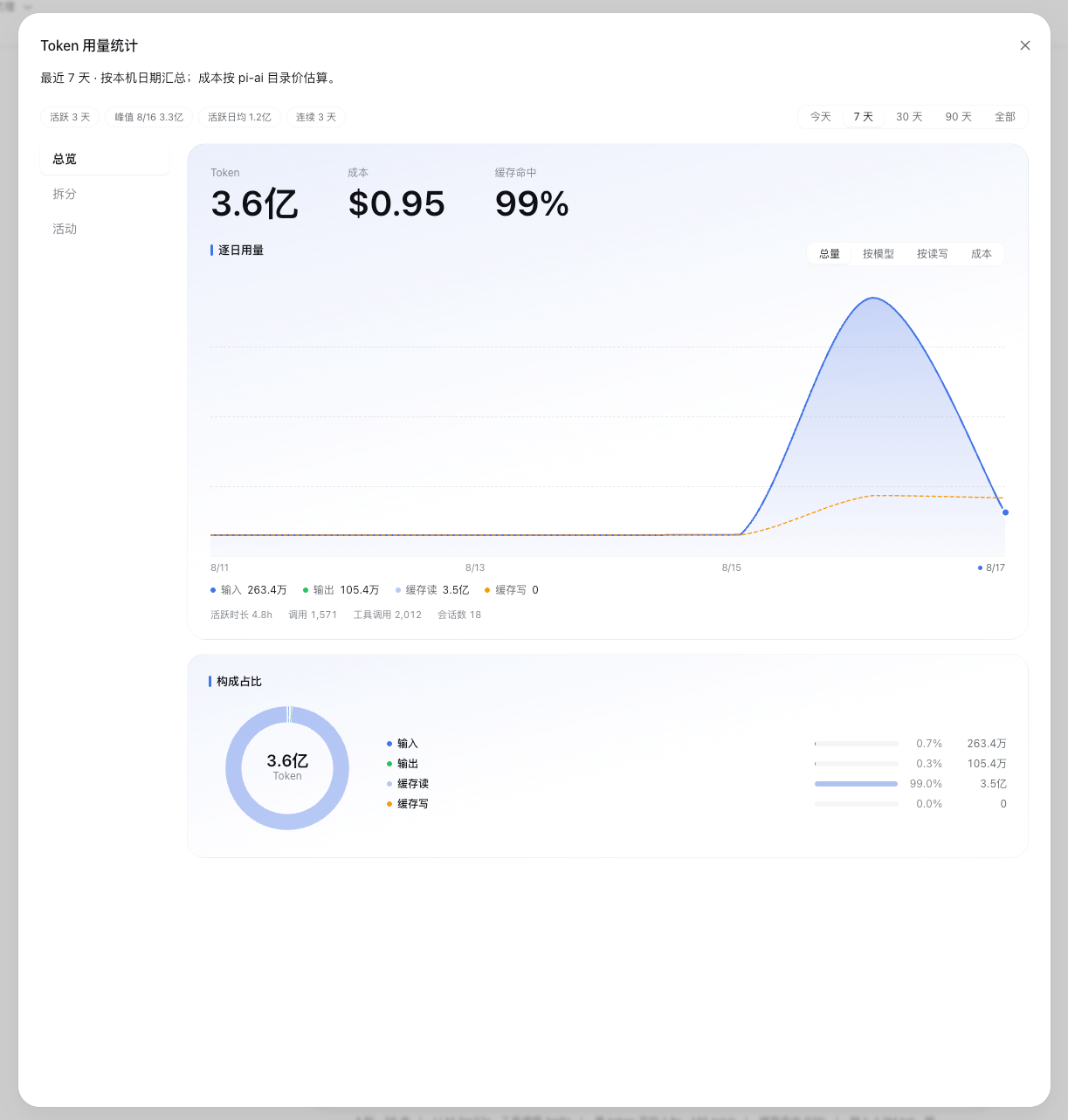
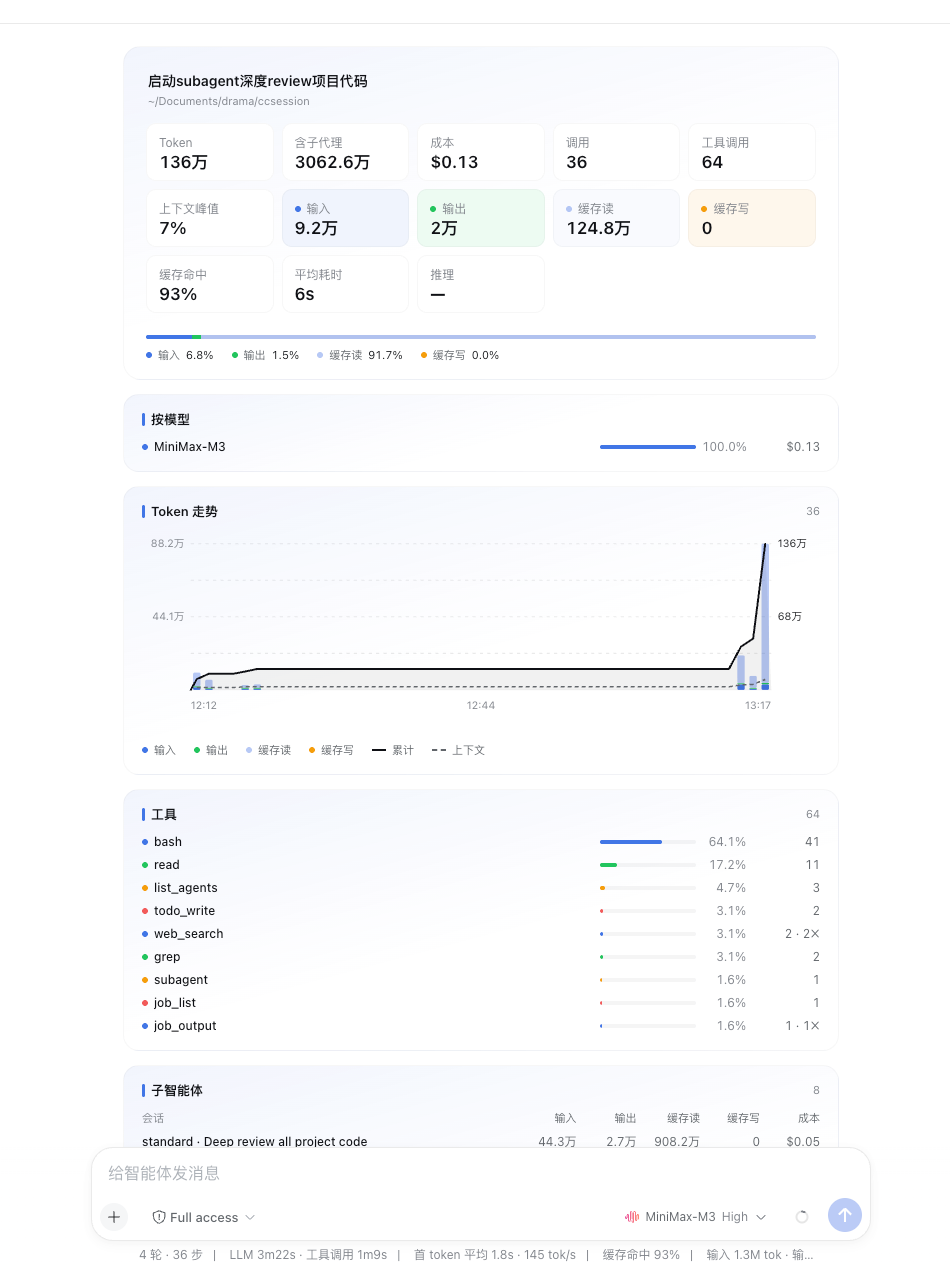
The sidebar gains a Tokens today card; clicking it opens the usage statistics dialog, and each session gets a 统计 tab (its headline figures cover the session itself and reconcile with the composer's meter; subagents are listed and rolled up separately):
Storage: OAuth tokens in $DSH_HOME/auth.json, API keys in .credentials.yaml, catalog cache in model-catalog.json, routes in settings.yaml. Environment keys are never stored.
Verified against @deepseek-ai/[email protected], Node 22+.
Development
pnpm install
pnpm build     # rebuild lib/ (committed) with any source change
pnpm check     # oxlint + tsc + knip
Install
Install the catalog once, then DeepSeek Harness can find and install any plugin from this site automatically:
dsh plugin add dshbase-catalogThen say "install dsh-providers for me" — your agent finds it in the directory and installs it. Docs: dshbase-catalog · verified packs.
This plugin is GitHub source (not published to npm) — install it straight from the repo:
Web profile:
dsh plugin --profile web add github:tyql688/dsh-providersHeadless (CLI) profile:
dsh plugin --profile headless add github:tyql688/dsh-providersTest report
Verified: L1 install + L2 load + L3 runtime from GitHub source on dsh 0.1.0-rc.6.
Share this badge
Drop this badge into your README — it links back here and updates automatically when our test status changes:

[](https://dshbase.com/plugins/dsh-providers/)<a href="https://dshbase.com/plugins/dsh-providers/"><img src="https://dshbase.com/badges/dsh-providers.svg" alt="dshbase install-tested"></a>