
Plugin directory / UI & Skins / dsh-side-panel
dsh-side-panel
Verified · install-tested on dsh ccq1
What it does
A DSH sidebar that integrates a file browser, terminal, and Git review for convenient file preview.
Works — verified, early-stage project
A DSH sidebar that integrates a file browser, terminal, and Git review for convenient file preview. It installs cleanly and boots without issues in our testing. It's early-stage but functional.
“Verified” means our automated CI actually ran dsh plugin add in a clean profile and it booted — nothing more. Feature descriptions and version compatibility are the author’s claims. This is not a security audit and not an endorsement of third-party code.
README
dsh-side-panel
[!IMPORTANT]
本项目已停止维护并归档。推荐使用功能更完整、仍在持续维护的 DSH-better-sidebar。本仓库保留现有代码和历史版本,仅供参考。
DSH Web 的右侧工作区面板,在当前会话旁集中提供 Git 审查、终端和文件操作。
可以点击dsh会话区弹出的文件链接,会自动打开相应的文件以供审阅。
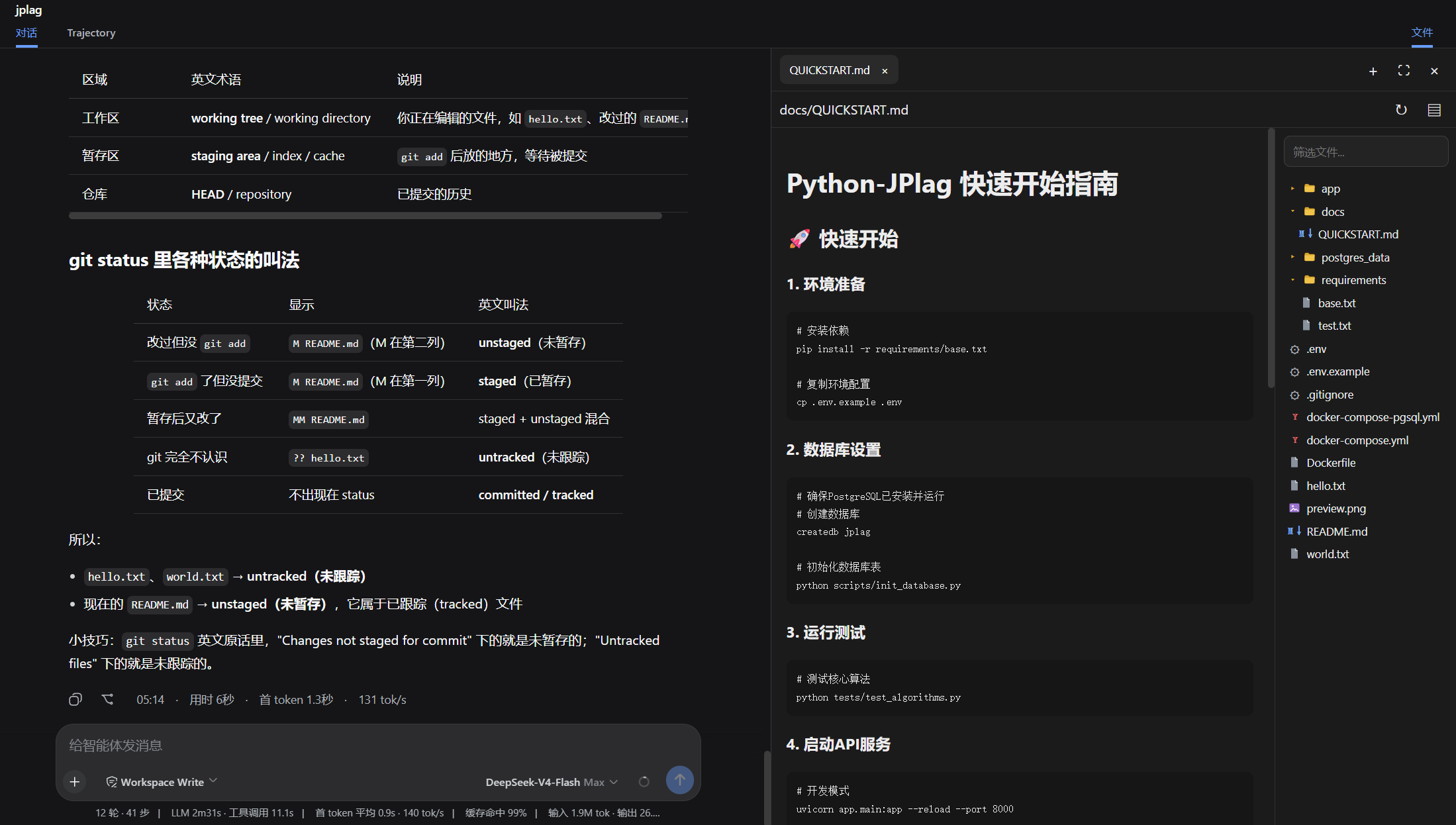
功能
- Git审查,可以查看工作区和暂存区的文件,以及dsh每轮修改的代码,后续会增加回退。
- 文件浏览器, 可以在会话区点击文件跳转到文件浏览器浏览文件。
- 终端,在当前工作区直接运行命令,无需离开工作区,专注你的任务。
安装
从 github-dsh-external仓库安装
dsh plugin --profile web add github:dsh-external/dsh-side-panel
dsh web
或者可以先从git clone 到本地,然后从本地目录安装
git clone [email protected]:dsh-external/dsh-side-panel.git
cd dsh-side-panel
npm install
npm run build
dsh plugin --profile web add .
配置
组合包默认启用以下配置:
- insert:
    - id: side-panel
      name: '@dsh-external/dsh-side-panel'
      config:
        maxTextBytes: 2097152
        maxImageBytes: 10485760
        searchMaxResults: 200
| 配置项 | 默认值 | 说明 |
|---|---|---|
maxTextBytes |
2 MiB | 可读取和编辑的单个文本文件大小上限 |
maxImageBytes |
10 MiB | 可预览的单个图片大小上限 |
searchMaxResults |
200 | 文件筛选返回的最大结果数 |
许可
Install
Install the catalog once, then DeepSeek Harness can find and install any plugin from this site automatically:
dsh plugin add dshbase-catalogThen say "install dsh-side-panel for me" — your agent finds it in the directory and installs it. Docs: dshbase-catalog · verified packs.
Web profile:
dsh plugin --profile web add dsh-side-panelHeadless (CLI) profile:
dsh plugin --profile headless add dsh-side-panelPackage
npm: dsh-side-panel · version 1.0.0 · tested on dsh 0.1.0-rc.6
Test report
Verified end-to-end: L1 install + L2 load + L3 runtime Q&A on dsh 0.1.0-rc.6.
When to use it
Change how dsh looks or how you interact with it — a theme, a skin, or a new panel that reshapes the workspace.
Who it's for
Users who spend hours in the web UI and want it to look and feel the way they work.
For developers — extending it
Skins, panels, and theme tokens are the extension points — author a new skin, add a panel, or sync tokens with an upstream palette.
Share this badge
Drop this badge into your README — it links back here and updates automatically when our test status changes:

[](https://dshbase.com/plugins/dsh-side-panel/)<a href="https://dshbase.com/plugins/dsh-side-panel/"><img src="https://dshbase.com/badges/dsh-side-panel.svg" alt="dshbase install-tested"></a>