
Plugin directory / Automation / dsh-skill-panel
dsh-skill-panel
Verified · install-tested on dsh hexbee
What it does
DSH plugin: manage agent skills in settings.
Works — verified, early-stage project
DSH plugin: manage agent skills in settings. It installs cleanly and boots without issues in our testing. It's early-stage but functional.
“Verified” means our automated CI actually ran dsh plugin add in a clean profile and it booted — nothing more. Feature descriptions and version compatibility are the author’s claims. This is not a security audit and not an endorsement of third-party code.
README
dsh-skill-panel
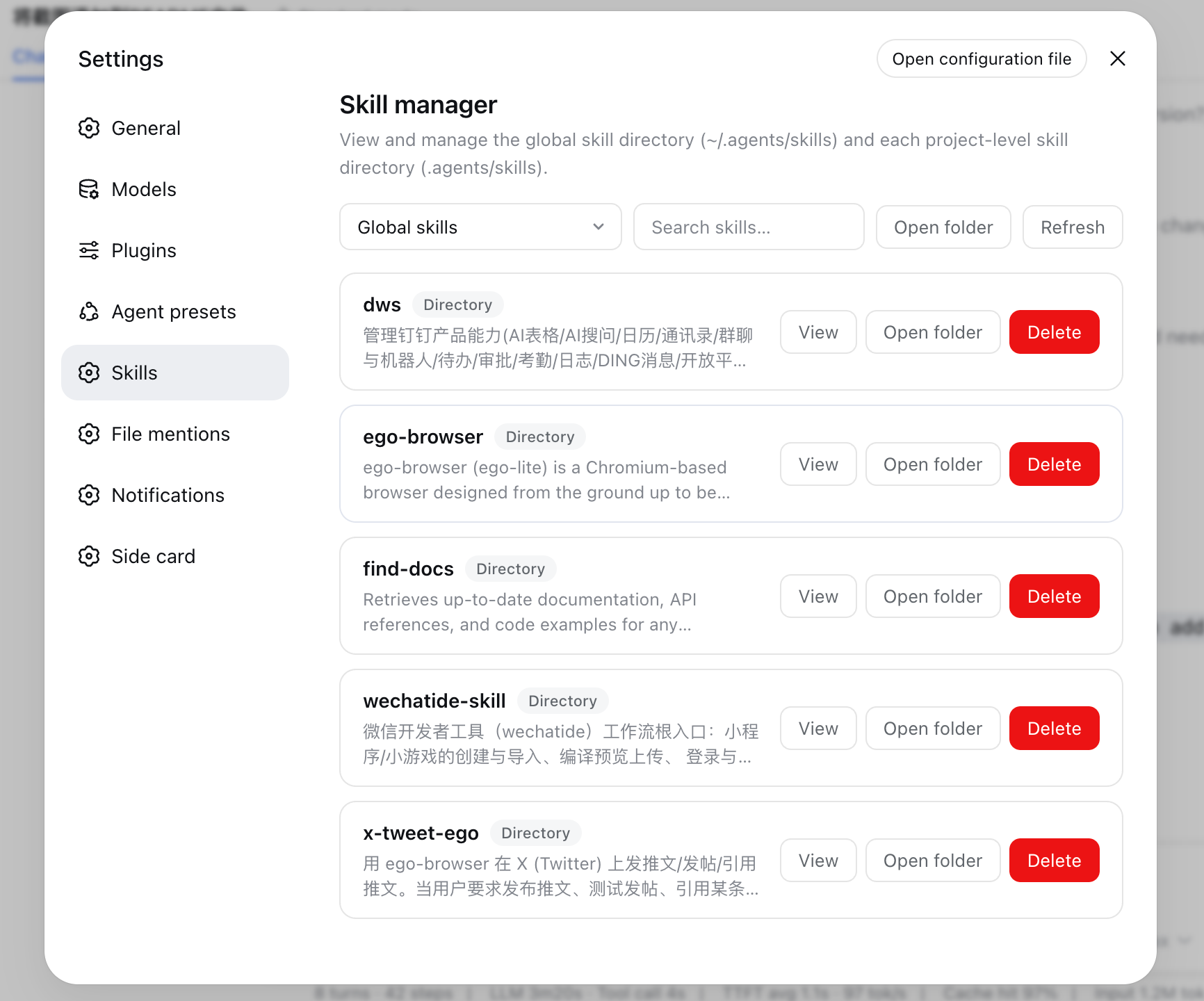
A DeepSeek Harness plugin that adds a Skills panel to the settings page for managing and viewing the local skill directories:
- Global:
~/.agents/skills(respectsDSH_AGENTS_HOME) - Project-level:
<workspace>/.agents/skillsfor every workspace registered in the harness
The panel lists each skill, shows its description, body and directory contents, supports searching across the current scope, removing skills, and opening the directory in the system file manager. Chinese and English copy included.
Layout
src/— TypeScript source.src/index.tsis the host plugin (one loopback-pinned Connection RPC channel/skill-panel);src/catalog.tsis the pure filesystem catalog (scan/read/remove/open);src/client/is the browser half (settings section, locales, styles);src/contract.tsis the shared wire contract.lib/— committed build artifacts (lib/index.js,lib/invariant.js,lib/client.js); the profile resolvesmain,./client, and./invariantfrom here.tests/—node --testsuites over the catalog.
Build
pnpm install
pnpm run build   # esbuild bundles + tsc declarations
node --test tests/catalog.test.mjs
Integration
Install into a profile with the bundle route, from a local path:
dsh plugin --profile web add file:/path/to/dsh-skill-panel
or directly from GitHub:
dsh plugin --profile web add git+https://github.com/hexbee/dsh-skill-panel.git
Security
- The RPC channel is pinned to loopback (
authority: 'loopback'), like every settings surface. - Project scopes are addressed only by Host-registered workspace ids — the browser never submits a raw filesystem path.
- Every mutation is confined to
~/.agents/skillsor<workspace>/.agents/skills. - Removing a symlinked skill unlinks the link only; the linked target is untouched.
Install
Install the catalog once, then DeepSeek Harness can find and install any plugin from this site automatically:
dsh plugin add dshbase-catalogThen say "install dsh-skill-panel for me" — your agent finds it in the directory and installs it. Docs: dshbase-catalog · verified packs.
This plugin is GitHub source (not published to npm) — install it straight from the repo:
Web profile:
dsh plugin --profile web add github:hexbee/dsh-skill-panelHeadless (CLI) profile:
dsh plugin --profile headless add github:hexbee/dsh-skill-panelTest report
Verified: L1 install + L2 load + L3 runtime from GitHub source on dsh 0.1.0-rc.6.
When to use it
Automate a repetitive job — scheduling, chaining tasks, or reacting to events — so it runs without you starting it.
Who it's for
Users with recurring work who want it cron-style and hands-off rather than manually triggered.
For developers — extending it
Triggers and task templates are the seams — add event-driven or file-watch triggers, and richer workflow composition.
Share this badge
Drop this badge into your README — it links back here and updates automatically when our test status changes:

[](https://dshbase.com/plugins/dsh-skill-panel/)<a href="https://dshbase.com/plugins/dsh-skill-panel/"><img src="https://dshbase.com/badges/dsh-skill-panel.svg" alt="dshbase install-tested"></a>