
Plugin directory / Developer / dsh-tailscale-sync
dsh-tailscale-sync
Verified · install-tested on dsh MoonGlassKitty
What it does
Zero-config Tailscale sync for DeepSeek Harness (dsh-plugin). Zero-config: continue your computer's DeepSeek Harness work on mobile.
Works — verified, early-stage project
Zero-config Tailscale sync for DeepSeek Harness (dsh-plugin). Zero-config: continue your computer's DeepSeek Harness work on mobile. It installs cleanly and boots without issues in our testing. It's early-stage but functional.
“Verified” means our automated CI actually ran dsh plugin add in a clean profile and it booted — nothing more. Feature descriptions and version compatibility are the author’s claims. This is not a security audit and not an endorsement of third-party code.
README
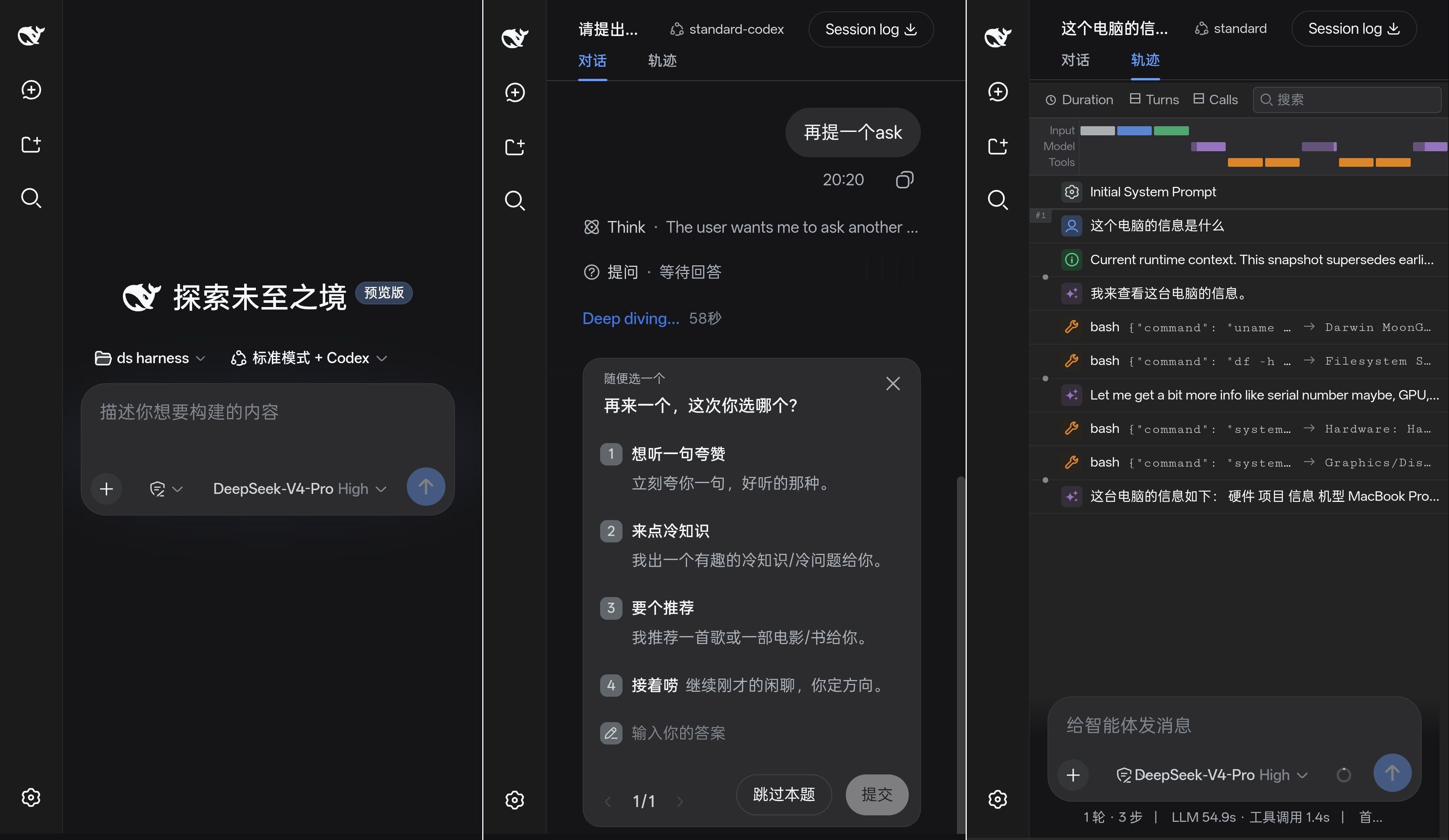
dsh-tailscale-sync
在手机上继续电脑端 DeepSeek Harness 的工作 —— 装好 Tailscale、装好本插件,即可用,无需改任何配置。
本插件会自动:
- 把 harness 的 web 服务锁死在
127.0.0.1:3080(不暴露局域网); - 自动探测本机的
*.ts.net域名(tailscale status),并让/api信任围栏只放行这个域名。
安装
1. 装 Tailscale(一次性)
电脑和手机都安装 Tailscale 并登录同一个账号(确认 tailnet 已开 MagicDNS,新版默认开启)。
2. 装本插件
dsh plugin --profile web add github:MoonGlassKitty/dsh-tailscale-sync
3. 开 HTTPS 隧道(一次性,一条命令)
在电脑上运行:
tailscale serve --bg 3080
若提示 "Serve is not enabled on your tailnet",按提示点链接授权一次即可。
4. 手机访问
手机保持 Tailscale 连接,浏览器打开:
https://<你的机器名>.ts.net
(在电脑上运行 tailscale status 能看到你的 *.ts.net 完整域名。)
工作方式
手机浏览器 ──Tailscale HTTPS──▶ tailscale serve ──▶ 127.0.0.1:3080 (harness)
- 手机和电脑看到的是同一个服务、同一份会话,不是"两处数据互相同步";
- 端口只监听回环,普通局域网访问不到;
- 流量走 Tailscale 的加密隧道 + 设备鉴权。
注意事项
- 设置 / API key 管理仍只能在本机
http://127.0.0.1:3080操作(harness 源码安全限制,Tailscale 也绕不过)。 - 停用隧道:
tailscale serve --https=443 off。 - 若你的 tailnet 没开 MagicDNS(没有
*.ts.net域名),本插件会自动退化为"仅本机可访问",此时需手动在cordis.patch.yml里填trustedHosts。
跨平台
Windows / macOS / Linux 均可用。tailscale serve、dsh、本插件在三个平台上的命令一致。
Install
Install the catalog once, then DeepSeek Harness can find and install any plugin from this site automatically:
dsh plugin add dshbase-catalogThen say "install dsh-tailscale-sync for me" — your agent finds it in the directory and installs it. Docs: dshbase-catalog · verified packs.
This plugin is GitHub source (not published to npm) — install it straight from the repo:
Web profile:
dsh plugin --profile web add github:MoonGlassKitty/dsh-tailscale-syncHeadless (CLI) profile:
dsh plugin --profile headless add github:MoonGlassKitty/dsh-tailscale-syncTest report
Verified: L1 install + L2 load + L3 runtime from GitHub source on dsh 0.1.0-rc.6.
When to use it
Extend the agent's coding surface — give it a new tool, workflow, or integration so it handles a dev task it couldn't before.
Who it's for
Developers who want dsh to behave like a teammate on real codebases — editing, running, and verifying changes rather than just answering.
For developers — extending it
The tool/command surface is the seam: expose more of the SDK, add smarter context wiring, or tighten the loop between code changes and verification.
Share this badge
Drop this badge into your README — it links back here and updates automatically when our test status changes:

[](https://dshbase.com/plugins/dsh-tailscale-sync/)<a href="https://dshbase.com/plugins/dsh-tailscale-sync/"><img src="https://dshbase.com/badges/dsh-tailscale-sync.svg" alt="dshbase install-tested"></a>