
Plugin directory / Developer / dsh-token-cost
dsh-token-cost
Verified · install-tested on dsh le-soleil-se-couche
What it does
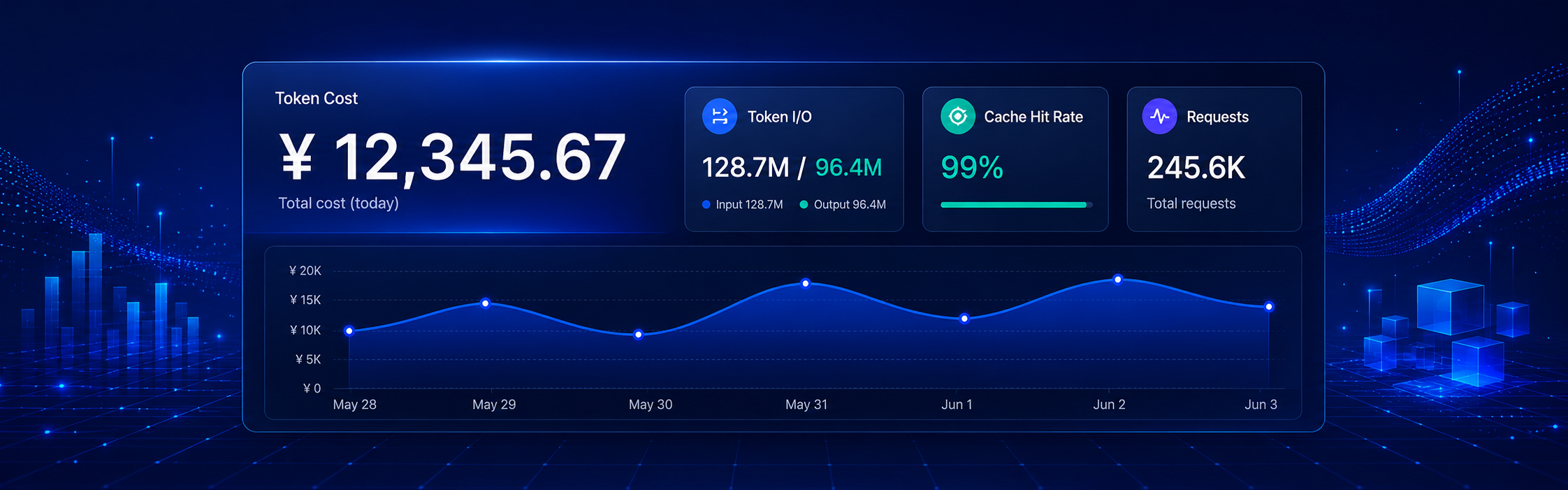
View cost directly on conversation page (embedded in official bottom status bar, click for details); view total cost, cache hits, and input/output in settings
Works — verified, early-stage project
View cost directly on conversation page (embedded in official bottom status bar, click for details); view total cost, cache hits, and input/output in settings It installs cleanly and boots without issues in our testing. It's early-stage but functional.
“Verified” means our automated CI actually ran dsh plugin add in a clean profile and it booted — nothing more. Feature descriptions and version compatibility are the author’s claims. This is not a security audit and not an endorsement of third-party code.
README
dsh-token-cost
English · 中文
DeepSeek Harness(DSH)Web GUI 的 Token 用量 / 缓存命中 / 费用统计插件:单对话与整体汇总,内置 DeepSeek 双计价方案(东八区峰谷),也可为自己调用的其他模型填写单价。
2026-08-17更新:支持为自己调用的其他模型填写单价;点「添加模型」即写入本地价格文件,刷新后仍在,历史费用立刻按新单价重算。
2026-08-25 更新:计量内核升级为 attempt-aware fold,补齐失败调用后 retry、compaction/summary.usage 与 fork seedLength 边界;账本 schema 升至 v2,旧缓存会从权威 session logs 自动重折叠。
2026-08-28 更新:retry 边界与官方 llm/retry-started 对齐,补充官方 session id 目录编码兼容,并刷新与 0.1.2-alpha.1 的差异说明。账本 schema 升至 v3,已有 v2 缓存会自动重折叠。
功能
- 单对话视图:对话页面底部官方状态行(「首 token 平均 … · … tok/s」之后)直接嵌入本会话消耗费用,点击即可打开按请求的明细弹窗(时间 / 模型 / 缓存未命中 / 缓存命中 / 输出 / 费用,最新在上)。


- 整体汇总(设置 > 插件配置 > Web UI 插件 > Token 费用统计):时间筛选(今天 / 昨天 / 最近 7 天 / 最近 30 天 / 本月 / 上月 / 自定义,最多 30 天)+ 费用 / 输入 / 输出 / 缓存命中率统计卡,按模型、会话、日期分组。
- 计价状态:高峰时段按东八区显示(09:00–12:00、14:00–18:00),判定也按东八区时钟。
- 自定义模型价格:配置页可从账本发现未定价模型,或手动添加尚未调用的模型;按每百万 tokens 填写缓存未命中 / 缓存命中 / 输出。点「添加模型」即写入本地价格文件,刷新后仍在,历史记录立刻按新单价重算。缓存命中可不填(按 0 计)。第三方模型按平价,不受 DeepSeek 峰谷影响。
数据来源
插件读取 DSH 的持久会话日志($DSH_HOME/sessions/<project-key>/<encoded-session-id>/session.jsonl.zstd;原始 session id 位于日志首行 header),把 provider 上报的 usage 事件折叠为按调用尝试的计费记录:同一次 attempt 内最终 message 替换 chunk 样本;只有 llm/retry-started 会切开同一 turn/step 的相邻尝试,避免把尚未真正开始的 retry 误计为新调用;官方已有的 compaction/summary.usage 作为独立调用计入;聚合 fork 子会话时跳过 seq < seedLength 的继承前缀。紧凑账本($DSH_HOME/storages/dsh-token-cost/ledger.json)缓存解析结果,只重解析变化的日志;计量语义升级会自动使旧账本失效并从 session logs 重折叠。自定义单价存在同目录的 custom-prices.json。zstd 解压使用 fzstd(纯 JS 零依赖)。
Token 字段遵循 Harness 约定:inputTokens = 缓存未命中部分,cacheReadTokens = 缓存命中部分(两者不相交,相加即计费输入)。
统计边界仍由上游日志决定:标题生成、Web Search、被中断调用、失败摘要或其他客户端若没有写出 usage,插件不会虚构 token 或费用。可公开复核的 synthetic fixture 与手算结果位于 tests/fixtures/usage-accounting/。
与 DSH 0.1.2-alpha.1 的计量差异
DSH 0.1.2-alpha.1 对应源码快照 cd5ef81481:tokenUsage 已升到 stateVersion: 2,并通过 llm/retry-started 修复同一步 retry 覆盖前次 usage 的问题。该版本官方 projection 仍只折叠 assistant/chunk 与 assistant/message,尚未计入已经存在于官方日志中的 compaction/summary.usage;跨 session 汇总也仍需消费方自行排除 seq < seedLength 的继承前缀。
本插件跟进了官方 retry 语义,并额外覆盖 compaction/summary.usage 与 fork seedLength,使用 ledger v3 自动使旧口径缓存失效。在“官方已经写入 DSH session logs 的 usage 如何结算”这一明确范围内,本插件相对该官方版本仍领先;这不代表插件能替代官方账单,也不扩大上游没有记录 usage 的遥测边界。社区方案提出把失败摘要 usage 新增到 compaction/end,但该字段尚无官方 schema,插件不会把未知扩展字段直接换算成费用;背景见 最新讨论。原四个 bucket 的独立 synthetic conformance checker 记录见 Discussion #1886,仓库内另有 retry、compaction 与目录编码的针对性测试。
安装
dsh plugin --profile web add github:le-soleil-se-couche/dsh-token-cost
重启 dsh web 后,在设置页展开「Web UI 插件」即可看到。历史会话日志在首次查询时自动回填。
配置项
| 键 | 类型 | 默认 | 说明 |
|---|---|---|---|
enabled |
boolean | true |
总开关(状态行费用显示 + 汇总卡片) |
currency |
'cny' | 'usd' | 'cny' |
priceMode |
'auto' | 'scheme-a' | 'scheme-b' |
customPrices |
string (JSON) | '' |
兼容旧设置项;现用配置页表单,落盘到 storages/dsh-token-cost/custom-prices.json |
以上均可在卡片的「配置」页编辑;「重新扫描会话日志」按钮强制全量重解析。
开发
pnpm install && pnpm -r build
pnpm --filter @deepseek-ai/dsh-token-cost test
pnpm --filter @deepseek-ai/dsh-token-cost typecheck
架构说明见 DESIGN.md。
Install
Install the catalog once, then DeepSeek Harness can find and install any plugin from this site automatically:
dsh plugin add dshbase-catalogThen say "install dsh-token-cost for me" — your agent finds it in the directory and installs it. Docs: dshbase-catalog · verified packs.
Web profile:
dsh plugin --profile web add dsh-token-costHeadless (CLI) profile:
dsh plugin --profile headless add dsh-token-costPackage
npm: dsh-token-cost · version 0.1.5 · tested on dsh 0.1.0-rc.6
Test report
Verified end-to-end: L1 install + L2 load + L3 runtime Q&A on dsh 0.1.0-rc.6.
When to use it
Extend the agent's coding surface — give it a new tool, workflow, or integration so it handles a dev task it couldn't before.
Who it's for
Developers who want dsh to behave like a teammate on real codebases — editing, running, and verifying changes rather than just answering.
For developers — extending it
The tool/command surface is the seam: expose more of the SDK, add smarter context wiring, or tighten the loop between code changes and verification.
Share this badge
Drop this badge into your README — it links back here and updates automatically when our test status changes:

[](https://dshbase.com/plugins/dsh-token-cost/)<a href="https://dshbase.com/plugins/dsh-token-cost/"><img src="https://dshbase.com/badges/dsh-token-cost.svg" alt="dshbase install-tested"></a>