
Plugin directory / Desktop / dsh-token-viewer
dsh-token-viewer
Verified · install-tested on dsh qwert702
What it does
DSH web GUI plugin: live token consumption surfaces (composer dock strip + sidebar card) over token-meter projections
Works — verified, early-stage project
DSH web GUI plugin: live token consumption surfaces (composer dock strip + sidebar card) over token-meter projections It installs cleanly and boots without issues in our testing. It's early-stage but functional.
“Verified” means our automated CI actually ran dsh plugin add in a clean profile and it booted — nothing more. Feature descriptions and version compatibility are the author’s claims. This is not a security audit and not an endorsement of third-party code.
README
dsh-token-viewer
CC Switch-style token consumption statistics for the DeepSeek Harness Web GUI. Read-only surfaces over the harness's host-computed projections plus one balance read; the plugin adds no prompt content, tools, or provider requests.
Install (one command):
dsh plugin add qwert702/dsh-token-viewerRestart the harness, refresh the web page, then open the Token 消耗 card in the sidebar → 用量详情.
Features
- TokenDock — a slim live strip above the composer showing the current session's billed input (uncached + cache read + cache write), output, cache hit rate, and approximate context occupancy.
- Sidebar card — DeepSeek account balance (with refresh; error-retry when the host proxy fails) and aggregate consumption across all sessions, expandable to a per-conversation list.
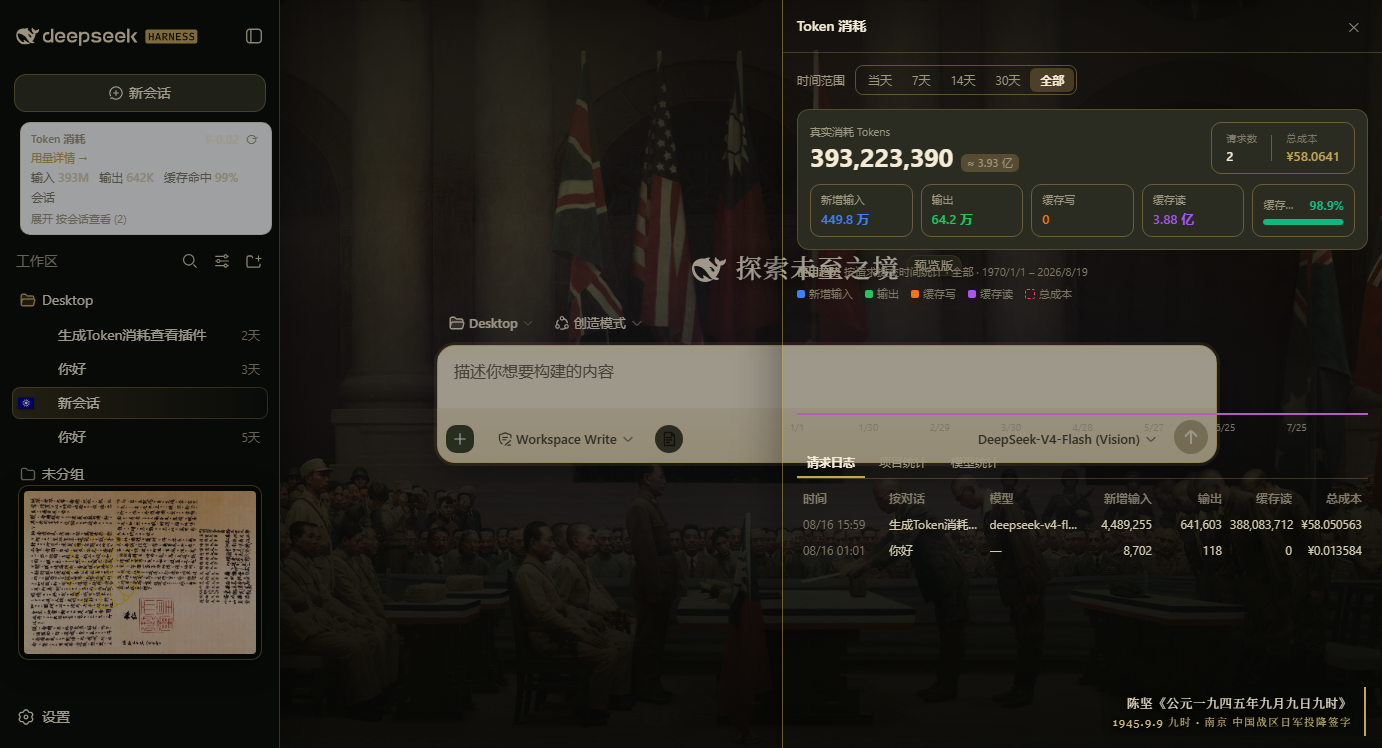
- Usage statistics panel (right-side drawer, a faithful port of CC Switch's usage-dashboard method):
- Per-request statistics — the host
usageLogprojection records one timestamped entry per reported assistant step (commit time, model, four token buckets); every figure folds these records, never cumulative session totals. - Hero — real consumption (fresh input + output + cache write + cache read), request count, total cost, over a five-card breakdown row with a cache-hit-rate progress bar.
- Trend chart — requests bucketed by their own commit time (hourly for the day, daily otherwise, empty buckets zero-filled), four token series plus a dashed cost line.
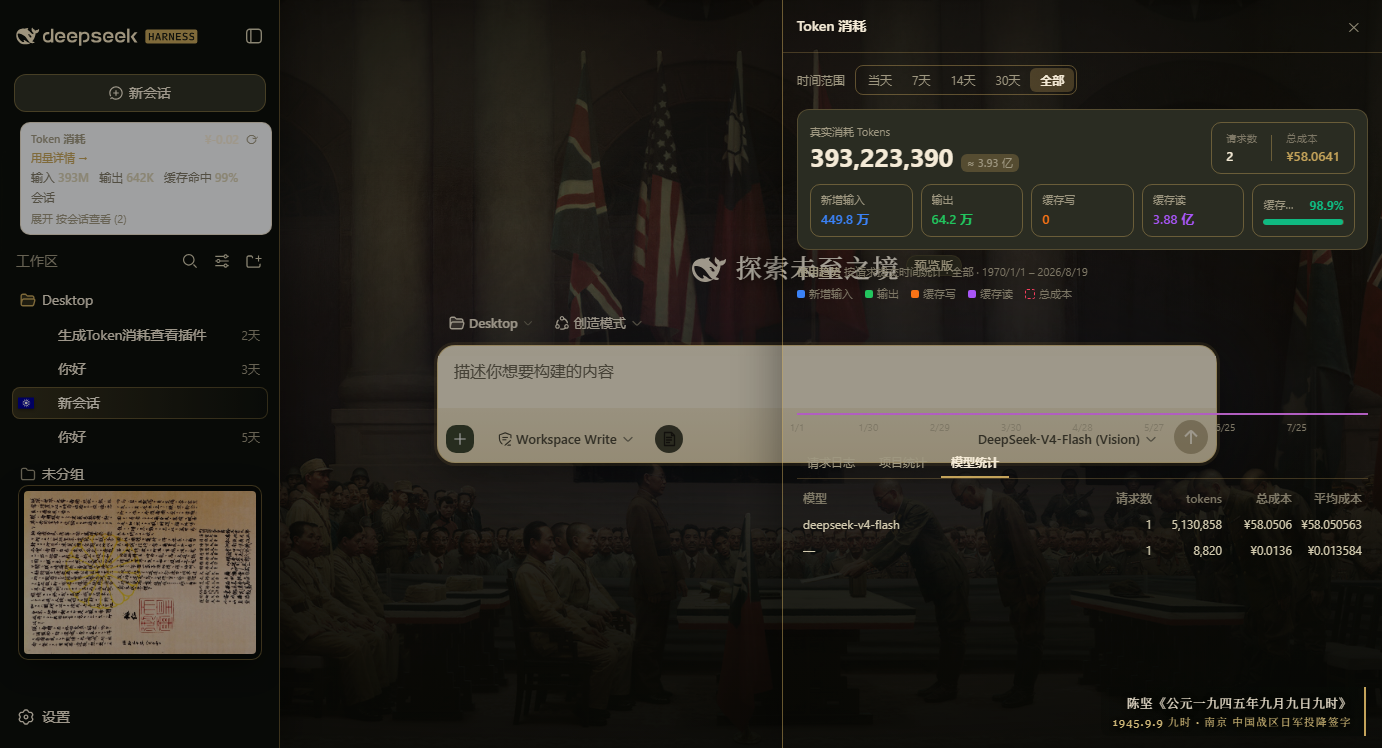
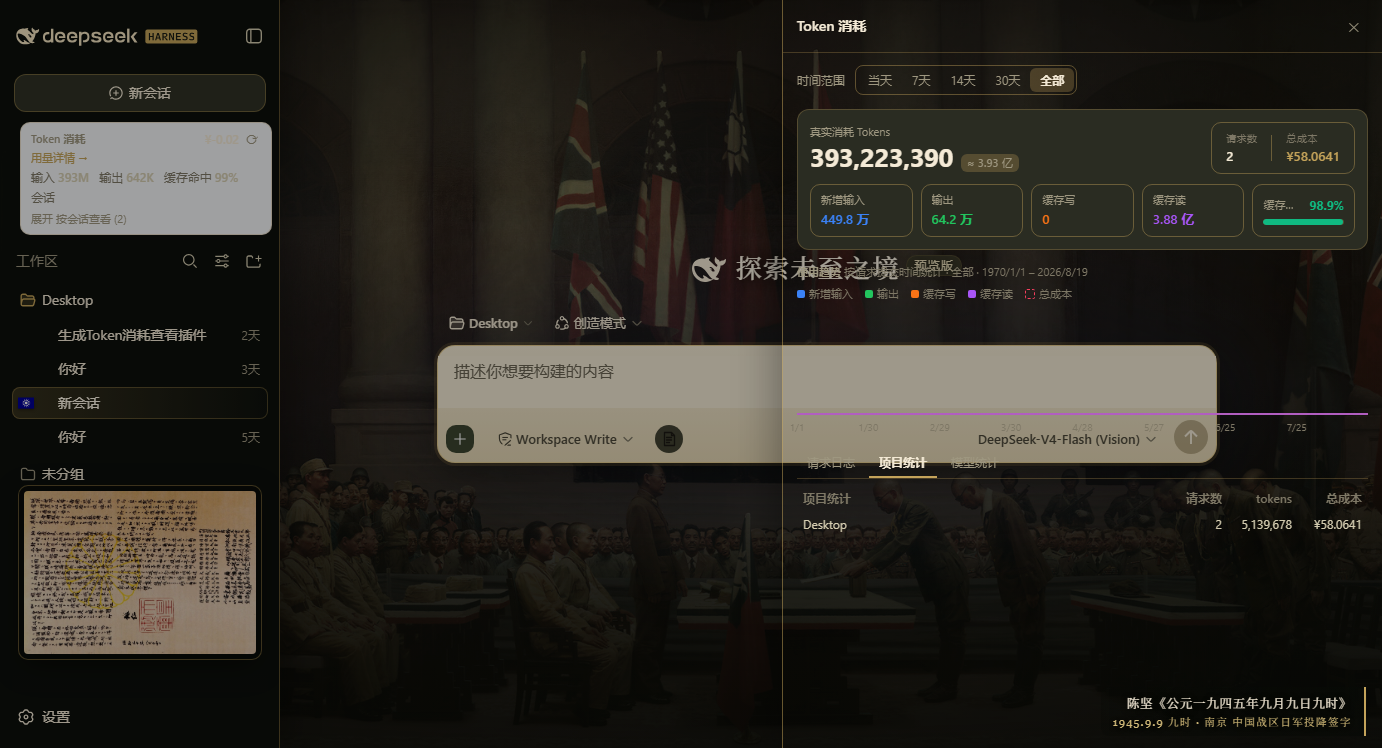
- Three tabs — request log (newest first; clicking a row opens that session), per-project statistics, and per-model statistics with average cost.
- Range presets — today / 7d / 14d / 30d / all, resolved exactly like CC Switch (local midnight of N−1 days back).
- Per-request statistics — the host
- Per-model peak/off-peak list pricing — every request bills under its own model's provider list price (V4-Flash / V4-Pro, CNY per 1M tokens, cache writes at the cache-miss rate), split by the provider's Beijing peak windows (09:00–12:00 and 14:00–18:00, double the off-peak rate); versioned model ids match by prefix, unknown models fall back to the V4-Flash off-peak table. Prices live in
MODEL_PRICING(see below). - Balance route —
GET /api/billing/balanceproxies DeepSeek's/user/balancethrough the harness credentials service; the API key never leaves the server.
Screenshots
Repo layout
lib/index.js— plugin host half (balance route +modelUsage/usageLogsession projections), ready to load.lib/client.js— browser half bundle (built), discovered viapackage.jsondsh.client.scripts/build-client.mjs— regenerateslib/client.jsby vendoring the installed@deepseek-ai/dsh-client-ui-sidebarbundle (setDSH_SIDEBAR_BUNDLEor it probes~/.dsh/profiles).test/smoke.cjs—node test/smoke.cjs: host route + projections + SSR render checks.
The TypeScript monorepo source (extracted from deepseek-ai/deepseek-harness) lives on the archive/monorepo-src branch.
Model pricing
MODEL_PRICING in lib/client.js (and lib/index.js's projection fallback) holds the current DeepSeek list prices; the panel also fetches GET /api/billing/pricing and prefers the provider's official page when reachable, falling back to the built-in table otherwise.
License
MIT
Install
Install the catalog once, then DeepSeek Harness can find and install any plugin from this site automatically:
dsh plugin add dshbase-catalogThen say "install dsh-token-viewer for me" — your agent finds it in the directory and installs it. Docs: dshbase-catalog · verified packs.
This plugin is GitHub source (not published to npm) — install it straight from the repo:
Web profile:
dsh plugin --profile web add github:qwert702/dsh-token-viewerHeadless (CLI) profile:
dsh plugin --profile headless add github:qwert702/dsh-token-viewerTest report
Verified: L1 install + L2 load + L3 runtime from GitHub source on dsh 0.1.0-rc.6.
When to use it
Run dsh as a native desktop app — its own window, tray icon, and shortcuts — instead of a browser tab.
Who it's for
Users who want an installed-app feel and system integration (tray, global hotkeys, auto-launch) on their OS.
For developers — extending it
The native shell is the seam — add global shortcuts, notifications, single-instance locking, or OS-specific behaviors.
Share this badge
Drop this badge into your README — it links back here and updates automatically when our test status changes:

[](https://dshbase.com/plugins/dsh-token-viewer/)<a href="https://dshbase.com/plugins/dsh-token-viewer/"><img src="https://dshbase.com/badges/dsh-token-viewer.svg" alt="dshbase install-tested"></a>