
Plugin directory / UI & Skins / dsh-ui-topbar-compact
dsh-ui-topbar-compact
Verified · install-tested on dsh maque2333
What it does
Narrow the top bar of DeepSeek Harness native webUI.
Works — verified, early-stage project
Narrow the top bar of DeepSeek Harness native webUI. It installs cleanly and boots without issues in our testing. It's early-stage but functional.
“Verified” means our automated CI actually ran dsh plugin add in a clean profile and it booted — nothing more. Feature descriptions and version compatibility are the author’s claims. This is not a security audit and not an endorsement of third-party code.
README
dsh-ui-topbar-compact
DSH web UI 紧凑顶栏插件:顶栏变窄、单行布局 + 药丸视图切换 + 淡分割线。
A DSH web UI client plugin: a compact, one-line top bar with a pill-style view switcher and subtler divider.
给 DeepSeek Harness Web UI 的一个纯样式插件,重新设计会话顶栏(conversation.session.header 槽位):
| 调整 | 原版 | 本插件 |
|---|---|---|
| 布局 | 标题行 + 下方独立的标签行(约 75px 高) | 单行:会话标题 | 对话/轨迹药丸 | Session log 下载,约 44px |
| 视图切换 | 下划线标签(Tab) | 药丸开关(圆角胶囊,选中段实心高亮),位于 Session log 下载按钮左侧 |
| 分割线 | 强色 border-l2 发丝线 |
极淡的 border-l1 混色,不再抢注意力 |
效果展示 / Showcase
| 原生 (Native) | 安装插件后 (With plugin) | |
|---|---|---|
| 亮色 Light | 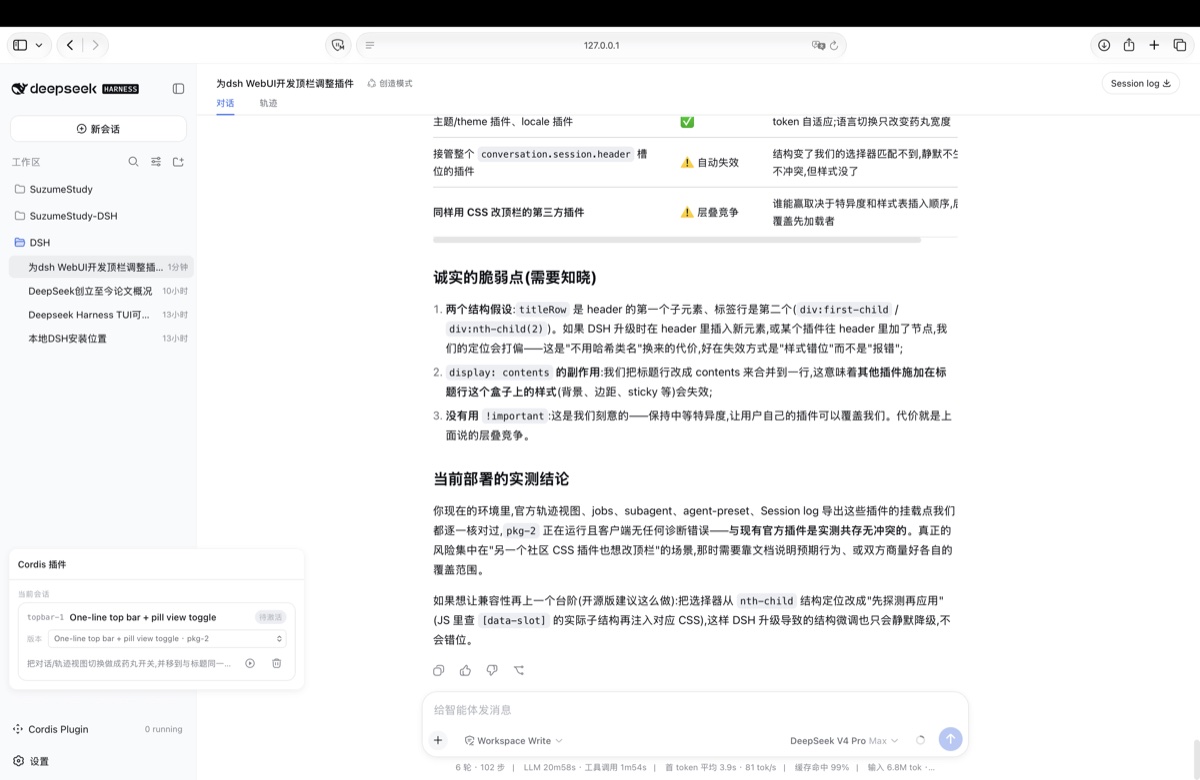 |
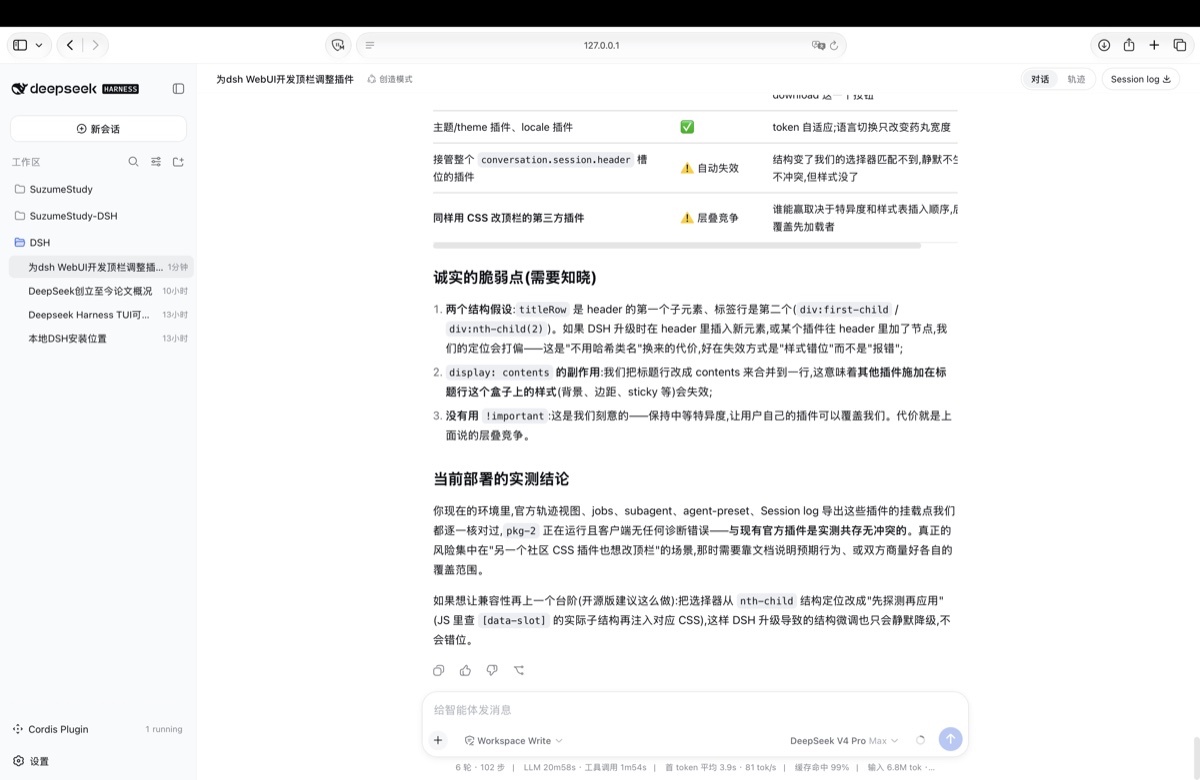 |
| 暗色 Dark | 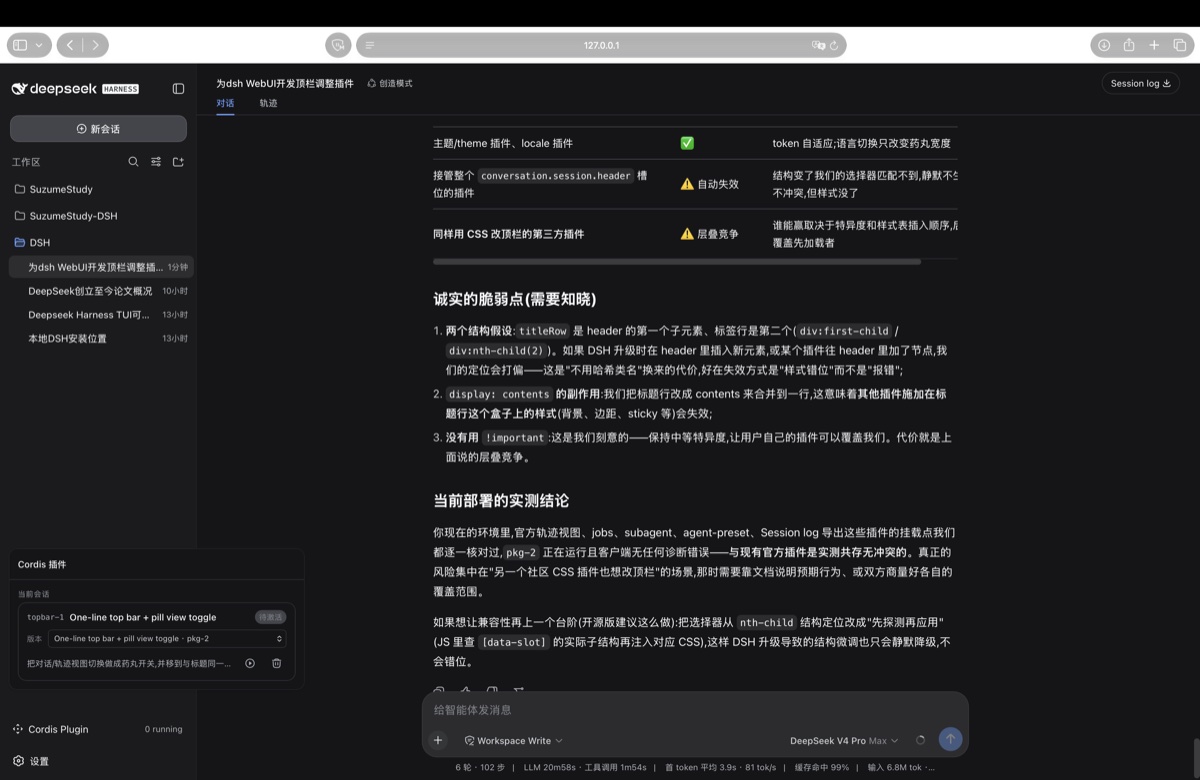 |
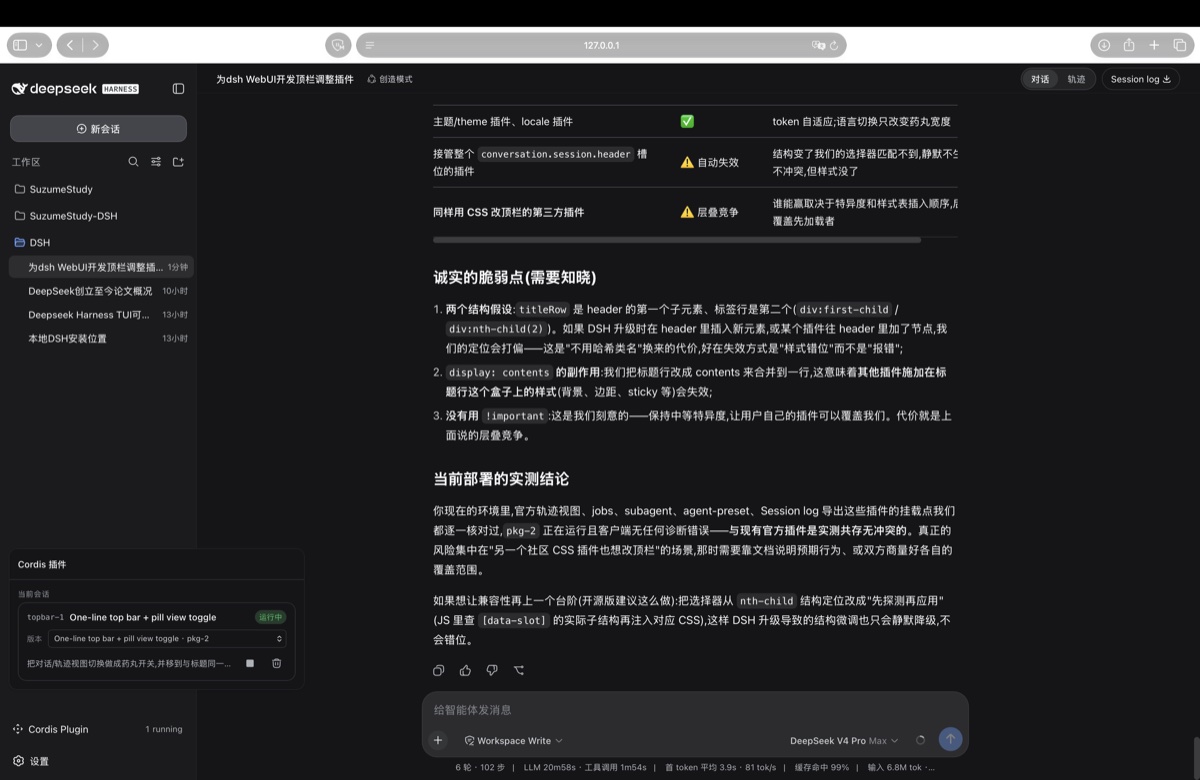 |
单行布局示意:
┌─────────────────────────────────────────────────────────────┐
│  Workspace / Session 标题 …        (对话 | 轨迹)  [Session log] │
└─────────────────────────────────────────────────────────────┘
安装
DSH 通过 npm 包名 + profile 的 patch 层挂载插件,两步:
1. 把包装进你的 web profile
dsh plugin --profile web add dsh-ui-topbar-compact
2. 在 profile 的 patch 层挂一行
编辑 ~/.dsh/profiles/web/cordis.patch.yml,追加:
- insert:
    - id: ui-topbar
      name: 'dsh-ui-topbar-compact'
重启 dsh web 即可生效。
卸载
# 1. 从 cordis.patch.yml 中删掉上面的 insert 行
# 2. 移除包
dsh plugin --profile web remove dsh-ui-topbar-compact
设计要点与兼容性
- 稳定锚点:所有选择器锚定在槽位系统的
data-slot属性上(conversation.session.header/conversation.session.header.utilities),不依赖官方包的 CSS Module 哈希类名,官方包重建不破坏本插件; - 主题友好:颜色全部使用
--dsw-alias-*主题 token,亮/暗模式与自定义主题自动适配; - 无依赖:纯 ESM,无运行时依赖;
package.json的dsh.client声明platform: "web",宿主侧无操作; - 与其他插件共存:只注入 CSS,不碰 DOM/状态/槽位注册。注册到
conversation.view的新视图标签会自动获得药丸样式;注册到header.utilities的按钮会排在药丸右侧; - 已知限制:依赖两个结构假设——标题行是 header 的第一个子元素、标签行是第二个。若 DSH 升级改变了这两处结构,或另一个 CSS 插件接管了
conversation.session.header槽位,本插件会静默降级(不生效或错位),而不会报错。
兼容版本:DSH 0.1.0-rc.6(更高版本未验证)。
License
Install
Install the catalog once, then DeepSeek Harness can find and install any plugin from this site automatically:
dsh plugin add dshbase-catalogThen say "install dsh-ui-topbar-compact for me" — your agent finds it in the directory and installs it. Docs: dshbase-catalog · verified packs.
Web profile:
dsh plugin --profile web add dsh-ui-topbar-compactHeadless (CLI) profile:
dsh plugin --profile headless add dsh-ui-topbar-compactPackage
npm: dsh-ui-topbar-compact · version — · tested on dsh 0.1.0-rc.6
Test report
Verified end-to-end: L1 install + L2 load + L3 runtime Q&A on dsh 0.1.0-rc.6.
When to use it
Change how dsh looks or how you interact with it — a theme, a skin, or a new panel that reshapes the workspace.
Who it's for
Users who spend hours in the web UI and want it to look and feel the way they work.
For developers — extending it
Skins, panels, and theme tokens are the extension points — author a new skin, add a panel, or sync tokens with an upstream palette.
Share this badge
Drop this badge into your README — it links back here and updates automatically when our test status changes:

[](https://dshbase.com/plugins/dsh-ui-topbar-compact/)<a href="https://dshbase.com/plugins/dsh-ui-topbar-compact/"><img src="https://dshbase.com/badges/dsh-ui-topbar-compact.svg" alt="dshbase install-tested"></a>