
Plugin directory / Desktop / dsh-unread-dot
dsh-unread-dot
Verified · install-tested on dsh Bing-Bryan
What it does
DSH plugin: macOS Dock badge (dot = running, number = results) + bubble chime, built on the Badging API
Works — verified, early-stage project
DSH plugin: macOS Dock badge (dot = running, number = results) + bubble chime, built on the Badging API It installs cleanly and boots without issues in our testing. It's early-stage but functional.
“Verified” means our automated CI actually ran dsh plugin add in a clean profile and it booted — nothing more. Feature descriptions and version compatibility are the author’s claims. This is not a security audit and not an endorsement of third-party code.
README
dsh-unread-dot
English · 中文
DeepSeek Harness(DSH)插件:最小化/切走时,在 macOS Dock 图标上显示未读红点,并在会话完成/需要你处理时播放水泡提示音。回到应用自动清除。



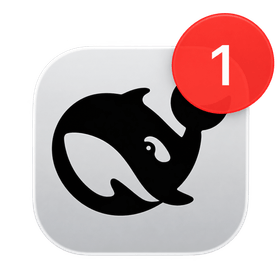
基于 Chrome Badging API(navigator.setAppBadge / navigator.clearAppBadge)实现——不依赖任何 macOS 系统设置,不需要通知权限,没有横幅打扰。
⚠️ 使用前提:请先在 Chrome 中打开 DSH Web,通过浏览器菜单 「更多 → Cast, save and share → 安装应用 / Install…」 把它封装成一个独立的 macOS 应用(PWA)——
setAppBadge只对已安装的 Web App 生效。
效果
| 场景 | Dock 图标 | 声音 |
|---|---|---|
| 会话正在运行(你不在时) | 🔴 红点(无数字)= 还在干活 | 静音 |
| 会话跑完(你不在时) | 🔴 红色数字 +1 = 结果在等你 | 🔊 水泡音 |
| 会话需要你处理 | 🔴 红色数字 +1 | 🔊 水泡音(每段离开期一次) |
| 回到应用 | 自动清除 | — |
为什么用 Badging API
本插件完全构建在 Badging API 之上,用它的三种状态编码「是否/何种新信息」:
navigator.setAppBadge(3)   // 红色数字角标:3 个未读结果
navigator.setAppBadge()    // 无数字红点:有会话正在运行
navigator.clearAppBadge()  // 清除:回到应用,已读
- 无权限、无横幅、无系统设置:角标是系统级常驻标记,网页直接调用即可
- 点 vs 数字:数字 = 未读结果计数,纯点 = 运行中(这是 Badging API 能表达的最清晰差异)
- 兼容性:需将 DSH Web 安装为 PWA(Chrome「安装网页应用」),Chrome 81+ 支持该 API;Chrome 152+ 起角标/通知会正确归属到 Web App 自身
安装
安装插件包到你的 DSH profile(以
web为例):dsh plugin --profile web add github:Bing-Bryan/dsh-unread-dot在 profile 的
package.json的dsh.profile.bundles中追加:"dsh": { "profile": { "bundles": [ "...", "dsh-unread-dot" ] } }重启
dsh web,设置 → Dock 角标与通知 即可配置。
设置项
| 设置 | 默认 | 说明 |
|---|---|---|
| Dock 角标 | 开 | 总开关:跑完/等你处理时显示数字角标,回到应用清除 |
| 运行中显示活动点 | 开 | 最小化期间有会话在生成回复时,显示无数字红点 |
| 提示音(水泡) | 开 | 完成/需要处理时播放内置水泡声(bubble.mp3,0.4s) |
| 测试提示音 | 按钮 | 立即播放一次水泡音验证声音 |
工作原理
- 插件订阅 DSH 的会话列表(
sessions.list),维护未读/已读状态:回到应用(窗口聚焦)时,当前所有待处理状态标记为已读 - 最小化/切走期间,新发生的完成/等待事件才点亮角标与提示音(旧事件不会累计重复计数)
- 运行中的会话只显示活动点(红点),不进入数字计数
- 提示音用
Audio播放内嵌的 MP3(base64),跨窗口锁保证多个窗口同时打开时只响一次
兼容性
- macOS Chrome(安装为 PWA / 「Install page as app」)
- 角标:
setAppBadge需在已安装的 Web App 上下文中生效 - 无服务器端依赖,纯客户端插件,HMR 热更新零重启
许可
MIT © 2026 Bing-Bryan
内置音效 bubble.mp3 基于 Pixabay 音频:Nature bubble in water 剪辑制作(Pixabay 许可:免费商用、无需署名)。
Install
Install the catalog once, then DeepSeek Harness can find and install any plugin from this site automatically:
dsh plugin add dshbase-catalogThen say "install dsh-unread-dot for me" — your agent finds it in the directory and installs it. Docs: dshbase-catalog · verified packs.
This plugin is GitHub source (not published to npm) — install it straight from the repo:
Web profile:
dsh plugin --profile web add github:Bing-Bryan/dsh-unread-dotHeadless (CLI) profile:
dsh plugin --profile headless add github:Bing-Bryan/dsh-unread-dotTest report
Verified: L1 install + L2 load + L3 runtime from GitHub source on dsh 0.1.0-rc.6.
When to use it
Run dsh as a native desktop app — its own window, tray icon, and shortcuts — instead of a browser tab.
Who it's for
Users who want an installed-app feel and system integration (tray, global hotkeys, auto-launch) on their OS.
For developers — extending it
The native shell is the seam — add global shortcuts, notifications, single-instance locking, or OS-specific behaviors.
Share this badge
Drop this badge into your README — it links back here and updates automatically when our test status changes:

[](https://dshbase.com/plugins/dsh-unread-dot/)<a href="https://dshbase.com/plugins/dsh-unread-dot/"><img src="https://dshbase.com/badges/dsh-unread-dot.svg" alt="dshbase install-tested"></a>