
插件目录 / Developer / deepseek-harness-remote-ssh
deepseek-harness-remote-ssh
已验证 · 实测可装 NaNQiQ
功能简介
让 DeepSeek Harness(DSH) 使用原生工具直接操作远程 Linux 服务器,自由切换服务器
可用 — 实测通过,早期项目
让 DeepSeek Harness(DSH) 使用原生工具直接操作远程 Linux 服务器,自由切换服务器 实测能干净安装、正常启动。早期项目,但功能可用。
「已验证」表示我们的自动化 CI 在干净 profile 里实际执行了 dsh plugin add 并启动成功——仅此而已。功能描述与版本兼容性均为作者声明。这不是安全审计,也不代表对第三方代码的背书。
README
DSH Remote SSH





Use the native DeepSeek Harness (DSH) tools directly on remote Linux servers.
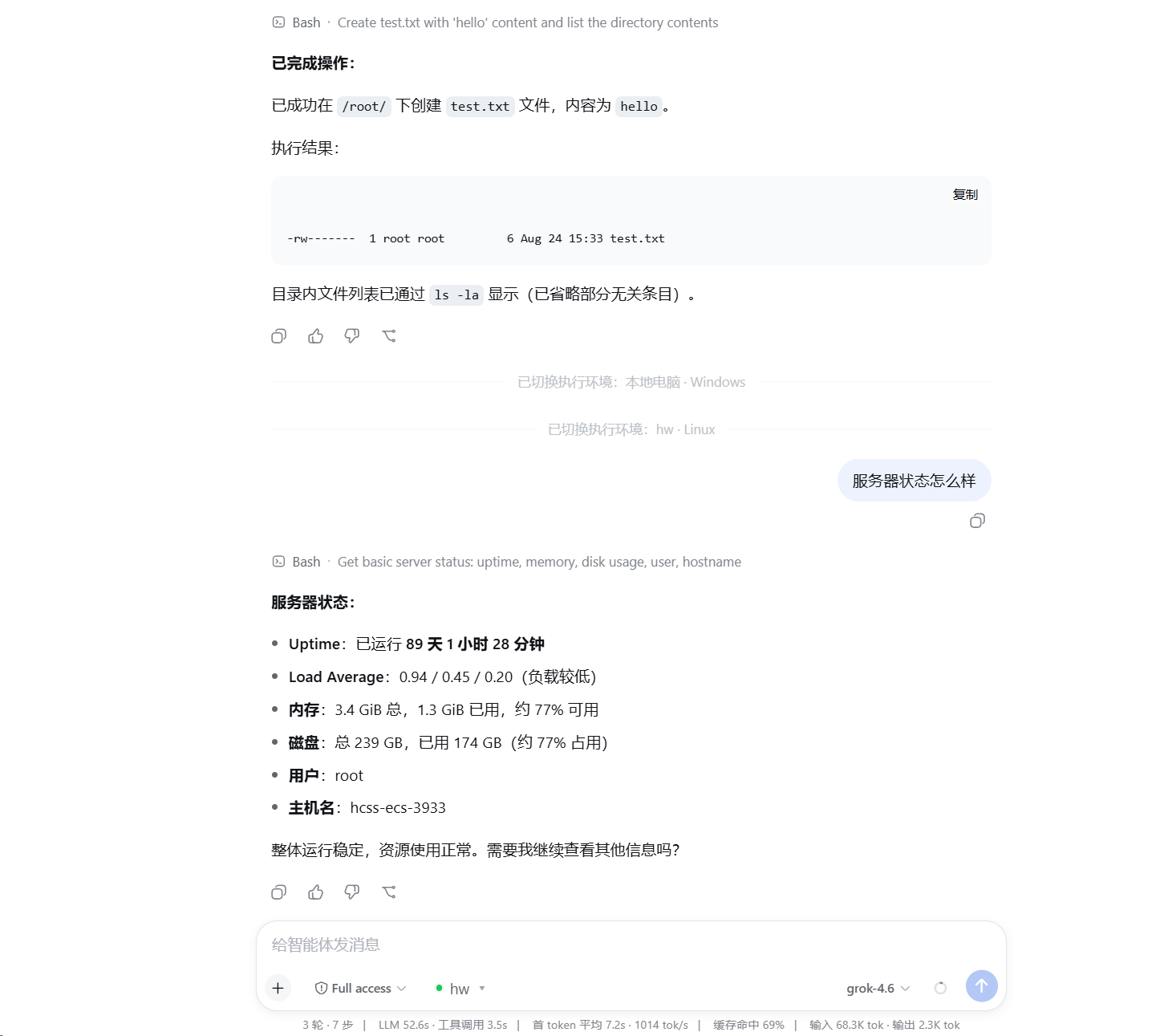
Select a saved server next to the conversation composer and DSH's existing read / write / edit / glob / grep / bash / terminal tools run remotely. The plugin does not modify DSH source code, and the server does not need DSH, this plugin, Node.js, or Python installed.
Features
- Add, test, manage, and select SSH servers inside the DSH Web UI.
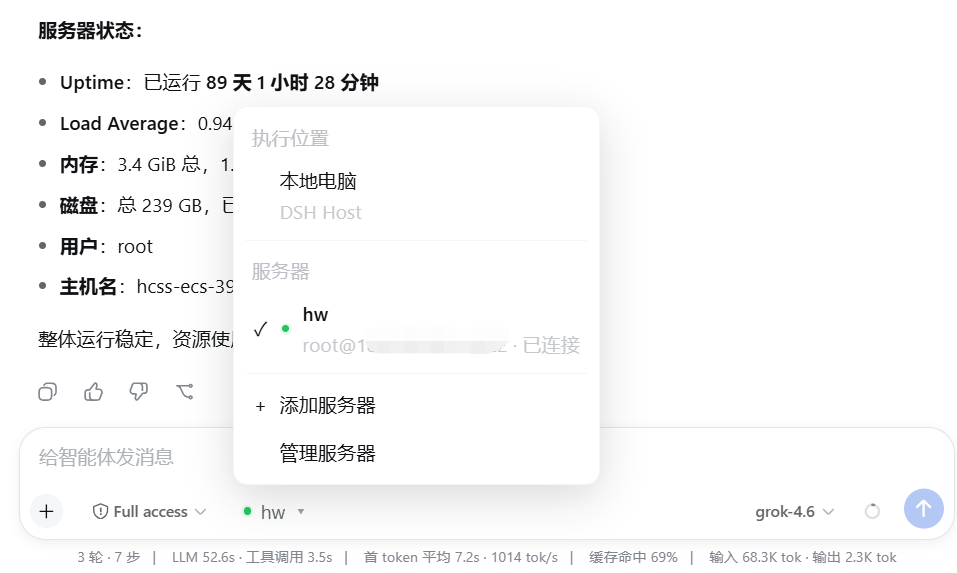
- Switch the execution environment between the local computer and saved servers.
- Keep the official DSH tools instead of adding reduced
ssh_*replacements. - Use SFTP for files, SSH exec / Shell for commands, and SSH PTY for interactive terminals.
- Preserve native
glob / grepbehavior while resolving and caching ripgrep for the remote Linux host. - Authenticate with SSH Agent, a private-key file, or a temporary password.
- Verify SSH Host Key fingerprints on first connection and reject unexpected changes.
- Reuse connections maintained by the DSH Host instead of logging in for every message.
Install
Requires Node.js 24 or newer, with dsh and pnpm available on PATH.
dsh plugin --profile web add github:NaNQiQ/deepseek-harness-remote-ssh
dsh web
If Windows cannot find pnpm, run npm install -g pnpm@11 in CMD and reopen CMD.
Use
- Start
dsh web. - Open the execution-environment selector next to the composer.
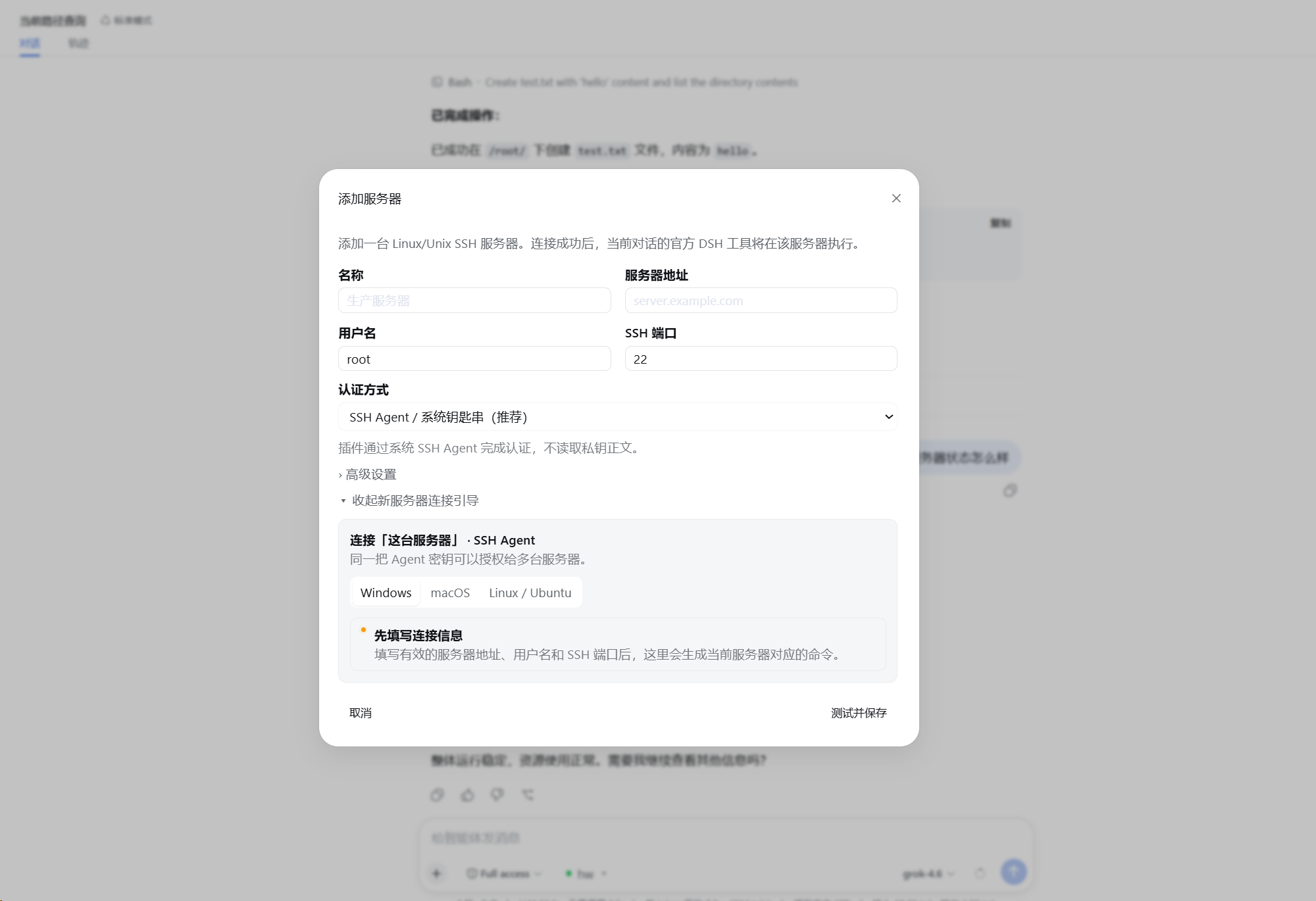
- Select Add server.
- Enter the connection, authentication, and default working-directory settings.
- Follow the built-in authentication guide and verify the server fingerprint.
- Select Test and save.
- Select the saved server next to the composer.
For later conversations, simply select the saved server. The model continues to use official DSH tools; only the location behind those tools changes.
Screenshots
Add and configure an SSH server
Switch between local and remote execution environments
Use native DSH tools on the remote server
Architecture
flowchart TB
    M[Model]
    T[Official DSH tools<br/>read · write · edit · glob · grep · bash · terminal]
    I[Official DSH execution interfaces<br/>ctx.fs · ctx.subprocess · ctx.shell · ctx.terminals]

    M --> T --> I

    subgraph W[Execution World]
        direction LR

        subgraph L[Local]
            LP[Native DSH providers]
            LOS[Local operating system]
            LP --> LOS
        end

        subgraph R[Remote SSH]
            RP[DSH Remote SSH providers]
            FS[SFTP<br/>remote filesystem]
            EX[SSH exec<br/>processes / shell]
            PTY[SSH PTY<br/>interactive terminal]
            RG[Official glob / grep arguments<br/>remote Linux ripgrep]

            RP --> FS
            RP --> EX
            RP --> PTY
            RP --> RG
        end
    end

    I --> LP
    I --> RP
Native DSH @ Linux
        ≈
DSH @ local computer + DSH Remote SSH → the same Linux host
The plugin changes where DSH executes, not how the model uses DSH tools. See ARCHITECTURE.md for implementation details.
Authentication
| Method | Behavior |
|---|---|
| SSH Agent | Requests signatures without reading private-key contents or enabling Agent Forwarding; suited to personal desktops |
| Private-key file | Persists only the path and reads the file when connecting; suited to dedicated accounts or server deployments |
| Temporary password | Kept only in current DSH Host process memory and must be entered again after restart |
Remote requirements and security boundary
- The target is a Linux / Unix host with SSH, SFTP, and a POSIX shell.
- Each server can define a default working directory; it is the initial
cwd, not a path sandbox. - Effective access equals the permissions of the remote SSH account.
- The Remote Provider does not expose the DSH Host's local filesystem to the remote execution world.
- Model API keys and Base URLs remain managed by DSH; this plugin does not read or store them.
See SECURITY.md for details.
Update and remove
dsh plugin --profile web update dsh-remote-ssh
dsh plugin --profile web remove dsh-remote-ssh
Restart DSH after updating or removing the plugin.
Documentation
- ARCHITECTURE.md — architecture and implementation
- SECURITY.md — security model and credential handling
- CHANGELOG.md — release history
- CONTRIBUTING.md — development and contributions
Related project
Friends

License
安装
装一次目录插件,之后本站所有插件都能让 DeepSeek Harness 自动找、自动装:
dsh plugin add dshbase-catalog然后对 agent 说「帮我装 deepseek-harness-remote-ssh」,它会在目录里找到并自动安装。文档:dshbase-catalog · 已验证场景包。
该插件是 GitHub 源码(未发 npm)——直接从仓库装:
Web profile:
dsh plugin --profile web add github:NaNQiQ/deepseek-harness-remote-sshHeadless(CLI)profile:
dsh plugin --profile headless add github:NaNQiQ/deepseek-harness-remote-ssh实测报告
验证通过:从 GitHub 源码完成 L1 安装 + L2 加载 + L3 运行(dsh 0.1.0-rc.6)。
分享徽章
把这枚徽章粘进 README——它会链回本页,实测状态变化时自动更新:

[](https://dshbase.com/zh/plugins/deepseek-harness-remote-ssh/)<a href="https://dshbase.com/zh/plugins/deepseek-harness-remote-ssh/"><img src="https://dshbase.com/badges/deepseek-harness-remote-ssh.svg" alt="dshbase 实测可装"></a>