
插件目录 / Developer / dsh-annotate
dsh-annotate
已验证 · 实测可装 BrambleXu
功能简介
DeepSeek Harness 浏览器元素标注插件,捕获 DOM、样式、可访问性数据、评论和视口截图。
可用 — 实测通过,早期项目
DeepSeek Harness 浏览器元素标注插件,捕获 DOM、样式、可访问性数据、评论和视口截图。 实测能干净安装、正常启动。早期项目,但功能可用。
「已验证」表示我们的自动化 CI 在干净 profile 里实际执行了 dsh plugin add 并启动成功——仅此而已。功能描述与版本兼容性均为作者声明。这不是安全审计,也不代表对第三方代码的背书。
README
dsh-annotate





English | 中文
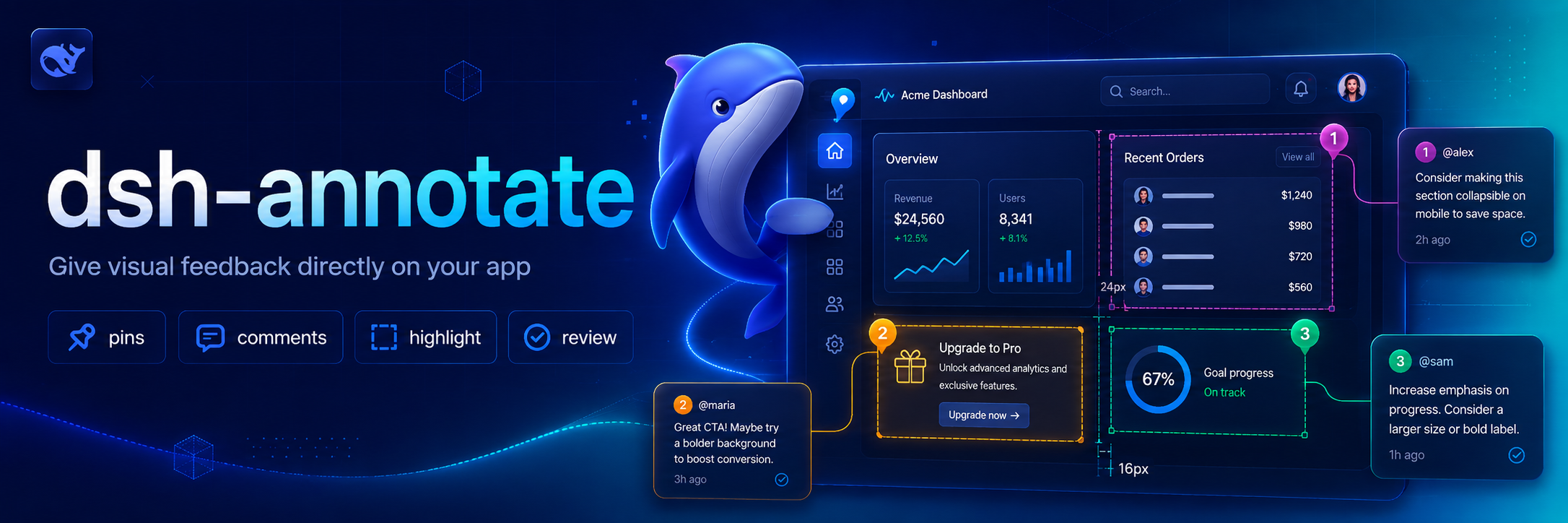
Visual browser feedback for DeepSeek Harness. /annotate asks the companion Chrome extension to enter selection mode; each selected element contributes a selector, DOM facts, computed style highlights, accessibility data, a comment, and an optional viewport screenshot to the agent's next turn.
Why this exists 💡
Browser UI problems are difficult to describe precisely through plain text. dsh-annotate lets you point at the relevant element and send the Agent the surrounding browser facts, so visual feedback stays attached to the page element instead of becoming a vague description or a copied screenshot.
Features ✨
- Select elements directly in Chrome or Chromium through
/annotate. - Capture selectors, DOM facts, computed-style highlights, accessibility data, comments, and optional viewport screenshots.
- Send structured annotations to the Agent through a local loopback WebSocket bridge.
- Restrict browser connections by loopback host, extension origin, and optional extension ID.
Install 📦
Add the plugin project to a Harness profile:
dsh plugin --profile demo add ./dsh-annotate
Then install the companion extension:
- Open
chrome://extensionsin Chrome or Chromium. - Enable Developer mode.
- Choose Load unpacked and select this project's
browser-extensiondirectory. - Open the extension popup and keep the default bridge endpoint.
For tighter local authorization, copy the extension ID shown in the popup into allowedExtensionId in a later Harness patch layer.
Use 🚀
/annotate
/annotate http://localhost:3000
Click an element, enter its comment, and repeat as needed. Submit sends all captured facts and the visible-tab screenshot to the agent. Escape cancels.
Configure ⚙️
- id: dsh-annotate
  name: dsh-annotate
  config:
    host: 127.0.0.1
    port: 43119
    allowedExtensionId: abcdefghijklmnopqrstuvwxyzabcdef
    requestTimeoutMs: 300000
    maxPayloadBytes: 16777216
    includeScreenshot: true
The server refuses non-loopback hosts and browser connections whose origin is not chrome-extension://. An empty allowedExtensionId accepts any locally installed Chrome extension; set the exact ID for stricter isolation.
Develop 🧑💻
pnpm install
pnpm run check
Reload the unpacked browser extension after editing its files.
Scope 🎯
Version 0.1 targets one local Chrome/Chromium browser, one active tab, and visible-viewport screenshots. Remote browsers, full-page capture, edit recording, and inline draggable note cards are deferred.
License 📄
MIT
Credits 🙏
The interaction is inspired by pi-annotate. This implementation is built around Harness's human-command, attachment, and Agent APIs and uses a small loopback WebSocket bridge instead of a native-messaging host.
安装
装一次目录插件,之后本站所有插件都能让 DeepSeek Harness 自动找、自动装:
dsh plugin add dshbase-catalog然后对 agent 说「帮我装 dsh-annotate」,它会在目录里找到并自动安装。文档:dshbase-catalog · 已验证场景包。
该插件是 GitHub 源码(未发 npm)——直接从仓库装:
Web profile:
dsh plugin --profile web add github:BrambleXu/dsh-annotateHeadless(CLI)profile:
dsh plugin --profile headless add github:BrambleXu/dsh-annotate实测报告
验证通过:从 GitHub 源码完成 L1 安装 + L2 加载 + L3 运行(dsh 0.1.0-rc.6)。
使用场景
扩展 agent 的编码能力面——给它一个新工具、工作流或集成,让它接手以前做不了的开发任务。
适合谁
想让 dsh 在真实代码库上像队友一样干活的开发者——能改、能跑、能验证,而不只是回答问题。
二次开发建议
工具/命令面就是缝:暴露更多 SDK 能力、加更聪明的上下文接线,或收紧改代码与验证之间的循环。
分享徽章
把这枚徽章粘进 README——它会链回本页,实测状态变化时自动更新:

[](https://dshbase.com/zh/plugins/dsh-annotate/)<a href="https://dshbase.com/zh/plugins/dsh-annotate/"><img src="https://dshbase.com/badges/dsh-annotate.svg" alt="dshbase 实测可装"></a>