
Plugin directory / Developer / dsh-annotate
dsh-annotate
Verified · install-tested on dsh BrambleXu
What it does
Visual browser element annotation for DeepSeek Harness, capturing DOM, styles, accessibility data, comments, and viewport screenshots.
Works — verified, early-stage project
Visual browser element annotation for DeepSeek Harness, capturing DOM, styles, accessibility data, comments, and viewport screenshots. It installs cleanly and boots without issues in our testing. It's early-stage but functional.
“Verified” means our automated CI actually ran dsh plugin add in a clean profile and it booted — nothing more. Feature descriptions and version compatibility are the author’s claims. This is not a security audit and not an endorsement of third-party code.
README
dsh-annotate





English | 中文
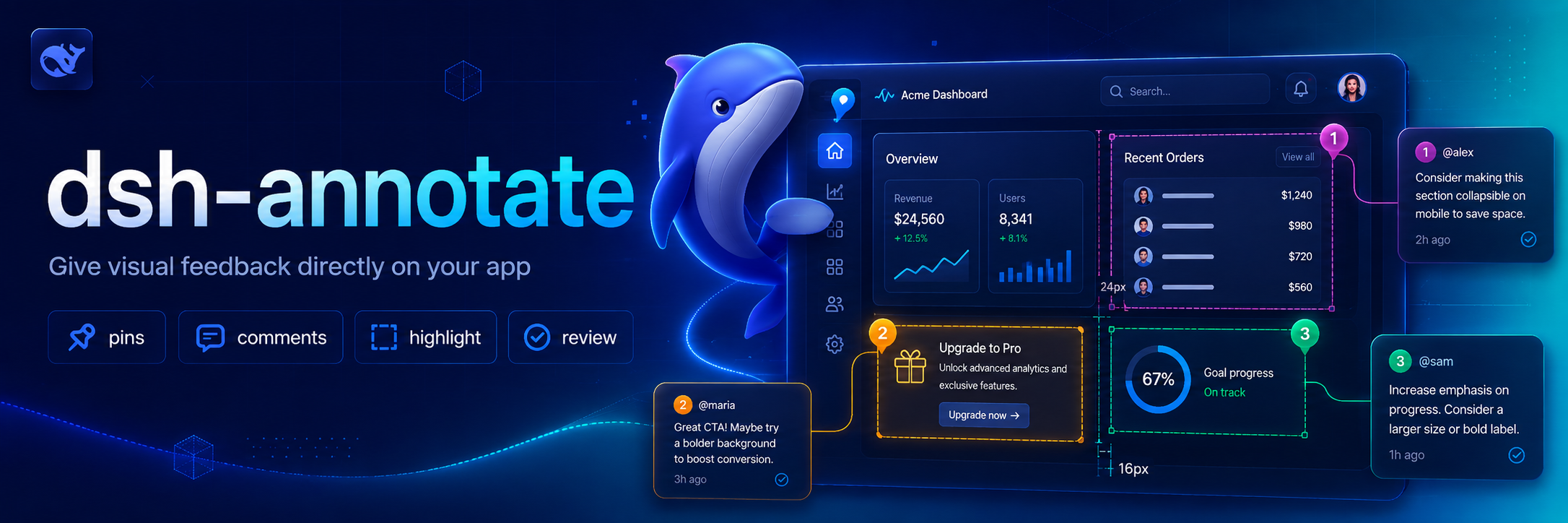
Visual browser feedback for DeepSeek Harness. /annotate asks the companion Chrome extension to enter selection mode; each selected element contributes a selector, DOM facts, computed style highlights, accessibility data, a comment, and an optional viewport screenshot to the agent's next turn.
Why this exists 💡
Browser UI problems are difficult to describe precisely through plain text. dsh-annotate lets you point at the relevant element and send the Agent the surrounding browser facts, so visual feedback stays attached to the page element instead of becoming a vague description or a copied screenshot.
Features ✨
- Select elements directly in Chrome or Chromium through
/annotate. - Capture selectors, DOM facts, computed-style highlights, accessibility data, comments, and optional viewport screenshots.
- Send structured annotations to the Agent through a local loopback WebSocket bridge.
- Restrict browser connections by loopback host, extension origin, and optional extension ID.
Install 📦
Add the plugin project to a Harness profile:
dsh plugin --profile demo add ./dsh-annotate
Then install the companion extension:
- Open
chrome://extensionsin Chrome or Chromium. - Enable Developer mode.
- Choose Load unpacked and select this project's
browser-extensiondirectory. - Open the extension popup and keep the default bridge endpoint.
For tighter local authorization, copy the extension ID shown in the popup into allowedExtensionId in a later Harness patch layer.
Use 🚀
/annotate
/annotate http://localhost:3000
Click an element, enter its comment, and repeat as needed. Submit sends all captured facts and the visible-tab screenshot to the agent. Escape cancels.
Configure ⚙️
- id: dsh-annotate
  name: dsh-annotate
  config:
    host: 127.0.0.1
    port: 43119
    allowedExtensionId: abcdefghijklmnopqrstuvwxyzabcdef
    requestTimeoutMs: 300000
    maxPayloadBytes: 16777216
    includeScreenshot: true
The server refuses non-loopback hosts and browser connections whose origin is not chrome-extension://. An empty allowedExtensionId accepts any locally installed Chrome extension; set the exact ID for stricter isolation.
Develop 🧑💻
pnpm install
pnpm run check
Reload the unpacked browser extension after editing its files.
Scope 🎯
Version 0.1 targets one local Chrome/Chromium browser, one active tab, and visible-viewport screenshots. Remote browsers, full-page capture, edit recording, and inline draggable note cards are deferred.
License 📄
MIT
Credits 🙏
The interaction is inspired by pi-annotate. This implementation is built around Harness's human-command, attachment, and Agent APIs and uses a small loopback WebSocket bridge instead of a native-messaging host.
Install
Install the catalog once, then DeepSeek Harness can find and install any plugin from this site automatically:
dsh plugin add dshbase-catalogThen say "install dsh-annotate for me" — your agent finds it in the directory and installs it. Docs: dshbase-catalog · verified packs.
This plugin is GitHub source (not published to npm) — install it straight from the repo:
Web profile:
dsh plugin --profile web add github:BrambleXu/dsh-annotateHeadless (CLI) profile:
dsh plugin --profile headless add github:BrambleXu/dsh-annotateTest report
Verified: L1 install + L2 load + L3 runtime from GitHub source on dsh 0.1.0-rc.6.
When to use it
Extend the agent's coding surface — give it a new tool, workflow, or integration so it handles a dev task it couldn't before.
Who it's for
Developers who want dsh to behave like a teammate on real codebases — editing, running, and verifying changes rather than just answering.
For developers — extending it
The tool/command surface is the seam: expose more of the SDK, add smarter context wiring, or tighten the loop between code changes and verification.
Share this badge
Drop this badge into your README — it links back here and updates automatically when our test status changes:

[](https://dshbase.com/plugins/dsh-annotate/)<a href="https://dshbase.com/plugins/dsh-annotate/"><img src="https://dshbase.com/badges/dsh-annotate.svg" alt="dshbase install-tested"></a>