
dsh-notifier
已验证 · 实测可装 THEWOLFWALKER
功能简介
统一通知推送插件:8通道适配器
可用 — 实测通过,社区增长中
统一通知推送插件:8通道适配器 实测能干净安装、正常启动。社区在增长,是个稳妥选择。
「已验证」表示我们的自动化 CI 在干净 profile 里实际执行了 dsh plugin add 并启动成功——仅此而已。功能描述与版本兼容性均为作者声明。这不是安全审计,也不代表对第三方代码的背书。
README
dsh-notifier
Your agent, in your pocket.
Bring DeepSeek Harness to your phone: notifications, approvals, questions, remote conversation, and task/session control across 28 outbound and 6 inbound channels.
简体中文 · Quick Guide · Troubleshooting · Compatibility


[email protected] · test/ 2011 tests · 2011 automated contract tests
What it does
dsh-notifier is the notification and remote-operations layer for DeepSeek Harness. It is built for the common workflow of leaving the DSH window while still wanting to know what your agent is doing — and respond when it needs you.
- Get notified anywhere — task completion, approvals, errors, long-running status, and model-triggered notifications.
- Respond from your phone — approve/reject, answer
ask_user, continue a conversation, steer a running turn, or switch tasks/sessions. - Manage it inside DSH — the Native Notify & Control panel is the daily control surface; the loopback Advanced Console remains available for recovery and deeper management.
- Keep failures contained — unsafe or unknown inbound actions fail closed; outbound channel failures do not take down the rest of the notifier.
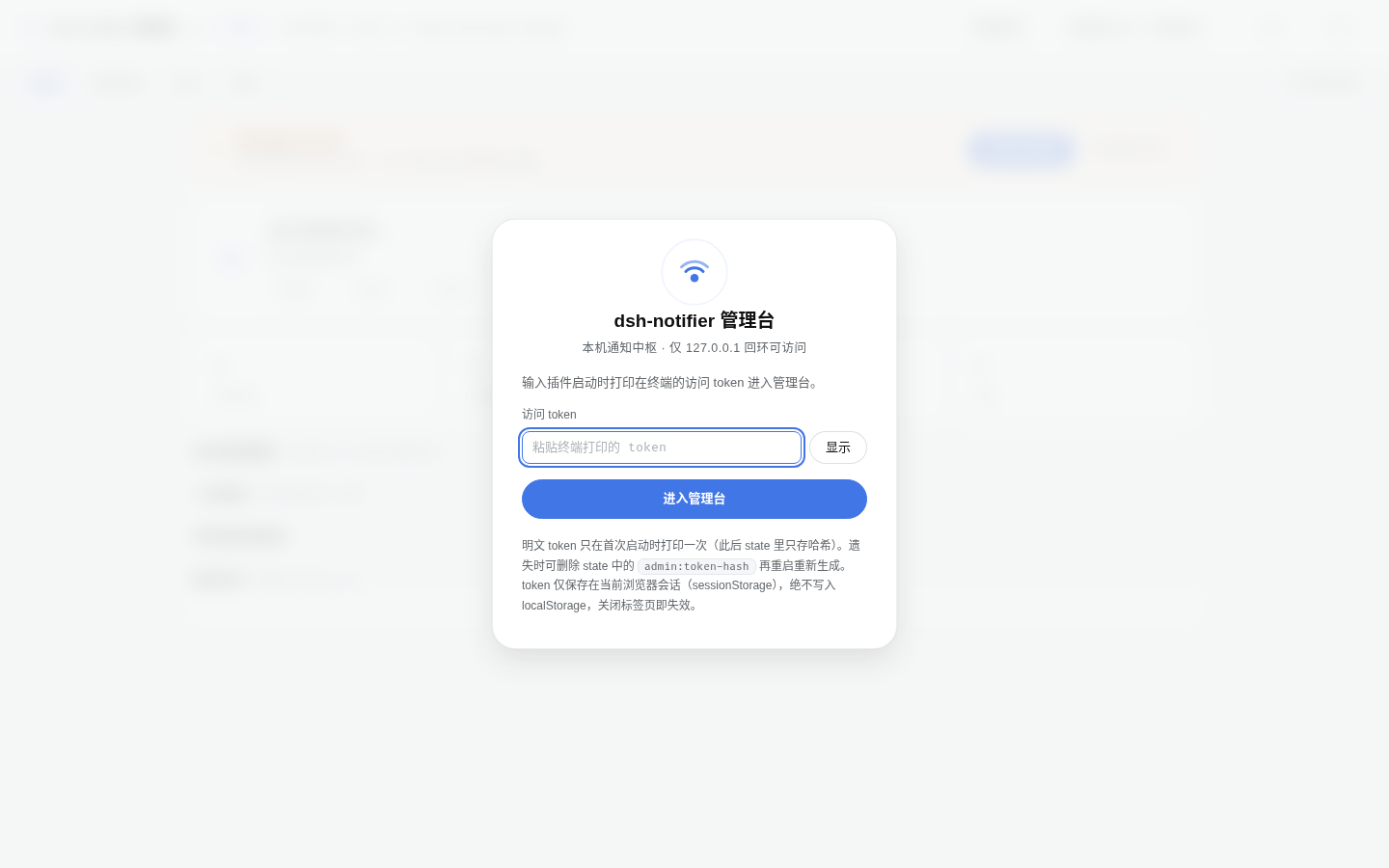
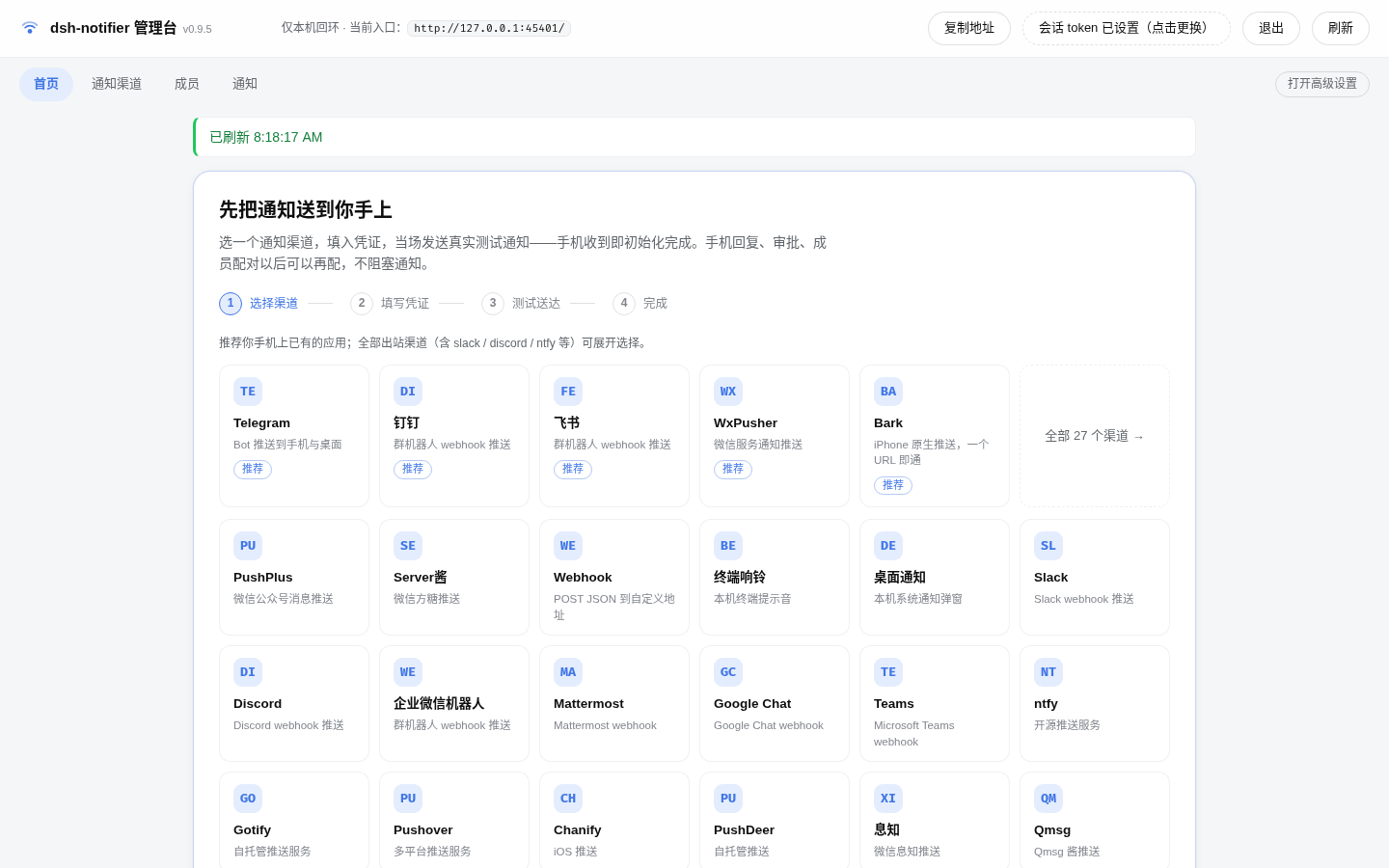
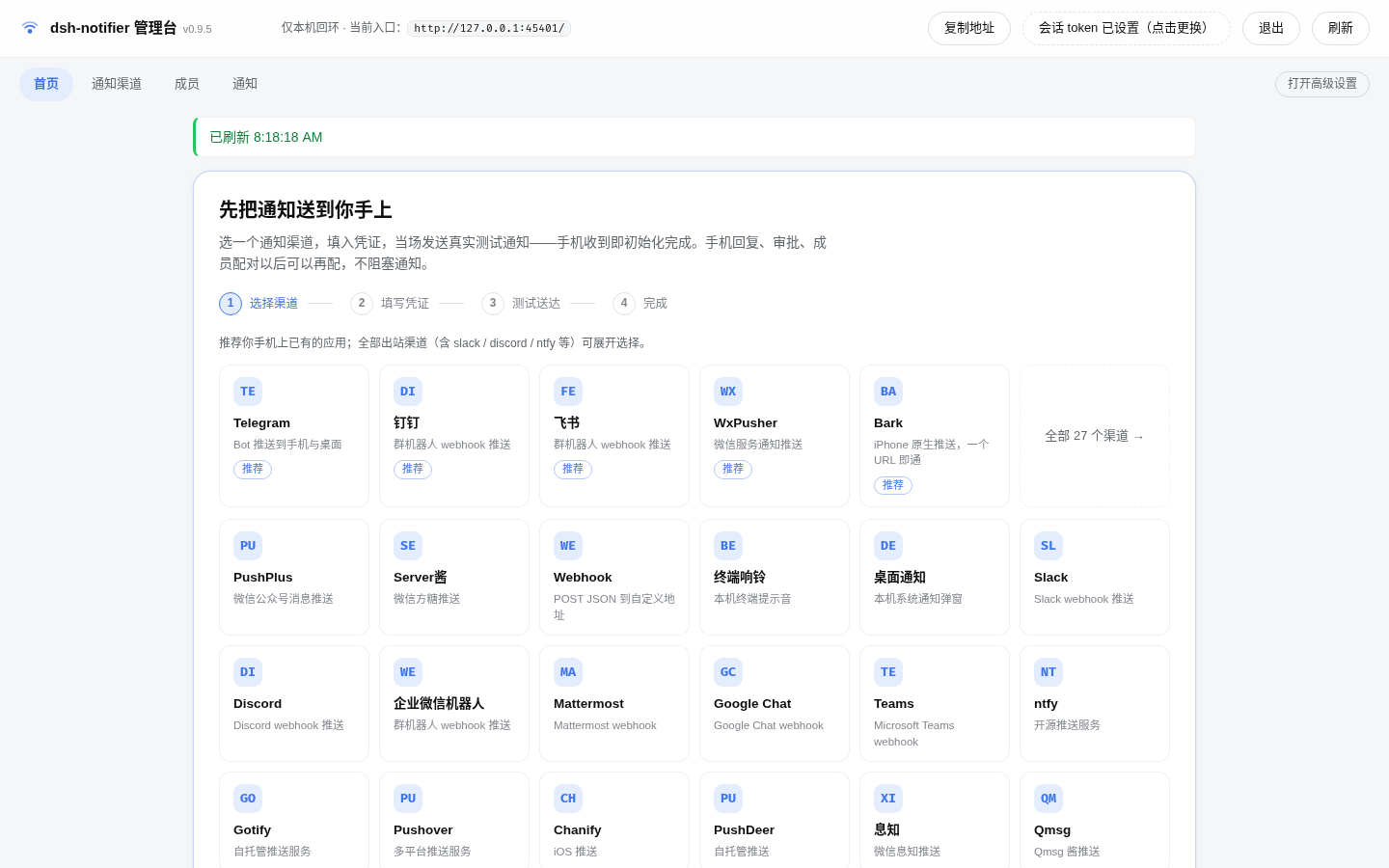
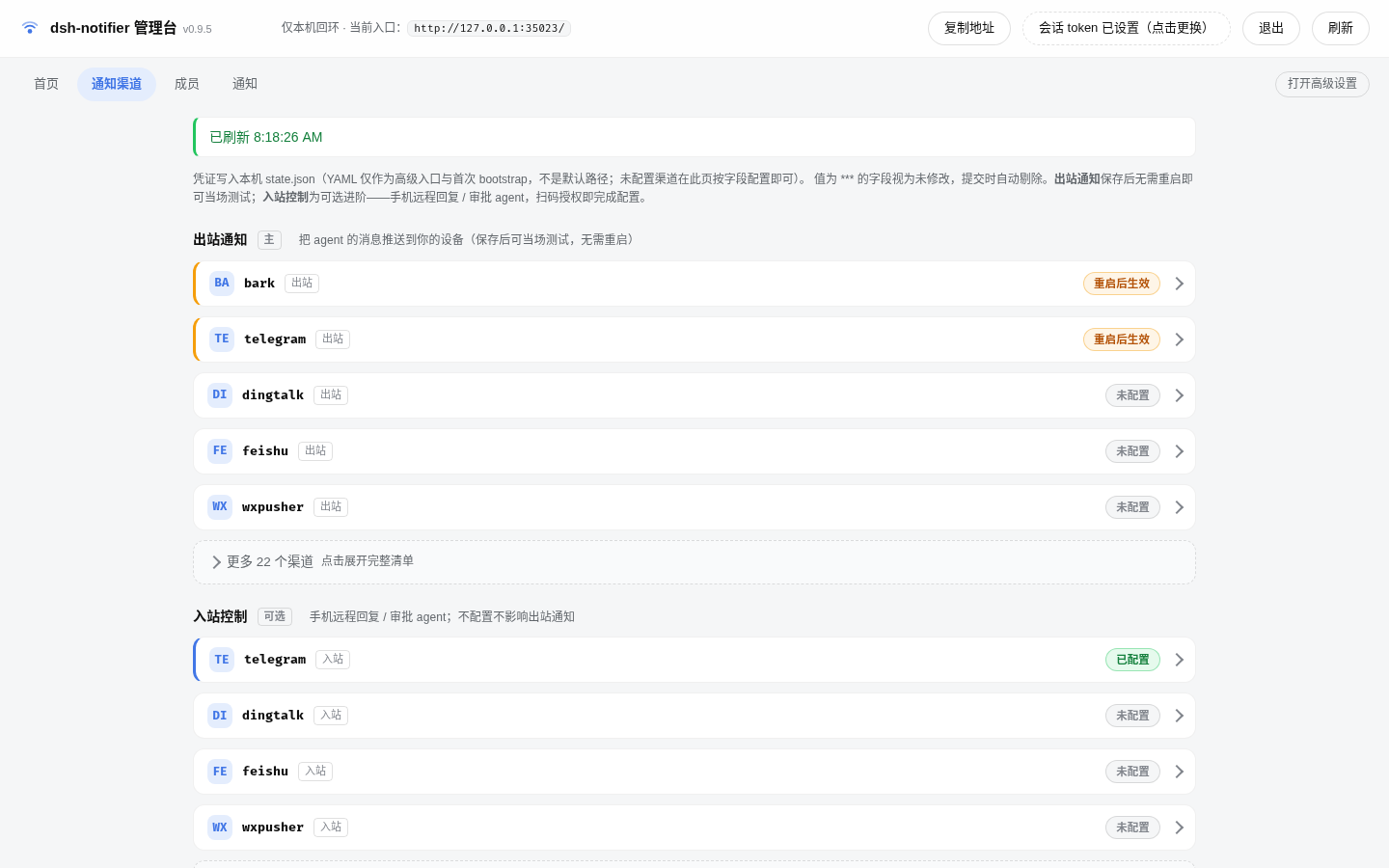
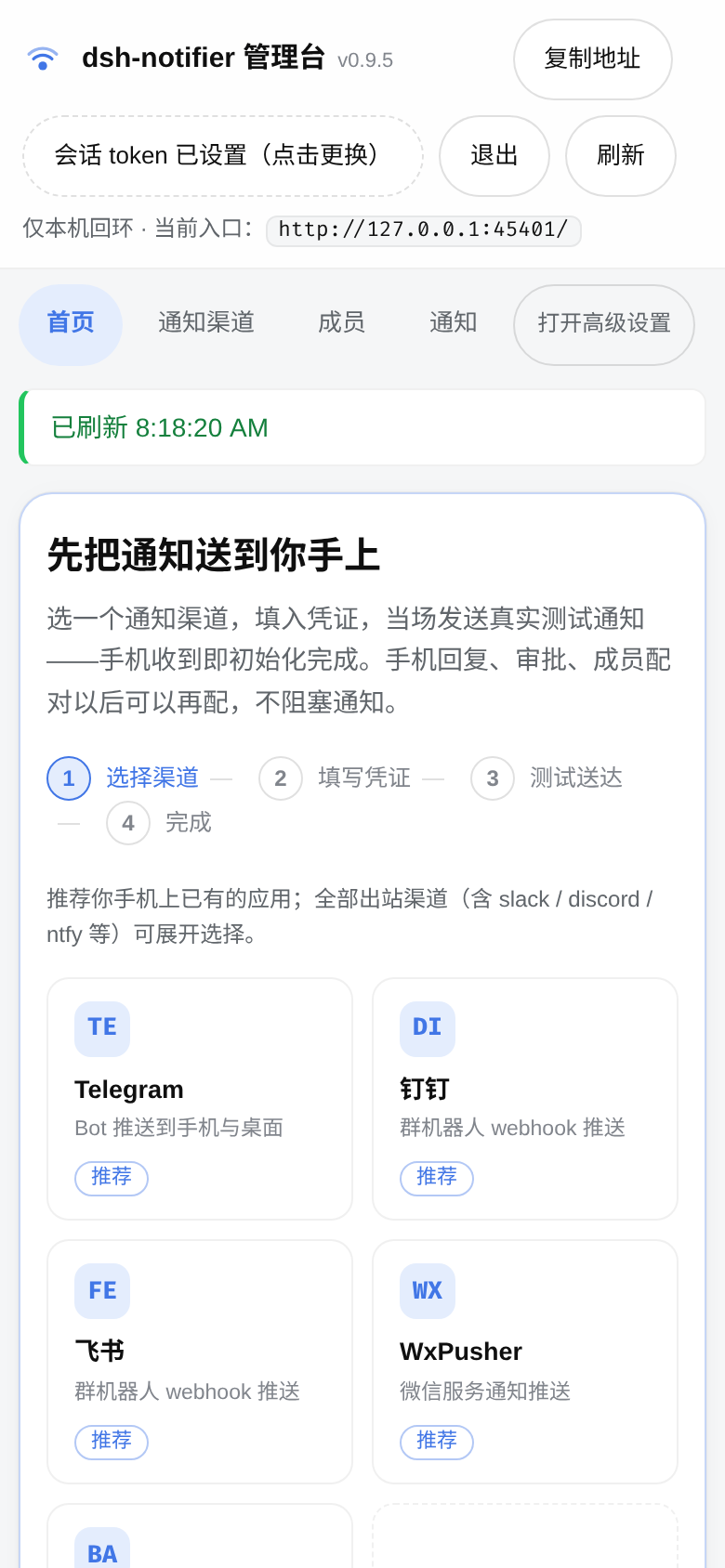
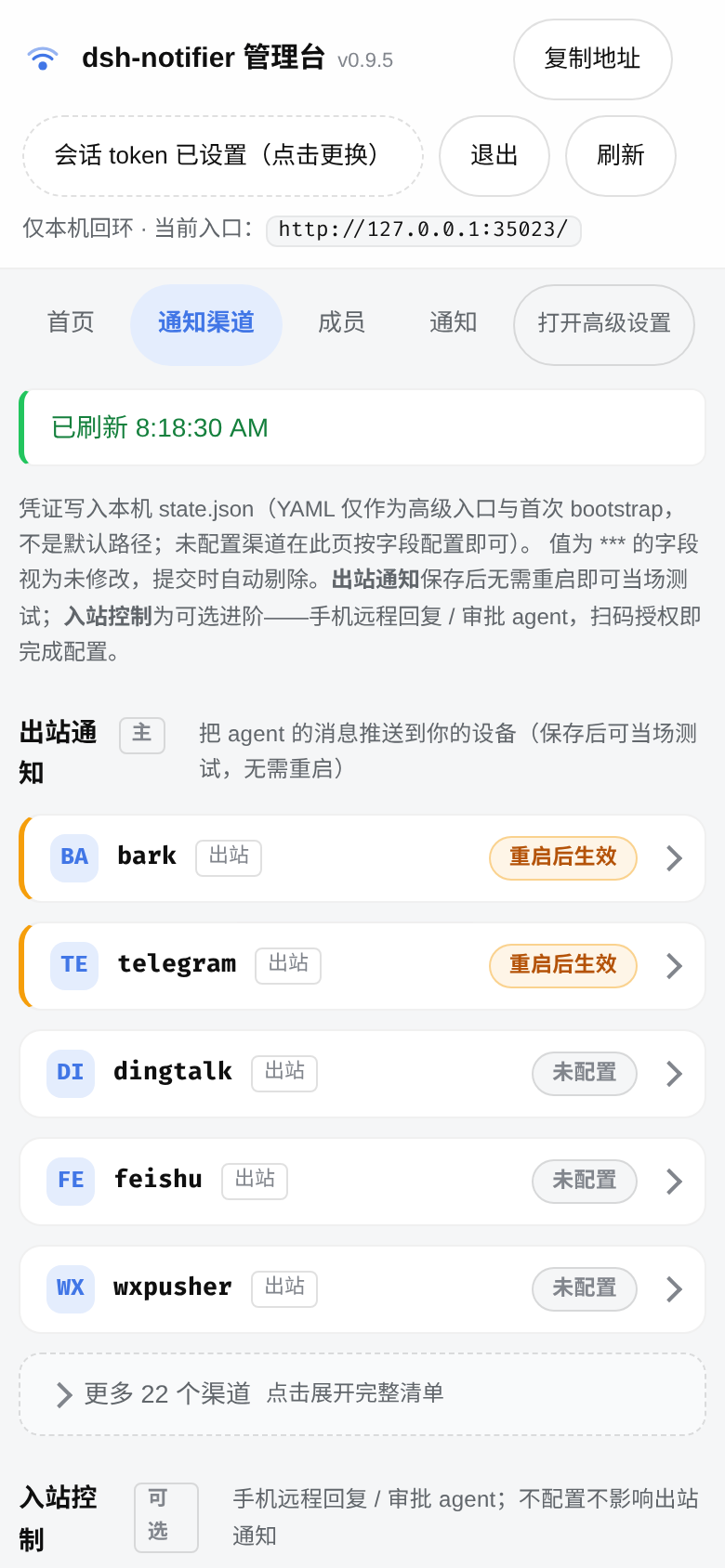
Screenshots
 |
 |
 |
 |
 |
 |
Install
Ask an AI to install it for you
Copy this sentence to an AI/agent that can operate your terminal:
Install or upgrade the latest stable dsh-notifier on this machine. First detect the active DSH profile and current install source, verify the installed DSH/Node versions are compatible, and preserve the existing configuration. Do not modify unrelated plugins or print any token/secret. Install from the official package, restart the relevant DSH Host once, verify the actual installed version and the Notify & Control entry, then report the commands you ran, the result, and any remaining problem. Project:
https://github.com/THEWOLFWALKER/dsh-notifier
The full AI installation procedure is in AI_INSTALL.en.md.
Install manually
dsh plugin add dsh-notifier@latest --profile <profile-name>
Restart DSH once so the new Host plugin and client.js are loaded. Then:
- Open Notify & Control from the DSH sidebar, or Plugins → dsh-notifier.
- Choose a channel you already use.
- Enter its credentials and choose Save and test.
- If the provider only confirms API acceptance, verify the message on your device; a provider acceptance is not presented as end-to-end delivery proof.
Outbound configuration changes are hot-applied after installation. Inbound transports can still show Restart pending when their long-lived connection must be recreated.
Pick the mode you need
| I want to… | Start here |
|---|---|
| Only receive task notifications | Configure one outbound channel in Notify & Control |
| Approve / answer questions from my phone | Add a supported inbound channel, then pair your identity |
| Talk to the agent remotely | Pair your identity, then send plain text in the private bot chat |
| Steer a running task | Send ! <instruction> from the bound private chat |
| Manage members, bindings, sessions or recovery | Open the Advanced Console from Native |
| Automate or run headless | Use YAML / CLI from the guide |
Channels
Outbound (28): Bark, Bell, Chanify, Desktop, DingTalk, Discord, Feishu, Google Chat, Gotify, iGot, Mattermost, ntfy, OneBot 11, PushDeer, Pushover, PushPlus, Qmsg, QQ official bot, ServerChan, Slack, Microsoft Teams, Telegram, Webhook, WeCom robot, WeCom app, WPS Bot, WxPusher, Xizhi.
Inbound control (6): Telegram, Feishu, QQ official bot, WxPusher, WeChat iLink, DingTalk.
Full channel matrix (generated from the channel registry)
| type | Channel | Auth | Free? |
|---|---|---|---|
bark |
Bark (iOS) | device key (or self-host URL) | ✅ |
bell |
Terminal bell (local) | — | local |
chanify |
Chanify (iOS) | token (or self-host) | ✅ |
desktop |
Desktop notification (local) | — (Windows needs BurntToast module) | local |
dingtalk |
DingTalk custom robot | webhook + secret (HMAC sign) | ✅ |
discord |
Discord webhook | webhook URL | ✅ |
feishu |
Feishu custom bot | webhook (+ sign secret) | ✅ |
gchat |
Google Chat | space webhook URL | ✅ |
gotify |
Gotify | server URL + app token | self-host |
igot |
iGot (iOS) | push key | ✅ (limits) |
mattermost |
Mattermost | base URL + token (+ channel) | self-host |
ntfy |
ntfy | topic (+ server URL) | ✅ (self-host) |
onebot |
OneBot 11 (QQ) | HTTP endpoint | self-host |
pushdeer |
PushDeer | push key | ✅ |
pushover |
Pushover | user key + app token | paid (one-time) |
pushplus |
PushPlus (WeChat) | token | ✅ (limits) |
qmsg |
Qmsg酱 (QQ) | key (+ optional group, v3) | ✅ (limits) |
qq-bot |
QQ official bot | appId + appSecret | ✅ |
serverchan |
Server酱 (WeChat) | sendkey | ✅ (limits) |
slack |
Slack | incoming webhook URL | ✅ |
teams |
Microsoft Teams | Power Automate workflow URL | ✅ |
telegram |
Telegram Bot API | bot token + chat id | ✅ |
webhook |
Any custom endpoint | — | — |
wecom |
WeCom group robot | webhook key | ✅ |
wecom-app |
WeCom app message | corpid + agentId + secret | ✅ |
wps-bot |
WPS collaboration group robot (WOA) | webhook URL (with ?key=) | ✅ |
wxpusher |
WxPusher (WeChat) | appToken + uid | ✅ (limits) |
xizhi |
息知 Xizhi | sendkey | ✅ (limits) |
Provider behavior differs. Buttons, attachments, delivery receipts, reconnect behavior, and account limits are only claimed at the evidence level documented in Compatibility.
Common private-chat commands
| Command | Purpose |
|---|---|
/help |
Show commands |
/whoami |
Show identity / pairing state |
/status |
Current routing / session state |
/tasks / /use … |
List or select active tasks |
/sessions |
Session overview |
/stop |
Stop the current turn |
/route |
Show bidirectional routing |
/quiet … / /unquiet … |
Mute / restore notification delivery |
/pair <code> / /unpair |
Pair / detach an inbound identity |
/log [N] |
Bounded redacted recent-notification summary; off by default and owner-only |
Plain text continues the conversation. Prefix with ! to steer a running turn. Unsafe remote-control semantics are not enabled in group chats.
How it fits together
DSH events / notify() / other plugins
                 │
                 ▼
        dsh-notifier core
        ┌────────┴────────┐
        ▼                 ▼
  28 outbound        health / activity
     channels             │
        │                 │
        ▼                 │
      phone               │
        │                 │
        └─ 6 inbound ─────┘
             │
             ▼
 identity + Control Core
 approval · ask_user · conversation · task/session control
The Native UI, notifier runtime, tests, and Advanced Console are designed to observe the same underlying state rather than maintaining separate “UI truth” and “runtime truth”.
Need help? Diagnose first, then report
Please do not start by pasting a large log into an issue. The fastest support path is:
- Give an AI the troubleshooting prompt and let it perform read-only diagnosis first.
- Let the AI identify the installed version, DSH profile/version, install source, failing subsystem, and a minimal reproduction — with secrets redacted.
- If the problem is safely fixable locally, fix and re-test it.
- If it remains unresolved, have the AI generate a compact diagnostic report.
- Send that report through GitHub Issues or the contact channels below.
This keeps “old package / wrong profile / stale file: install / missing restart / provider credential” cases out of maintainer triage, while giving us a reproducible report when there is a real project bug.
Documentation
| Document | Use it for |
|---|---|
| Guide | Install, first setup, outbound/inbound, pairing, daily use |
| AI installation | Safe copy/paste prompt for a terminal-capable AI |
| Troubleshooting | Human + AI first-line diagnosis |
| Diagnostics | Evidence collection and support report format |
| Compatibility | DSH / optional SDK / provider evidence levels |
| Upgrade guide | Update, verify version, stale-install cleanup, rollback |
| Plugin API | ctx.notifier consumer API |
| Architecture | Internal design and runtime authorities |
| Changelog | Release history |
Contact
For reproducible bugs, prefer GitHub Issues after AI-assisted diagnosis.
- QQ: 3622976831
- Email: [email protected]
- QQ group: 947656156
Do not send bot tokens, webhook secrets, admin tokens, full state.json, or unredacted private chat content through an issue, QQ, or email.
Maintenance note: replies may be slower until 2026-10-01 because the maintainer is taking exams.
Development
Node.js 22+, ESM, and zero mandatory runtime dependencies. Some provider onboarding features use optional dependencies and load them only when needed.
Release verification remains documented in AGENTS.md, OPERATIONS, and the repository test suite.
License
MIT
安装
装一次目录插件,之后本站所有插件都能让 DeepSeek Harness 自动找、自动装:
dsh plugin add dshbase-catalog然后对 agent 说「帮我装 dsh-notifier」,它会在目录里找到并自动安装。文档:dshbase-catalog · 已验证场景包。
该插件是 GitHub 源码(未发 npm)——直接从仓库装:
Web profile:
dsh plugin --profile web add github:THEWOLFWALKER/dsh-notifierHeadless(CLI)profile:
dsh plugin --profile headless add github:THEWOLFWALKER/dsh-notifier实测报告
验证通过:从 GitHub 源码完成 L1 安装 + L2 加载 + L3 运行(dsh 0.1.0-rc.6)。
使用场景
给 agent 网络能力——请求、API、代理或协议——让它能触达外部系统。
适合谁
任务涉及网络的人——调 API、抓资源或与远端服务通信。
二次开发建议
适配器和请求整形是缝——加协议、鉴权处理器、重试和端点抽象。
分享徽章
把这枚徽章粘进 README——它会链回本页,实测状态变化时自动更新:

[](https://dshbase.com/zh/plugins/dsh-notifier/)<a href="https://dshbase.com/zh/plugins/dsh-notifier/"><img src="https://dshbase.com/badges/dsh-notifier.svg" alt="dshbase 实测可装"></a>