
插件目录 / Developer / dsh-token-dashboard
dsh-token-dashboard
已验证 · 实测可装 apodemakeles
功能简介
DeepSeek Harness (DSH) plugin: local daily/weekly token usage dashboard and heatmap
可用 — 实测通过,早期项目
DeepSeek Harness (DSH) plugin: local daily/weekly token usage dashboard and heatmap 实测能干净安装、正常启动。早期项目,但功能可用。
「已验证」表示我们的自动化 CI 在干净 profile 里实际执行了 dsh plugin add 并启动成功——仅此而已。功能描述与版本兼容性均为作者声明。这不是安全审计,也不代表对第三方代码的背书。
README
@apodemakeles/dsh-token-dashboard
English | 中文
A DeepSeek Harness (DSH) web GUI plugin: a token-consumption heatmap panel. It shows your total token usage per day / per week across all projects on this machine, GitHub-contributions style. Usage facts are projected into a local SQLite database by a persistent Worker, so opening the panel never scans session logs.
Status: released v0.2.0 — GitHub distribution is live. The package is not currently published to npm.
Screenshots
Weekly heatmap
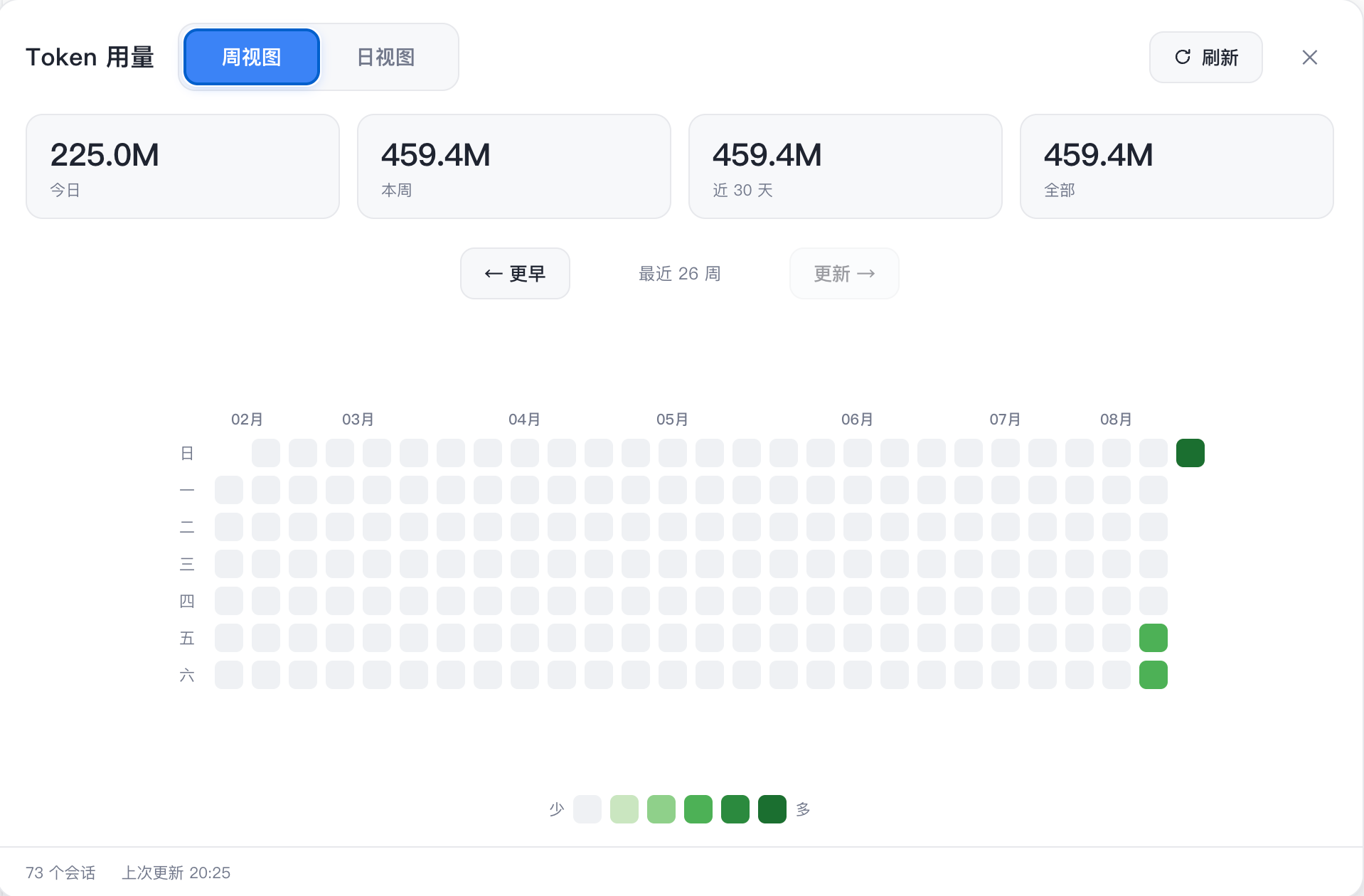
Daily view

What it does
- Host half — listens to live
session/event, flushes through DSH's durability barrier, and sends minimal usage deltas to a persistent Worker. The Worker owns SQLite (node:sqlite), commits facts/checkpoints atomically, and serves one consistent snapshot endpoint. - Client half — registers a Token entry in the sidebar and opens a dedicated panel rendering the heatmap (weekly grid + daily view). It fetches a single
GET /api/token-dashboard/snapshotper open/refresh/page change. - CLI —
dsh-token-dashboard status|verify|rebuild|backups|restore|cleanupfor local maintenance.
Installation
From GitHub:
dsh plugin --profile web add github:apodemakeles/dsh-token-dashboard
Then restart dsh web. Open any project session and click the Token entry in the sidebar.
The npm package is not currently published; use the GitHub installation above.
Data and operations
- Projection database:
$DSH_HOME/data/token-dashboard/usage-v1.sqlite(default~/.dsh). - Total tokens =
inputTokens + outputTokens + cacheReadTokens(cache reads count into the headline). - The panel only calls the snapshot route; it does not trigger
listSnapshots,inspect,readFrom,flush, or backfill. - First startup initializes the database in the background; the panel shows phase/progress until
ready.
Development
git clone https://github.com/apodemakeles/dsh-token-dashboard.git
cd dsh-token-dashboard
pnpm install && pnpm build
dsh plugin --profile web add link:$(pwd)
See .scratch/dsh-token-dashboard/map.md for the project map (planning tracker), docs/durable-usage-architecture.md for the architecture contract, and docs/dev-loop.md for the full dev loop.
Known limitations
- Projection is machine-local: it reads sessions stored on this machine (
~/.dsh/sessionsis the authority; SQLite is a rebuildable projection). - Host/Worker changes require restarting DSH; client HMR does not cover the persistent Worker.
- SQLite is experimental in Node 24 (
node:sqlite); the plugin checks capability at startup and does not hide the warning globally.
License
MIT
安装
装一次目录插件,之后本站所有插件都能让 DeepSeek Harness 自动找、自动装:
dsh plugin add dshbase-catalog然后对 agent 说「帮我装 dsh-token-dashboard」,它会在目录里找到并自动安装。文档:dshbase-catalog · 已验证场景包。
该插件是 GitHub 源码(未发 npm)——直接从仓库装:
Web profile:
dsh plugin --profile web add github:apodemakeles/dsh-token-dashboardHeadless(CLI)profile:
dsh plugin --profile headless add github:apodemakeles/dsh-token-dashboard实测报告
验证通过:从 GitHub 源码完成 L1 安装 + L2 加载 + L3 运行(dsh 0.1.0-rc.6)。
分享徽章
把这枚徽章粘进 README——它会链回本页,实测状态变化时自动更新:

[](https://dshbase.com/zh/plugins/dsh-token-dashboard/)<a href="https://dshbase.com/zh/plugins/dsh-token-dashboard/"><img src="https://dshbase.com/badges/dsh-token-dashboard.svg" alt="dshbase 实测可装"></a>