
Plugin directory / Knowledge / dsh-plugin-window-stats
dsh-plugin-window-stats
Verified · install-tested on dsh wellorbetter
What it does
DSH web plugin: a cross-session dashboard showing conversation progress and token usage for all sessions.
Works — verified, early-stage project
DSH web plugin: a cross-session dashboard showing conversation progress and token usage for all sessions. It installs cleanly and boots without issues in our testing. It's early-stage but functional.
“Verified” means our automated CI actually ran dsh plugin add in a clean profile and it booted — nothing more. Feature descriptions and version compatibility are the author’s claims. This is not a security audit and not an endorsement of third-party code.
README
Window Stats



A DeepSeek Harness web plugin that shows every session's conversation progress and token usage at a glance.
All-windows overview · session analysis · cost estimation · token heatmap.
100% read-only and local — no outbound requests, no session writes.
What this plugin provides
Installing this bundle adds a cross-session observability surface to every session of the target dsh profile. It reads the official tokenUsage / sessionStats / contextPressure / contextBreakdown projections (plus a tokenHistory projection it registers itself), so no host service or new RPC is required beyond that one projection unit.
| Surface | What it shows |
|---|---|
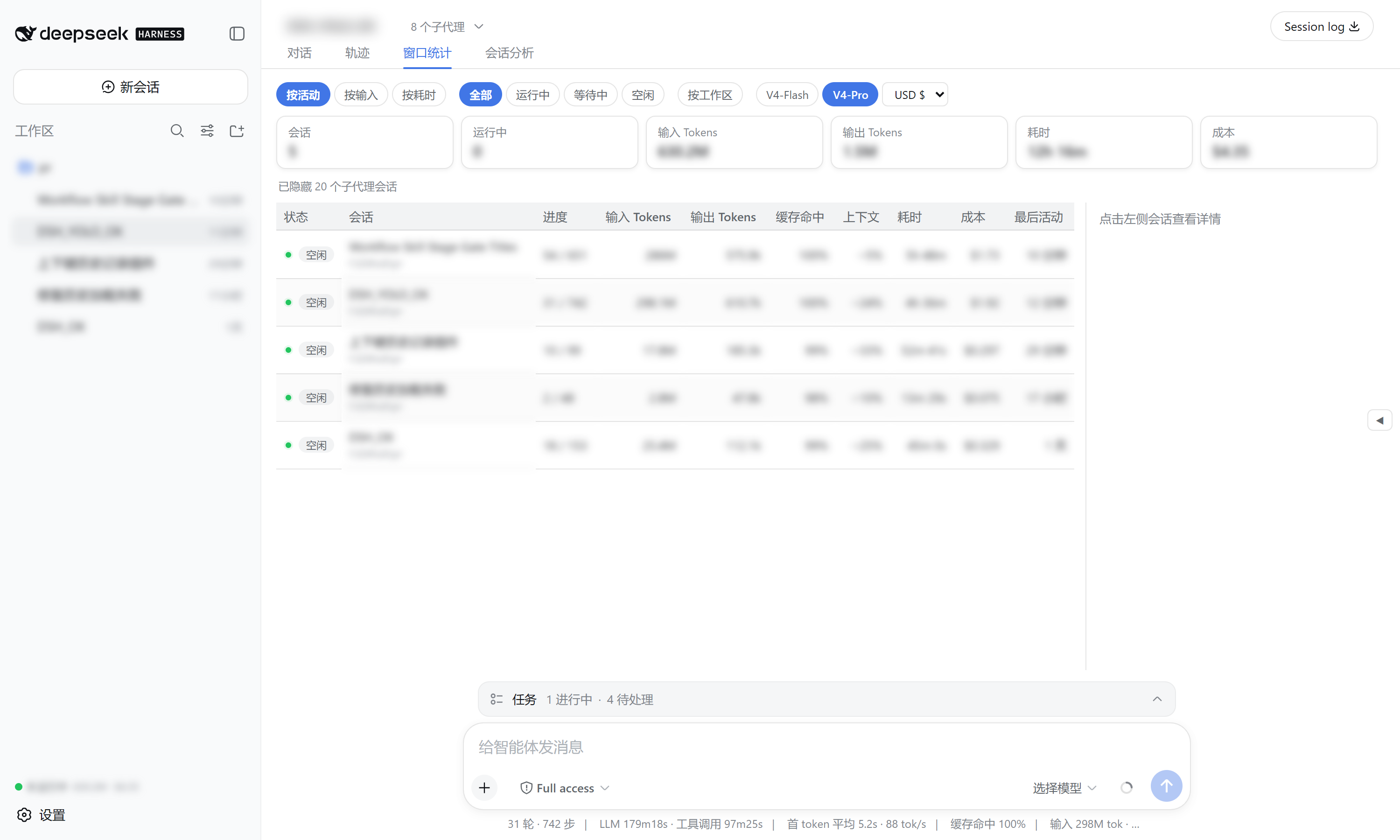
窗口统计 view tab |
One row per session: status, turns/steps, input/output tokens, cache-hit ratio, context occupancy, duration, cost, last activity — with sort / filter / group-by-workspace / model & currency selectors, and a right detail panel (token buckets, context composition, timing, heatmap). |
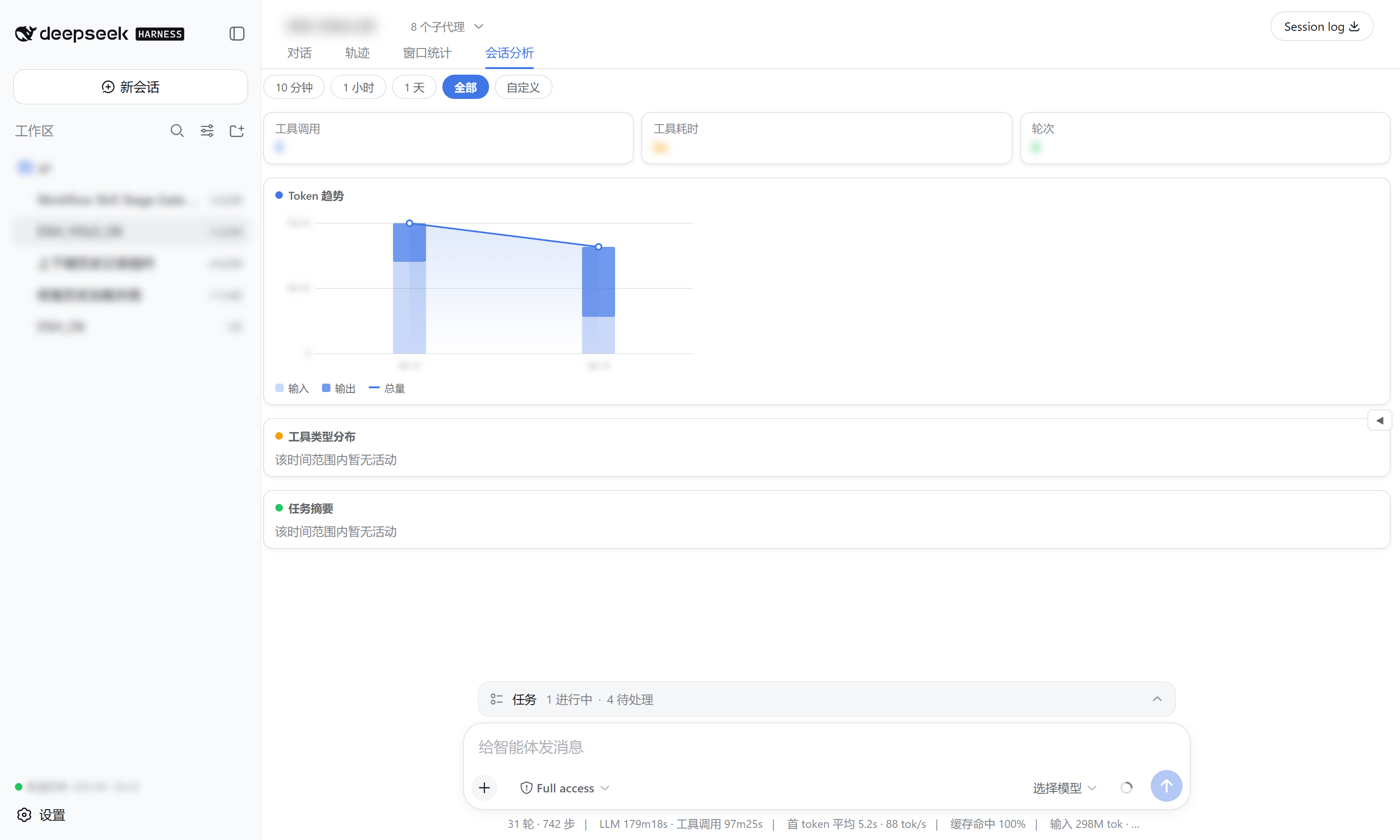
会话分析 view tab |
Time-range analysis (presets + custom) of the current session: token trend chart, tool-type duration distribution (donut + bars), and per-turn task summaries. |
| Sidebar footer summary | Always-visible running count, total tokens, and cost. |
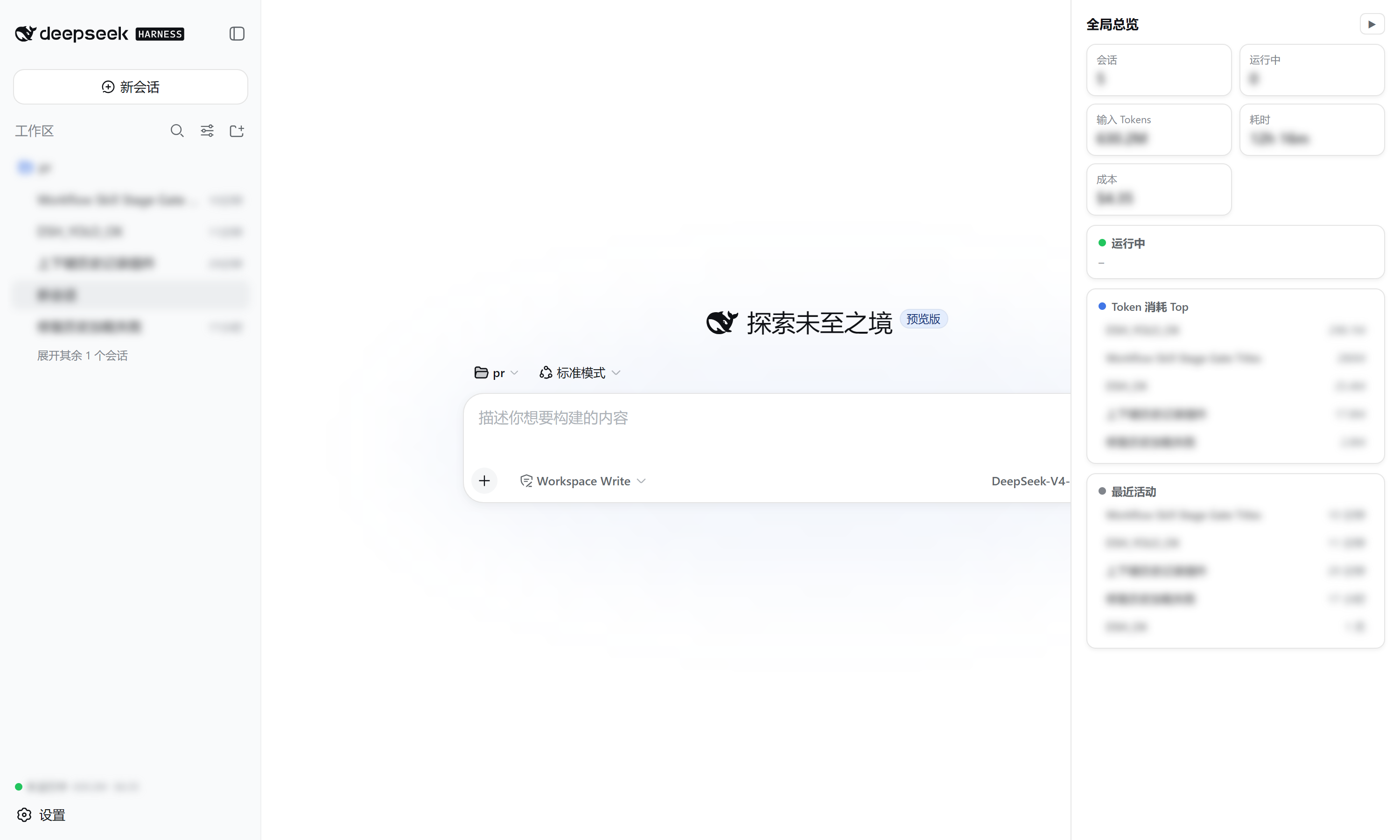
| Right overview drawer | Collapsed by default; expands to a running-sessions + top-token-consumers + recent-activity panel with click-to-open. |
Data source
| Displayed | Source |
|---|---|
| turns / steps / wall times | sessionStats projection |
| input / output / cache tokens | tokenUsage projection |
| context occupancy / composition | contextPressure + contextBreakdown projections |
| per-day token history (heatmap) | tokenHistory projection (registered by this plugin) |
| status | SessionSummary.running / pendingInteraction / completed |
Cost is estimated from DeepSeek's official pricing (V4-Flash / V4-Pro, cache-hit / cache-miss / output priced separately) with USD / CNY / EUR / GBP / JPY switching.
Install
Requires the dsh CLI (install DeepSeek Harness).
# from GitHub (recommended)
dsh plugin --profile web add github:wellorbetter/dsh-plugin-window-stats

# or from a local checkout
dsh plugin --profile web add ./dsh-plugin-window-stats
Restart the profile (dsh web) after installing. The plugin is a bundle: it declares dsh.bundle.patch, so dsh plugin reconciles it into the profile's dsh.profile.bundles automatically. It ships pre-built JavaScript (lib/), so a GitHub install needs no build step or allowBuilds permission.
Use
After restarting dsh web:
- Sidebar — the footer shows running count + total tokens + cost at all times.
- 窗口统计 tab — open any session and click the tab to see every session's progress, tokens, and cost; click a row for a rich breakdown; use the toolbar to sort / filter / group / switch model & currency.
- 会话分析 tab — analyze the current session over a time range, by tool type, with a token trend chart and task summaries.
- Right drawer — click the edge handle to expand the running / top-tokens / recent overview, click any row to open it.
Development
pnpm install
pnpm verify   # typecheck + build + test
License
MIT
Install
Install the catalog once, then DeepSeek Harness can find and install any plugin from this site automatically:
dsh plugin add dshbase-catalogThen say "install dsh-plugin-window-stats for me" — your agent finds it in the directory and installs it. Docs: dshbase-catalog · verified packs.
This plugin is GitHub source (not published to npm) — install it straight from the repo:
Web profile:
dsh plugin --profile web add github:wellorbetter/dsh-plugin-window-statsHeadless (CLI) profile:
dsh plugin --profile headless add github:wellorbetter/dsh-plugin-window-statsTest report
Verified: L1 install + L2 load + L3 runtime from GitHub source on dsh 0.1.0-rc.6.
When to use it
Give the agent a memory, a knowledge base, or a retrieval layer so it stops forgetting context between sessions.
Who it's for
Users running long projects who want the agent to remember decisions, docs, and preferences without re-explaining.
For developers — extending it
The memory/retrieval backend is the seam — plug a new store, tune what gets distilled, or add citation and audit trails.
Share this badge
Drop this badge into your README — it links back here and updates automatically when our test status changes:

[](https://dshbase.com/plugins/dsh-plugin-window-stats/)<a href="https://dshbase.com/plugins/dsh-plugin-window-stats/"><img src="https://dshbase.com/badges/dsh-plugin-window-stats.svg" alt="dshbase install-tested"></a>